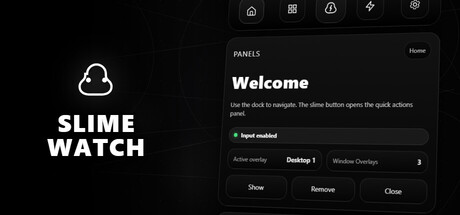
Advanced SteamVR overlay utility: windows & desktop in VR, built-in browser, VR keyboard, profiles, and performance monitoring.
Megjelenés dátuma:
2026 2. negyedéve
Fejlesztő:
Kiadó:
Címkék

Jelentkezz be, hogy ezt a tételt a kívánságlistádhoz adhasd, követhesd vagy mellőzöttnek jelölhesd.

Korai hozzáférésű szoftver

Légy részese e szoftver fejlődésének.

Megjegyzés: Ez a korai hozzáférésű szoftver nincs készen, és vagy változik a továbbiakban, vagy nem. Ha nem izgat a szoftver használata a jelenlegi állapotában, érdemes lehet várni, míg fejlesztése előrehaladottabbá válik. Tudj meg többet.

Mit mondanak a fejlesztők:

Miért a Korai Hozzáférés?

„Early Access allows us to focus on the overall stability of the application, performance improvements, and bug fixing. It also helps us continue developing features and improving internal systems such as menus and interactions. The user interface and tutorials are not yet finalized and will be improved progressively during development.”

Körülbelül mennyi ideig lesz ez a szoftver a Korai Hozzáférésben?

„We estimate that Early Access will last roughly until the end of 2026, depending on development needs, particularly to improve overall stability and continue evolving the application's features.”

A tervek szerint miben fog különbözni a teljes verzió a korai hozzáférésűtől?

„We plan to improve the overall stability of the application and reduce bugs. We also aim to add more features and provide more refined and optimized menus and user interface.”

Milyen állapotban van jelenleg a korai hozzáférésű verzió?

„The current version is functional and the main features are available. The application is still undergoing stabilization, and some features are still being developed or improved. The user interface and tutorials are not yet finalized and may evolve during Early Access.”

Eltérően lesz árazva a szoftver a korai hozzáférés alatt és azt követően?

„We plan to gradually increase the price as new improvements, features, and optimizations are added and as the application continues to evolve.”

Hogyan tervezitek bevonni a közösséget a fejlesztés folyamatába?

„Community feedback plays an important role in development. Players can share their feedback on the application's community page, report bugs, suggest new features, and share ideas to help guide development priorities.”
Tovább
A Magyar nyelv nem támogatott.

Ez a termék nem támogatja a nálad beállított nyelvet. Kérjük, vásárlás előtt tekintsd át a támogatott nyelvek listáját.

Ez a játék még nem érhető el a Steamen

Tervezett megjelenési dátum: 2026 2. negyedéve

Érdekel?
Add a kívánságlistádhoz, és értesítést kapsz, amikor elérhetővé válik.
Kívánságlistára
 
Összes téma megnézése

Jelents hibákat és adj visszajelzést erről a szoftverről az üzenőfalon.

A szoftverről

SLIME WATCH is an advanced overlay utility for [ SteamVR (OpenVR) ] that bridges the gap between your PC and your VR space.  

View and control your windows, desktop, and tools directly inside VR —without taking off your headset.

  • In-game Multitasking : Discord, Twitch, guides, YouTube, chat, dashboards—always visible in VR.

  • VR Productivity : build a VR workspace (dev, modding, monitoring).

  • Streaming : keep an eye on OBS and stream tools without breaking immersion.

  • Desktop & window overlays : capture a screen or a specific window, duplicate, crop, opacity/brightness, lock.

  • Flexible placement : attach to the world, headset (HMD), controllers, or SteamVR dashboard space.

  • VR interaction : pointer/laser, click, scroll, drag + configurable actions.

  • VR keyboard : VR typing + configurable/editable layouts.

  • Profiles : save/load setups + per-app profiles (auto-activate per VR title).

  • Performance monitor : real-time FPS, CPU, GPU, RAM, VRAM.

  • Wrist Menu (left controller) : your main control center on the controller (add, manage, configure overlays).

  • Overlay context menu : quick actions on each overlay (move, resize, actions).

  • Settings : global options, profiles, actions/hotkeys, keyboard, interaction.

  • Non-Intrusive : stays usable without getting in your way.

  • Fast Workflow : create, place, lock, and duplicate overlays in seconds.

  • Customizable : actions, profiles, rendering options (opacity/curvature/cropping) for your setup.

Lightweight and Stable : built on the right Windows APIs (DXGI / Windows Graphics Capture).

Optimizations : rendering stops when an overlay is hidden; shared textures when cloning the same source.

Control : configurable FPS limiter to reduce GPU load.

Rendszerkövetelmények

    Minimum:
    • Op. rendszer: 10
    • Processzor: Dual-core CPU (or better)
    • Memória: 4096 MB RAM
    • Grafika: SteamVR-Compatible GPU
    • Tárhely: 500 MB szabad hely
    • Hangkártya: Any
    • VR támogatás: SteamVR Only (VR headset required; motion controllers required)
    • Egyéb megjegyzések: Windows Graphics Capture requires Windows 10 (1903+) / Windows 11. Some capture modes may show a yellow border on Windows 10.
    Ajánlott:
    • Op. rendszer: 11
    • Processzor: Quad-core CPU (or better)
    • Memória: 8192 MB RAM
    • Grafika: SteamVR-Compatible GPU
    • Tárhely: 500 MB szabad hely
    • Hangkártya: Any
    • VR támogatás: SteamVR Only (VR headset required; motion controllers required)
    • Egyéb megjegyzések: Windows Graphics Capture requires Windows 10 (1903+) / Windows 11. Some capture modes may show a yellow border on Windows 10.
Ehhez a termékhez nincsenek értékelések.

Írhatsz saját értékelést ehhez a termékhez, hogy megoszd élményedet a közösséggel. Használd a vásárlás gomb feletti részt ezen az oldalon értékelésed megírásához.