Steam Multiplayer for any LAN game. Want to play classic LAN multiplayer games with your friends but cannot get together for a LAN party? Use PartyLAN to run a LAN party over Steam Multiplayer!

Kirjautumalla sisään voit lisätä tämän tuotteen toivelistallesi, seurata sitä tai merkitä sen ohitetuksi

Huomio: PartyLAN ei ole enää saatavilla Steam-kaupassa.
Peli ei ole vielä saatavilla Steamissä

Tulossa pian

Kiinnostuitko?
Lisää toivelistallesi, niin saat ilmoituksen, kun peli on saatavilla.
Lisää toivelistalle
 

Tietoa ohjelmistosta

PartyLAN is a tool for playing LAN games over the Steam Network.
It is designed to be easy to use and work with any game that supports LAN play.

Features


  • No frills interface - just the bare minimum for playing LAN games with your friends
  • No restarts required - unlike many overlay network solutions, PartyLAN does not require you to restart your computer

Usage


1. Download PartyLAN from Steam.
2. Launch PartyLAN.
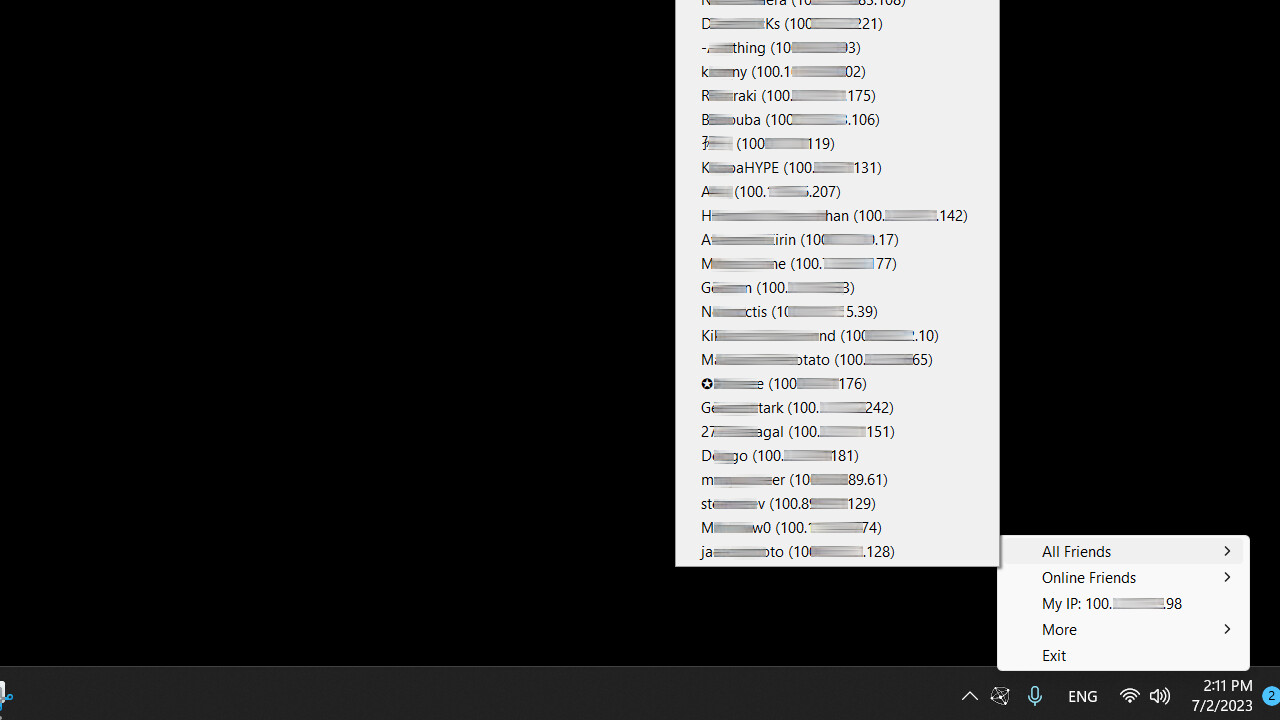
3. Ensure all players have PartyLAN installed and running. PartyLAN icon should be visible in the system tray.
4. For the host, open the game and start as a LAN game host as normal.
5. For the clients, click the system tray icon , select the host in the "Online Friends" menu, an IP address should be copied to the clipboard.
6. For the clients, open the game and connect to the host using the IP address from the clipboard.

Järjestelmävaatimukset

    Vähintään:
    • Käyttöjärjestelmä *: Windows 7
    • Suoritin: Potato
    • Verkko: Laajakaistayhteys
    • Tallennus: 50 MB kiintolevytilaa
    Suositus:
    • Käyttöjärjestelmä *: Windows 7
    • Suoritin: Not a potato
    • Verkko: Laajakaistayhteys
    • Tallennus: 50 MB kiintolevytilaa
* 1.1.24 alkaen Steam-asiakasohjelma tukee vain Windows 10:tä ja uudempia versioita.
Tuotteella ei ole arvosteluja

Arvostele tuote ja jaa kokemuksesi yhteisön kanssa. Kirjoita arvostelu ostopainikkeiden yläpuolelta löytyvään kenttään.