Steam Multiplayer for any LAN game. Want to play classic LAN multiplayer games with your friends but cannot get together for a LAN party? Use PartyLAN to run a LAN party over Steam Multiplayer!
Дата выхода:
Скоро выйдет
Разработчик:
Издатель:

Войдите, чтобы добавить этот продукт в список желаемого или скрыть его

Не поддерживается русский язык

Этот продукт не поддерживает ваш язык. Пожалуйста, перед покупкой ознакомьтесь со списком поддерживаемых языков.

Внимание: PartyLAN больше не доступна в магазине Steam.
Эта игра ещё не доступна в Steam

Скоро выйдет

Заинтересовала игра?
Добавьте её в список желаемого и получите уведомление, когда она выйдет
В желаемое
 

Об этом ПО

PartyLAN is a tool for playing LAN games over the Steam Network.
It is designed to be easy to use and work with any game that supports LAN play.

Features


  • No frills interface - just the bare minimum for playing LAN games with your friends
  • No restarts required - unlike many overlay network solutions, PartyLAN does not require you to restart your computer

Usage


1. Download PartyLAN from Steam.
2. Launch PartyLAN.
3. Ensure all players have PartyLAN installed and running. PartyLAN icon should be visible in the system tray.
4. For the host, open the game and start as a LAN game host as normal.
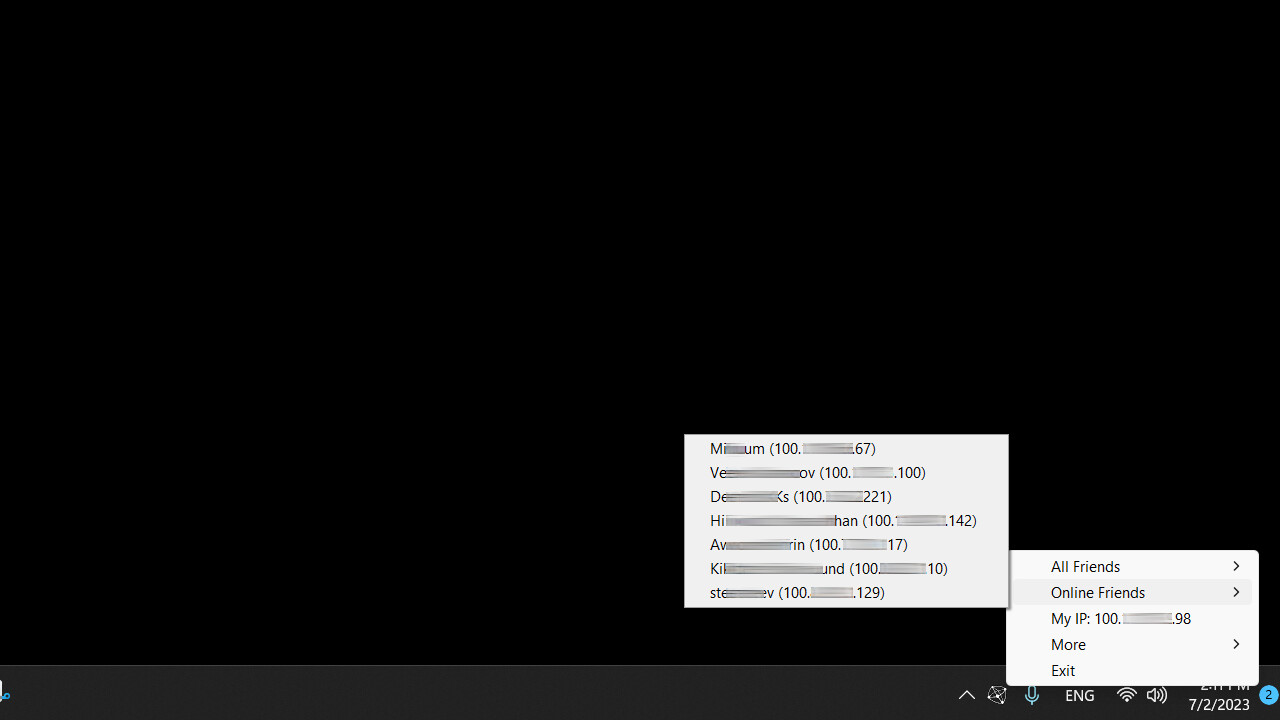
5. For the clients, click the system tray icon , select the host in the "Online Friends" menu, an IP address should be copied to the clipboard.
6. For the clients, open the game and connect to the host using the IP address from the clipboard.

Системные требования

    Минимальные:
    • ОС *: Windows 7
    • Процессор: Potato
    • Сеть: Широкополосное подключение к интернету
    • Место на диске: 50 MB
    Рекомендованные:
    • ОС *: Windows 7
    • Процессор: Not a potato
    • Сеть: Широкополосное подключение к интернету
    • Место на диске: 50 MB
* С 1 января 2024 года клиент Steam будет поддерживать только Windows 10 и более поздние версии.
У этого продукта нет обзоров

Вы можете написать обзор этого продукта, чтобы поделиться своим опытом с сообществом. Для этого воспользуйтесь разделом над кнопками покупки.