Steam Multiplayer for any LAN game. Want to play classic LAN multiplayer games with your friends but cannot get together for a LAN party? Use PartyLAN to run a LAN party over Steam Multiplayer!
發行日期:
即將推出
開發人員:
發行商:
標籤

登入以將此項目新增至您的願望清單、關注它,或標記為已忽略

不支援繁體中文

本產品尚不支援您的目前所在地的語言。購買前請先確認語言支援清單。

注意: 「PartyLAN」已不再於 Steam 商店中提供。
此遊戲尚未在 Steam 上發售

即將推出

感興趣嗎?
將這款遊戲加入願望清單,以便在發售時收到通知。
 

關於此軟體

PartyLAN is a tool for playing LAN games over the Steam Network.
It is designed to be easy to use and work with any game that supports LAN play.

Features


  • No frills interface - just the bare minimum for playing LAN games with your friends
  • No restarts required - unlike many overlay network solutions, PartyLAN does not require you to restart your computer

Usage


1. Download PartyLAN from Steam.
2. Launch PartyLAN.
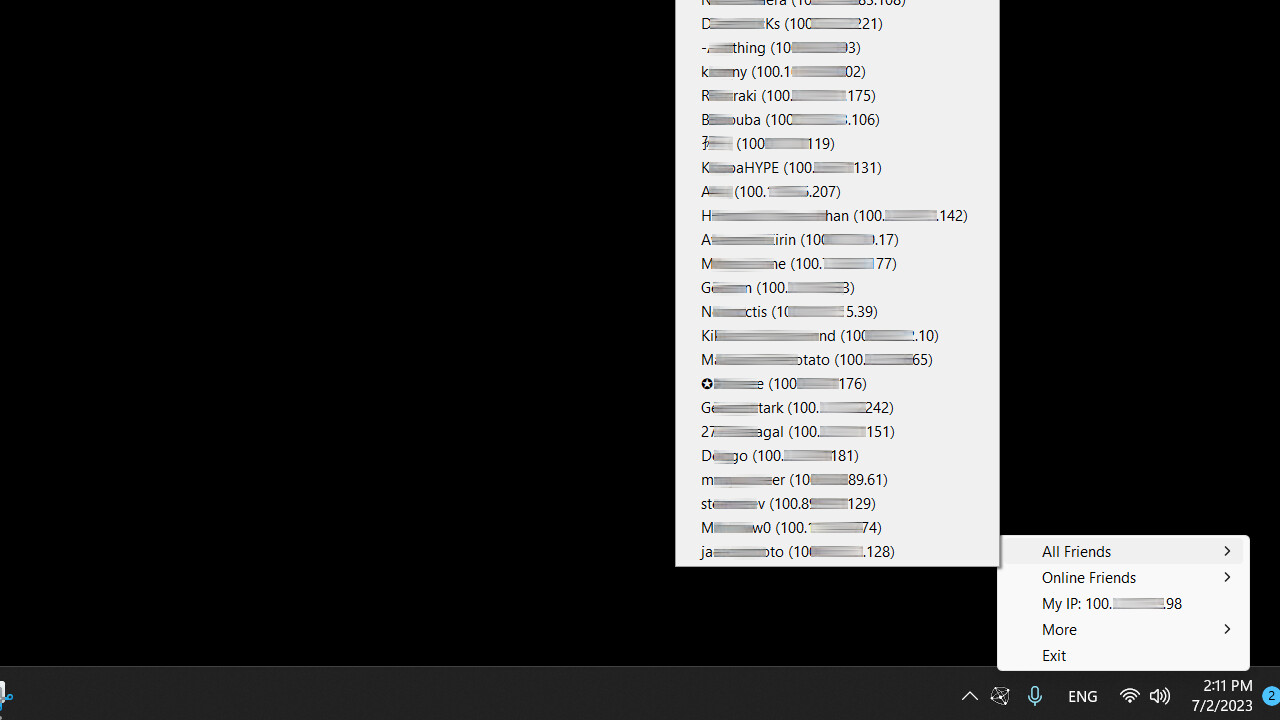
3. Ensure all players have PartyLAN installed and running. PartyLAN icon should be visible in the system tray.
4. For the host, open the game and start as a LAN game host as normal.
5. For the clients, click the system tray icon , select the host in the "Online Friends" menu, an IP address should be copied to the clipboard.
6. For the clients, open the game and connect to the host using the IP address from the clipboard.

系統需求

    最低配備:
    • 作業系統 *: Windows 7
    • 處理器: Potato
    • 網路: 寬頻網際網路連線
    • 儲存空間: 50 MB 可用空間
    建議配備:
    • 作業系統 *: Windows 7
    • 處理器: Not a potato
    • 網路: 寬頻網際網路連線
    • 儲存空間: 50 MB 可用空間
* 自 2024 年 1 月 1 日(PT)起,Steam 用戶端僅支援 Windows 10 及更新版本。
此產品無任何評論

您可以撰寫評論來與社群分享您對於本產品的看法。請使用本頁面中位於購買按鈕上方的區塊來進行評論的編寫。