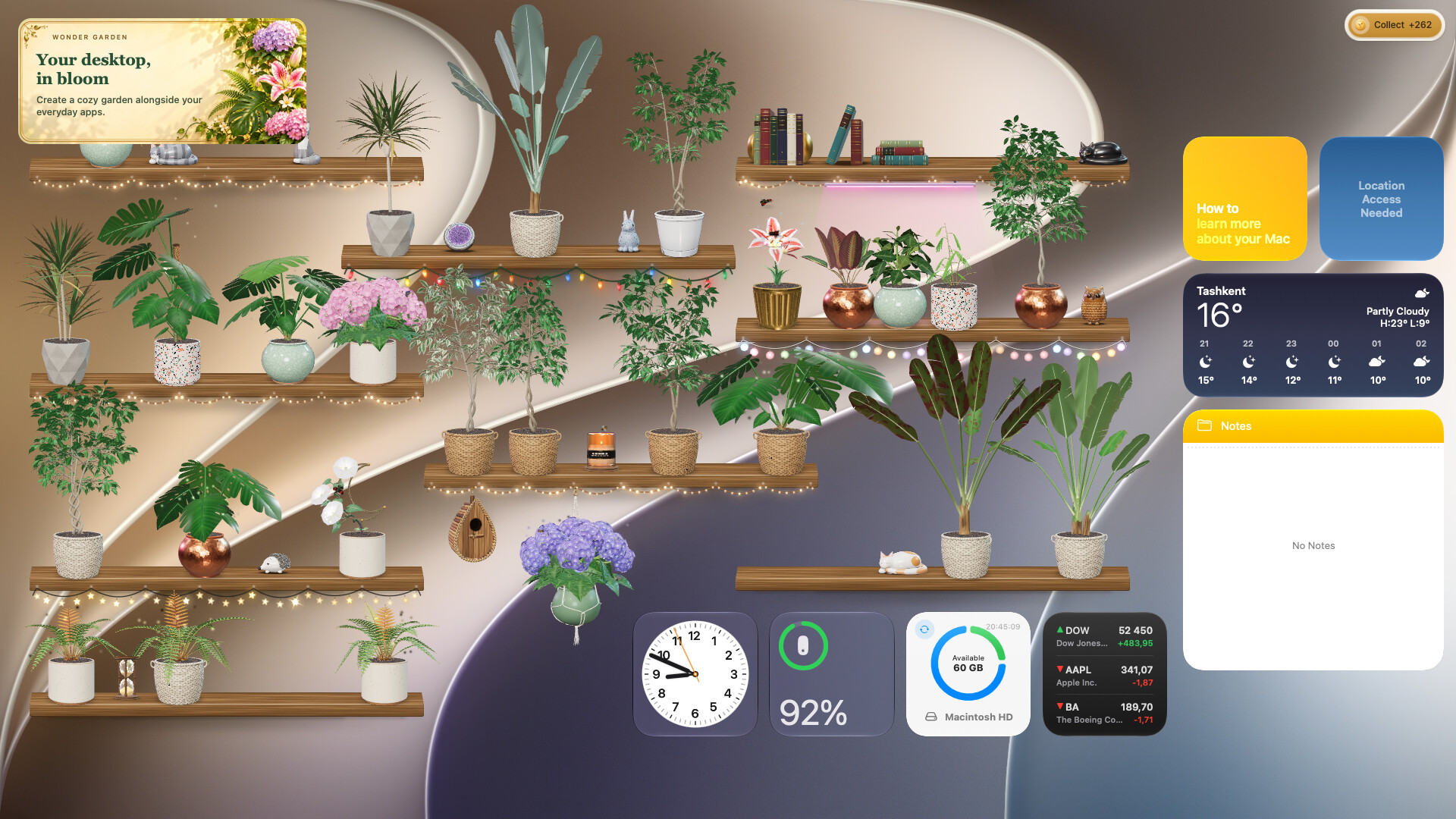
Grow a little garden on your desktop while you work or relax. Plant seeds, water your plants, raise butterflies and discover their varieties in your almanac. Arrange your own shelves on Windows and macOS, or let plants sit on window edges on macOS.

Sign in to add this item to your wishlist, follow it, or mark it as ignored

This game is not yet available on Steam

Planned Release Date: Dec 1, 2026

This game plans to unlock in approximately 5 weeks

Interested?
Add to your wishlist and get notified when it becomes available.
 

About This Game

A little garden, right on your desktop

Wonder Garden brings a growing collection of plants to your everyday workspace. Plant a seed, find it a place and watch it unfold over days, with small moments of care whenever you return.

Make room for something green

Draw shelves on your desktop, choose their finish and arrange your plants in standing or hanging pots. On macOS, you can also place plants along the edges of your windows and the Dock. Move them around as your workspace changes.

Grow a garden of your own

Water your plants and collect the sap coins they produce as they mature. Use those coins to buy more seeds, caterpillars and pot collections. Procedurally grown plants have different shapes and colours, giving each pot its own character.

Watch butterflies take flight

Raise caterpillars on grown plants and watch them become chrysalises, then butterflies. Discover seven species as they fly, bask and visit your garden's flowers.

Keep an almanac of your discoveries

Explore plant and butterfly pages, inspect discoveries in 3D and revisit the plants you have raised. New forms and colours become part of your garden's story.

Built for your desktop

  • Single-player gardening with real-time growth and short visits for care.
  • Custom shelves, standing and hanging pots, and a garden you can rearrange.
  • Seven plant species in the base game and seven butterfly species to raise.
  • A garden almanac with discoveries and interactive 3D artwork.
  • Windows: plants live on shelves you draw on the desktop.
  • macOS: use desktop shelves or detected window and Dock edges. Screen Recording permission improves surface detection; shelf mode is available without it.

Monstera, Dracaena and the bee house are part of the separately sold Supporter Pack. They are not included in the base game.

System Requirements

Windows
macOS
    Minimum:
    • Requires a 64-bit processor and operating system
    • OS: 10, 11
    • Processor: Intel Pentium Gold
    • Memory: 8 GB RAM
    Recommended:
    • Requires a 64-bit processor and operating system
    • OS: 11
    • Processor: Intel Core i5
    • Memory: 16 GB RAM
    Minimum:
    • OS: Sequoia
    • Processor: Apple M1 or Intel Core M
    • Memory: 8 GB RAM
    Recommended:
    • Memory: 16 GB RAM