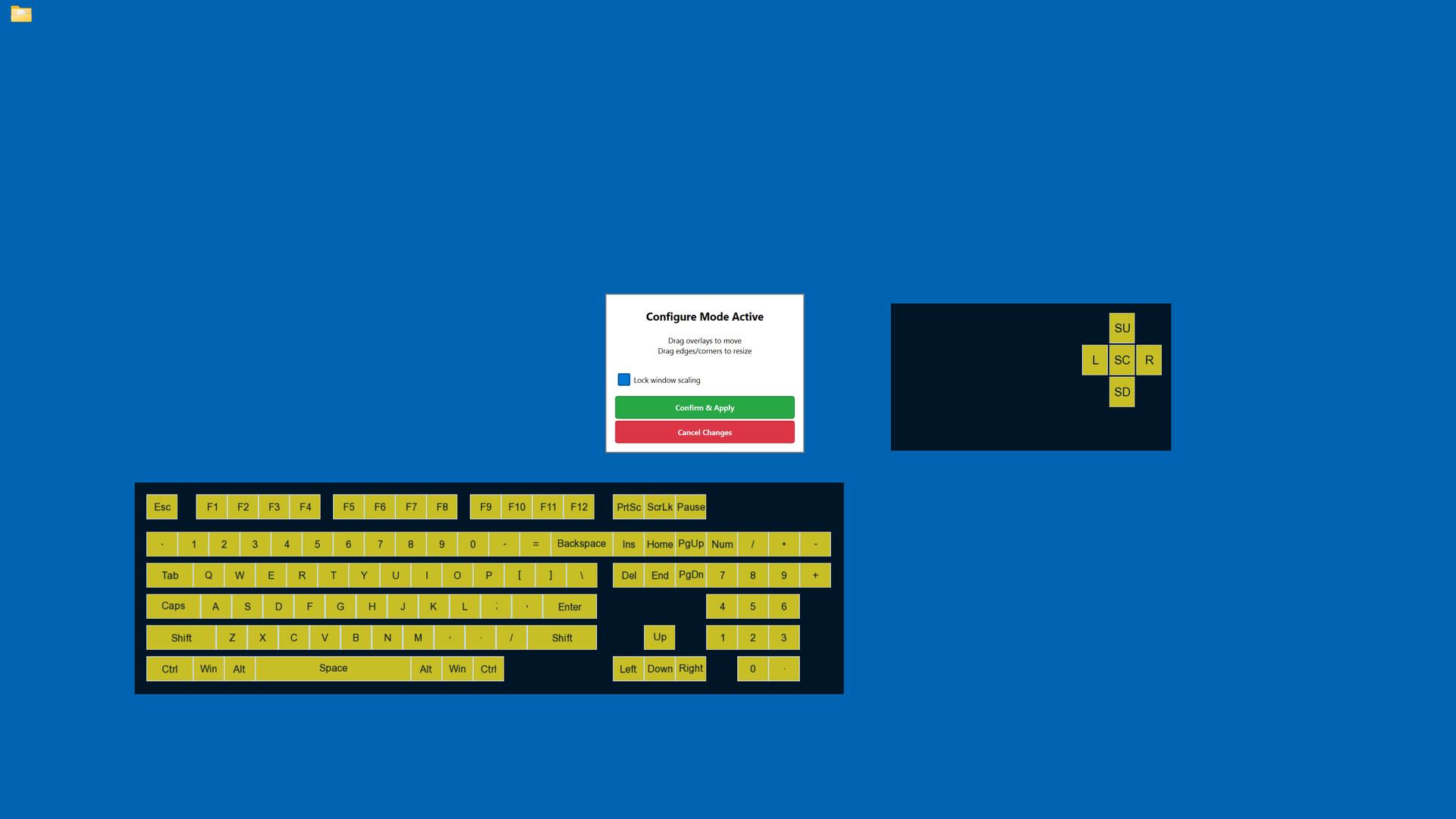
Display your keyboard and mouse inputs in real-time with fully customizable overlays. Perfect for content creators, educators, and streamers who want to show their audience exactly what they're pressing during gameplay, tutorials, or demonstrations.

Đăng nhập để thêm sản phẩm này vào danh sách ước, theo dõi, hoặc đánh dấu nó thành "đã phớt lờ"

Không hỗ trợ ngôn ngữ Tiếng Việt

Sản phẩm này không hỗ trợ ngôn ngữ địa phương của bạn. Vui lòng xem lại danh sách ngôn ngữ được hỗ trợ dưới đây trước khi mua.

Mua Keyboard & Mouse Overlay


Về phần mềm này

Display your keyboard and mouse inputs in real-time using a customizable overlay system. The application is designed for content creators, educators, and streamers.

Perfect for showing your audience what keys are being pressed during gameplay, software demonstrations, tutorials, or other computer-based instruction.

KEY FEATURES

- Three Overlay Types: Fun Keys (bar/oscillogram visualization), Keyboard Press overlay, and Mouse Press overlay

- Multiple Keyboard Layouts: QWERTY, QWERTZ, AZERTY, and ЙЦУКЕН layouts are supported

- Full Customization: Colors, opacity, sizes, and positioning can be adjusted for each element independently

- Configure Mode: Overlays can be positioned and scaled using visual controls

- Layout Presets: Configurations can be saved and loaded as needed

- Statistics Tracking: Key-press data can be recorded for personal review

- Always-On-Top: Overlays remain visible over applications and games

- Lightweight: The application has minimal performance impact on the system

IDEAL FOR

- Content creators producing instructional videos

- Educators demonstrating computer skills

- Streamers displaying inputs to viewers

- Tutorial creators teaching software or gaming techniques

- Users who wish to visualize their keyboard and mouse activity

EASY TO USE

Launch the configuration window, select your desired overlays, customize colors and positioning, then let the overlay run in the background.

TECHNICAL DETAILS

- Built with C++ using Qt and SFML.

- ALL keyboard and mouse inputs will be shown during use.

- This application is NOT an on-screen keyboard.

Yêu cầu hệ thống

    Tối thiểu:
    • Yêu cầu vi xử lý và hệ điều hành đều chạy 64-bit
    • HĐH: Windows 10 64-bit or later
    • Bộ xử lý: Intel Core i3 or AMD equivalent (2.0 GHz or higher)
    • Bộ nhớ: 4 GB RAM
    • Đồ họa: DirectX 11 compatible graphics card with 512 MB VRAM
    • DirectX: Phiên bản 11
    • Lưu trữ: 200 MB chỗ trống khả dụng
    • Ghi chú thêm: Requires administrator privileges for keyboard/mouse input capture. Compatible with streaming and recording software.
    Khuyến nghị:
    • Yêu cầu vi xử lý và hệ điều hành đều chạy 64-bit

Đánh giá của khách hàng cho Keyboard & Mouse Overlay Giới thiệu về đánh giá người dùng Tùy chỉnh của bạn

Đánh giá tổng thể:
1 đánh giá người dùng (1 đánh giá)


Để xem các đánh giá trong một khoảng thời gian, vui lòng nhấp và kéo lựa chọn trên đồ thị hoặc nhấp vào một thanh cụ thể.


Lọc theo thời gian chơi của người dùng khi đánh giá được viết:


Không có tối thiểu đến Không có tối đa

Hiện bài đánh giá theo thứ tự hiển thị đã chọn


Tìm hiểu thêm
Bộ lọc
Loại trừ hoạt động đánh giá lạc đề
Thời gian chơi:
Chơi chủ yếu trên Steam Deck
Hệ điều hành:
CPU:
GPU:
Loại thiết bị: