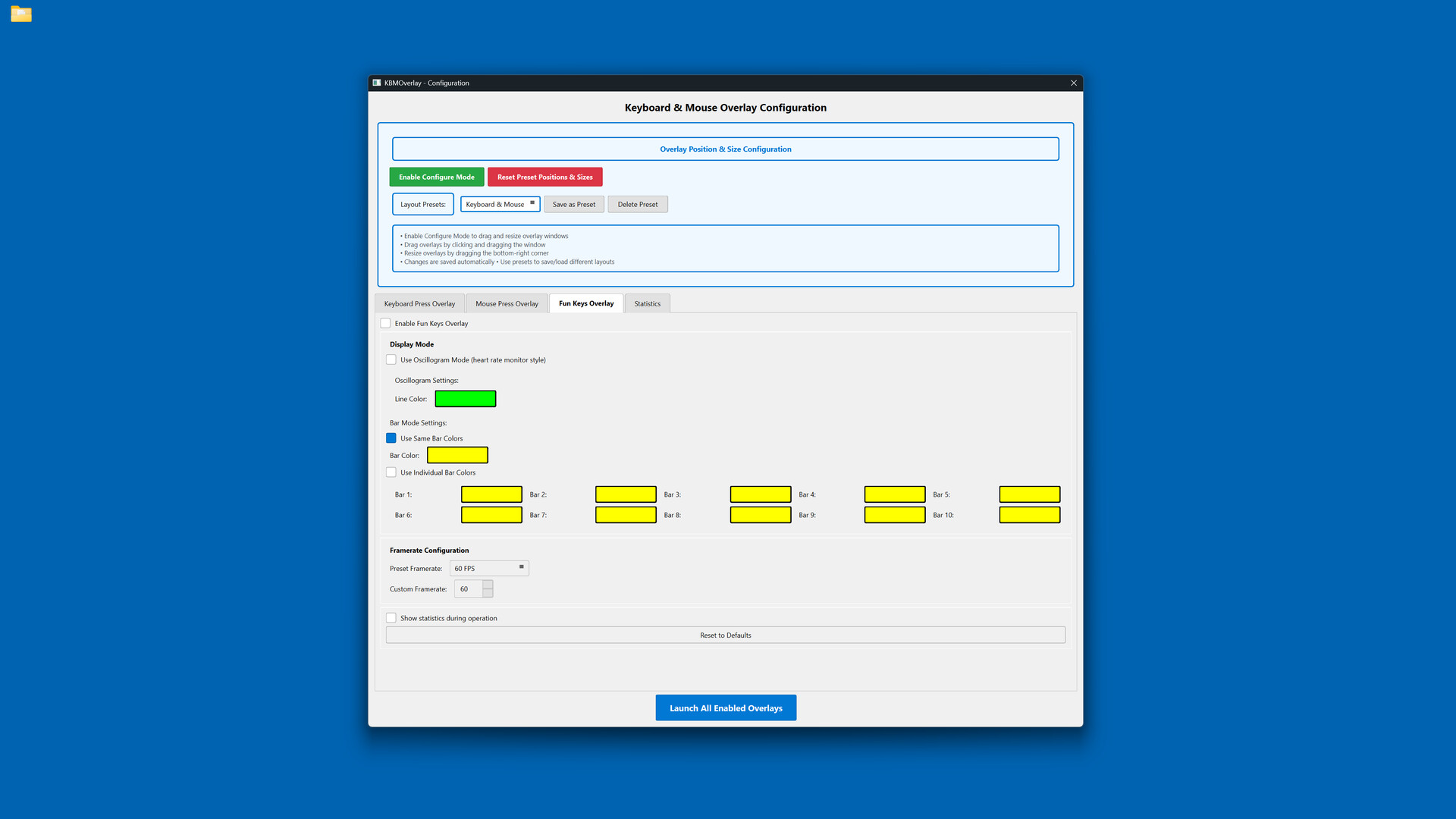
Display your keyboard and mouse inputs in real-time with fully customizable overlays. Perfect for content creators, educators, and streamers who want to show their audience exactly what they're pressing during gameplay, tutorials, or demonstrations.

Впишете се, за да добавите този артикул към списъка си с желания, да го последвате или да го отбележите като игнориран

Български език не се поддържа

Този продукт не поддържа родния Ви език. Моля, прегледайте списъка с поддържани езици по-долу, преди да го купите

Закупуване на Keyboard & Mouse Overlay


Относно този софтуер

Display your keyboard and mouse inputs in real-time using a customizable overlay system. The application is designed for content creators, educators, and streamers.

Perfect for showing your audience what keys are being pressed during gameplay, software demonstrations, tutorials, or other computer-based instruction.

KEY FEATURES

- Three Overlay Types: Fun Keys (bar/oscillogram visualization), Keyboard Press overlay, and Mouse Press overlay

- Multiple Keyboard Layouts: QWERTY, QWERTZ, AZERTY, and ЙЦУКЕН layouts are supported

- Full Customization: Colors, opacity, sizes, and positioning can be adjusted for each element independently

- Configure Mode: Overlays can be positioned and scaled using visual controls

- Layout Presets: Configurations can be saved and loaded as needed

- Statistics Tracking: Key-press data can be recorded for personal review

- Always-On-Top: Overlays remain visible over applications and games

- Lightweight: The application has minimal performance impact on the system

IDEAL FOR

- Content creators producing instructional videos

- Educators demonstrating computer skills

- Streamers displaying inputs to viewers

- Tutorial creators teaching software or gaming techniques

- Users who wish to visualize their keyboard and mouse activity

EASY TO USE

Launch the configuration window, select your desired overlays, customize colors and positioning, then let the overlay run in the background.

TECHNICAL DETAILS

- Built with C++ using Qt and SFML.

- ALL keyboard and mouse inputs will be shown during use.

- This application is NOT an on-screen keyboard.

Системни изисквания

    Минимални:
    • Изисква 64-битов процесор и операционна система
    • ОС: Windows 10 64-bit or later
    • Процесор: Intel Core i3 or AMD equivalent (2.0 GHz or higher)
    • Памет: 4 GB памет
    • Видеокарта: DirectX 11 compatible graphics card with 512 MB VRAM
    • DirectX: версия 11
    • Пространство за съхранение: 200 MB достъпно пространство
    • Допълнителни бележки: Requires administrator privileges for keyboard/mouse input capture. Compatible with streaming and recording software.
    Препоръчителни:
    • Изисква 64-битов процесор и операционна система

Рецензии от клиенти за Keyboard & Mouse Overlay Относно потребителските рецензии Предпочитанията Ви

Общо рецензии:
1 потребителски рецензии (1 рецензии)


С цел да прегледате рецензии в даден времеви период, моля, кликнете и провлечете подбора на някоя графика по-горе или кликнете върху специфична лента.


Филтриране на рецензии по потребителското игрално време, когато рецензията е била написана:


Без минимум до Без максимум

Показване на рецензии в избрания ред за изобразяване


Научете още.
Филтри
Изключване на активността от рецензии извън темата
Игрално време:
Пускано основно на Steam Deck
Операционна система:
Процесор:
Видеокарта:
Тип устройство: