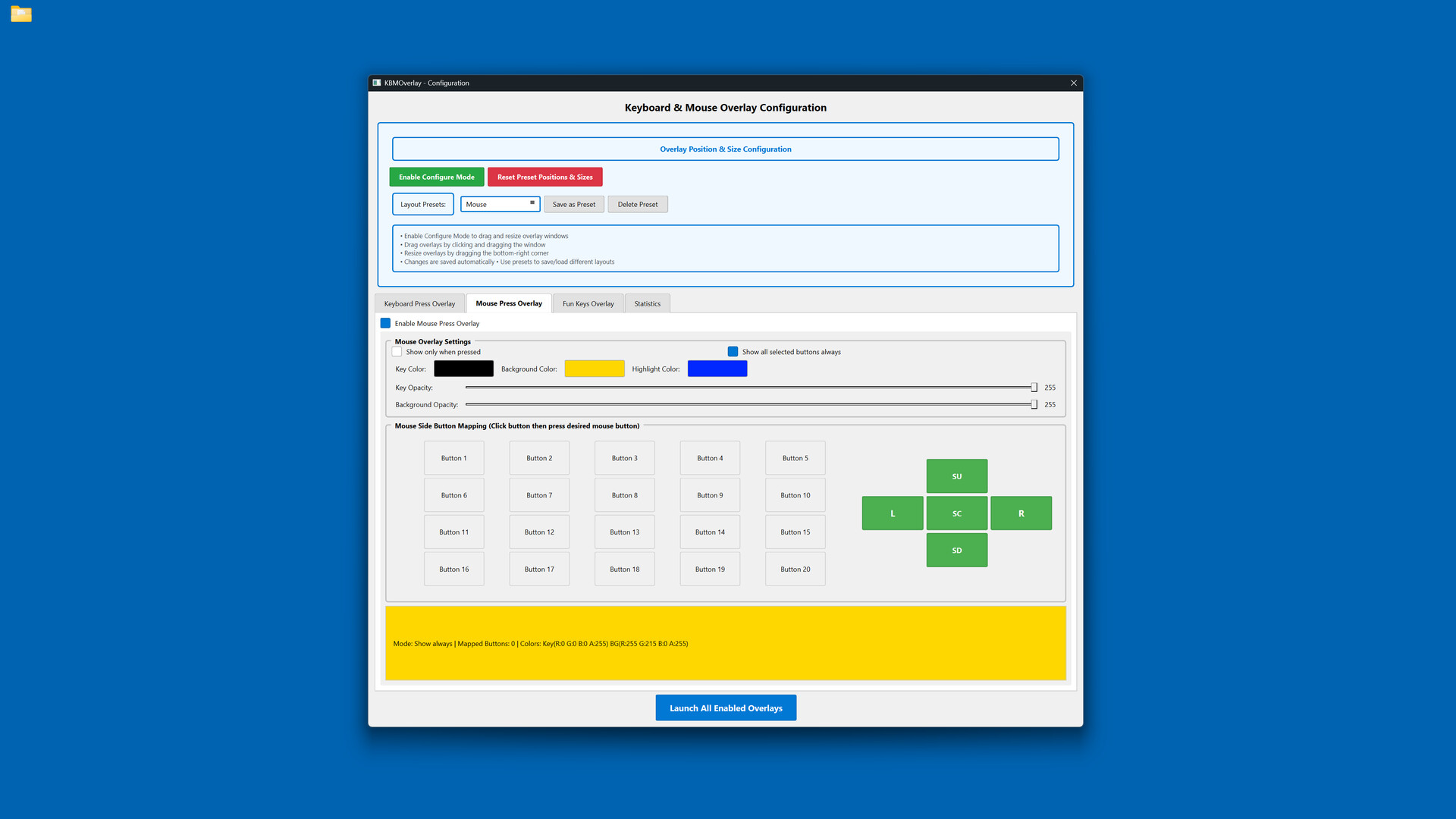
Display your keyboard and mouse inputs in real-time with fully customizable overlays. Perfect for content creators, educators, and streamers who want to show their audience exactly what they're pressing during gameplay, tutorials, or demonstrations.

Log in om dit item aan je verlanglijst toe te voegen, het te volgen of te negeren

Keyboard & Mouse Overlay kopen


Over deze software

Display your keyboard and mouse inputs in real-time using a customizable overlay system. The application is designed for content creators, educators, and streamers.

Perfect for showing your audience what keys are being pressed during gameplay, software demonstrations, tutorials, or other computer-based instruction.

KEY FEATURES

- Three Overlay Types: Fun Keys (bar/oscillogram visualization), Keyboard Press overlay, and Mouse Press overlay

- Multiple Keyboard Layouts: QWERTY, QWERTZ, AZERTY, and ЙЦУКЕН layouts are supported

- Full Customization: Colors, opacity, sizes, and positioning can be adjusted for each element independently

- Configure Mode: Overlays can be positioned and scaled using visual controls

- Layout Presets: Configurations can be saved and loaded as needed

- Statistics Tracking: Key-press data can be recorded for personal review

- Always-On-Top: Overlays remain visible over applications and games

- Lightweight: The application has minimal performance impact on the system

IDEAL FOR

- Content creators producing instructional videos

- Educators demonstrating computer skills

- Streamers displaying inputs to viewers

- Tutorial creators teaching software or gaming techniques

- Users who wish to visualize their keyboard and mouse activity

EASY TO USE

Launch the configuration window, select your desired overlays, customize colors and positioning, then let the overlay run in the background.

TECHNICAL DETAILS

- Built with C++ using Qt and SFML.

- ALL keyboard and mouse inputs will be shown during use.

- This application is NOT an on-screen keyboard.

Systeemeisen

    Minimum:
    • Vereist een 64-bitsprocessor en -besturingssysteem
    • Besturingssysteem: Windows 10 64-bit or later
    • Processor: Intel Core i3 or AMD equivalent (2.0 GHz or higher)
    • Geheugen: 4 GB RAM
    • Grafische kaart: DirectX 11 compatible graphics card with 512 MB VRAM
    • DirectX: Versie 11
    • Opslagruimte: 200 MB beschikbare ruimte
    • Aanvullende opmerkingen: Requires administrator privileges for keyboard/mouse input capture. Compatible with streaming and recording software.
    Aanbevolen:
    • Vereist een 64-bitsprocessor en -besturingssysteem

Klantenrecensies voor Keyboard & Mouse Overlay Over gebruikersrecensies Je voorkeuren

Algemene recensies:
1 gebruikersrecensies (1 recensies)


Om recensies in een datumbereik te bekijken, klik en sleep je een selectie op een grafiek hierboven of klik je op een specifieke balk.


Filter recensies op speeltijden van gebruikers toen ze geschreven werden:


Geen minimum tot Geen maximum

Recensies weergeven in de geselecteerde volgorde


Meer informatie
Filters
Irrelevante recensieactiviteit uitgesloten
Speeltijd:
Vooral gespeeld op de Steam Deck
Besturingssysteem:
CPU:
GPU:
Soort apparaat: