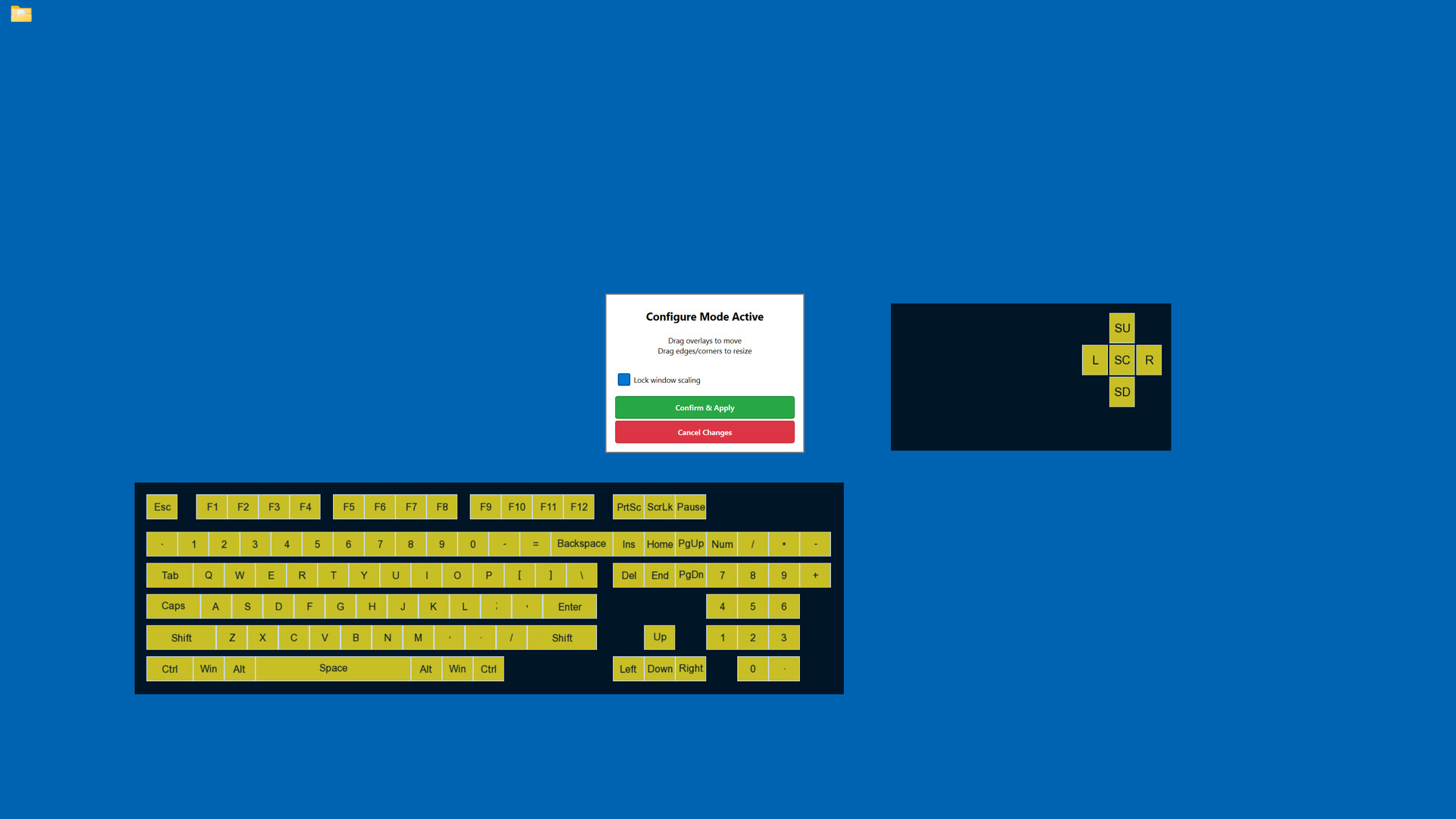
Display your keyboard and mouse inputs in real-time with fully customizable overlays. Perfect for content creators, educators, and streamers who want to show their audience exactly what they're pressing during gameplay, tutorials, or demonstrations.

Увійдіть до акаунта, щоби додати цей продукт до списку бажаного чи позначити як ігнорований.

українська мова недоступна

Цей продукт не підтримує вашу мову. Будь ласка, перегляньте список підтримуваних мов перед купівлею.

Придбати Keyboard & Mouse Overlay


Про цю програму

Display your keyboard and mouse inputs in real-time using a customizable overlay system. The application is designed for content creators, educators, and streamers.

Perfect for showing your audience what keys are being pressed during gameplay, software demonstrations, tutorials, or other computer-based instruction.

KEY FEATURES

- Three Overlay Types: Fun Keys (bar/oscillogram visualization), Keyboard Press overlay, and Mouse Press overlay

- Multiple Keyboard Layouts: QWERTY, QWERTZ, AZERTY, and ЙЦУКЕН layouts are supported

- Full Customization: Colors, opacity, sizes, and positioning can be adjusted for each element independently

- Configure Mode: Overlays can be positioned and scaled using visual controls

- Layout Presets: Configurations can be saved and loaded as needed

- Statistics Tracking: Key-press data can be recorded for personal review

- Always-On-Top: Overlays remain visible over applications and games

- Lightweight: The application has minimal performance impact on the system

IDEAL FOR

- Content creators producing instructional videos

- Educators demonstrating computer skills

- Streamers displaying inputs to viewers

- Tutorial creators teaching software or gaming techniques

- Users who wish to visualize their keyboard and mouse activity

EASY TO USE

Launch the configuration window, select your desired overlays, customize colors and positioning, then let the overlay run in the background.

TECHNICAL DETAILS

- Built with C++ using Qt and SFML.

- ALL keyboard and mouse inputs will be shown during use.

- This application is NOT an on-screen keyboard.

Системні вимоги

    Мінімальні:
    • Потребує 64-бітних процесора та операційної системи
    • ОС: Windows 10 64-bit or later
    • Процесор: Intel Core i3 or AMD equivalent (2.0 GHz or higher)
    • Оперативна пам’ять: 4 GB ОП
    • Відеокарта: DirectX 11 compatible graphics card with 512 MB VRAM
    • DirectX: версії 11
    • Місце на диску: 200 MB доступного місця
    • Додаткові примітки: Requires administrator privileges for keyboard/mouse input capture. Compatible with streaming and recording software.
    Рекомендовані:
    • Потребує 64-бітних процесора та операційної системи

Користувацькі рецензії на Keyboard & Mouse Overlay Про рецензії користувачів Ваші вподобання

Усі рецензії:
Рецензій: 1 (усього 1)


Щоб переглянути рецензії за певний проміжок часу, виберіть його на графіку вище або клацніть відповідний стовпчик.


Сортуйте рецензії за показником награного часу на момент написання рецензії:


Без мінімуму до Без максимуму

Показувати рецензії у вибраній послідовності


Дізнатися більше
Фільтри
Виключення рецензійної активності «не за темою»
Ігровий час:
Переважно на Steam Deck
Операційна система:
ЦП:
ГП:
Тип пристрою: