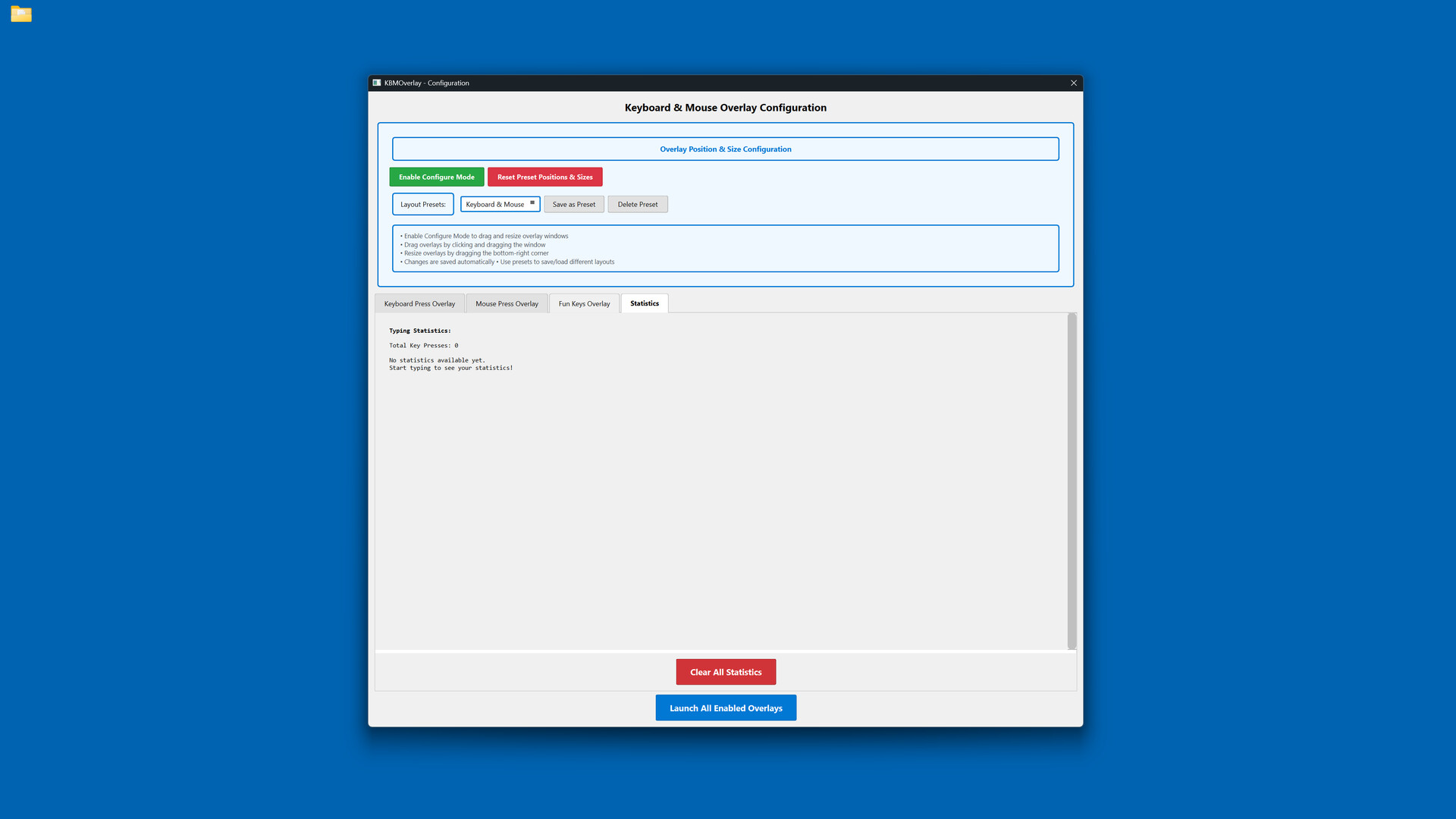
Display your keyboard and mouse inputs in real-time with fully customizable overlays. Perfect for content creators, educators, and streamers who want to show their audience exactly what they're pressing during gameplay, tutorials, or demonstrations.

Bu öğeyi istek listenize eklemek, takip etmek veya yok sayıldı olarak işaretlemek için giriş yapın

Türkçe desteklenmemektedir

Bu ürün sizin dilinizi desteklememektedir. Lütfen satın almadan önce aşağıdaki desteklenen diller listesini gözden geçirin.

Keyboard & Mouse Overlay Satın Alın


Bu Yazılım Hakkında

Display your keyboard and mouse inputs in real-time using a customizable overlay system. The application is designed for content creators, educators, and streamers.

Perfect for showing your audience what keys are being pressed during gameplay, software demonstrations, tutorials, or other computer-based instruction.

KEY FEATURES

- Three Overlay Types: Fun Keys (bar/oscillogram visualization), Keyboard Press overlay, and Mouse Press overlay

- Multiple Keyboard Layouts: QWERTY, QWERTZ, AZERTY, and ЙЦУКЕН layouts are supported

- Full Customization: Colors, opacity, sizes, and positioning can be adjusted for each element independently

- Configure Mode: Overlays can be positioned and scaled using visual controls

- Layout Presets: Configurations can be saved and loaded as needed

- Statistics Tracking: Key-press data can be recorded for personal review

- Always-On-Top: Overlays remain visible over applications and games

- Lightweight: The application has minimal performance impact on the system

IDEAL FOR

- Content creators producing instructional videos

- Educators demonstrating computer skills

- Streamers displaying inputs to viewers

- Tutorial creators teaching software or gaming techniques

- Users who wish to visualize their keyboard and mouse activity

EASY TO USE

Launch the configuration window, select your desired overlays, customize colors and positioning, then let the overlay run in the background.

TECHNICAL DETAILS

- Built with C++ using Qt and SFML.

- ALL keyboard and mouse inputs will be shown during use.

- This application is NOT an on-screen keyboard.

Sistem Gereksinimleri

    Minimum:
    • 64-bit işlemci ve işletim sistemi gerektirir
    • İşletim Sistemi: Windows 10 64-bit or later
    • İşlemci: Intel Core i3 or AMD equivalent (2.0 GHz or higher)
    • Bellek: 4 GB RAM
    • Ekran Kartı: DirectX 11 compatible graphics card with 512 MB VRAM
    • DirectX: Sürüm 11
    • Depolama: 200 MB kullanılabilir alan
    • İlave Notlar: Requires administrator privileges for keyboard/mouse input capture. Compatible with streaming and recording software.
    Önerilen:
    • 64-bit işlemci ve işletim sistemi gerektirir

Keyboard & Mouse Overlay için müşteri incelemeleri Kullanıcı incelemeleri hakkında Tercihleriniz

Toplam İnceleme:
1 kullanıcı incelemesi (1 inceleme)


Belirli bir tarih aralığındaki incelemeleri görebilmek için lütfen yukarıdaki grafikten istediğiniz tarih aralığını sürükleyerek seçin veya bir çubuğa tıklayın.


İncelemeleri, oyuncuların inceleme gönderdiği tarihteki oynama sürelerine göre filtrele:


Minimum yok - Maksimum yok

İncelemeleri seçili görüntüleme sırasına göre göster


Daha Fazlasını Öğrenin
Filtreler
Konu Dışı İnceleme Etkinliği Dahil Edilmiyor
Oynama Süresi:
Çoğunlukla Steam Deck'te Oynayanlar
İşletim Sistemi:
İşlemci:
Ekran Kartı:
Aygıt Türü: