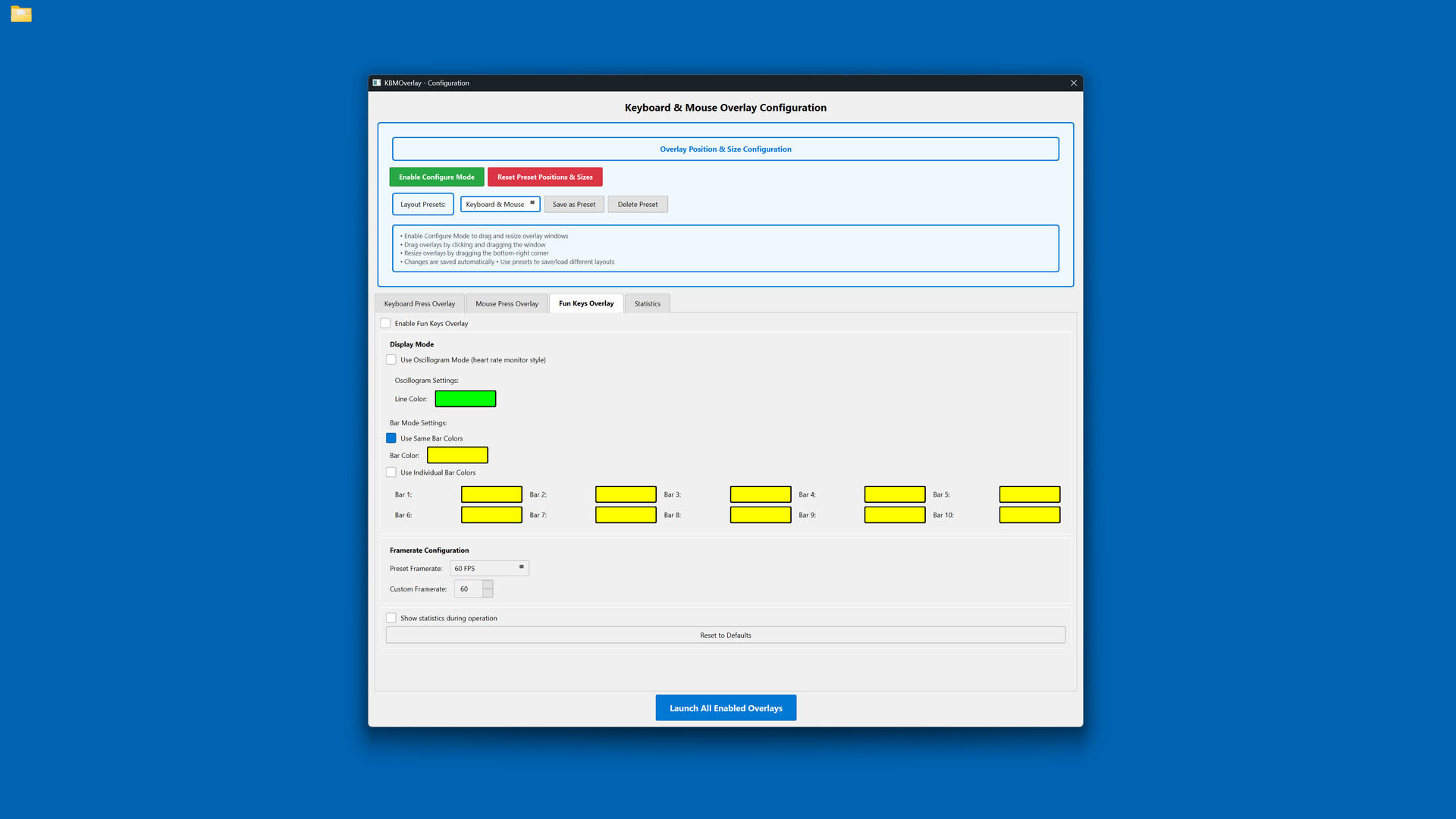
Display your keyboard and mouse inputs in real-time with fully customizable overlays. Perfect for content creators, educators, and streamers who want to show their audience exactly what they're pressing during gameplay, tutorials, or demonstrations.

Melden Sie sich an, um dieses Produkt zu Ihrer Wunschliste hinzuzufügen, zu abonnieren oder als „Ignoriert“ zu markieren.

Keyboard & Mouse Overlay kaufen


Über diese Software

Display your keyboard and mouse inputs in real-time using a customizable overlay system. The application is designed for content creators, educators, and streamers.

Perfect for showing your audience what keys are being pressed during gameplay, software demonstrations, tutorials, or other computer-based instruction.

KEY FEATURES

- Three Overlay Types: Fun Keys (bar/oscillogram visualization), Keyboard Press overlay, and Mouse Press overlay

- Multiple Keyboard Layouts: QWERTY, QWERTZ, AZERTY, and ЙЦУКЕН layouts are supported

- Full Customization: Colors, opacity, sizes, and positioning can be adjusted for each element independently

- Configure Mode: Overlays can be positioned and scaled using visual controls

- Layout Presets: Configurations can be saved and loaded as needed

- Statistics Tracking: Key-press data can be recorded for personal review

- Always-On-Top: Overlays remain visible over applications and games

- Lightweight: The application has minimal performance impact on the system

IDEAL FOR

- Content creators producing instructional videos

- Educators demonstrating computer skills

- Streamers displaying inputs to viewers

- Tutorial creators teaching software or gaming techniques

- Users who wish to visualize their keyboard and mouse activity

EASY TO USE

Launch the configuration window, select your desired overlays, customize colors and positioning, then let the overlay run in the background.

TECHNICAL DETAILS

- Built with C++ using Qt and SFML.

- ALL keyboard and mouse inputs will be shown during use.

- This application is NOT an on-screen keyboard.

Systemanforderungen

    Mindestanforderungen:
    • Setzt 64-Bit-Prozessor und -Betriebssystem voraus
    • Betriebssystem: Windows 10 64-bit or later
    • Prozessor: Intel Core i3 or AMD equivalent (2.0 GHz or higher)
    • Arbeitsspeicher: 4 GB RAM
    • Grafik: DirectX 11 compatible graphics card with 512 MB VRAM
    • DirectX: Version 11
    • Speicherplatz: 200 MB verfügbarer Speicherplatz
    • Zusätzliche Anmerkungen: Requires administrator privileges for keyboard/mouse input capture. Compatible with streaming and recording software.
    Empfohlen:
    • Setzt 64-Bit-Prozessor und -Betriebssystem voraus

Nutzerrezensionen für Keyboard & Mouse Overlay Über Nutzerrezensionen Ihre Einstellungen

Alle Rezensionen:
1 Nutzerrezensionen (1 Rezensionen)


Zum Anzeigen von Rezensionen in einem bestimmten Zeitraum, markieren Sie diesen bitte in einem der obigen Graphen oder klicken Sie auf einen einzelnen Balken.


Filtern Sie Rezensionen nach der Spielzeit des Spielers zum Zeitpunkt der Rezension:


Kein Minimum bis Kein Maximum

Rezensionen in ausgewählter Reihenfolge anzeigen


Weitere Informationen
Filter
Rezensionen ohne Themenbezug ausschließen
Spielzeit:
Zumeist auf dem Steam Deck gespielt
Betriebssystem:
CPU:
GPU:
Gerätetyp: