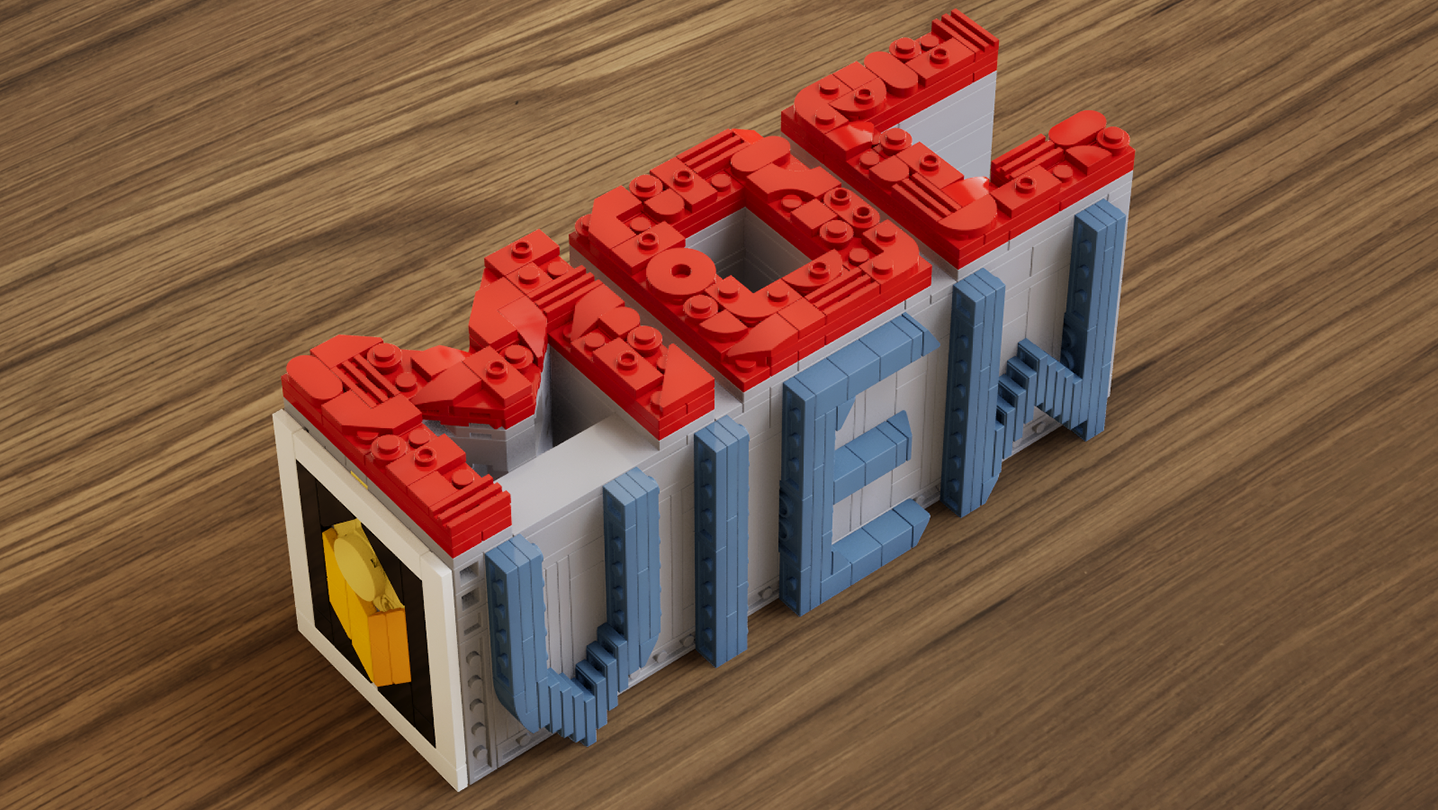
A real-time brick viewer — import LDraw (.ldr) files, explore with live previews and walkthroughs, and export photorealistic rendered images.

Inicia sesión para agregar este artículo a tu lista de deseados, seguirlo o marcarlo como ignorado.

Software con Acceso anticipado

Involúcrate con este software mientras se desarrolla.

Aviso: Este software con Acceso anticipado no está terminado y puede o no cambiar más adelante. Si no te entusiasma usar este software en su estado actual, entonces deberías esperar a ver si avanza más en su desarrollo. Más información

Lo que dicen los desarrolladores:

¿Por qué Acceso anticipado?

“This software is currently in Early Access.
Real-time rendering, part compatibility, and performance optimization involve a wide range of hardware configurations and usage scenarios. Early Access allows us to continuously improve stability, performance, and overall user experience based on community feedback.
The current Early Access version is fully usable for model presentation and rendering output, while some advanced features are still under development.”

¿Cuánto tiempo va a estar este software en Acceso anticipado aproximadamente?

“We currently expect the software to remain in Early Access for approximately 6–12 months.
This period will be used for feature expansion, performance optimization, and compatibility improvements. The timeline may be adjusted based on development progress.”

¿Qué tan diferente será la versión completa de la versión de Acceso anticipado?

“The full version is planned to further expand the presentation capabilities of the software, including more diverse environments, enhanced interaction features, more advanced rendering options, as well as continued improvements to performance and compatibility.”

¿Cuál es el estado actual de la versión de Acceso anticipado?

“Current features include:
LDraw / LDR file import
Real-time rendering with physically-based visuals
Camera controls: aperture, focal length, exposure, depth of field
Image capture and export
Advanced viewing tools: layer separation, step display, rapid building visualization, and more

Current feature scope:
Custom parts are not supported at this stage
Flexible part systems are not supported at this stage”

¿Variará el precio del software durante el periodo previo y posterior al Acceso anticipado?

“The software will remain free during Early Access and after full release.
Optional additional content or features may be introduced in the future, but existing core functionality will not be affected.”

¿Cómo tienes planeado involucrar a la comunidad en tu proceso de desarrollo?

“Community feedback plays an important role in development. We actively monitor the Steam Community discussions for bug reports and suggestions, using real-world usage insights to continuously improve software performance and feature design.”
Leer más
No disponible en Español (Latinoamérica)

Este artículo no está disponible en tu idioma. Consulta la lista de idiomas disponibles antes de realizar la compra.

Utilizar MOCView

Free to Play
 
Ver todas las discusiones

Informa de errores y deja opiniones sobre este software en los foros de discusión

Acerca de este software

MOCView is a creative tool designed for brick enthusiasts and MOC designers, helping them present their creations with high-quality visuals. Import your LDraw (.ldr) files to instantly view your builds in a real-time viewport.

Explore your models using free-camera or first-person controls, and adjust photographic settings such as aperture, focal length, exposure, and depth of field to capture stunning images. Whether you are designing, documenting, or sharing your latest MOC, MOCView lets you showcase your work with realism and efficiency.

Core Features:

  • Seamless import of LDraw (.ldr), including files exported from Stud.io.

  • Real-time viewport with photorealistic rendering.

  • Step inside with a first-person, immersive walkthrough.

  • Intuitive camera controls: aperture, focal length, exposure, depth of field.

  • Advanced display tools: Layer Peel, Step Display, Quick Build, and more.

  • Easy Create Shot.

Requisitos del sistema

    Mínimo:
    • SO: win10
    • Memoria: 16 GB de RAM
    • DirectX: Versión 12
    • Almacenamiento: 11 GB de espacio disponible
    Recomendado:
    • SO: win11
    • Memoria: 16 GB de RAM
    • DirectX: Versión 12
    • Almacenamiento: 11 MB de espacio disponible

Reseñas de usuarios para MOCView Sobre las reseñas de usuarios Tus preferencias

Reseñas generales:
4 reseñas de usuarios (4 reseñas)


Para ver las reseñas correspondientes a un intervalo de fechas, haz clic y arrastra en uno de los gráficos de arriba para crear una selección o haz clic en una barra específica.


Filtrar las reseñas según el tiempo de juego del usuario cuando se escribió la reseña:


Sin mínimo a Sin máximo

Mostrar las reseñas en el orden seleccionado


Más información
Filtros
Excluyendo actividad de reseñas fuera de tema
Tiempo de juego:
Jugado principalmente en Steam Deck
Sistema operativo:
CPU:
GPU:
Tipo de dispositivo: