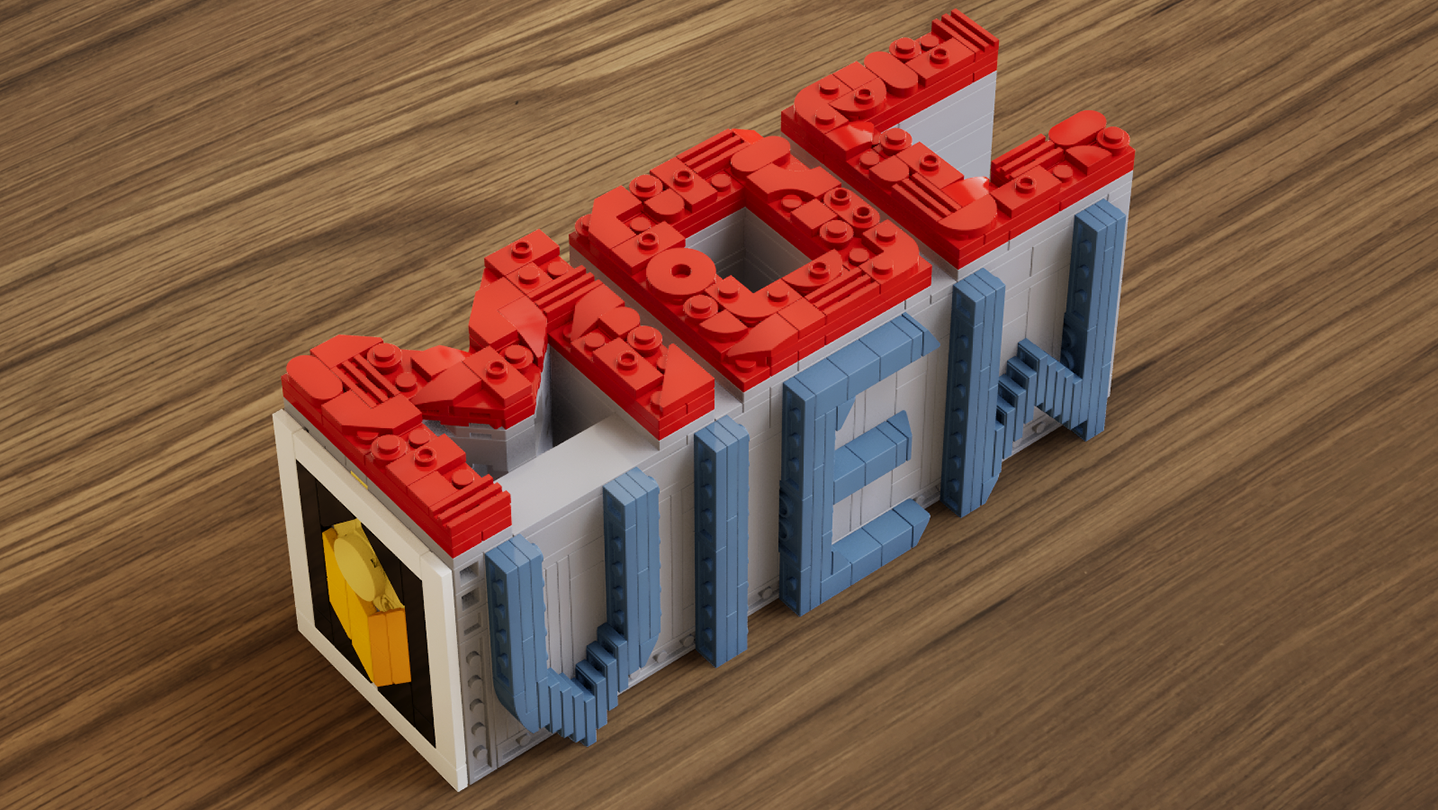
A real-time brick viewer — import LDraw (.ldr) files, explore with live previews and walkthroughs, and export photorealistic rendered images.

Login untuk menambahkan item ini ke wishlist-mu, mengikutinya, atau mengabaikannya

Software Akses Dini

Bergabung dengan software ini seiring perkembangannya.

Catatan: Software Akses Dini ini belum selesai dan mungkin tidak ada perubahan lebih lanjut. Jika kamu tidak berminat untuk menggunakan software ini dalam statusnya saat ini, kamu harus menunggu untuk melihat jika software tersebut terus dikembangkan. Pelajari lebih lanjut

Prakata dari pengembang:

Kenapa harus Akses Dini?

“This software is currently in Early Access.
Real-time rendering, part compatibility, and performance optimization involve a wide range of hardware configurations and usage scenarios. Early Access allows us to continuously improve stability, performance, and overall user experience based on community feedback.
The current Early Access version is fully usable for model presentation and rendering output, while some advanced features are still under development.”

Berapa lama software ini akan berada dalam Akses Dini?

“We currently expect the software to remain in Early Access for approximately 6–12 months.
This period will be used for feature expansion, performance optimization, and compatibility improvements. The timeline may be adjusted based on development progress.”

Apa perbedaan antara versi penuh dan versi Akses Dini?

“The full version is planned to further expand the presentation capabilities of the software, including more diverse environments, enhanced interaction features, more advanced rendering options, as well as continued improvements to performance and compatibility.”

Apa status saat ini dari versi Akses Dini ini?

“Current features include:
LDraw / LDR file import
Real-time rendering with physically-based visuals
Camera controls: aperture, focal length, exposure, depth of field
Image capture and export
Advanced viewing tools: layer separation, step display, rapid building visualization, and more

Current feature scope:
Custom parts are not supported at this stage
Flexible part systems are not supported at this stage”

Apakah harga software akan berbeda selama dan setelah Akses Dini?

“The software will remain free during Early Access and after full release.
Optional additional content or features may be introduced in the future, but existing core functionality will not be affected.”

Seperti apakah rencana untuk melibatkan Komunitas dalam proses pengembangan?

“Community feedback plays an important role in development. We actively monitor the Steam Community discussions for bug reports and suggestions, using real-world usage insights to continuously improve software performance and feature design.”
Baca Selengkapnya
Bhs. Indonesia tidak didukung

Produk ini tidak didukung dalam bahasamu. Silakan tinjau daftar bahasa yang didukung di bawah ini sebelum melakukan pembelian.

Gunakan MOCView

 
Lihat semua diskusi

Laporkan bug dan berikan masukan untuk software ini di papan diskusi

Tentang Software Ini

MOCView is a creative tool designed for brick enthusiasts and MOC designers, helping them present their creations with high-quality visuals. Import your LDraw (.ldr) files to instantly view your builds in a real-time viewport.

Explore your models using free-camera or first-person controls, and adjust photographic settings such as aperture, focal length, exposure, and depth of field to capture stunning images. Whether you are designing, documenting, or sharing your latest MOC, MOCView lets you showcase your work with realism and efficiency.

Core Features:

  • Seamless import of LDraw (.ldr), including files exported from Stud.io.

  • Real-time viewport with photorealistic rendering.

  • Step inside with a first-person, immersive walkthrough.

  • Intuitive camera controls: aperture, focal length, exposure, depth of field.

  • Advanced display tools: Layer Peel, Step Display, Quick Build, and more.

  • Easy Create Shot.

Persyaratan Sistem

    Minimum:
    • OS: win10
    • Memori: 16 GB RAM
    • DirectX: Versi 12
    • Penyimpanan: 11 GB ruang tersedia
    Direkomendasikan:
    • OS: win11
    • Memori: 16 GB RAM
    • DirectX: Versi 12
    • Penyimpanan: 11 MB ruang tersedia

Ulasan pelanggan untuk MOCView Tentang ulasan pengguna Preferensimu

Ulasan Umum:
4 ulasan pengguna (4 ulasan)


Untuk melihat ulasan dalam rentang tanggal tertentu, klik dan seret pilihan pada grafik di atas atau klik bilah spesifik.


Ulasan filter berdasarkan waktu bermain pengguna saat ulasan ditulis:


Tidak ada minimum sampai Tidak ada maksimum

Tampilkan ulasan dalam urutan tampilan yang dipilih


Pelajari Lebih Lanjut
Filter
Tidak Termasuk Aktivitas Ulasan Keluar Topik
Waktu bermain:
Seringnya Dimainkan di Steam Deck
OS:
CPU:
GPU:
Jenis Perangkat: