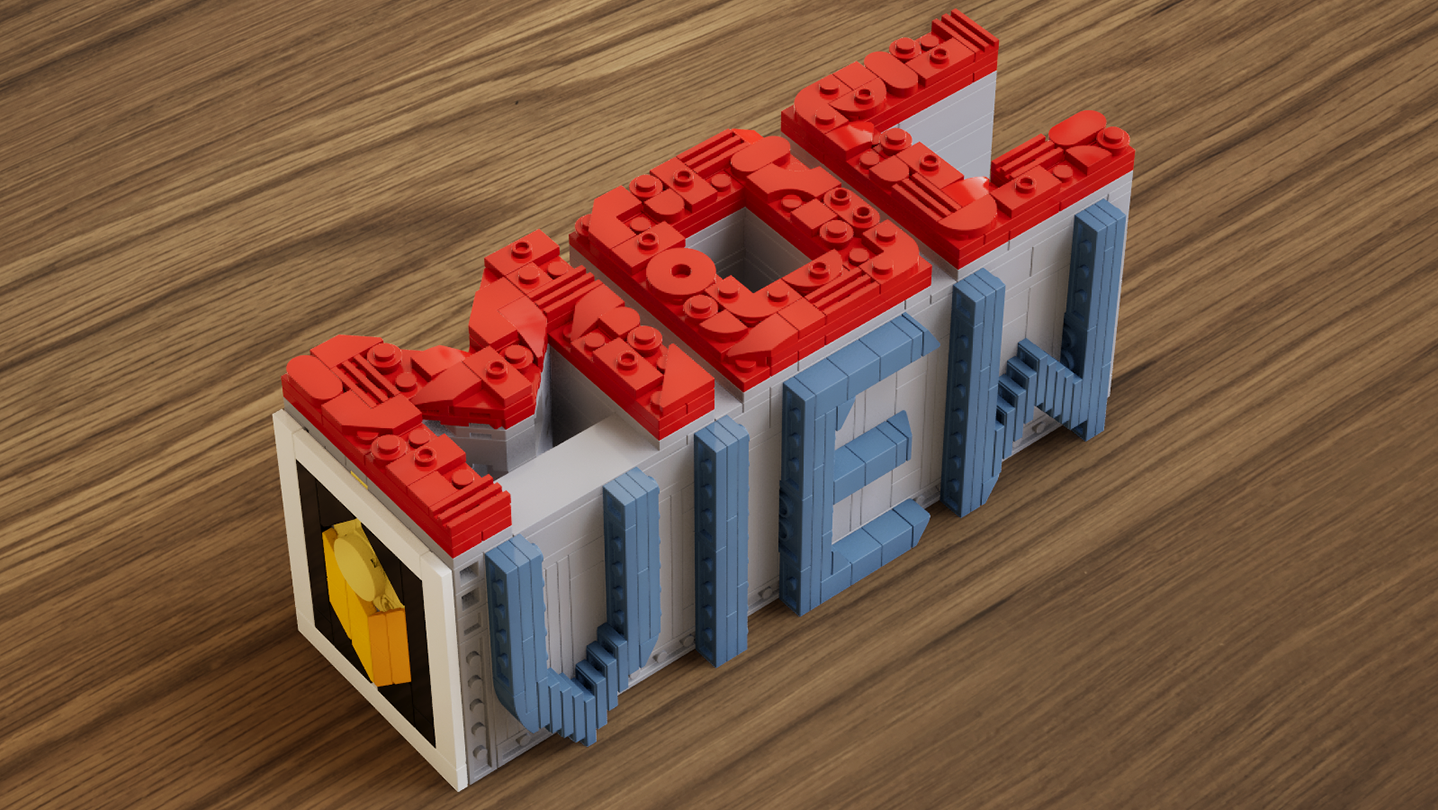
A real-time brick viewer — import LDraw (.ldr) files, explore with live previews and walkthroughs, and export photorealistic rendered images.

Melden Sie sich an, um dieses Produkt zu Ihrer Wunschliste hinzuzufügen, zu abonnieren oder als „Ignoriert“ zu markieren.

Early Access-Software

Bringen Sie sich in die Entwicklung ein.

Hinweis: Diese Early Access-Software ist noch nicht fertig und könnte sich in Zukunft verändern. Wenn Ihnen die Software im aktuellen Zustand nicht gefällt, sollten Sie abwarten und sehen, ob sich die Software weiterentwickelt. Mehr erfahren

Was die Entwickler zu sagen haben:

Wozu Early Access?

„This software is currently in Early Access.
Real-time rendering, part compatibility, and performance optimization involve a wide range of hardware configurations and usage scenarios. Early Access allows us to continuously improve stability, performance, and overall user experience based on community feedback.
The current Early Access version is fully usable for model presentation and rendering output, while some advanced features are still under development.“

Wie lange wird diese Software ungefähr den Early Access-Status haben?

„We currently expect the software to remain in Early Access for approximately 6–12 months.
This period will be used for feature expansion, performance optimization, and compatibility improvements. The timeline may be adjusted based on development progress.“

Wie soll sich die Vollversion von der Early Access-Version unterscheiden?

„The full version is planned to further expand the presentation capabilities of the software, including more diverse environments, enhanced interaction features, more advanced rendering options, as well as continued improvements to performance and compatibility.“

Was ist der derzeitige Stand der Early Access-Version?

„Current features include:
LDraw / LDR file import
Real-time rendering with physically-based visuals
Camera controls: aperture, focal length, exposure, depth of field
Image capture and export
Advanced viewing tools: layer separation, step display, rapid building visualization, and more

Current feature scope:
Custom parts are not supported at this stage
Flexible part systems are not supported at this stage“

Wird diese Software während und nach Early Access unterschiedlich viel kosten?

„The software will remain free during Early Access and after full release.
Optional additional content or features may be introduced in the future, but existing core functionality will not be affected.“

Wie werden Sie versuchen die Community in den Entwicklungsprozess miteinzubeziehen?

„Community feedback plays an important role in development. We actively monitor the Steam Community discussions for bug reports and suggestions, using real-world usage insights to continuously improve software performance and feature design.“
Weiterlesen

MOCView verwenden

Kostenlos spielbar
 

In den Diskussionsforen können Sie Fehler melden und Feedback zur Software abgeben

Alle Diskussionen anzeigen

Über diese Software

MOCView is a creative tool designed for brick enthusiasts and MOC designers, helping them present their creations with high-quality visuals. Import your LDraw (.ldr) files to instantly view your builds in a real-time viewport.

Explore your models using free-camera or first-person controls, and adjust photographic settings such as aperture, focal length, exposure, and depth of field to capture stunning images. Whether you are designing, documenting, or sharing your latest MOC, MOCView lets you showcase your work with realism and efficiency.

Core Features:

  • Seamless import of LDraw (.ldr), including files exported from Stud.io.

  • Real-time viewport with photorealistic rendering.

  • Step inside with a first-person, immersive walkthrough.

  • Intuitive camera controls: aperture, focal length, exposure, depth of field.

  • Advanced display tools: Layer Peel, Step Display, Quick Build, and more.

  • Easy Create Shot.

Systemanforderungen

    Mindestanforderungen:
    • Betriebssystem: win10
    • Arbeitsspeicher: 16 GB RAM
    • DirectX: Version 12
    • Speicherplatz: 11 GB verfügbarer Speicherplatz
    Empfohlen:
    • Betriebssystem: win11
    • Arbeitsspeicher: 16 GB RAM
    • DirectX: Version 12
    • Speicherplatz: 11 MB verfügbarer Speicherplatz
Filter überprüfen