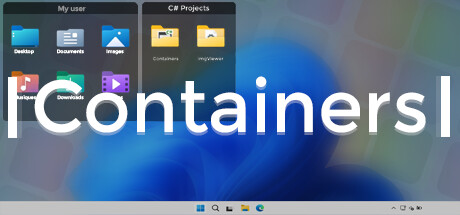
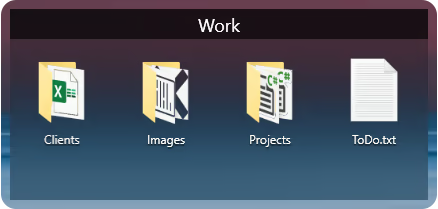
Containers enhance your Windows experience by providing virtual boxes to store your files and directories.

เข้าสู่ระบบ เพื่อเพิ่มผลิตภัณฑ์นี้ลงในสิ่งที่อยากได้ของคุณ ติดตาม หรือทำเครื่องหมายเป็นถูกละเว้น

ไม่รองรับภาษาไทย

ผลิตภัณฑ์นี้ไม่รองรับภาษาท้องถิ่นของคุณ โปรดตรวจสอบรายชื่อภาษาที่รองรับก่อนทำการสั่งซื้อ

ซื้อ Containers


เกี่ยวกับซอฟต์แวร์นี้

Enhance your Windows experience with Containers

Containers allows the storage of your files and folders in boxes called “Container”, these boxes can be accessed at any time on your desktop or called thanks to built-in shortcuts or with the help of the “Containers Tab” menu.

Containers
Containers are sticked to your desktop when you don't use them.


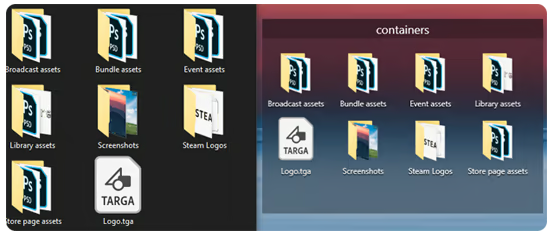
Mirror Containers
“Mirror” Containers are representations of files and folders in a selected folder on your computer.


Container Customization
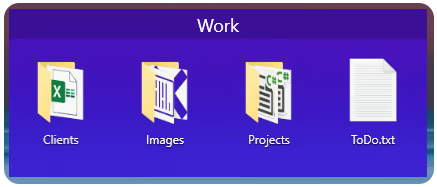
Containers can have different colored backgrounds or a background with an image.
You can also set the transparency method of your Containers.

If you are on Windows 11 you can also choose between Containers with rounded or squared edges.


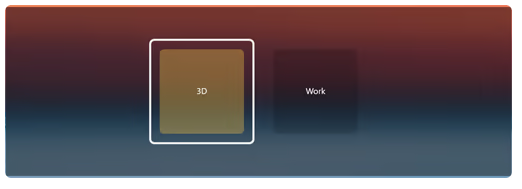
Containers Tab Menu
The Containers Tab menu allows you to call the Container of your choice without leaving the application in the foreground, it works similarly to the Alt-Tab menu in Windows.


Closing Containers
Containers can be independently closed manually or automatically to save space.


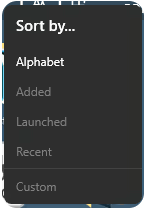
Sorting Containers content
You can independently sort the contents of your Containers according to your choice.


Container content size
You can change the size of your Container icons at any time.


Shortcuts
The Containers application has shortcuts to help you manipulate your Containers, each shortcut can be modified and disabled.

ความต้องการระบบ

    ขั้นต่ำ:
    • ระบบปฏิบัติการ: Windows 10 1703 (2017) / Windows 11
    • หน่วยความจำ: แรม 2 GB
    แนะนำ:
    • ระบบปฏิบัติการ: Windows 10 1703 (2017) / Windows 11
    • หน่วยความจำ: แรม 4 GB

บทวิจารณ์จากผู้ซื้อ Containers เกี่ยวกับบทวิจารณ์จากผู้ใช้ การปรับแต่งของคุณ

บทวิจารณ์โดยรวม:
ผสมกัน (14 บทวิจารณ์)


ในการดูบทวิจารณ์ตามช่วงวันที่ โปรดคลิกและลากการเลือกบนกราฟด้านบน หรือคลิกบนแท่งที่กำหนด


กรองบทวิจารณ์ตามเวลาเล่นของผู้ใช้เมื่อบทวิจารณ์ถูกเขียน:


ไม่มีต่ำสุด ถึง ไม่มีสูงสุด

แสดงบทวิจารณ์ตามลำดับการแสดงผลที่เลือกไว้


เรียนรู้เพิ่มเติม
ตัวกรอง
กำลังละเว้นกิจกรรมบทวิจารณ์นอกเรื่อง
เวลาเล่น:
เล่นบน Steam Deck เป็นส่วนใหญ่
ไม่มีบทวิจารณ์ใดเลยที่ตรงกับตัวกรองที่กำหนดไว้ด้านบน
ปรับแต่งตัวกรอกด้านบนเพื่อดูบทวิจารณ์อื่น ๆ
กำลังโหลดบทวิจารณ์...