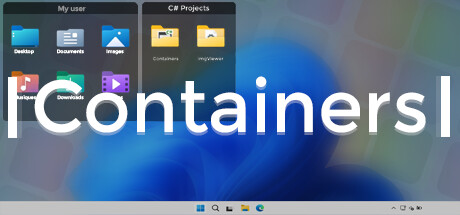
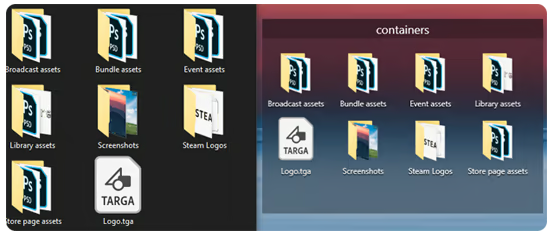
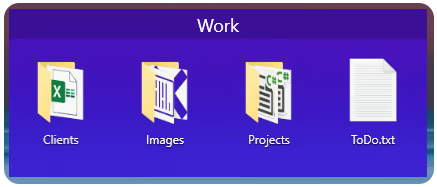
Containers enhance your Windows experience by providing virtual boxes to store your files and directories.

Log in om dit item aan je verlanglijst toe te voegen, het te volgen of te negeren

Containers kopen


Over deze software

Enhance your Windows experience with Containers

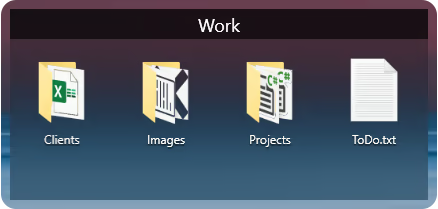
Containers allows the storage of your files and folders in boxes called “Container”, these boxes can be accessed at any time on your desktop or called thanks to built-in shortcuts or with the help of the “Containers Tab” menu.

Containers
Containers are sticked to your desktop when you don't use them.


Mirror Containers
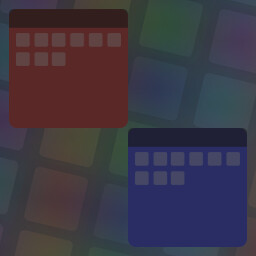
“Mirror” Containers are representations of files and folders in a selected folder on your computer.


Container Customization
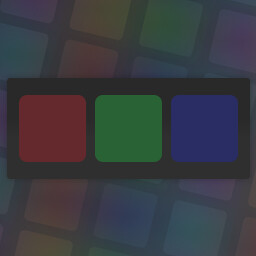
Containers can have different colored backgrounds or a background with an image.
You can also set the transparency method of your Containers.

If you are on Windows 11 you can also choose between Containers with rounded or squared edges.


Containers Tab Menu
The Containers Tab menu allows you to call the Container of your choice without leaving the application in the foreground, it works similarly to the Alt-Tab menu in Windows.


Closing Containers
Containers can be independently closed manually or automatically to save space.


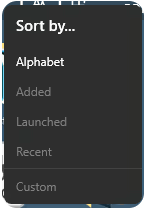
Sorting Containers content
You can independently sort the contents of your Containers according to your choice.


Container content size
You can change the size of your Container icons at any time.


Shortcuts
The Containers application has shortcuts to help you manipulate your Containers, each shortcut can be modified and disabled.

Systeemeisen

    Minimum:
    • Besturingssysteem: Windows 10 1703 (2017) / Windows 11
    • Geheugen: 2 GB RAM
    Aanbevolen:
    • Besturingssysteem: Windows 10 1703 (2017) / Windows 11
    • Geheugen: 4 GB RAM

Klantenrecensies voor Containers Over gebruikersrecensies Je voorkeuren

Algemene recensies:
Verdeeld (14 recensies)


Om recensies in een datumbereik te bekijken, klik en sleep je een selectie op een grafiek hierboven of klik je op een specifieke balk.


Filter recensies op speeltijden van gebruikers toen ze geschreven werden:


Geen minimum tot Geen maximum

Recensies weergeven in de geselecteerde volgorde


Meer informatie
Filters
Irrelevante recensieactiviteit uitgesloten
Speeltijd:
Vooral gespeeld op de Steam Deck
Er zijn geen recensies meer die met bovenstaande filters overeenkomen
Pas de filters hierboven aan om andere recensies te zien
Recensies laden ...