Mech Tutorial - 3Ds Max & Substance Painter
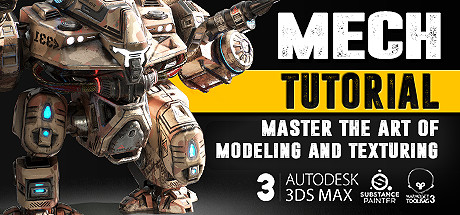
Do you consider a 3D Artist career and like mechs? This course will equip you with powerful techniques and skills as you would use them in the AAA video game industry. Learn to model, unwrap, bake and texture as well as creating portfolio ready renders!

登入以將此項目新增至您的願望清單、關注它,或標記為已忽略

不支援繁體中文

本產品尚不支援您的目前所在地的語言。購買前請先確認語言支援清單。


3Ds Max 2017 - Modeling & Unwrapping

3. Mech Modeling - S01E03
2017 年 7 月 23 日
19 分鐘
We continue with the upper leg while making use of existing geometry from the leg below it. That way we already have a head start and everything perfectly in place as supposed to.
4. Mech Modeling - S01E04
2017 年 7 月 23 日
20 分鐘
We carry on with the rail gun part and perform a rather complex Boolean operation that requires us to make use of the vertex cleaner script which you can get for free at http://www.scriptspot.com/3ds-max/scripts/vertex-cleaner
18. Mech Modeling - S01E18
2017 年 7 月 23 日
20 分鐘
We have a lot of unwrapping to do and we tackle the body first.
23. Mech Modeling - S01E23
2017 年 7 月 23 日
19 分鐘
We jump out of the unwrap editor to beef up the railgun a bit more, then we carry on unwrapping it.
29. Mech Modeling - S01E29
2017 年 7 月 23 日
22 分鐘
We use textools to apply smoothing groups per UV island which is crucial for our later bake. We also start applying a naming convention to our individual parts so that it will bake out the right way in Substance Painter later on.
32. Mech Modeling - S01E32
2017 年 7 月 23 日
21 分鐘
We continue adding more detail to the high poly just as before.
33. Mech Modeling - S01E33
2017 年 7 月 23 日
20 分鐘
We carry on with more high poly details. The more we add now the less work we have adding details in Painter and the better it will look on our normal map later on.
init_data: 0.022, render: 0.1074

Steam 影片

此內容只能以線上串流的方式觀賞。關於串流影片的詳細資訊請見 Steam 串流影片常見問答

Tutorial Files

Click here to download the associated tutorial files after purchasing the tutorial.

關於此影集

Create a battle mech!


Do you think about a career in the video game industry as a 3D Artist and happen to like Battle Mechs? Then this tutorial might be perfect for you. Follow along as this comprehensive 15 hour+ long course as we model, unwrap, bake and texture a battle mech to current video game standards. Every step is documented without fast forwarding. At the end of the free part you have the option to learn even more with the extended edition in which we go over 10 more triple A quality PBR textures.

3Ds Max - Modeling

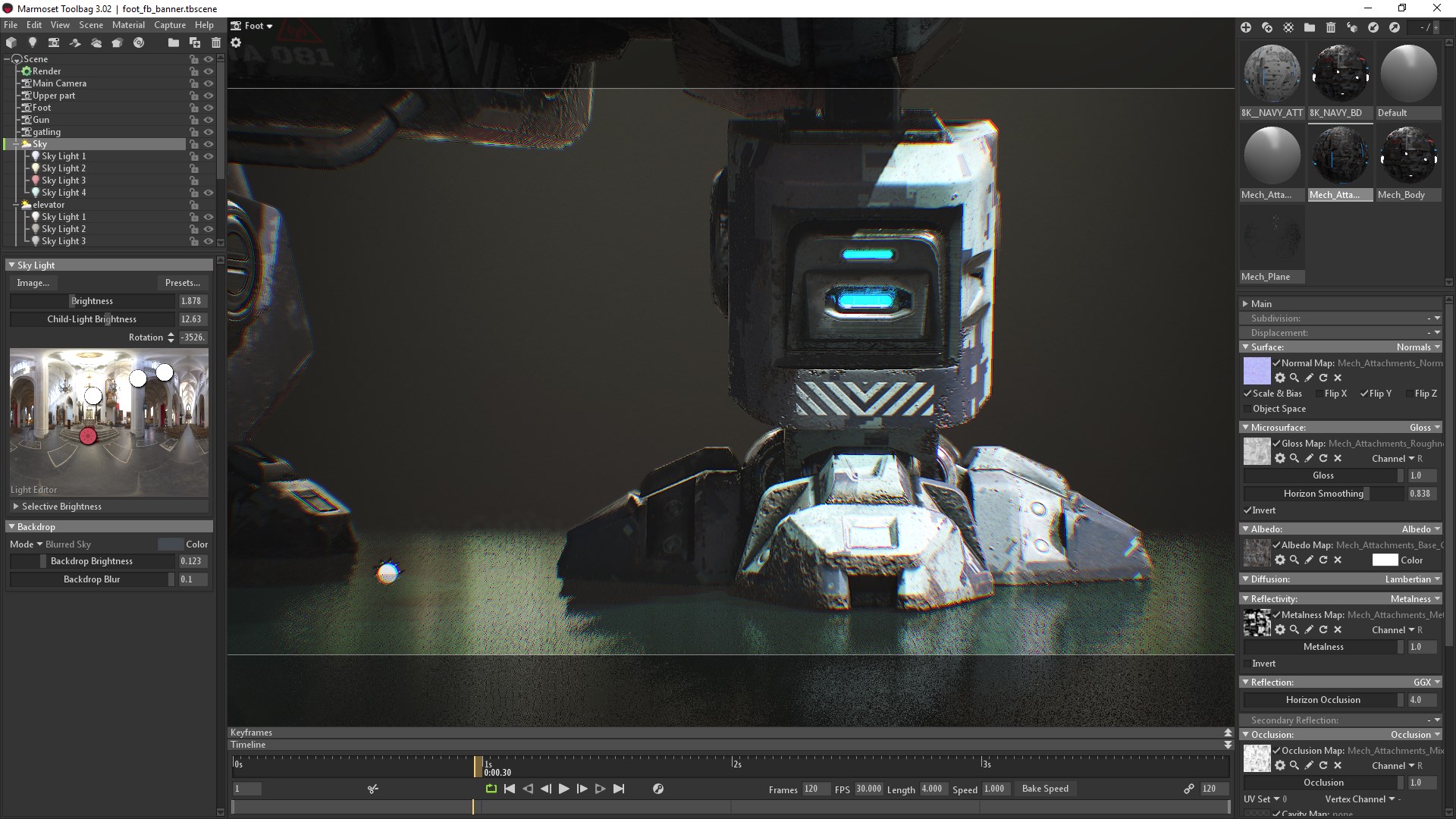
The modeling part covers the scene setup followed by the low and high-poly modeling in which we make use of advanced actions, modifiers and tools to help us create the battle mech. After the modeling process we will jump straight into the UVW Editor and focus on the importance of an optimized UV-Layout to get the maximum out of our later texture.

Substance Painter - Texturing

In the Substance Painter part we will then bake our normal map as well as other important support maps. Right after that you will learn how to make an ultra realistic texture for our mech. Learn how to create our base layer materials and how to use procedural textures, masks and generators to form up the wear and tear on our mech resulting in a photo realistic appearance. You will also get to know the latest tools that Substance Painter currently has to offer. Add additonal normal map with curvature and AO information and learn how to add text as well as creating an almost infinite amount of different looks and styles by switching out our base layers.

What are the requirements?

It is recommended to follow the course with the same software we use throughout the tutorial:
3Ds Max 2017 (can be 2016 and 2015 too) and Substance Painter 2 or the latest 2017 installement of Substance Painter.

Who is the target audience?

This tutorial is aimed at beginners as well as intermediate.
I try to avoid heavy use of shortcuts as much as I can during the lesson so that you can see which actions I use.

What do I get from this course?

  • 15 hours of fully documented and commented HD video content.
  • Game industry ready knowledge in modeling, unwrapping and texturing.
  • Essential reference images.
  • Final high-poly and low-poly mech for those that just want to follow the texturing part.

Instructor Biography

Hi! I'm Tim - Senior Weapons Artist at Digital Extremes where I proudly contribute to their latest game!
I started my 3D Artist career at Crytek before working at Ubisoft Toronto for five years. I worked on titles such as Far Cry 4, Splinter Cell Blacklist and the Crysis series as well as other non disclosed titles. In my spare time I enjoy creating tutorials in which I share all my tips and tricks which I gathered over the years. Let me help you avoiding mistakes and equipping you with powerful techniques and knowledge in game ready 3D art creation. See you in the tutorial! Cheers, Tim

系統需求

Windows
macOS
SteamOS + Linux
    最低配備:
    • 作業系統 *: Windows 7
    • 處理器: Intel Core 2 或是同性能的 AMD 處理器
    • 記憶體: 1 GB 記憶體
    • 網路: 寬頻網際網路連線
    • 儲存空間: 200 MB 可用空間
    • 備註: 540p 適合 5Mbps 之網路頻寬環境;360p 適合 3Mbps。
    建議配備:
    • 作業系統: Windows 10
    • 處理器: 推薦使用 Intel Core I3 以上或是同性能的 AMD 處理器來撥放 1080p 高畫質視訊。
    • 記憶體: 2 GB 記憶體
    • 網路: 寬頻網際網路連線
    • 儲存空間: 500 MB 可用空間
    • 備註: 1080p 適合 12Mbps 之網路頻寬環境;720p 適合 8Mbps。
* 自 2024 年 1 月 1 日(PT)起,Steam 用戶端僅支援 Windows 10 及更新版本。
    最低配備:
    • 作業系統: Mac OSX 10.7
    • 處理器: Intel Core 2 或是同性能的 AMD 處理器
    • 記憶體: 1 GB 記憶體
    • 網路: 寬頻網際網路連線
    • 儲存空間: 200 MB 可用空間
    • 備註: 540p 適合 5Mbps 之網路頻寬環境;360p 適合 3Mbps。
    建議配備:
    • 作業系統: Mac OSX 10.10+
    • 處理器: 推薦使用 Intel Core I3 以上或是同性能的 AMD 處理器來撥放 1080p 高畫質視訊。
    • 記憶體: 2 GB 記憶體
    • 網路: 寬頻網際網路連線
    • 儲存空間: 500 MB 可用空間
    • 備註: 1080p 適合 12Mbps 之網路頻寬環境;720p 適合 8Mbps。
* 自 2024 年 2 月 15 日(PT)起,Steam 用戶端將不再支援 32 位元遊戲或 macOS 10.14 或更舊版本。
    最低配備:
    • 作業系統: Linux Ubuntu 12.04 或較新版本,SteamOS 2.20 或較新版本
    • 處理器: Intel Core 2 或是同性能的 AMD 處理器
    • 記憶體: 1 GB 記憶體
    • 網路: 寬頻網際網路連線
    • 儲存空間: 200 MB 可用空間
    • 備註: 540p 適合 5Mbps 之網路頻寬環境;360p 適合 3Mbps。
    建議配備:
    • 作業系統: Linux Ubuntu 12.04 或較新版本,SteamOS 2.20 或較新版本
    • 處理器: 推薦使用 Intel Core I3 以上或是同性能的 AMD 處理器來撥放 1080p 高畫質視訊。
    • 記憶體: 2 GB 記憶體
    • 網路: 寬頻網際網路連線
    • 儲存空間: 500 MB 可用空間
    • 備註: 1080p 適合 12Mbps 之網路頻寬環境;720p 適合 8Mbps。

Mech Tutorial - 3Ds Max & Substance Painter 的顧客評論 關於使用者評論 您的偏好設定

整體評論:
好評 (11 篇評論)


如欲檢視特定日期範圍內的評論,請在上方圖表框選一段日期範圍,或點擊直條。


依照使用者撰寫評論當時的遊戲時數篩選:


不限最低時數不限最高時數

以所選顯示順序顯示評論


進一步了解
篩選條件
排除離題評論活動
遊戲時數:
主要在 Steam Deck 上遊玩
無其它評論符合上述篩選條件
調整上方的篩選條件以檢視其它評論
評論讀取中…