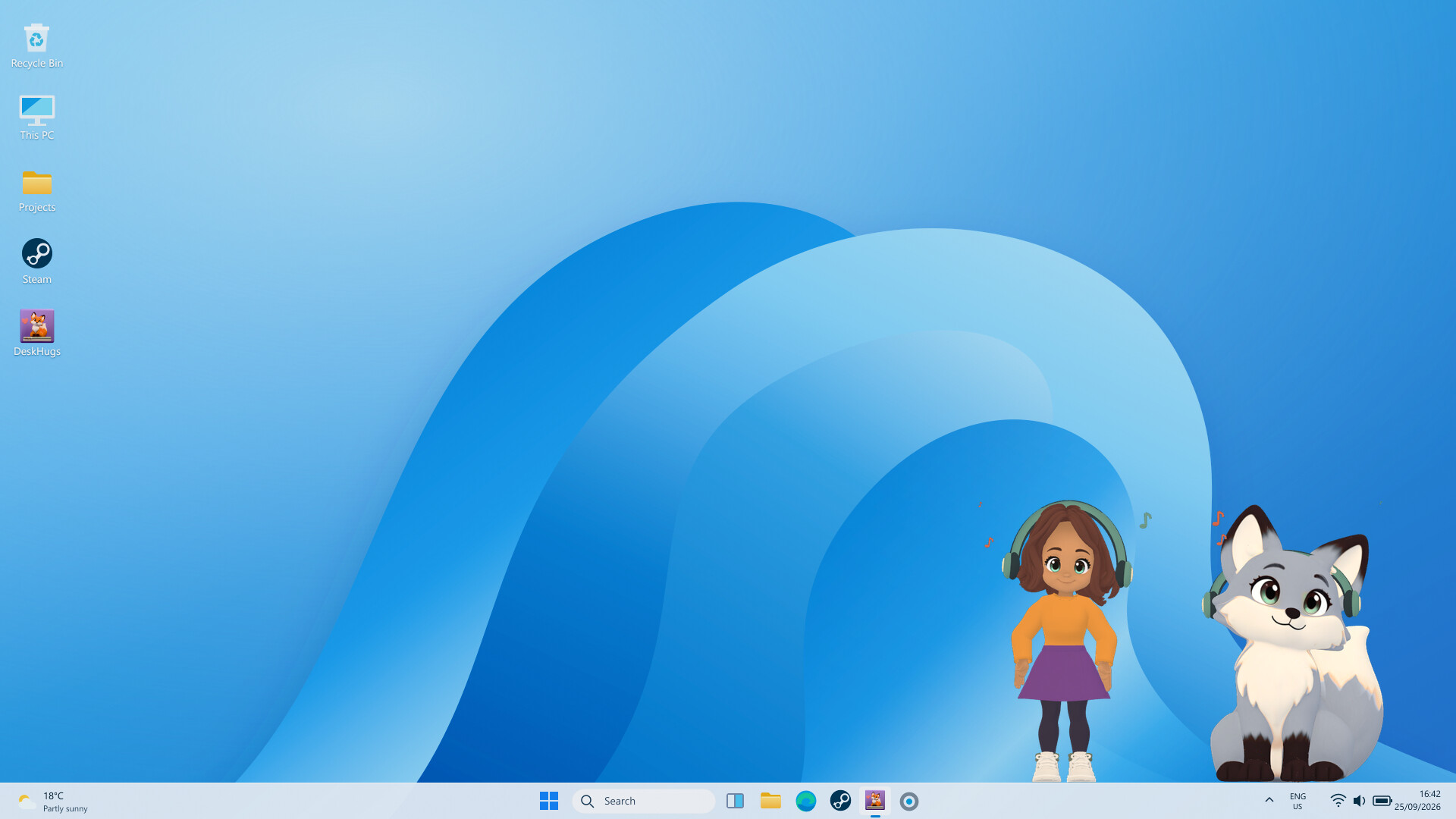
Create a human or animal avatar that lives on your desktop. Dress them up, let them keep you company while you work or listen to music and send them to a friend’s screen with a wave, a hug or a little gift. Free to play forever to spread the warmth.

Sign in to add this item to your wishlist, follow it, or mark it as ignored

This game is not yet available on Steam

Planned Release Date: Q4 2026

Interested?
Add to your wishlist and get notified when it becomes available.
 

About This Game

Your friend’s fox walks onto your desktop carrying a cup of tea. Your avatar puts down their keyboard, makes room and the two sit together for a moment. Then your friend heads home.

Send someone a small hello while you go about your day.

Start by making your avatar. Choose a human character, a cat, a dog or a fox, then pick their appearance, clothes and accessories. Change your hairstyle, try a different outfit, or switch characters whenever you feel like it. Each animal has its own movements and expressions, including ways to greet and spend time with human avatars.

Find a comfortable spot on your screen. Your avatar can stand, sit, or lie down, occasionally stretching, looking around, or settling into a new pose. Move them, adjust their size and keep them above your everyday windows. The menu stays tucked away in your system tray until you need it.

Your avatar can join in with what you’re doing. They put on headphones when music is playing, pick up a controller while you game, or tap away at a little keyboard while you work in your coding editor. Enable reactions for supported apps or choose an activity yourself. These reactions use app and playback status without reading your documents or recording your screen.

Visit friends who have the game running. Stop by to wave, share a hug, bring a small gift, or sit together for a while. Send a visit yourself, or allow occasional automatic visits between selected friends. You choose who can drop in and how often. Quiet mode gives you some uninterrupted time whenever you need it.

Collect clothes and accessories as you spend time with your avatar. Open your inventory to browse your things, try them on and put together another outfit. A new hat is also a perfectly good excuse to visit someone.

STEAM ITEMS

While DeskHugs is running, you’ll automatically receive clothing and accessories on Steam that you can equip, sell, or trade.

For every 3 hours spent with the game running, you’ll receive an item:

  • 55% chance: “Summer” Item (Common)

  • 30% chance: “Warm” Item (Uncommon)

  • 10% chance: “Warm” Item (Rare)

  • 3% chance: “Fall” Item (Ultra-Rare)

  • 1.8% chance: “Winter” Item (Mythic)

  • 0.2% chance: “Cute” Item (Legendary)

Subject to change*

The game is free to play. Avatar creation, a starter wardrobe, activity reactions and the main friend interactions are included. Optional cosmetic purchases add more outfits and accessories.

System Requirements

    Minimum:
    • Requires a 64-bit processor and operating system
    • OS: Windows 10, 11
    • Processor: Should run on any modern Processor
    • Memory: 2 GB RAM
    • Graphics: Should run on any modern videoCard
    • Storage: 200 MB available space
    • Additional Notes: Should run on any PC
    Recommended:
    • Requires a 64-bit processor and operating system
    • OS: Windows 10, 11
    • Processor: Should run on any modern Processor
    • Memory: 2 GB RAM
    • Graphics: Should run on any modern videoCard
    • Storage: 200 MB available space
    • Additional Notes: Should run on any PC
Review Filters