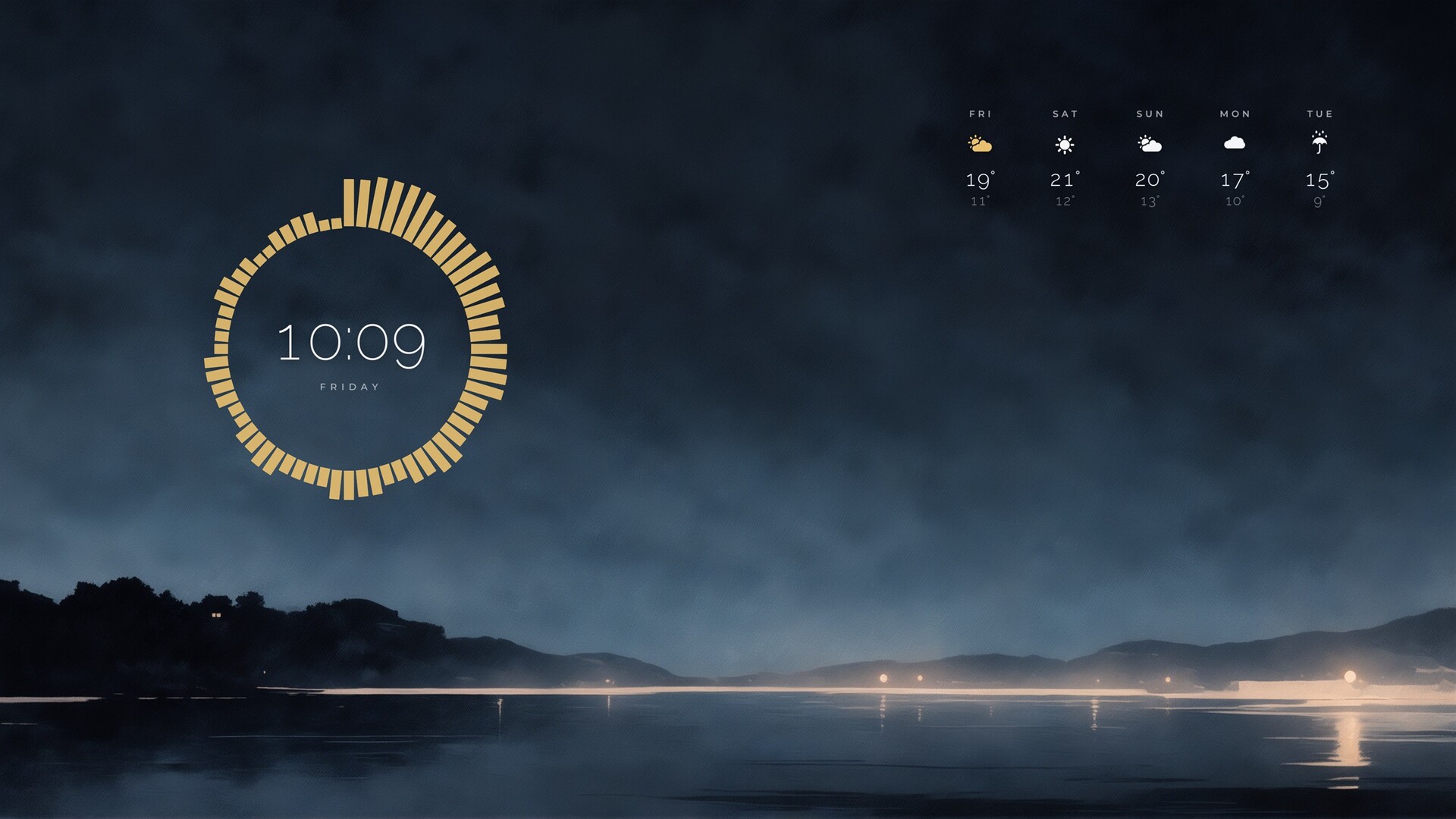
Put clocks, weather, system monitors, app launchers, and notes right on your desktop. Move them wherever you like and make them your own — no coding needed. Wisp also includes 850+ wallpapers designed to look great with widgets, with plenty of room to keep the important parts in view.

Sign in to add this item to your wishlist, follow it, or mark it as ignored

This game is not yet available on Steam

Coming soon

Interested?
Add to your wishlist and get notified when it becomes available.
 

About This Software

About Wisp

Make your desktop feel like yours.

Wisp is a Windows desktop customization app that lets you build a desktop around the things you use every day. Pick a wallpaper, add your favorite widgets, and arrange everything just the way you like it. It's that simple.

850+ Wallpapers to Choose From

With many desktop customization tools, you're on your own when it comes to finding wallpapers. Wisp comes with over 850 4K wallpapers, from painterly landscapes and illustrated characters to cozy interiors, city lights, abstract designs, and ultrawide scenes.

Many are designed with widgets in mind, leaving open space for your clock, notes, and other widgets without covering the main subject. Each wallpaper was created with AI image-generation tools, then hand-picked and fine-tuned for color and composition.

70+ Widgets

There's a widget for just about everything: digital and analog clocks, world clocks, weather forecasts, CPU and memory usage, network and disk activity, music playback with album art and audio visualizers, sticky notes, to-do lists, calendars, battery status, and app launchers.

Keep Things Organized

Keep your desktop files neat with organizer widgets. Group them into frosted panels with titles, tuck the panels away when you need more room, and drop files right in to keep everything close at hand.

Launchers That Fit Your Style

Set up your app launchers as a grid, a dock, or a honeycomb that grows as you add more shortcuts. Arrange your favorite apps and links in a layout that works for you.

Make Your Own Color Scheme

Create color palettes and gradients, or use the eyedropper to pick a color from anywhere on your screen. It's an easy way to bring your widgets and wallpaper together.

Make Every Detail Yours

Change colors and fonts, resize widgets, and move things around — right down to individual elements. Want to nudge a label a couple of pixels? Go for it. Alignment guides and snapping help everything line up just right.

Rather start with a design that's already put together? Choose from 15 app themes and over 30 ready-made presets.

No Coding, No Scripts, No Admin Rights

Some widget tools expect you to learn a configuration language before you can get started. Wisp keeps things simple: customize everything right in the app, with no scripting or administrator privileges required.

Wisp only accesses the resources needed for the features you use, such as your selected weather location, folders and apps, media playback information, and basic system stats. Access is managed by the app, and sensitive features are disabled by default where applicable.

Widgets are built from declarative data rather than executable scripts. They can't run their own code or make independent network connections. The app controls how widgets access system resources.

More to Love

  • Multi-monitor support: Keep widgets on the display where you placed them.
  • Starts with Windows: Wisp runs quietly from the system tray, ready when you need it.
  • Five languages: English, Korean, Japanese, Simplified Chinese, and Spanish.

AI-Generated Content Disclosure

Wallpapers: The wallpapers included with Wisp were created using AI image-generation tools during development. Each was then reviewed and refined by hand, with adjustments to color and composition to work well with desktop widgets. All wallpapers are pre-generated static image files.

Widgets, UI, and code: Created by the developer.

Translations: Japanese, Simplified Chinese, and Spanish translations were drafted with AI assistance and reviewed by the developer.

AI at runtime: Wisp doesn't generate content while running or connect to AI services.

AI Generated Content Disclosure

The developers describe how their game uses AI Generated Content like this:

Wallpapers: the wallpaper images bundled with Wisp were created during development with image-generation AI tools, then curated, color-corrected and composed by hand for widget placement. All bundled wallpapers are pre-generated and ship as static image files.
Widgets, UI, code and localization: authored by the developer. Localization into Japanese, Simplified Chinese and Spanish was drafted with AI assistance and reviewed by the developer.
The application does not generate any content at runtime and makes no AI service calls.

System Requirements

    Minimum:
    • Requires a 64-bit processor and operating system
    • OS: Windows 10 (version 1809) or later, 64-bit
    • Processor: 64-bit dual-core processor
    • Memory: 4 GB RAM
    • Graphics: DirectX 11 compatible graphics
    • DirectX: Version 11
    • Storage: 2 GB available space
    • Additional Notes: An internet connection is only needed for weather widgets.
    Recommended:
    • Requires a 64-bit processor and operating system
    • OS: Windows 10 (version 1809) or later, 64-bit
    • Processor: 64-bit dual-core processor
    • Memory: 4 GB RAM
    • Graphics: DirectX 11 compatible graphics
    • DirectX: Version 11
    • Storage: 2 GB available space
    • Additional Notes: An internet connection is only needed for weather widgets.