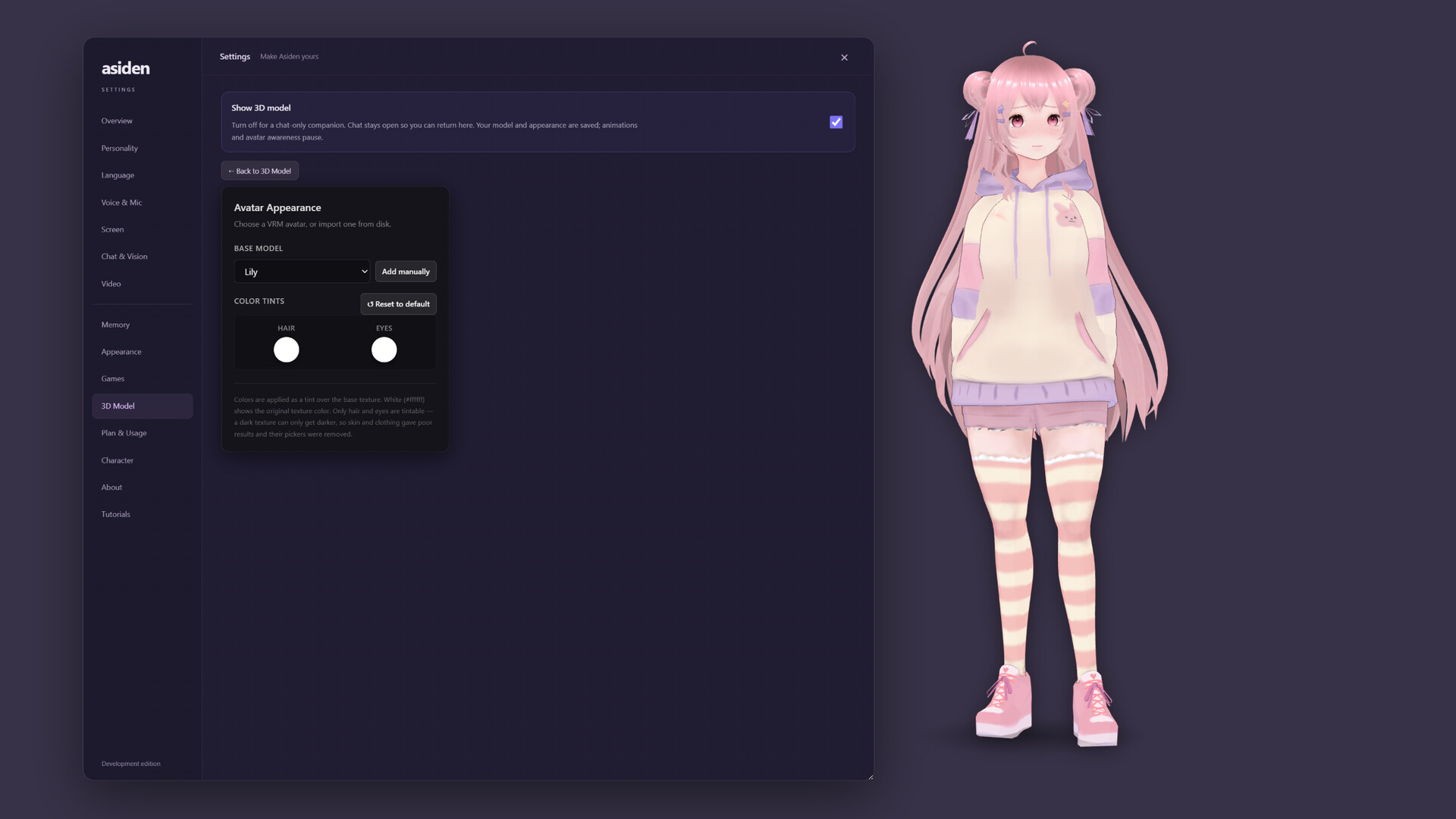
Asiden is a local-first AI companion who lives on your desktop, sees what you're doing, remembers what matters, speaks first and answers in their own voice. Choose a premade companion or create your own. Core features run locally on your PC; optional cloud services are available.

Sign in to add this item to your wishlist, follow it, or mark it as ignored

This game is not yet available on Steam

Planned Release Date: Sep 14, 2026

This application will unlock in approximately 9 days

Interested?
Add to your wishlist and get notified when it becomes available.
 

About This Software

Asiden is a local-first AI companion who lives on your desktop — not another chatbot waiting in a browser tab.

Your companion can notice what you are doing, remember the details that matter, speak first and answer in their own voice. Choose one of the included companions or create your own, then decide how present you want them to be.

Their core runs on your PC


Local chat, screen vision, speech, memory and safety run on your own hardware. After installation, Asiden's core local features continue working with Steam in Offline Mode.

  • No separate Asiden account is required for local use.
  • Local conversations, memories and screen captures stay on your PC.
  • No hidden behavioural analytics are built into the desktop app.

Optional cloud models and voices can be connected through a separate subscription. They require an Internet connection and send the context needed for that request; none of them is required to use Asiden locally.

Set how present they feel


Your companion does not have to dominate your desktop. You decide how much space they occupy in your day.

  • Proactivity — from only answering when spoken to, right up to genuinely chatty. Quiet Mode stops them beginning conversations.
  • Reply length — quick and concise, or longer and more thoughtful.
  • Screen awareness — off completely, an occasional glance, or frequent awareness while you work and play.
  • Spontaneity — decide how predictable or surprising their replies should feel, with a carefully chosen default for each personality.

Set your companion quietly in the corner while you work, or let them feel fully present in the room. Same companion, different dials.

Body, Soul and Memory — three separate things


  • Body — a 3D VRM avatar that appears directly on your desktop, free of a traditional boxed window. Choose an included avatar, adjust its appearance or import a compatible VRM model of your own.
  • Soul — choose an included personality or create your own. Their personality is designed to remain recognisable instead of gradually drifting into a generic assistant.
  • Memory — this is the part that grows. They learn about your interests, the people in your life and the moments that matter, then bring them back into conversation naturally later.

That separation is deliberate: their memory can grow without rewriting who they are.

They notice more than your last message


Ask what they can see, allow them to glance at your screen periodically, or draw a box around one specific area to focus their attention — an error message, a difficult part of a game, a recipe or anything else you want to discuss.

They can also notice how you are working. If you remain on the same task for a while, they may check in instead of waiting silently for another prompt.

Screen awareness is optional and can be switched off completely.

A companion for the games you play


Asiden can recognise supported games and use installed knowledge packs to understand their characters, mechanics and terminology. Instead of replying with a generic “that sounds fun,” your companion can discuss what is actually happening.

Download a knowledge pack once and they can use it locally while sitting alongside you during play.

A voice and a face — not just text


Your companion speaks using local voice generation, and their mouth and expressions move with what they are saying. Talk using your microphone or type normally — both work.

Local voice and speech recognition continue working without an Internet connection.

A switch that means stop


Pause is a real stop. Proactive activity, screen awareness, microphone input, replies and speech all halt. Screen vision and microphone input can also be disabled independently whenever you prefer.

Safety sits outside the character


The safety layer is separate from every personality and cannot be overridden by a character. It blocks explicit sexual content and steps out of character to point towards appropriate help when someone appears to be in serious distress.

Before any image can be sent through optional cloud vision, a local image-safety check runs on your computer first.

System Requirements

    Minimum:
    • Requires a 64-bit processor and operating system
    • OS: Windows 11 64bit
    • Processor: Quad-core CPU
    • Memory: 16 GB RAM
    • Graphics: NVIDIA GPU with 8 GB VRAM
    • Storage: 25 GB available space
    • Sound Card: Any Windows-compatible audio output. Microphone optional, for voice input.
    • Additional Notes: An internet connection is required on first run to download your chosen AI models (roughly 4-12 GB depending on which you pick). After that, everything runs on your machine and works offline.
    Recommended:
    • Requires a 64-bit processor and operating system
    • OS: Windows 11 64bit
    • Processor: 8-core CPU
    • Memory: 32 GB RAM
    • Graphics: NVIDIA GPU with 16 GB VRAM
    • Storage: 40 GB available space
    • Sound Card: Any Windows-compatible audio output. Microphone optional, for voice input.
    • Additional Notes: More VRAM means a larger, more capable AI model — the app measures your GPU on first run and recommends a setup that fits it.
Review Filters