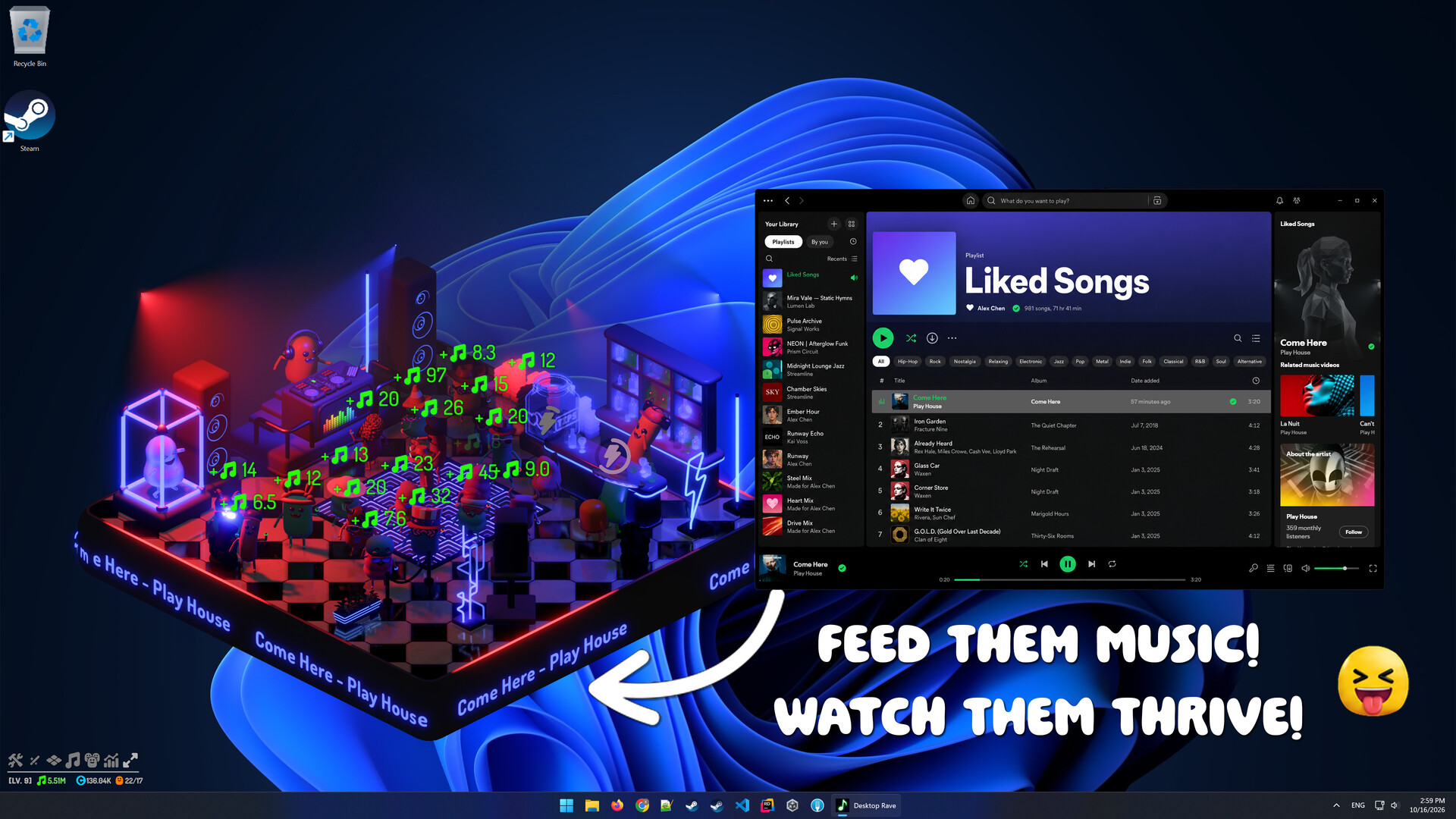
Desktop Rave is a rhythm/idle/incremental desktop companion that turns the music you play on Windows into game resources! Like Bongo cat but with each beat of your music playing on Windows!

Sign in to add this item to your wishlist, follow it, or mark it as ignored

Free Demo

Play Desktop Rave Demo

Check out the full game


About This Demo

🎧 You are the DJ of your own club! They dance to whatever music you're playing and earn resources with each beat.

🎵 Support any music player/browser on Windows, Apple Music/Spotify/Chrome/Firefox anything goes.

🤖 All the art assets were hand made by human, 0% AI assets involved.

✨ Key Features:

  • Idle/Incremental Gameplay: The club generates resource with each beat that can be used to upgrade and expand.

  • Free Placement: You can scale/move/rotate the game view and place wherever suit you the best on the Desktop.

  • Full Customization: You can build and customize the lighting/layout/shape of your own unique club.

💻 Built for the Background Very low performance overhead when running in the background

🎛️ Light sensitivity options: All lighting effects can be dimmed, and flashing effects can be slowed down.

Q&A:

Does the game record my audio or send it to a server for processing?
No. This is a single player game that runs without a server or internet connection. All audio data is processed locally in real time and discarded immediately.

Does the game know what I’m listening to?
The game only analyzes audio frequencies and amplitudes, for example: an amplitude of 0.7 in the 50–250 Hz frequency band.

Does the game work with any music player or browser?
Yes. The game listens to your Windows audio output, so you can use any music player or browser. Apple Music, Spotify, SoundCloud, and YouTube all work, including playback through browsers such as Chrome and Firefox.

Does the game work with any music genre? What about slow music?
Yes. The game works with any music genre. Certain perks in the skill tree compensate for slower music.

Privacy (Steam Windows)

This game may read your Steam country code once at boot to choose consent rules. That code is not saved and is not sent to a developer server. If Steam country is unavailable, the game treats location as unknown and asks before optional statistics.

If allowed by regional policy or your consent, the game may send optional gameplay analytics to GameAnalytics (build/version, an anonymous save-slot id that is never reused after deletion, playtime on that save, and economy, tutorial, building, and Club Promo actions). It does not send Steam account ids, save names, song titles, or grid positions. It may also write coarse lifetime totals through Steam UserStats, linked to your Steam account. Analytics are not required to play, are not sold, and are not used for ads. Unity Analytics, Unity Ads, and Unity Crash Reporting are disabled.

You can allow or deny this at the boot prompt (protected/unknown regions) and later in Settings → Privacy. Turning it off stops future sends. The game cannot delete data GameAnalytics or Steam already hold. Use this page’s support email for privacy questions.

Club saves and slot previews can sync through Steam Cloud (download on launch, upload on exit). Dynamic Cloud Sync is not used. Device preferences (audio, graphics, privacy, etc.) stay on this PC and do not sync. The game is not directed at children under 13.

System Requirements

    Minimum:
    • Requires a 64-bit processor and operating system
    • OS: Windows 10 (64-bit)
    • Processor: Intel Core i3-8100 / AMD Ryzen 3 1200 or better
    • Memory: 4 GB RAM
    • Graphics: Intel UHD Graphics 630 or better
    • DirectX: Version 11
    • Storage: 700 MB available space
    • Sound Card: Windows Compatible Audio Device
    Recommended:
    • Requires a 64-bit processor and operating system
    • OS: Windows 10 / Windows 11 (64-bit)
    • Processor: Intel Core i7-9750H / AMD Ryzen 5 3600 or better
    • Memory: 8 GB RAM
    • Graphics: NVIDIA GeForce GTX 1650 / AMD Radeon RX 580 or better
    • DirectX: Version 11
    • Storage: 700 MB available space
    • Sound Card: Windows Compatible Audio Device
Review Filters