Learn how a real microprocessor works by programming, debugging and experimenting with the Intel 4004, the world's first commercial microprocessor. A complete development and learning environment with virtual peripherals, integrated lessons and real USB hardware support.

Daftar masuk untuk menambah item ini ke senarai hajat anda, ikuti atau tandakannya sebagai diabaikan

Bahasa Bahasa Melayu tidak disokong

Produk ini tidak menyokong bahasa tempatan anda. Sila semak senarai bahasa yang disokong di bawah sebelum membuat pembelian

Muat turun Quadium 4004 Workbench Demo

Permainan ini belum tersedia di Steam lagi

Tarikh Keluaran Dirancang: November 2026

Berminat?
Tambah ke senarai hajat anda dan terima pemberitahuan apabila permainan sudah tersedia.
 

Tentang Perisian Ini

Program the Microprocessor That Started It All

Learn how a real microprocessor works by programming, debugging and experimenting with the Intel 4004, the world's first commercial microprocessor.

Quadium 4004 Workbench combines a complete development environment with an integrated learning platform, allowing you to write software, inspect microprocessor execution in real time, interact with virtual hardware and even communicate with real devices through USB.

Designed for learning, experimentation and development. Quadium is educational engineering software, not a traditional game.

Program

Create your own Intel 4004 software using an integrated multi-window workbench.

  • Intel 4004 Assembly

  • QuadBasic (translated into native Intel 4004 machine code)

  • Integrated editor

  • Configurable workspace

Debug

Observe exactly what happens inside the microprocessor as your code executes.

  • Step-by-step execution

  • Breakpoints

  • Live registers

  • RAM and ROM inspection

  • Stack viewer

  • Execution trace

Experiment

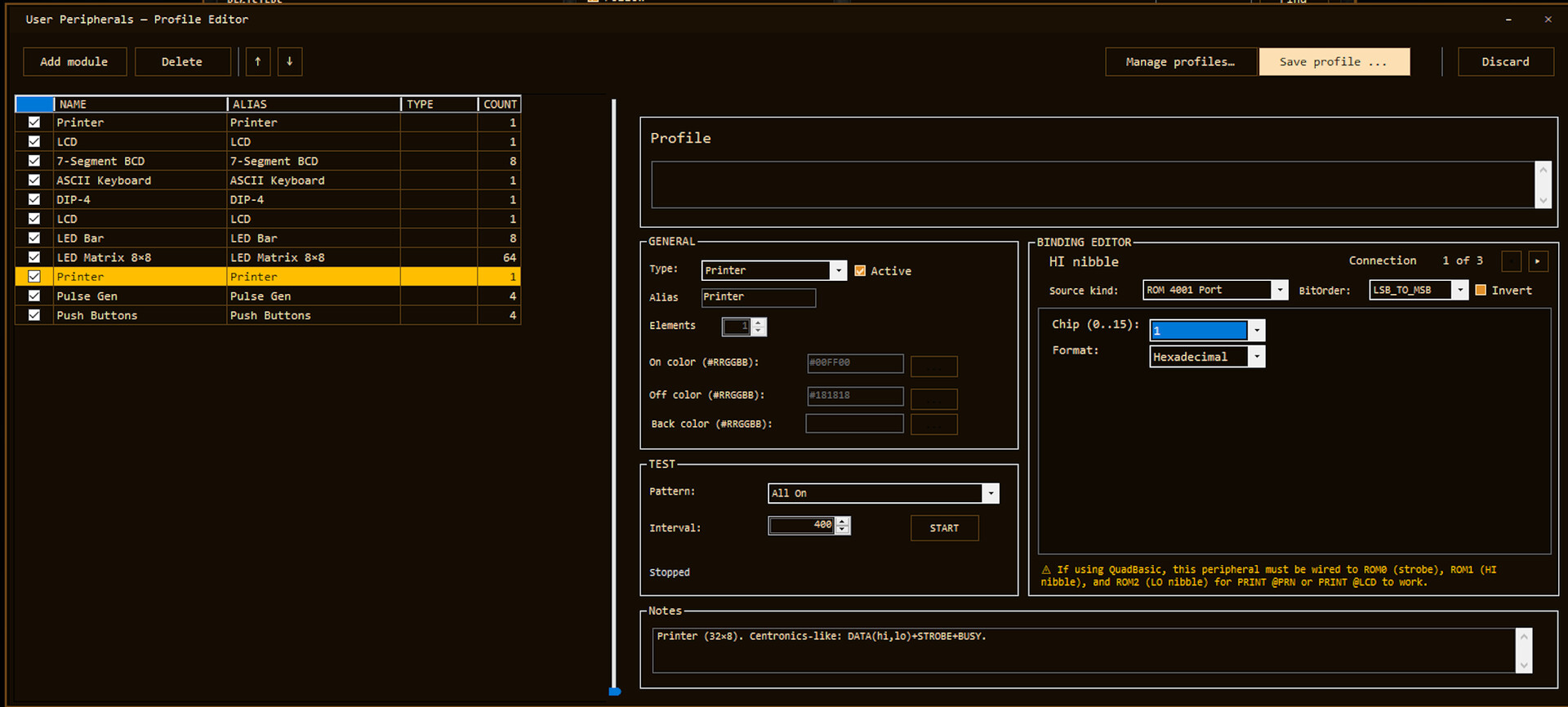
Watch software interact with hardware in real time through a collection of virtual peripherals.

  • LEDs

  • Seven-segment displays

  • LCD displays

  • LED matrix

  • Keyboard and switches

  • Printer

  • Square-wave generator

  • Memory devices

Connect Real Hardware

Go beyond simulation by communicating with Arduino-compatible devices over USB, allowing programs running on the Intel 4004 to interact with real electronics.

Learn

Whether you're discovering assembly language for the first time or exploring one of the most influential microprocessors ever created, Quadium includes everything you need to learn at your own pace.

  • Interactive lessons

  • Guided Labs

  • Programming examples

  • Opcode reference

  • Tips & snippets

  • Integrated documentation

Who Is It For?

Perfect for students, programmers, makers, electronics enthusiasts, retrocomputing fans and anyone interested in computer architecture or low-level programming.

No previous knowledge of the Intel 4004 is required.

More Than an Emulator

Quadium doesn't just emulate the Intel 4004, it helps you understand it.

Follow every instruction, inspect every register, observe every hardware interaction and discover how the microprocessor that started the personal computing revolution really worked.

Keperluan Sistem

    Minimum:
    • Memerlukan pemproses 64-bit dan sistem pengendalian
    • OS: Windows 10/11 (64-bit)
    • Pemproses: 64-bit CPU, 1.6 GHz dual-core
    • Memori: 4 GB RAM
    • Grafik: 1280×1080 display; integrated graphics sufficient
    • DirectX: Versi 9.0c
    • Storan: 250 MB ruang tersedia
    • Nota Tambahan: 64-bit Windows only. Minimum desktop working area 1024×720
    Dicadangkan:
    • Memerlukan pemproses 64-bit dan sistem pengendalian
    • OS: Windows 11 64-bit
    • Pemproses: 64-bit CPU, 2.0 GHz dual-core or better
    • Memori: 4 GB RAM
    • Grafik: 1920×1080 display
    • DirectX: Versi 9.0c
    • Storan: 500 MB ruang tersedia
    • Nota Tambahan: Multiple floating module windows and VDP-style graphics benefit from 1920×1080
Penapis Ulasan