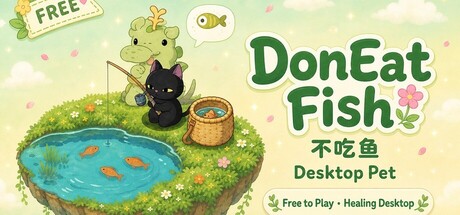
A cozy cat on your desktop while you goof off. Idle fish, crack chests, dress up—turn your desk corner into a wholesome little nook. Come adopt an adorable kitty.

Sign in to add this item to your wishlist, follow it, or mark it as ignored

Play Desktop Pet: DonEatFish

Free To Play
 

About This Game

Is the kitty hungry? DonEatFish! Leave a cozy cat on your desktop: AFK fishing, skin draws, and dress-up décor. It hangs out while you work—and while you goof off.

Features

  • Your desktop cat — always-on-top company with easy comfort

  • Fishing + lottery collecting — AFK chests drop fish for skin draws

  • Four cosmetic slots — mix cats, plants, fish baskets, and backgrounds

  • Tap the cat — seven quick tools: pomodoro, notes, screenshot, record, tidy, and more

  • Party with friends — interact and chat together on the desktop

  • Steam Inventory & Cloud — keep your collection with your account; list or buy skins on the Community Market

Click your cat · Quick tools

Your desktop cat isn’t just cute—tap it to open seven handy tools: plan, notes, browse, focus, capture, record, and tidy. All one paw away.

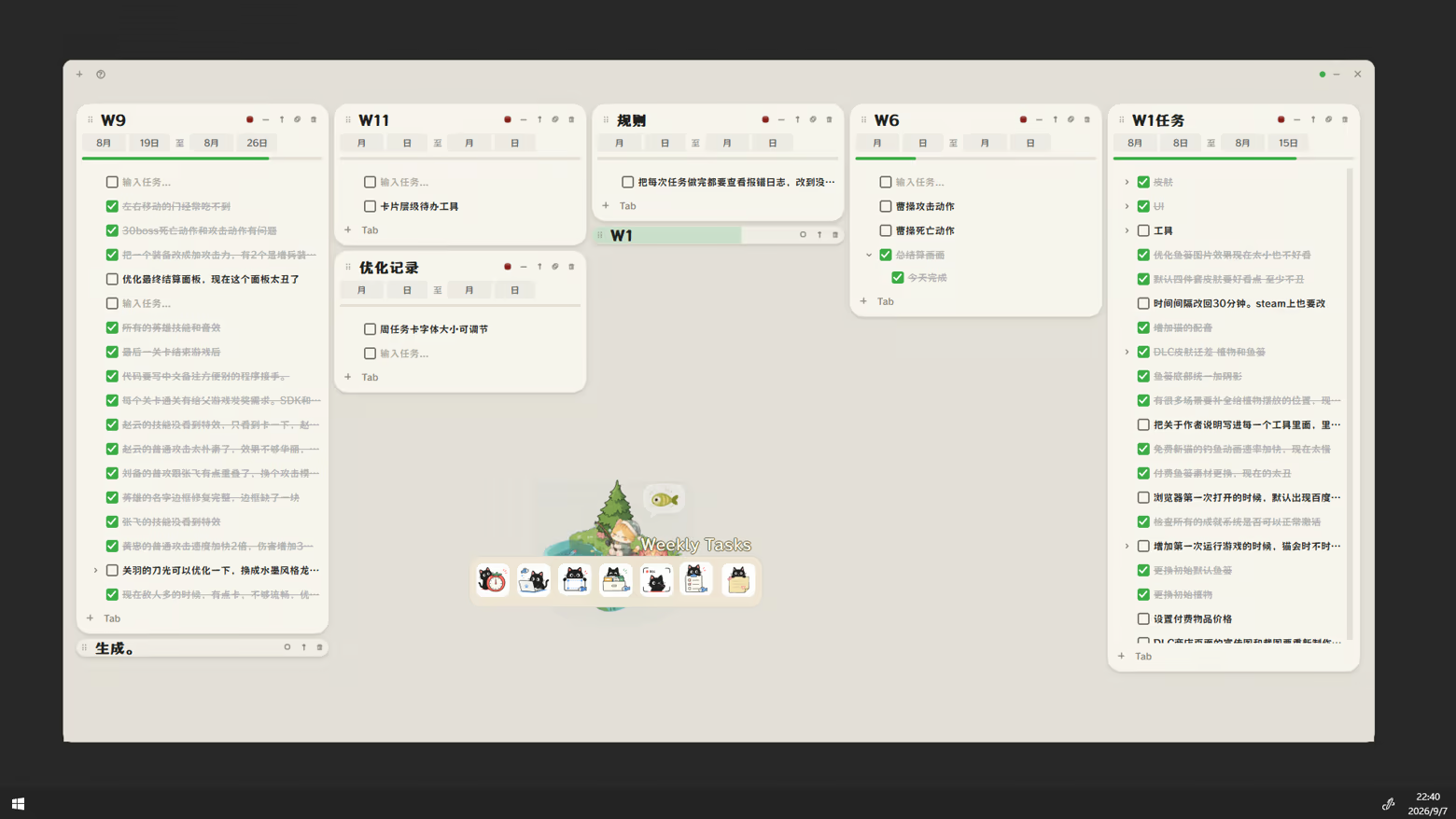
Weekly task cards

What it does: Break the week into checkable cards.

  • Multiple cards with date ranges; nested tasks & progress

  • Drag to reorder; local save + Steam Cloud sync

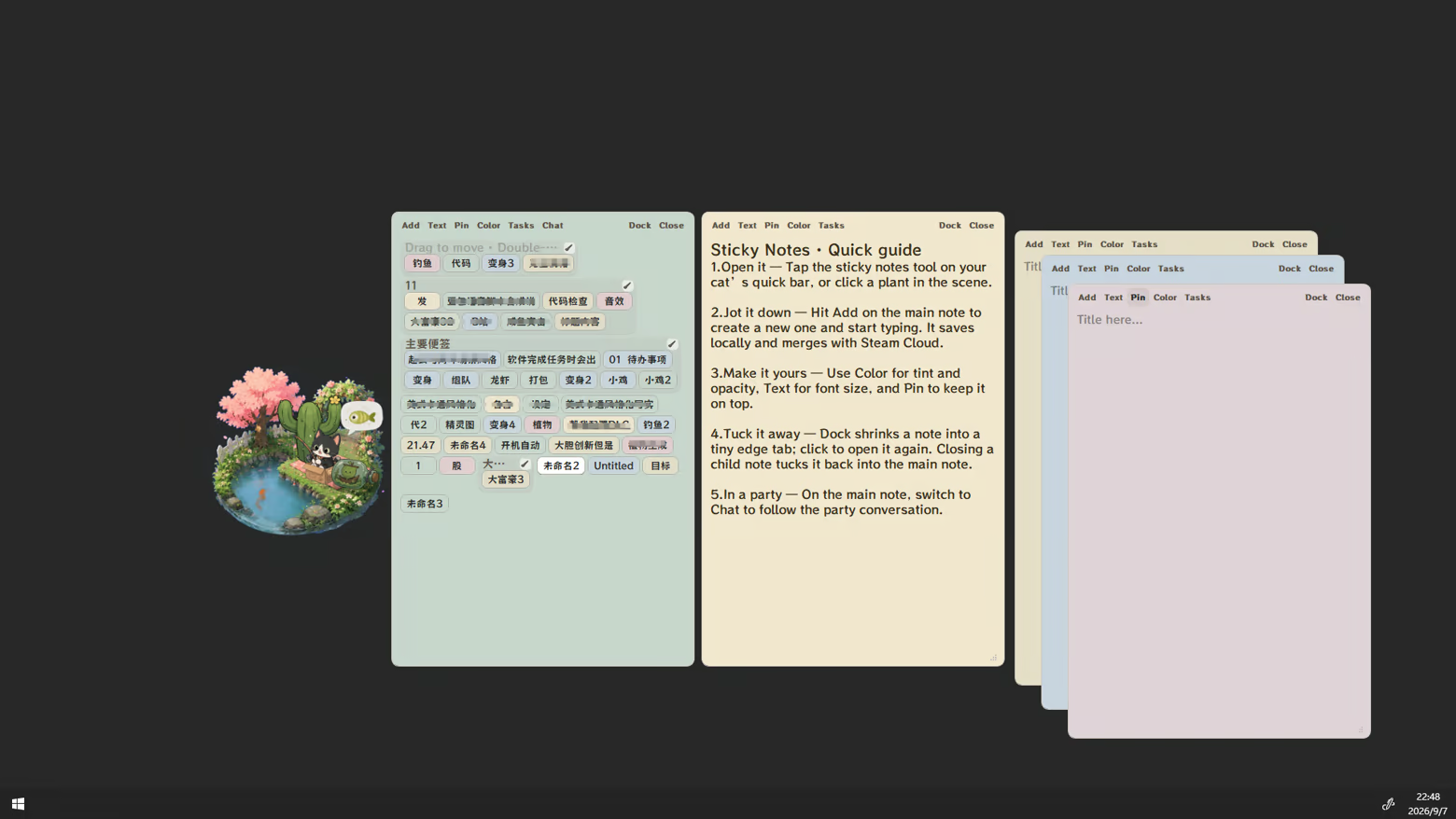
Sticky notes

What it does: Quick notes that stay on your desktop.

  • Multiple notes: color / opacity / pin; snap into tiny tags

  • Local save with Steam Cloud merge; party chat on the main note

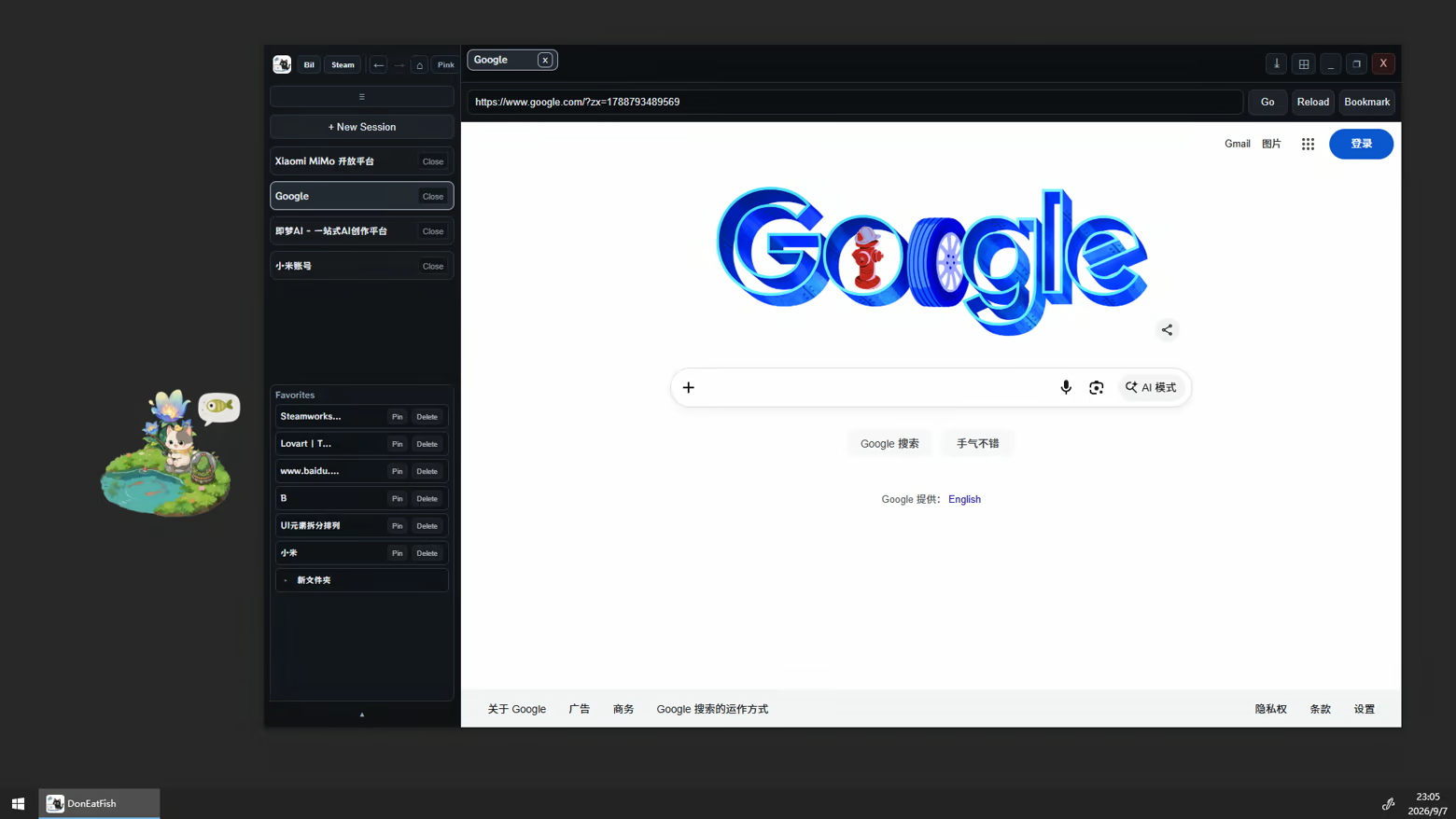
Browser

What it does: A multi-session power tool—open several windows, each signed into a different account.

  • Parallel sessions: work / play / alts stay separate

  • Browse beside your cat; favorites can sync with Steam Cloud

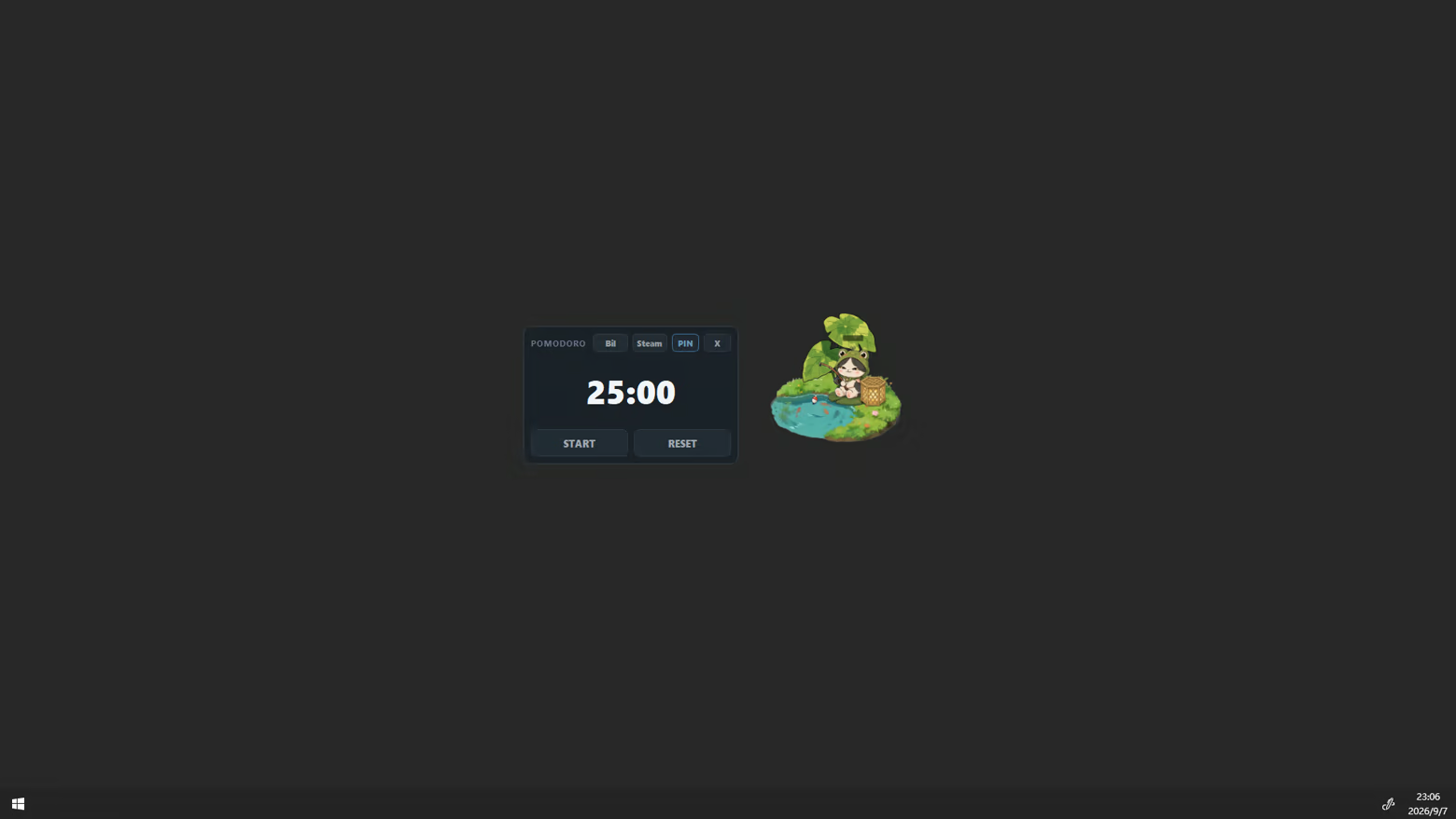
Pomodoro timer

What it does: A focus countdown that keeps work and breaks cleanly apart.

  • Editable length, start / reset; pin on top

  • Shrinks to a floating mini window; finish chime

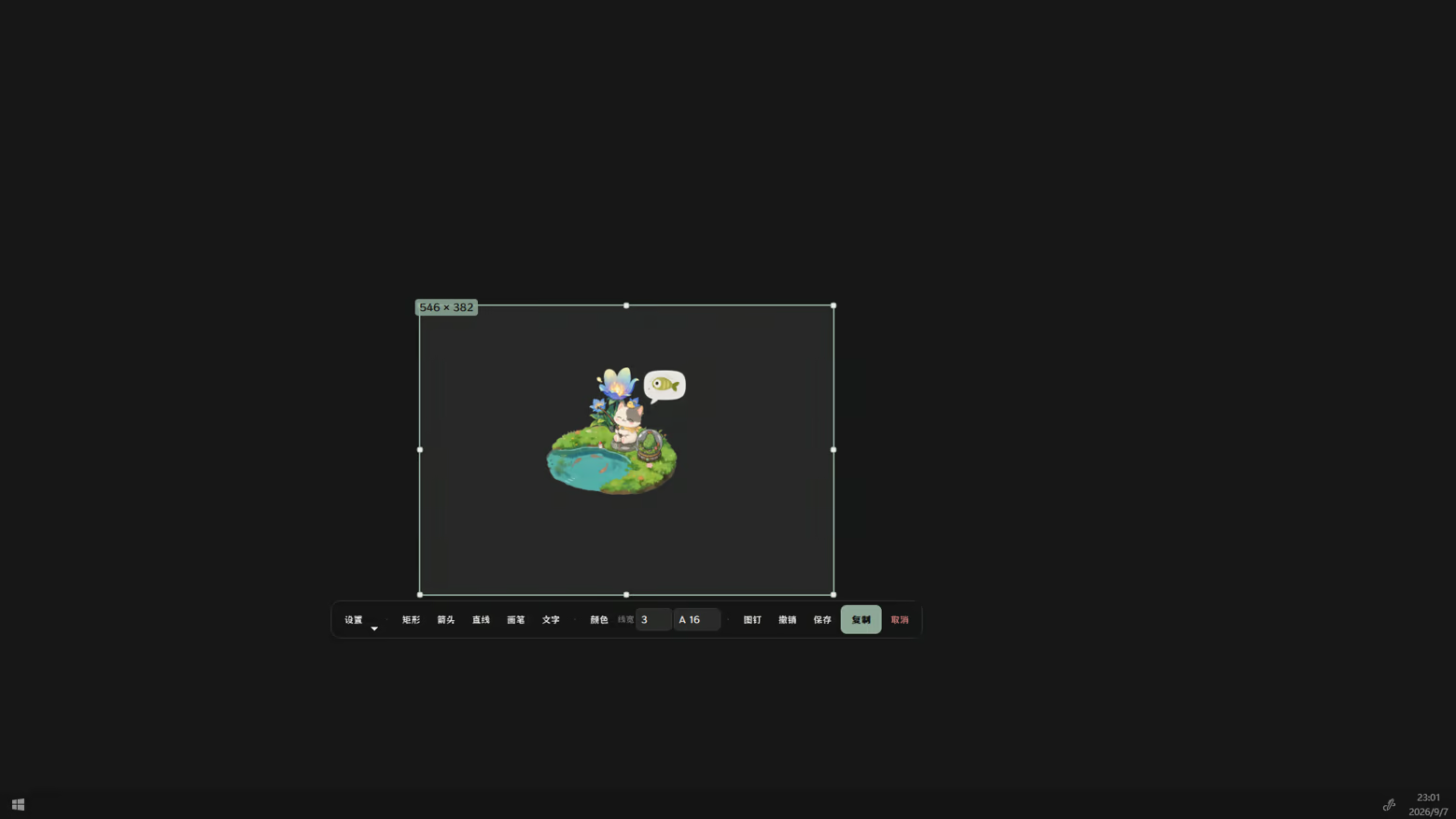
Screenshot

What it does: Region capture with markup—ready to send.

  • Region / fullscreen; rectangle, arrow, pen, text

  • Copy, save, or pin to the desktop

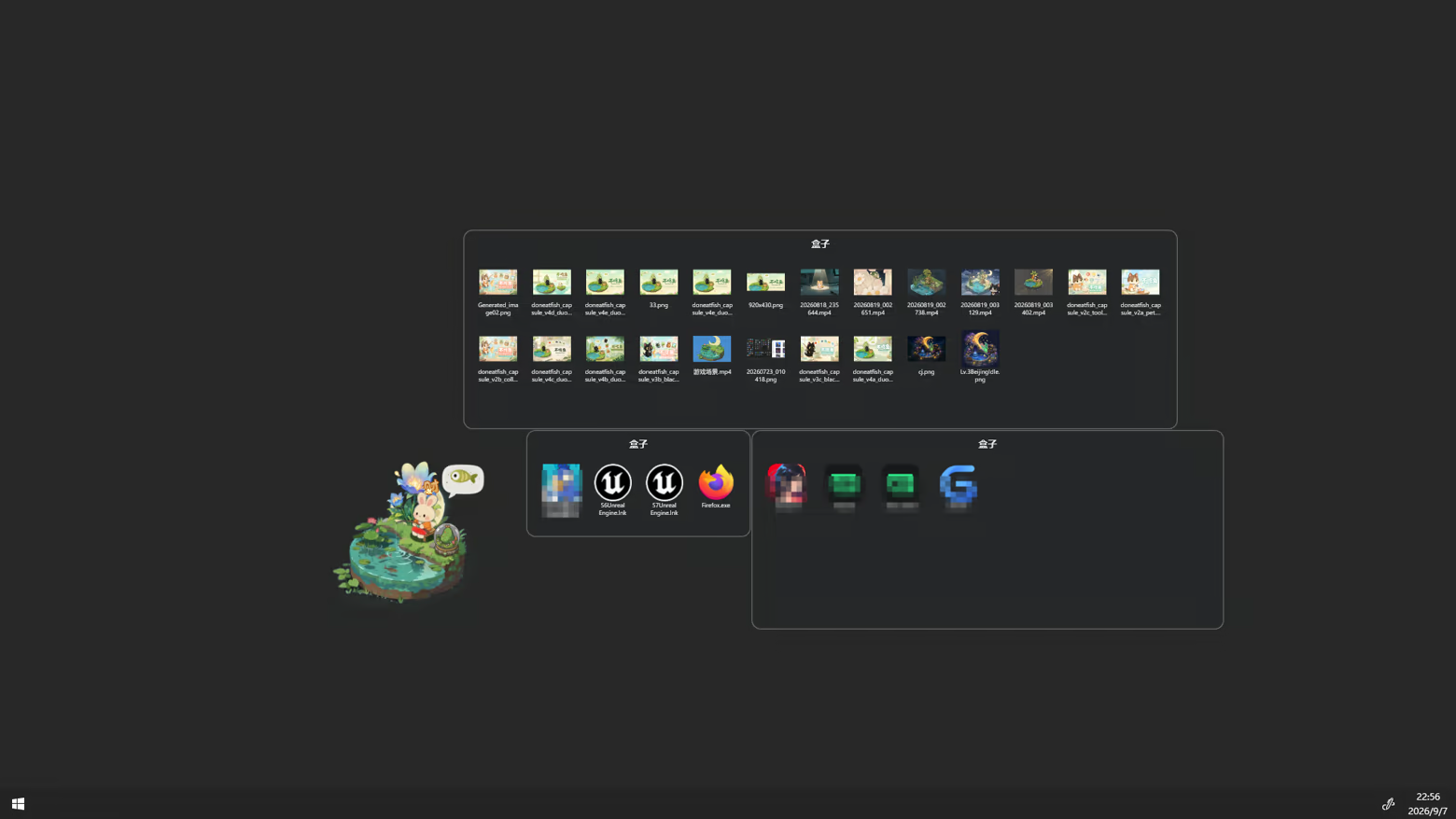
Desktop dock

What it does: Drop messy icons into tidy dock boxes.

  • Drag files into categories; drag back or dissolve boxes

  • Save / restore layouts; adjustable opacity

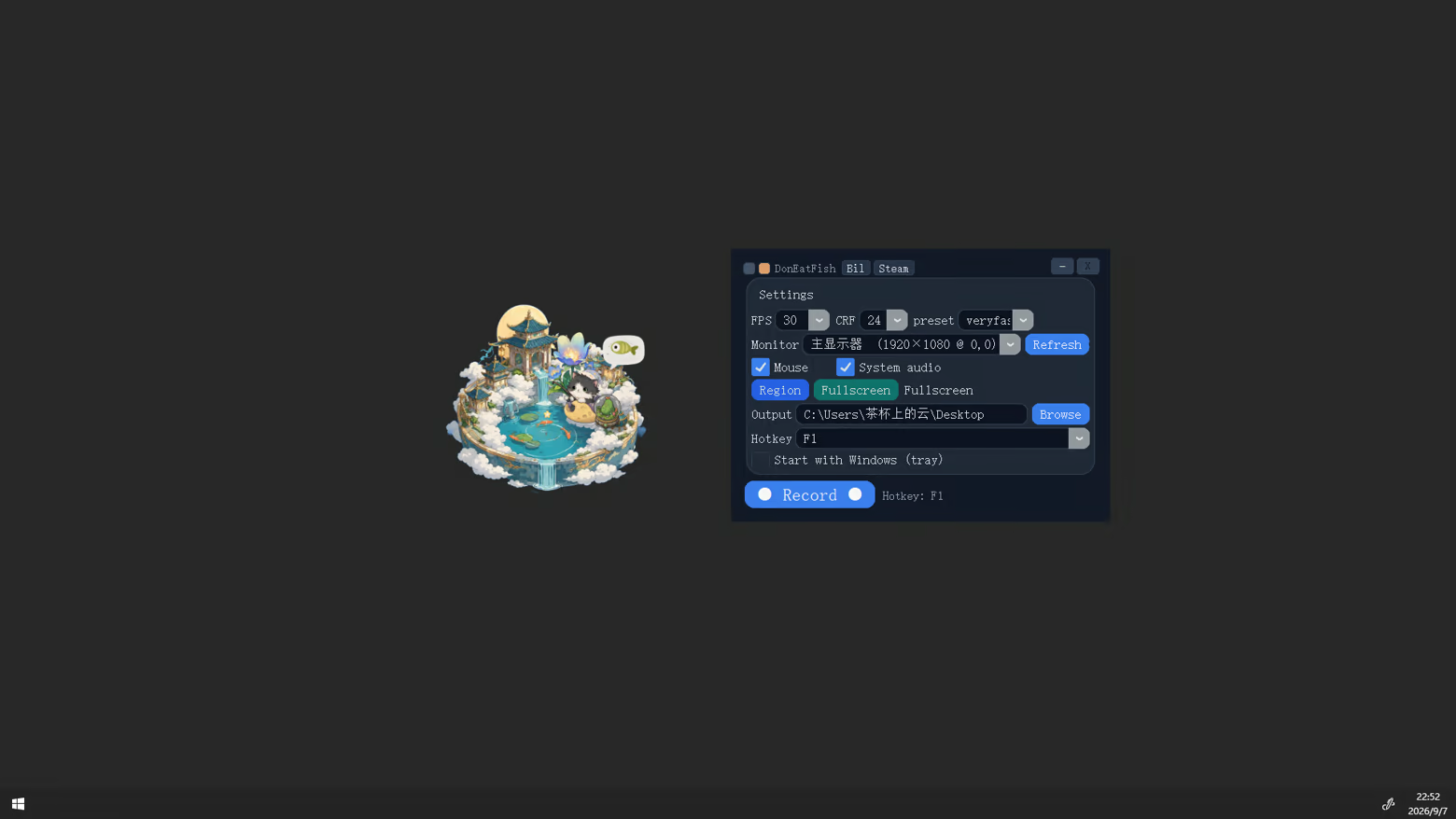
Screen recording

What it does: Record full screen or a region to MP4.

  • Optional cursor & system audio; hotkey start/stop

  • Quality / FPS controls; simple on‑screen HUD

Come adopt an adorable kitty. On busy days, leave a cat that doesn’t eat fish in the corner of your desk.

About antivirus warnings
This game includes developer-made office tools (screenshot, desktop organizer, sticky notes, and similar). Some antivirus software may flag these tools when you first open them. The game build is reviewed and published through Steam; this is a false positive. If a tool is blocked or fails to open, allow it in your antivirus software, or add the game’s install folder as a trusted location and try again.

AI Generated Content Disclosure

The developers describe how their game uses AI Generated Content like this:

AI-assisted artwork

System Requirements

    Minimum:
    • Requires a 64-bit processor and operating system
    • OS: Windows 10 / 11
    • Processor: Intel i5 5200 or AMD Ryzen 5 5600X
    • Memory: 1 GB RAM
    • Graphics: Any
    • Network: Broadband Internet connection
    • Storage: 500 MB available space
    • Sound Card: Any
    Recommended:
    • Requires a 64-bit processor and operating system
    • OS: Windows 10 / 11
    • Processor: Intel i5-10500 or AMD Ryzen 7
    • Memory: 2 GB RAM
    • Graphics: Any
    • Network: Broadband Internet connection
    • Storage: 500 MB available space
    • Sound Card: Any
Review Filters