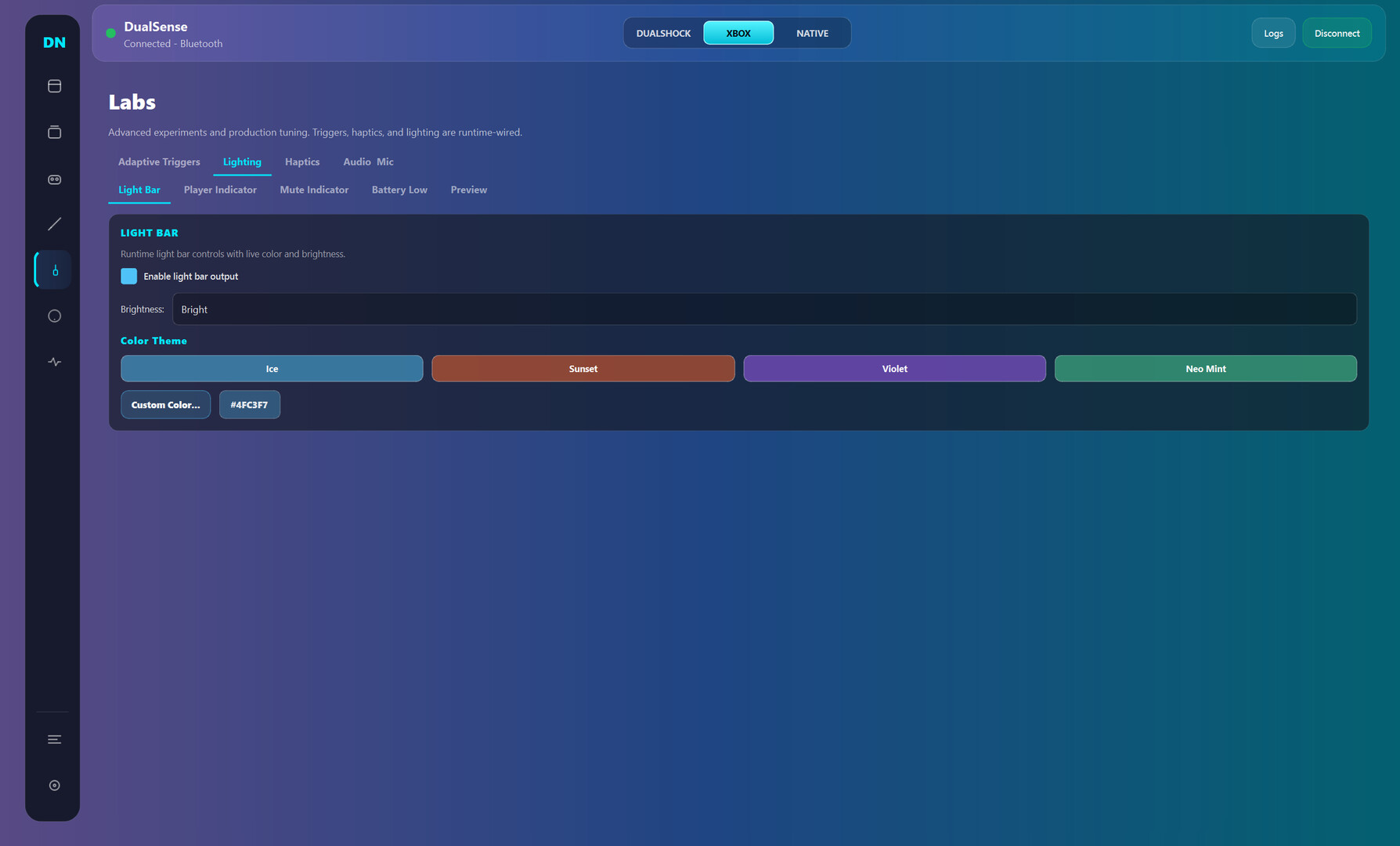
Dual Nexus is a Windows controller toolkit for DualSense and other gamepads: switch between Native/Xbox/DualShock modes, build per-game profiles, remap inputs, and tune triggers, haptics, motion, and lighting in real time.

Jelentkezz be, hogy ezt a tételt a kívánságlistádhoz adhasd, követhesd vagy mellőzöttnek jelölhesd.

Korai hozzáférésű szoftver

Légy részese e szoftver fejlődésének.

Megjegyzés: Ez a korai hozzáférésű szoftver nincs készen, és vagy változik a továbbiakban, vagy nem. Ha nem izgat a szoftver használata a jelenlegi állapotában, érdemes lehet várni, míg fejlesztése előrehaladottabbá válik. Tudj meg többet.

Mit mondanak a fejlesztők:

Miért a Korai Hozzáférés?

„Early Access fits this product because controller software depends on many real-world hardware and driver combinations. Community usage data helps validate stability, improve usability, and prioritize the highest-impact fixes while core functionality is already available.”

Körülbelül mennyi ideig lesz ez a szoftver a Korai Hozzáférésben?

„Current estimate: 9 to 15 months. Timing depends on compatibility testing across controller variants, Windows builds, Bluetooth/USB stacks, and driver environments.”

A tervek szerint miben fog különbözni a teljes verzió a korai hozzáférésűtől?

„Planned full version scope includes broader controller compatibility beyond the current DualSense focus, deeper calibration and diagnostics, stronger profile automation, improved onboarding, and additional reliability tooling. Feature scope may evolve based on technical findings and community feedback.”

Milyen állapotban van jelenleg a korai hozzáférésű verzió?

„Current version is usable for daily controller customization, with full DualSense support and partial DualSense Edge support. Available features include mode switching (Native, Xbox, DualShock-compatible workflows), profile management, mapping studio, trigger/haptic/lighting tuning, live input monitoring, and logs/diagnostics. Current limitations include incomplete Edge parity, limited non-Sony controller support, and ongoing UX/performance polish.”

Eltérően lesz árazva a szoftver a korai hozzáférés alatt és azt követően?

„No immediate price increase is planned during the stabilization phase. A gradual adjustment may be considered closer to full release if major feature expansion is delivered.”

Hogyan tervezitek bevonni a közösséget a fejlesztés folyamatába?

„Community involvement includes public changelogs, feedback threads, issue tracking, reproducible bug reporting, and priority-based triage. Compatibility reports and runtime diagnostics guide iteration order. Experimental changes may ship behind opt-in toggles before broad rollout.”
Tovább
A Magyar nyelv nem támogatott.

Ez a termék nem támogatja a nálad beállított nyelvet. Kérjük, vásárlás előtt tekintsd át a támogatott nyelvek listáját.

Ez a játék még nem érhető el a Steamen

Tervezett megjelenési dátum: 2026. március

Érdekel?
Add a kívánságlistádhoz, és értesítést kapsz, amikor elérhetővé válik.
 
Összes téma megnézése

Jelents hibákat és adj visszajelzést erről a szoftverről az üzenőfalon.

A szoftverről

Dual Nexus is for players who want their controller to feel exactly right, game by game.

Default controller settings are often too limited. Dual Nexus gives you one place to switch modes, manage profiles, remap controls, and tune behavior live while your controller is connected.

Current controller support:

  • Full support: DualSense

  • Partial support: DualSense Edge

What you can do today:

  • Switch output mode quickly (Native, Xbox, DualShock-compatible workflows)

  • Create multiple profiles and swap between them fast

  • Remap buttons, sticks, touchpad, motion, and macros in Mapping Studio

  • Tune deadzones, curves, trigger behavior, haptics, and lighting

  • Use live input and feedback views to validate changes immediately

  • Use logs and diagnostics to troubleshoot connection and runtime issues

Early Access focus:
Dual Nexus is already usable for core DualSense workflows. During Early Access, development is focused on stability, usability, and expanding compatibility to additional controllers over time without breaking core functionality.

Rendszerkövetelmények

    Minimum:
    • Op. rendszer: Windows 10
    • Processzor: x64
    • Memória: 4 GB RAM
    • Tárhely: 500 MB szabad hely
    Ajánlott:
    • Op. rendszer: Windows 11
    • Processzor: x64
    • Tárhely: 500 MB szabad hely
Ehhez a termékhez nincsenek értékelések.

Írhatsz saját értékelést ehhez a termékhez, hogy megoszd élményedet a közösséggel. Használd a vásárlás gomb feletti részt ezen az oldalon értékelésed megírásához.