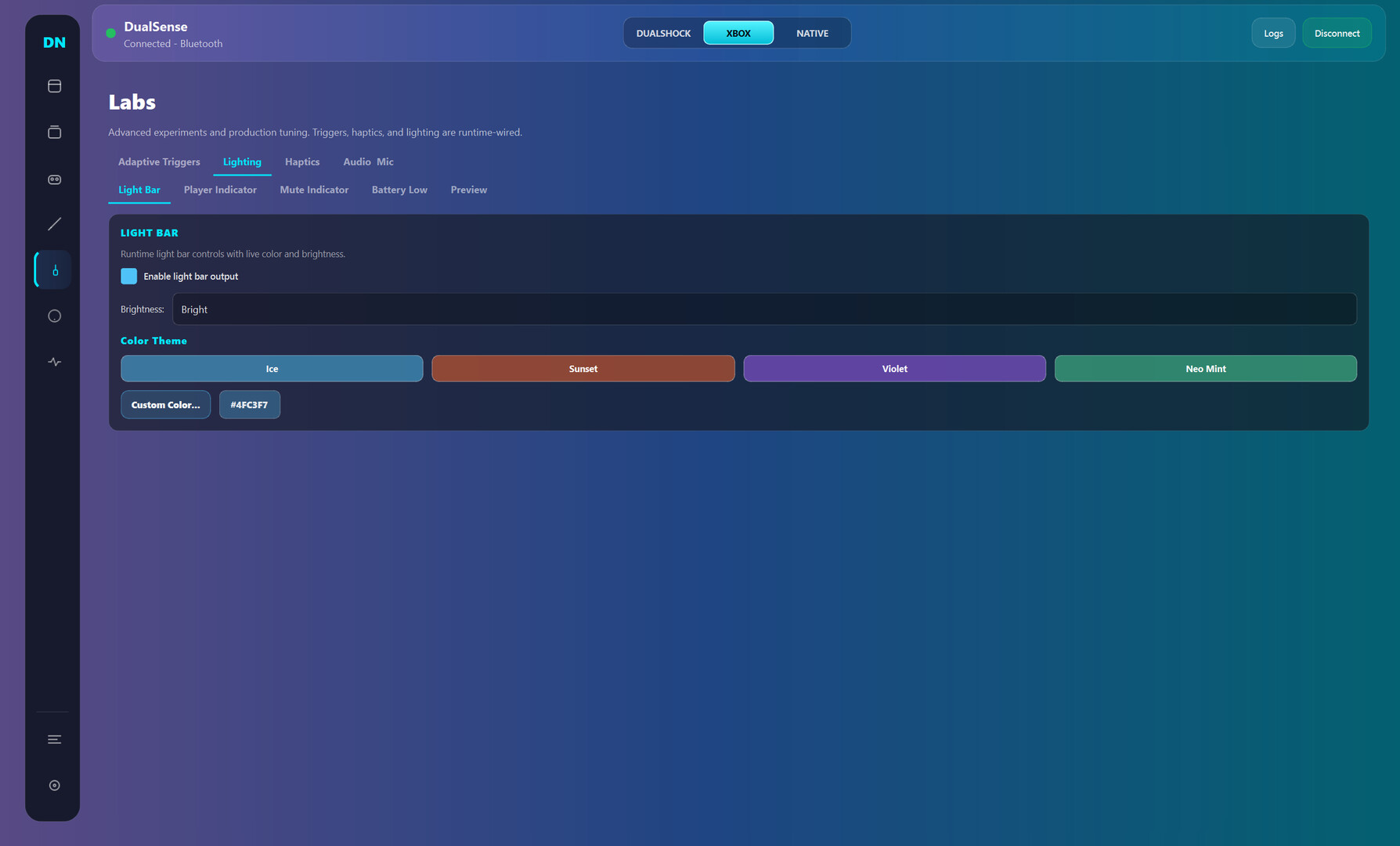
Dual Nexus is a Windows controller toolkit for DualSense and other gamepads: switch between Native/Xbox/DualShock modes, build per-game profiles, remap inputs, and tune triggers, haptics, motion, and lighting in real time.

Log in om dit item aan je verlanglijst toe te voegen, het te volgen of te negeren

Vroegtijdige toegang

Raak betrokken bij deze software terwijl het zich ontwikkelt.

Opmerking: Deze software in vroegtijdige toegang is nog niet voltooid en kan mogelijk wel of niet veranderen. Als je niet staat te springen om deze software in de huidige staat te spelen, kun je beter afwachten hoe het zich verder ontwikkelt. Meer informatie

Wat de ontwikkelaars zeggen:

Waarom vroegtijdige toegang?

'Early Access fits this product because controller software depends on many real-world hardware and driver combinations. Community usage data helps validate stability, improve usability, and prioritize the highest-impact fixes while core functionality is already available.'

Hoelang blijft deze software ongeveer in vroegtijdige toegang?

'Current estimate: 9 to 15 months. Timing depends on compatibility testing across controller variants, Windows builds, Bluetooth/USB stacks, and driver environments.'

Hoe gaat de volledige versie verschillen van de versie met vroegtijdige toegang?

'Planned full version scope includes broader controller compatibility beyond the current DualSense focus, deeper calibration and diagnostics, stronger profile automation, improved onboarding, and additional reliability tooling. Feature scope may evolve based on technical findings and community feedback.'

Wat is de huidige staat van de versie met vroegtijdige toegang?

'Current version is usable for daily controller customization, with full DualSense support and partial DualSense Edge support. Available features include mode switching (Native, Xbox, DualShock-compatible workflows), profile management, mapping studio, trigger/haptic/lighting tuning, live input monitoring, and logs/diagnostics. Current limitations include incomplete Edge parity, limited non-Sony controller support, and ongoing UX/performance polish.'

Zal deze software anders geprijsd worden tijdens en na vroegtijdige toegang?

'No immediate price increase is planned during the stabilization phase. A gradual adjustment may be considered closer to full release if major feature expansion is delivered.'

Hoe zijn jullie van plan de community te betrekken bij het ontwikkelproces?

'Community involvement includes public changelogs, feedback threads, issue tracking, reproducible bug reporting, and priority-based triage. Compatibility reports and runtime diagnostics guide iteration order. Experimental changes may ship behind opt-in toggles before broad rollout.'
Meer informatie
Dit spel is nog niet beschikbaar op Steam

Geplande uitgavedatum: maart 2026

Geïnteresseerd?
Voeg het toe aan je verlanglijst en ontvang een melding wanneer het beschikbaar is.
 
Alle discussies weergeven

Meld bugs en laat feedback voor deze software achter op de discussiefora

Over deze software

Dual Nexus is for players who want their controller to feel exactly right, game by game.

Default controller settings are often too limited. Dual Nexus gives you one place to switch modes, manage profiles, remap controls, and tune behavior live while your controller is connected.

Current controller support:

  • Full support: DualSense

  • Partial support: DualSense Edge

What you can do today:

  • Switch output mode quickly (Native, Xbox, DualShock-compatible workflows)

  • Create multiple profiles and swap between them fast

  • Remap buttons, sticks, touchpad, motion, and macros in Mapping Studio

  • Tune deadzones, curves, trigger behavior, haptics, and lighting

  • Use live input and feedback views to validate changes immediately

  • Use logs and diagnostics to troubleshoot connection and runtime issues

Early Access focus:
Dual Nexus is already usable for core DualSense workflows. During Early Access, development is focused on stability, usability, and expanding compatibility to additional controllers over time without breaking core functionality.

Systeemeisen

    Minimum:
    • Besturingssysteem: Windows 10
    • Processor: x64
    • Geheugen: 4 GB RAM
    • Opslagruimte: 500 MB beschikbare ruimte
    Aanbevolen:
    • Besturingssysteem: Windows 11
    • Processor: x64
    • Opslagruimte: 500 MB beschikbare ruimte
Er zijn geen recensies voor dit product

Je kunt je eigen recensie voor dit product schrijven om je ervaring met de community te delen. Gebruik het gebied boven de aankoopknoppen op deze pagina om je recensie te schrijven.