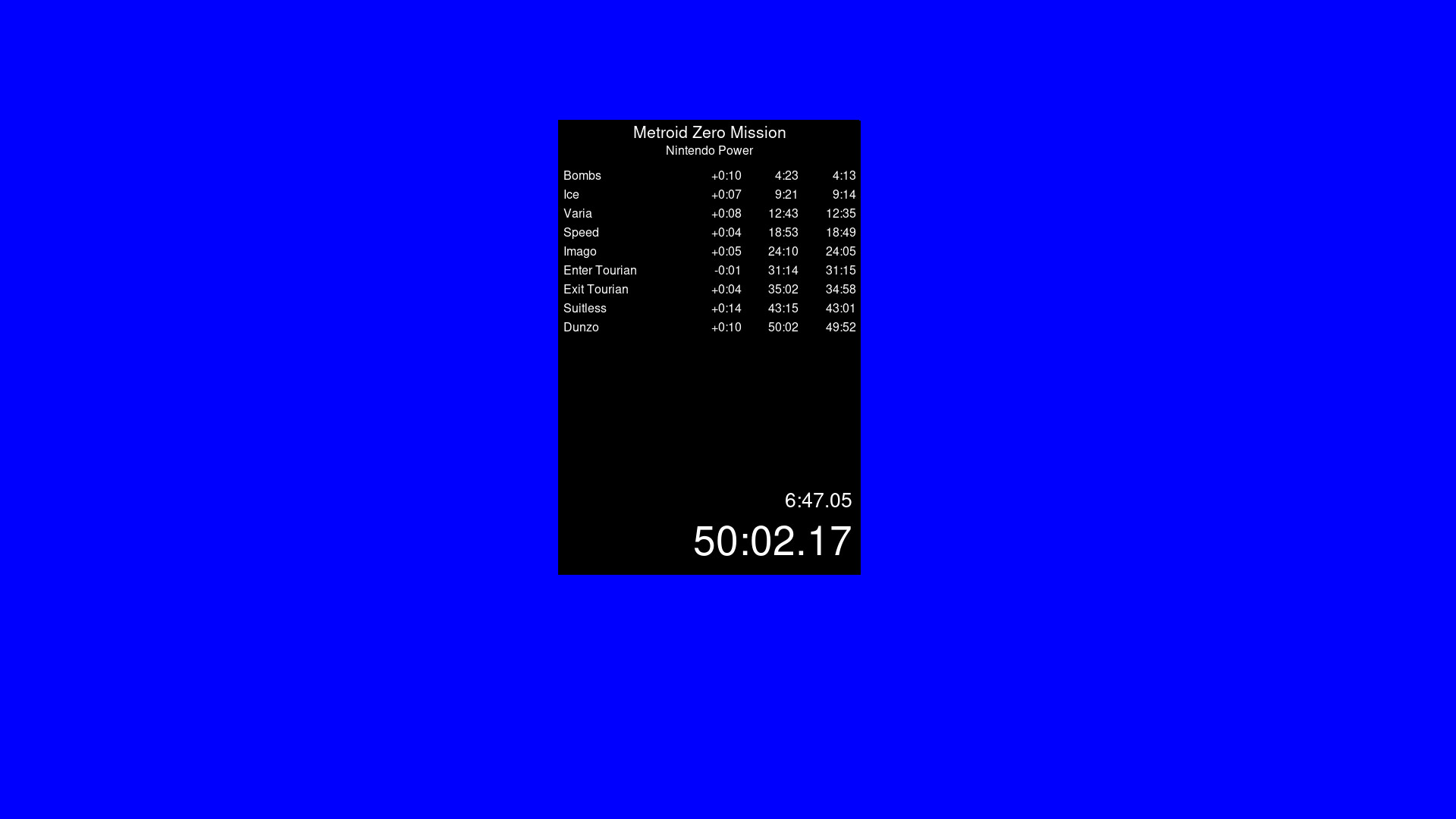
A timer app that is similar to Livesplit. Start the timer, choose your number of splits to be able to time whatever you wish. Default Controls (You can change these within the settings by right click) Start Timer - Space Reset - Down Arrow Skip Split - Right Arrow Undo Split - Left Arrow

登入以將此項目新增至您的願望清單、關注它,或標記為已忽略

不支援繁體中文

本產品尚不支援您的目前所在地的語言。購買前請先確認語言支援清單。

使用 VibeSplit


關於此軟體

0% Programming Knowledge. 100% Vibe Coding. What can go wrong?

Timer App. Livesplit alternative to run natively through Steam onto Windows and Linux. Timer is based on your systems time but feel free to verify its integrity. Separate builds for Windows and Linux. Linux is not being run through a translation app like Wine.

Default Controls are as follows (You can change these within the settings by right click)

Start Timer - Space

Reset - Down Arrow

Skip Split - Right Arrow

Undo Split - Left Arrow

All settings is saved to the json. Copy this json if you need multiple split files for different categories and different games.

系統需求

Windows
SteamOS + Linux
    最低配備:
    • 作業系統: Windows 10
    • 處理器: Anything made in the last 10 years
    • 記憶體: 1000 MB 記憶體
    • 顯示卡: Anything
    • 儲存空間: 100 MB 可用空間
    最低配備:
    • 作業系統: Steam?
    • 處理器: Anything in the last 10 years
    • 記憶體: 1000 MB 記憶體
    • 顯示卡: Anything
    • 儲存空間: 100 MB 可用空間

VibeSplit 的顧客評論 關於使用者評論 您的偏好設定

整體評論:
1 篇使用者評論 (1 篇評論)


如欲檢視特定日期範圍內的評論,請在上方圖表框選一段日期範圍,或點擊直條。


依照使用者撰寫評論當時的遊戲時數篩選:


不限最低時數不限最高時數

以所選顯示順序顯示評論


進一步了解
篩選條件
排除離題評論活動
遊戲時數:
主要在 Steam Deck 上遊玩
無其它評論符合上述篩選條件
調整上方的篩選條件以檢視其它評論
評論讀取中…