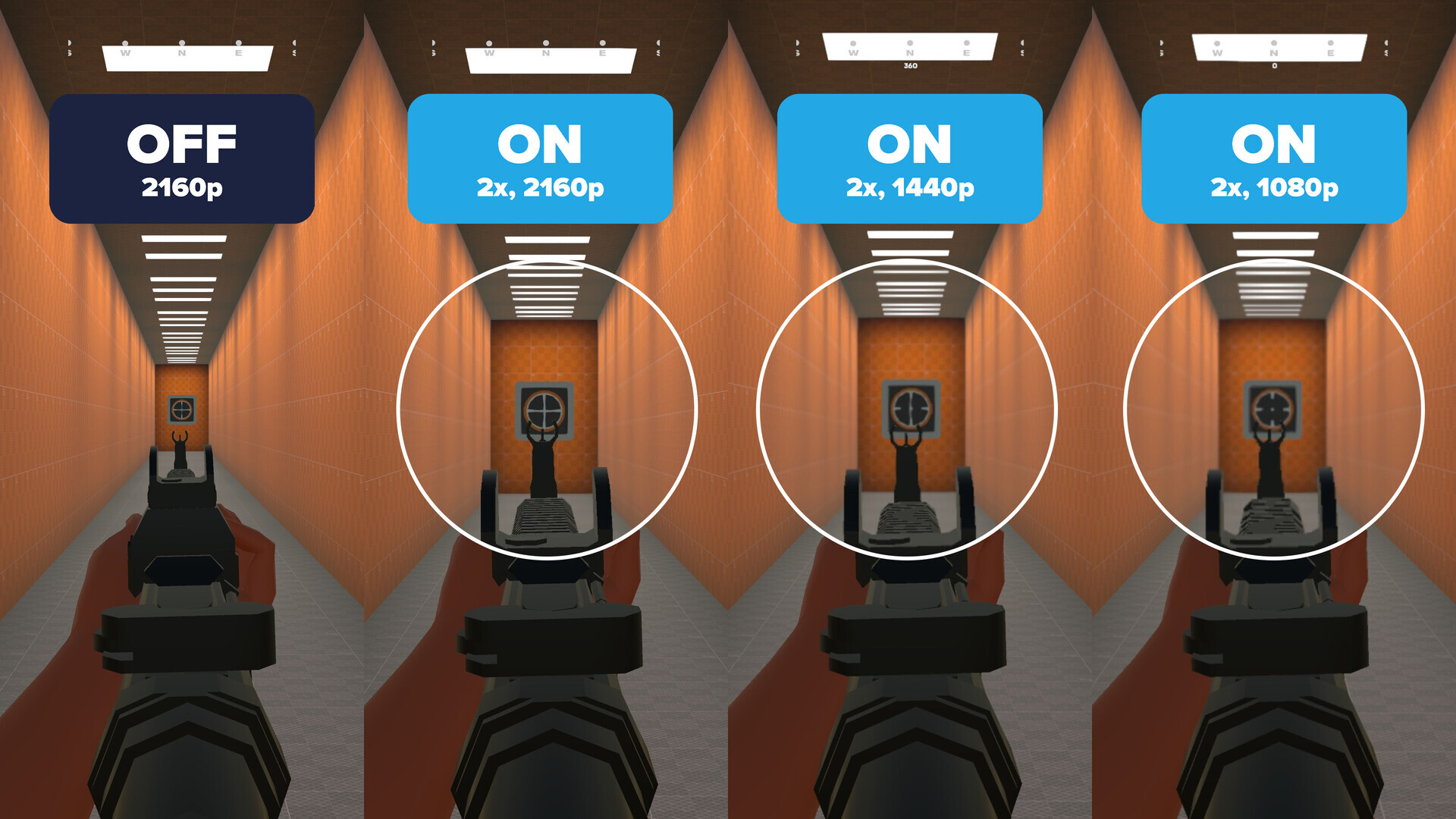
Scope X aims to be the #1 visual accessibility tool for PC gamers. Instantly magnify any part of your screen to reveal critical details in any game or application.

Sign in to add this item to your wishlist, follow it, or mark it as ignored

Free Demo

Play Scope X Demo

Check out the full game


About This Demo

The Scope X Demo lets you experience a lightweight zoom and focus tool designed to enhance visual clarity across your entire display. It includes a limited but essential set of functions that comes with the full Scope X app.

Quickly toggle magnification, create a personalized focus shape, and fine-tune sensitivity controls—all from one easy-to-use overlay.

Key Features:

  • Real-Time Magnification – Instantly zoom in or out on any part of your screen.

  • Configurable Controls – Customize keyboard and mouse shortcuts to suit your preferences.

  • Focus Shape Design – Adjust the color, size, and transparency of your visual enhancer.

  • Universal Compatibility – Seamlessly runs alongside other apps and games with zero integrations or dependencies.

  • Overlay-Based Zoom – Utilizes screen rendering technology similar to recording and accessibility software. No game modifications, no interference.

Upgrade to the full Scope X app to unlock all features and customization options.

System Requirements

    Minimum:
    • OS: Windows 10
    Recommended:
    • OS: Windows 11

Customer reviews for Scope X Demo About user reviews Your preferences

Overall Reviews:
2 user reviews (2 reviews)


To view reviews within a date range, please click and drag a selection on a graph above or click on a specific bar.


Filter reviews by the user's playtime when the review was written:


No minimum to No maximum

Show reviews in selected display order


Learn More
Filters
Excluding Off-topic Review Activity
Playtime:
Played Mostly on Steam Deck
Loading reviews...