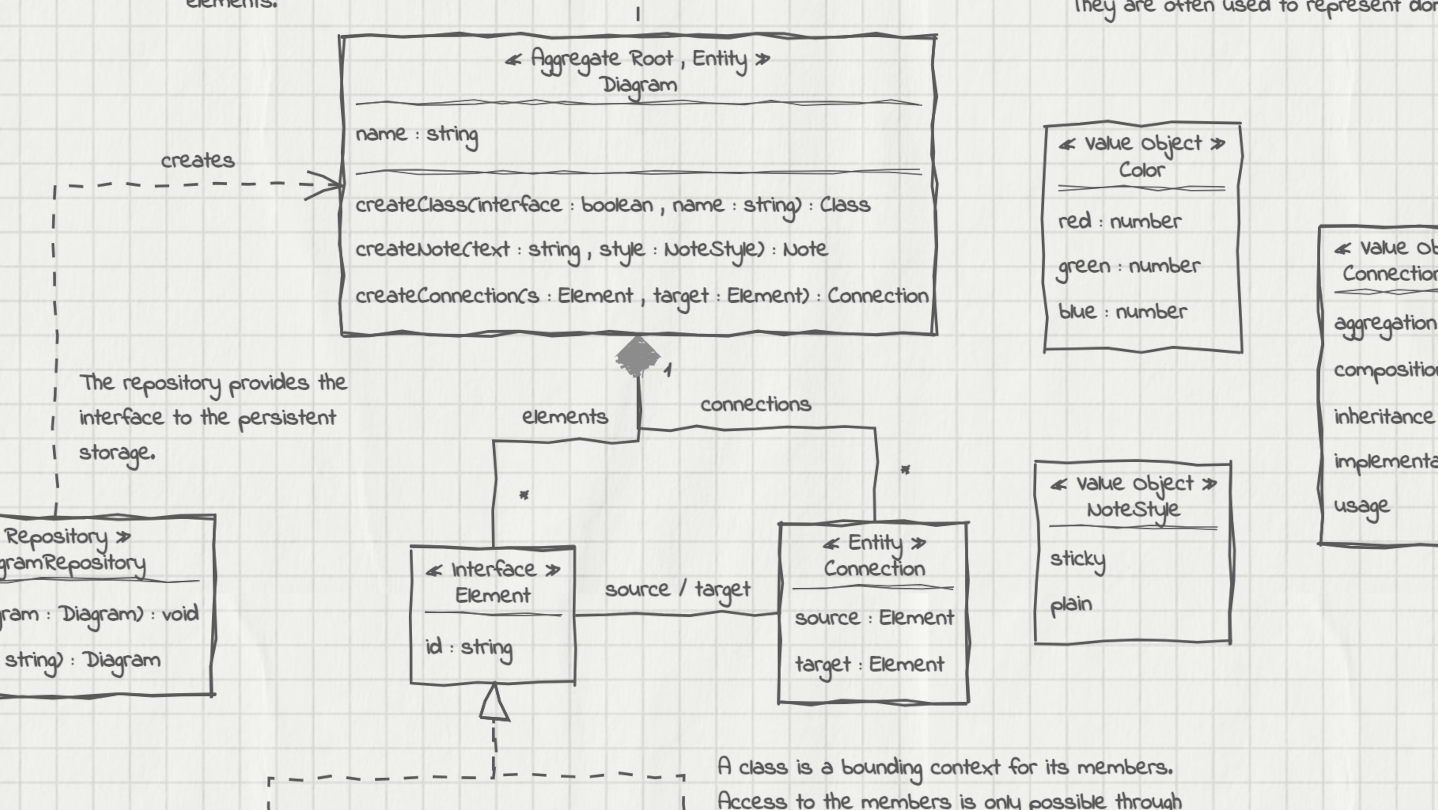
UMLBoard is an easy-to-use UML class diagram tool with a clean, hand-drawn whiteboard style. It’s perfect for visualizing software designs, enhancing code documentation, or creating polished diagrams for presentations and publications.

เข้าสู่ระบบ เพื่อเพิ่มผลิตภัณฑ์นี้ลงในสิ่งที่อยากได้ของคุณ ติดตาม หรือทำเครื่องหมายเป็นถูกละเว้น

ไม่รองรับภาษาไทย

ผลิตภัณฑ์นี้ไม่รองรับภาษาท้องถิ่นของคุณ โปรดตรวจสอบรายชื่อภาษาที่รองรับก่อนทำการสั่งซื้อ

ซื้อ UMLBoard


บทวิจารณ์

“A lovely little app - Hold control, tap anywhere, and you get a thoughtfully designed modal to add an object. Do the same on a class object to add properties. And of course a simple drag to connect objects.”
5/5 – Mac App Store

“LOVED the interface! I've played with lots of UML tools, and this one really stands out. It's both simple and fun - this makes it a tool I want to come back to, where I can just focus on accomplishing what I want. Really appreciated how fast it was to lay out and manipulate designs.”
5/5 – Mac App Store

“Superbly Simplified Complexity - The app rides above all in other UML basedoverly cluttered apps. Feel more organic & real just like working with a rough pen & page.”
5/5 – Mac App Store

เกี่ยวกับซอฟต์แวร์นี้

UMLBoard is an easy-to-use UML class designer with a nice hand-drawn whiteboard look.

Whether you want to visualize an architectural concept, add additional documentation to your code, or need some nice looking diagrams for your presentation or publication: UMLBoard is the perfect tool for creating and editing UML class diagrams quickly and easily.

Say goodbye to complicated UML editors that require several steps and dialogs to change just a single class member: UMLBoard provides a clean and minimalistic user interface with in-place editing and full WYSIWYG support.

Some feature highlights:

  • Gives your diagrams a nice hand-drawn and sketchy look.

  • In-place-editing of properties and methods.

  • Export your diagram as a PNG or SVG image or as PDF or PlantUML text file.

  • Automatic connector routing which can easily be configured with custom anchor points.

  • Choose between different drawing styles: Sketchy, Enterprise and Too-much-caffeine.

  • Customize your diagrams with different fonts, background and colors.

  • Dark and light color themes.

  • Automatically propagate changes of your elements throughout the whole diagram.

  • Define custom stereotypes to give your classes specific domain roles

  • Validates your diagram and ensures compliance with UML rules.

No registration or subscription required, just install it, and you're ready to go!

ความต้องการระบบ

Windows
macOS
SteamOS + Linux
    ขั้นต่ำ:
    • ต้องการโปรเซสเซอร์และระบบปฏิบัติการแบบ 64 บิต
    • ระบบปฏิบัติการ: Windows 10, Windows 11
    แนะนำ:
    • ต้องการโปรเซสเซอร์และระบบปฏิบัติการแบบ 64 บิต
    • ระบบปฏิบัติการ: Windows 10, Windows 11
    ขั้นต่ำ:
    • จำเป็นต้องใช้โปรเซสเซอร์ Apple
    • โปรเซสเซอร์: Apple Silicon
    แนะนำ:
    • จำเป็นต้องใช้โปรเซสเซอร์ Apple
    • โปรเซสเซอร์: Apple Silicon
    ขั้นต่ำ:
    • ระบบปฏิบัติการ: Debian: 11 and later, Ubuntu: 24.04 and later
    แนะนำ:

    บทวิจารณ์จากผู้ซื้อ UMLBoard เกี่ยวกับบทวิจารณ์จากผู้ใช้ การปรับแต่งของคุณ

    บทวิจารณ์โดยรวม:
    1 บทวิจารณ์จากผู้ใช้ (1 บทวิจารณ์)


    หากต้องการดูบทวิจารณ์ตามช่วงวันที่ โปรดคลิกและลากเพื่อเลือกช่วงวันที่ในกราฟด้านบน หรือคลิกที่แท่งกราฟเจาะจงวันที่


    กรองบทวิจารณ์ตามเวลาเล่นของผู้ใช้เมื่อบทวิจารณ์ถูกเขียน:


    ไม่มีต่ำสุด ถึง ไม่มีสูงสุด

    แสดงบทวิจารณ์ตามลำดับการแสดงผลที่เลือกไว้


    เรียนรู้เพิ่มเติม
    ตัวกรอง
    กำลังละเว้นกิจกรรมบทวิจารณ์นอกเรื่อง
    เวลาเล่น:
    เล่นบน Steam Deck เป็นส่วนใหญ่
    ระบบปฏิบัติการ:
    CPU:
    GPU:
    ประเภทอุปกรณ์: