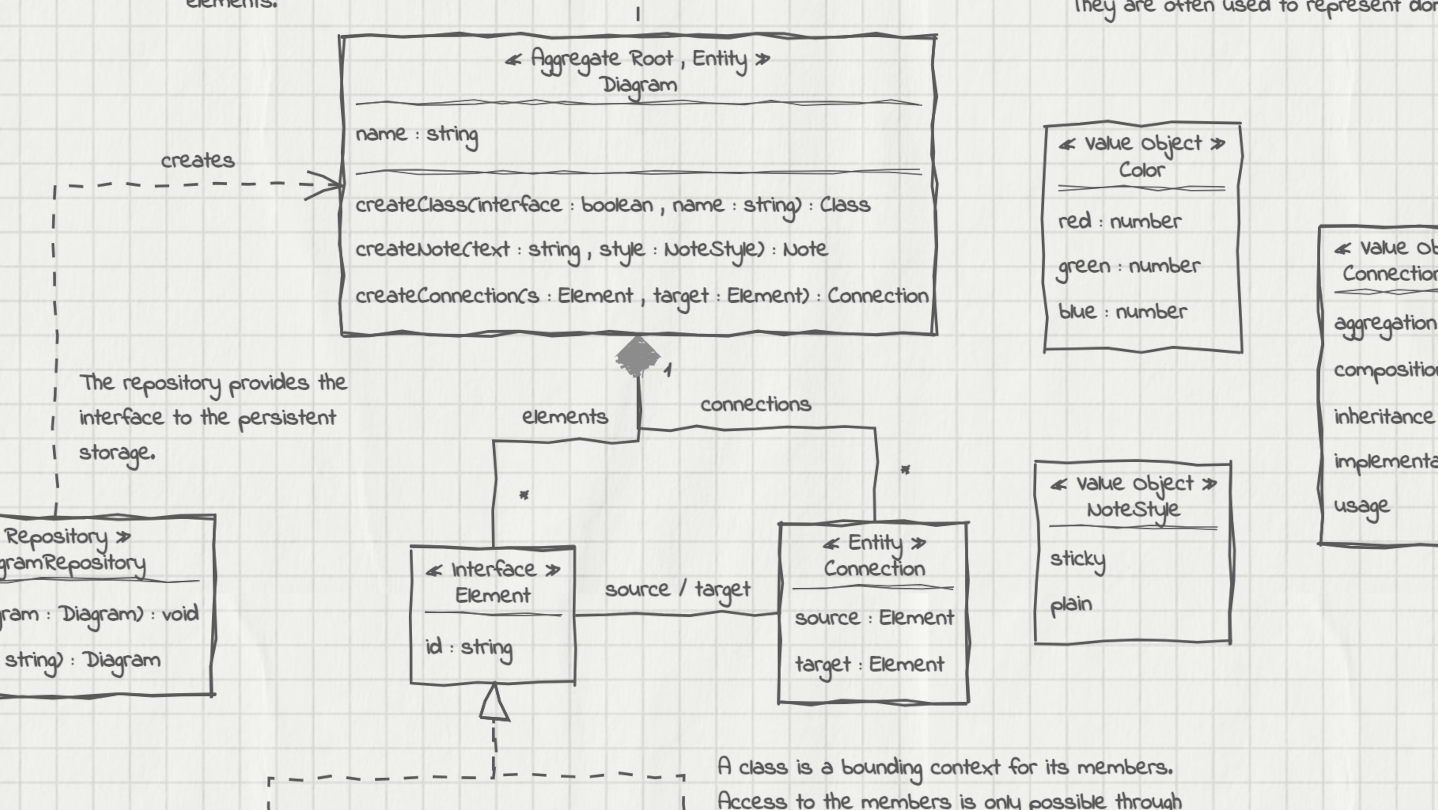
UMLBoard is an easy-to-use UML class diagram tool with a clean, hand-drawn whiteboard style. It’s perfect for visualizing software designs, enhancing code documentation, or creating polished diagrams for presentations and publications.

Login untuk menambahkan item ini ke wishlist-mu, mengikutinya, atau mengabaikannya

Bhs. Indonesia tidak didukung

Produk ini tidak didukung dalam bahasamu. Silakan tinjau daftar bahasa yang didukung di bawah ini sebelum melakukan pembelian.

Beli UMLBoard


Ulasan

“A lovely little app - Hold control, tap anywhere, and you get a thoughtfully designed modal to add an object. Do the same on a class object to add properties. And of course a simple drag to connect objects.”
5/5 – Mac App Store

“LOVED the interface! I've played with lots of UML tools, and this one really stands out. It's both simple and fun - this makes it a tool I want to come back to, where I can just focus on accomplishing what I want. Really appreciated how fast it was to lay out and manipulate designs.”
5/5 – Mac App Store

“Superbly Simplified Complexity - The app rides above all in other UML basedoverly cluttered apps. Feel more organic & real just like working with a rough pen & page.”
5/5 – Mac App Store

Tentang Software Ini

UMLBoard is an easy-to-use UML class designer with a nice hand-drawn whiteboard look.

Whether you want to visualize an architectural concept, add additional documentation to your code, or need some nice looking diagrams for your presentation or publication: UMLBoard is the perfect tool for creating and editing UML class diagrams quickly and easily.

Say goodbye to complicated UML editors that require several steps and dialogs to change just a single class member: UMLBoard provides a clean and minimalistic user interface with in-place editing and full WYSIWYG support.

Some feature highlights:

  • Gives your diagrams a nice hand-drawn and sketchy look.

  • In-place-editing of properties and methods.

  • Export your diagram as a PNG or SVG image or as PDF or PlantUML text file.

  • Automatic connector routing which can easily be configured with custom anchor points.

  • Choose between different drawing styles: Sketchy, Enterprise and Too-much-caffeine.

  • Customize your diagrams with different fonts, background and colors.

  • Dark and light color themes.

  • Automatically propagate changes of your elements throughout the whole diagram.

  • Define custom stereotypes to give your classes specific domain roles

  • Validates your diagram and ensures compliance with UML rules.

No registration or subscription required, just install it, and you're ready to go!

Persyaratan Sistem

Windows
macOS
SteamOS + Linux
    Minimum:
    • Prosesor 64-bit dan OS diperlukan
    • OS: Windows 10, Windows 11
    Direkomendasikan:
    • Prosesor 64-bit dan OS diperlukan
    • OS: Windows 10, Windows 11
    Minimum:
    • Memerlukan prosesor Apple
    • Prosesor: Apple Silicon
    Direkomendasikan:
    • Memerlukan prosesor Apple
    • Prosesor: Apple Silicon
    Minimum:
    • OS: Debian: 11 and later, Ubuntu: 24.04 and later
    Direkomendasikan:

    Ulasan pelanggan untuk UMLBoard Tentang ulasan pengguna Preferensimu

    Ulasan Umum:
    1 ulasan pengguna (1 ulasan)


    Untuk melihat ulasan dalam rentang tanggal tertentu, klik dan seret pilihan pada grafik di atas atau klik bilah spesifik.


    Ulasan filter berdasarkan waktu bermain pengguna saat ulasan ditulis:


    Tidak ada minimum sampai Tidak ada maksimum

    Tampilkan ulasan dalam urutan tampilan yang dipilih


    Pelajari Lebih Lanjut
    Filter
    Tidak Termasuk Aktivitas Ulasan Keluar Topik
    Waktu bermain:
    Seringnya Dimainkan di Steam Deck
    OS:
    CPU:
    GPU:
    Jenis Perangkat:
    Tidak ada ulasan lainnya yang cocok dengan filter di atas
    Sesuaikan filter di atas untuk melihat ulasan lainnya
    Memuat ulasan...