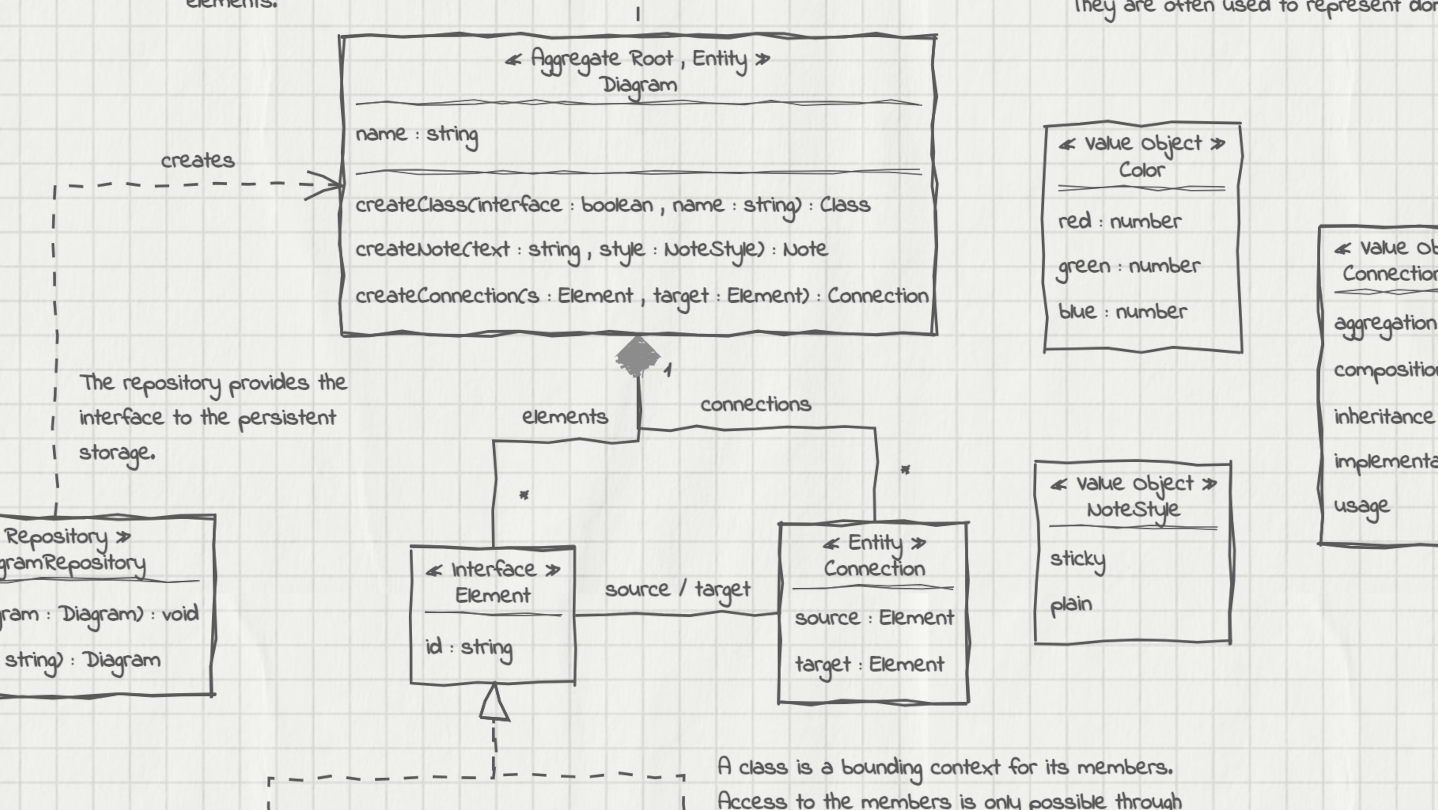
UMLBoard is an easy-to-use UML class diagram tool with a clean, hand-drawn whiteboard style. It’s perfect for visualizing software designs, enhancing code documentation, or creating polished diagrams for presentations and publications.

Συνδεθείτε για να προσθέσετε αυτό το αντικείμενο στη Λίστα Επιθυμιών σας, να το ακολουθήσετε ή να το αγνοήσετε

Αγορά: UMLBoard


Κριτικές

“A lovely little app - Hold control, tap anywhere, and you get a thoughtfully designed modal to add an object. Do the same on a class object to add properties. And of course a simple drag to connect objects.”
5/5 – Mac App Store

“LOVED the interface! I've played with lots of UML tools, and this one really stands out. It's both simple and fun - this makes it a tool I want to come back to, where I can just focus on accomplishing what I want. Really appreciated how fast it was to lay out and manipulate designs.”
5/5 – Mac App Store

“Superbly Simplified Complexity - The app rides above all in other UML basedoverly cluttered apps. Feel more organic & real just like working with a rough pen & page.”
5/5 – Mac App Store

Σχετικά με αυτό το λογισμικό

UMLBoard is an easy-to-use UML class designer with a nice hand-drawn whiteboard look.

Whether you want to visualize an architectural concept, add additional documentation to your code, or need some nice looking diagrams for your presentation or publication: UMLBoard is the perfect tool for creating and editing UML class diagrams quickly and easily.

Say goodbye to complicated UML editors that require several steps and dialogs to change just a single class member: UMLBoard provides a clean and minimalistic user interface with in-place editing and full WYSIWYG support.

Some feature highlights:

  • Gives your diagrams a nice hand-drawn and sketchy look.

  • In-place-editing of properties and methods.

  • Export your diagram as a PNG or SVG image or as PDF or PlantUML text file.

  • Automatic connector routing which can easily be configured with custom anchor points.

  • Choose between different drawing styles: Sketchy, Enterprise and Too-much-caffeine.

  • Customize your diagrams with different fonts, background and colors.

  • Dark and light color themes.

  • Automatically propagate changes of your elements throughout the whole diagram.

  • Define custom stereotypes to give your classes specific domain roles

  • Validates your diagram and ensures compliance with UML rules.

No registration or subscription required, just install it, and you're ready to go!

Απαιτήσεις συστήματος

Windows
macOS
SteamOS και Linux
    Ελάχιστες:
    • Απαιτείται επεξεργαστής και λειτουργικό σύστημα 64-bit
    • Λειτουργικό σύστημα: Windows 10, Windows 11
    Προτεινόμενες:
    • Απαιτείται επεξεργαστής και λειτουργικό σύστημα 64-bit
    • Λειτουργικό σύστημα: Windows 10, Windows 11
    Ελάχιστες:
    • Απαιτεί επεξεργαστή Apple
    • Επεξεργαστής: Apple Silicon
    Προτεινόμενες:
    • Απαιτεί επεξεργαστή Apple
    • Επεξεργαστής: Apple Silicon
    Ελάχιστες:
    • Λειτουργικό σύστημα: Debian: 11 and later, Ubuntu: 24.04 and later
    Προτεινόμενες:

    Κριτικές πελατών για το UMLBoard Σχετικά με τις κριτικές χρηστών Οι προτιμήσεις σας

    Συνολικές κριτικές:
    1 κριτικές χρηστών (1 κριτικές)


    Για προβολή κριτικών εντός ενός εύρους ημερομηνιών, πατήστε και σύρετε μια επιλογή στο γράφημα ή πατήστε πάνω σε μια συγκεκριμένη μπάρα.


    Φιλτράρισμα κριτικών βάσει του χρόνου παιχνιδιού του χρήστη όταν γράφτηκε η κριτική:


    Χωρίς ελάχιστο έως χωρίς μέγιστο

    Εμφάνιση κριτικών με την επιλεγμένη σειρά προβολής


    Μάθετε περισσότερα
    Φίλτρα
    Αποκλεισμός κριτικών εκτός θέματος
    Χρόνος παιχνιδιού:
    Έπαιξε κυρίως σε Steam Deck
    Λειτουργικό σύστημα:
    CPU:
    GPU:
    Τύπος συσκευής: