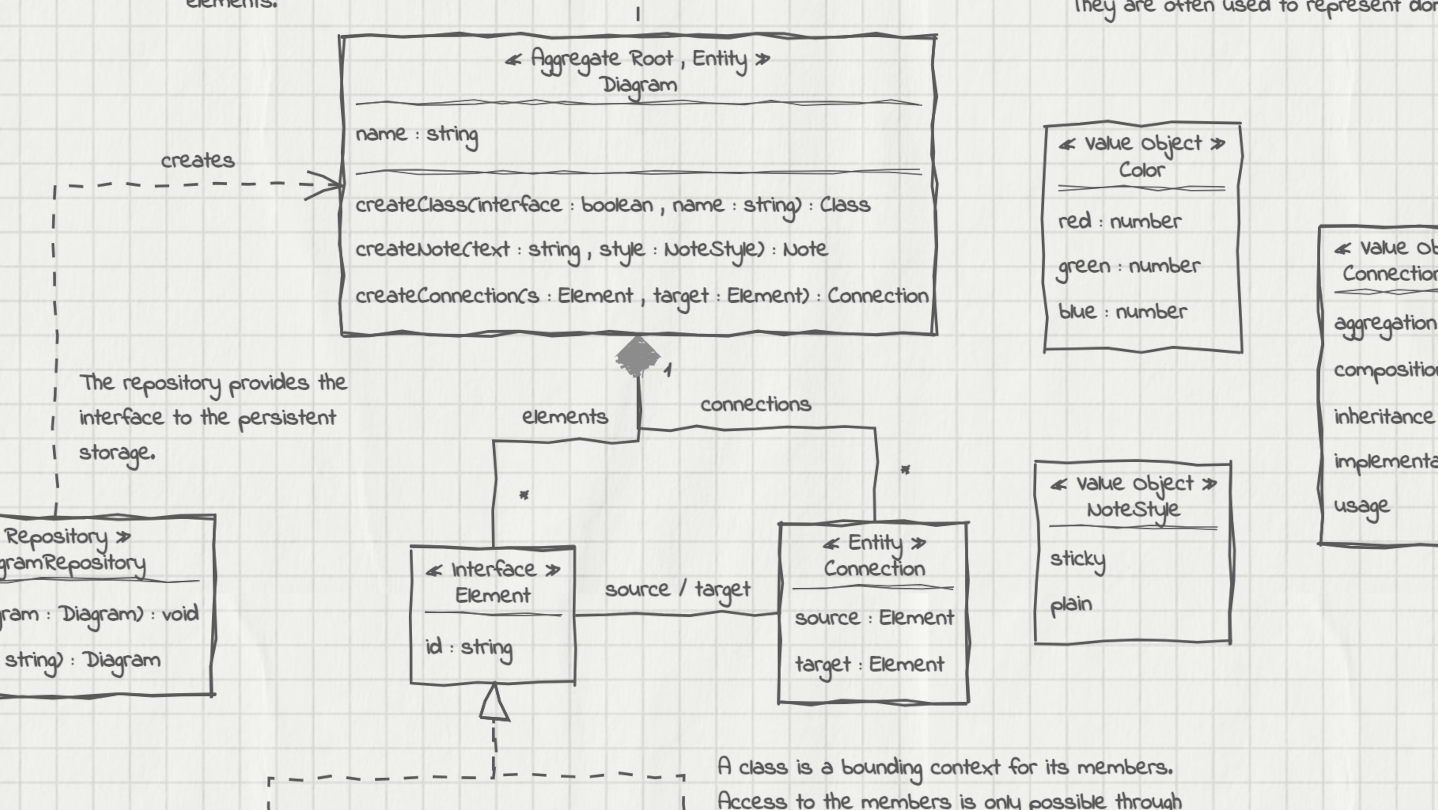
UMLBoard is an easy-to-use UML class diagram tool with a clean, hand-drawn whiteboard style. It’s perfect for visualizing software designs, enhancing code documentation, or creating polished diagrams for presentations and publications.

로그인하셔서 게임을 찜 목록에 추가하거나, 팔로우하거나 또는 제외로 지정하세요.

한국어(을)를 지원하지 않습니다

이 제품은 귀하의 로컬 언어를 지원하지 않습니다. 구매하기 전에 아래에 있는 지원하는 언어 목록을 확인해주세요.

UMLBoard 구매


평가

“A lovely little app - Hold control, tap anywhere, and you get a thoughtfully designed modal to add an object. Do the same on a class object to add properties. And of course a simple drag to connect objects.”
5/5 – Mac App Store

“LOVED the interface! I've played with lots of UML tools, and this one really stands out. It's both simple and fun - this makes it a tool I want to come back to, where I can just focus on accomplishing what I want. Really appreciated how fast it was to lay out and manipulate designs.”
5/5 – Mac App Store

“Superbly Simplified Complexity - The app rides above all in other UML basedoverly cluttered apps. Feel more organic & real just like working with a rough pen & page.”
5/5 – Mac App Store

소프트웨어 정보

UMLBoard is an easy-to-use UML class designer with a nice hand-drawn whiteboard look.

Whether you want to visualize an architectural concept, add additional documentation to your code, or need some nice looking diagrams for your presentation or publication: UMLBoard is the perfect tool for creating and editing UML class diagrams quickly and easily.

Say goodbye to complicated UML editors that require several steps and dialogs to change just a single class member: UMLBoard provides a clean and minimalistic user interface with in-place editing and full WYSIWYG support.

Some feature highlights:

  • Gives your diagrams a nice hand-drawn and sketchy look.

  • In-place-editing of properties and methods.

  • Export your diagram as a PNG or SVG image or as PDF or PlantUML text file.

  • Automatic connector routing which can easily be configured with custom anchor points.

  • Choose between different drawing styles: Sketchy, Enterprise and Too-much-caffeine.

  • Customize your diagrams with different fonts, background and colors.

  • Dark and light color themes.

  • Automatically propagate changes of your elements throughout the whole diagram.

  • Define custom stereotypes to give your classes specific domain roles

  • Validates your diagram and ensures compliance with UML rules.

No registration or subscription required, just install it, and you're ready to go!

시스템 요구 사항

Windows
macOS
SteamOS + Linux
    최소:
    • 64비트 프로세서와 운영 체제가 필요합니다
    • 운영 체제: Windows 10, Windows 11
    권장:
    • 64비트 프로세서와 운영 체제가 필요합니다
    • 운영 체제: Windows 10, Windows 11
    최소:
    • Apple 프로세서 필요
    • 프로세서: Apple Silicon
    권장:
    • Apple 프로세서 필요
    • 프로세서: Apple Silicon
    최소:
    • 운영 체제: Debian: 11 and later, Ubuntu: 24.04 and later
    권장:

    UMLBoard에 대한 사용자 평가 사용자 평가 정보 환경 설정

    종합 평가:
    사용자 평가 1개 (평가 1개)


    특정 날짜 범위에 속하는 평가를 보려면, 위의 그래프에서 선택 항목을 클릭한 후 드래그하거나 원하는 바를 클릭하세요.


    평가를 작성한 시점의 사용자 플레이 시간을 기준으로 평가를 필터링:


    최소 시간 없음 ~ 최대 시간 없음

    선택한 표시 순서로 평가 보기


    자세한 정보
    필터
    게임과 관련없는 평가 활동 제외
    플레이 시간:
    주로 Steam Deck에서 플레이
    운영 체제:
    CPU:
    GPU:
    기기 유형:
    위에서 설정한 필터 조건에 맞는 평가가 없습니다
    다른 평가를 보려면 위에서 필터를 조정해주세요
    평가 불러오는 중...