Can’t speak in multiplayer games or online chats? Type, hit Enter, and speak through text-to-speech instantly. Perfect for late nights, lost voices, shy moments— let your keyboard be your voice.

登入以將此項目新增至您的願望清單、關注它,或標記為已忽略

不支援繁體中文

本產品尚不支援您的目前所在地的語言。購買前請先確認語言支援清單。

下載 Text To Speech Demo

購買 Text To Speech


關於此軟體

A simple yet powerful text-to-speech utility designed to help you communicate effortlessly — even when speaking out loud isn’t an option.

Whether your spouse is asleep, you’ve lost your voice to a winter cold, or you just prefer typing over talking, this tool has you covered. It runs fully offline using your PC’s built-in voices or downloadable neural AI voices, with no subscriptions and no waiting — just instant, natural speech whenever you need it.

Voices

Choose from multiple speech engines depending on your needs:

  • Microsoft / Windows voices – instant, built-in voices.

  • Piper – high-quality offline neural voices.

  • Kokoro fast, modern neural voices with excellent clarity, with support for voice mixing to create unique combinations.

  • Kitten - lightweight neural voices with impressive quality.

Download voices on demand and switch between them anytime.

Floating Text Box

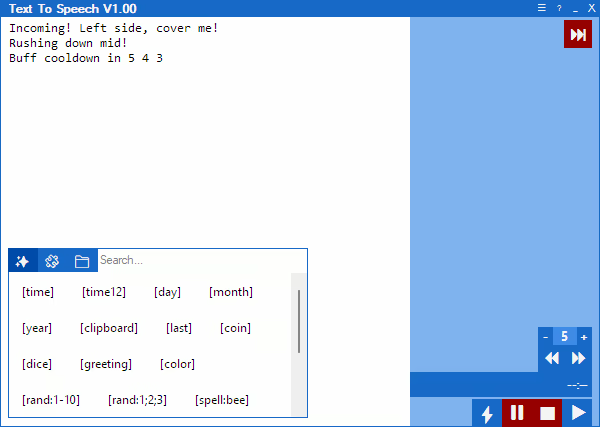
Type your message into a user-friendly floating text box and press Enter to have it spoken aloud instantly — letting you become the keyboard warrior you were always meant to be.

Live Chat Integration

Connect Twitch chat or YouTube live chat and send approved messages straight into the normal text-to-speech queue.

Filter what gets read with mention targeting, moderator or broadcaster checks, duplicate and command blocking, link cleanup, message length limits, and spam control. You can also add pretext for voice or speed macros so live chat can be spoken differently from regular messages.

Macros

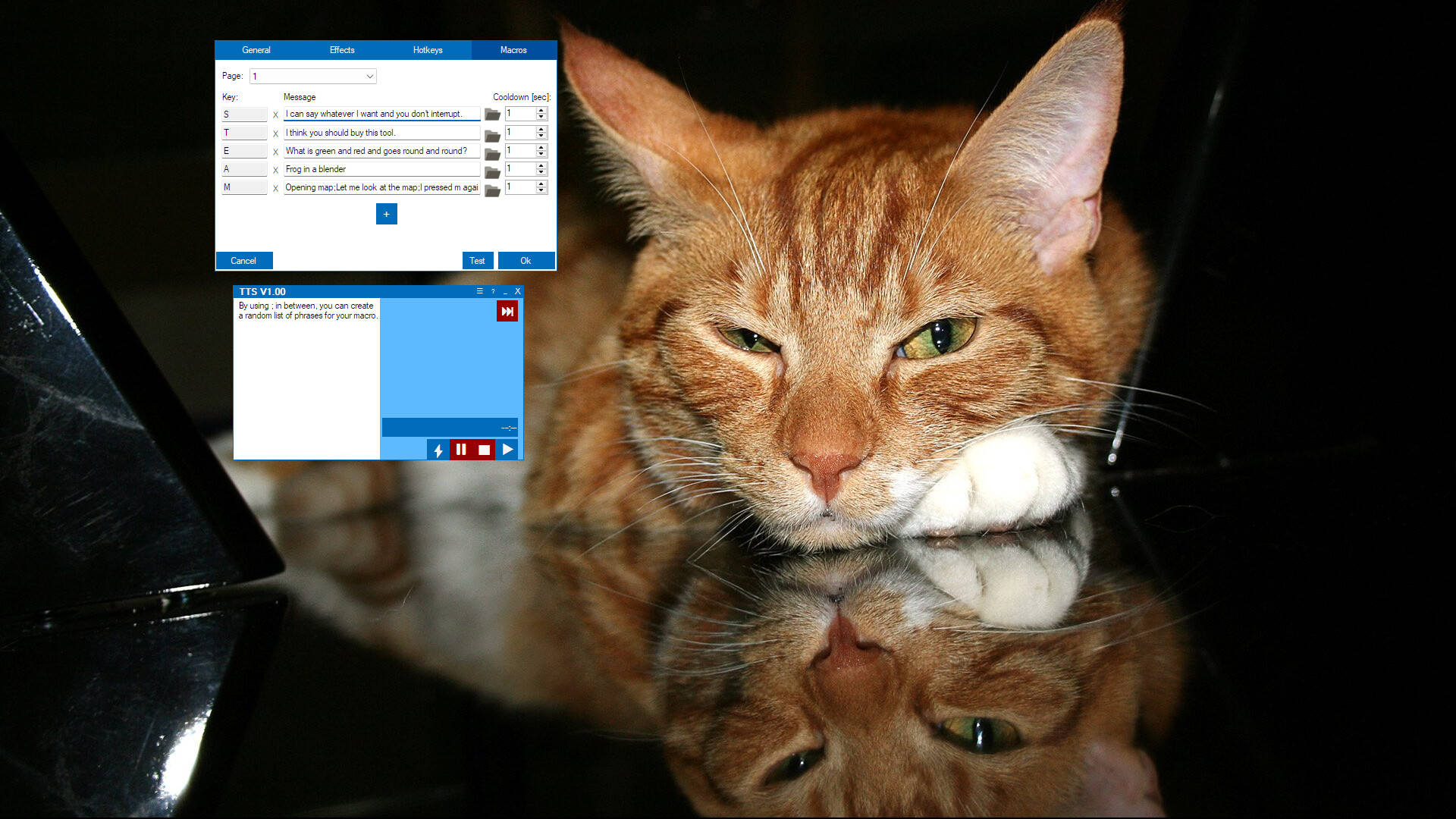
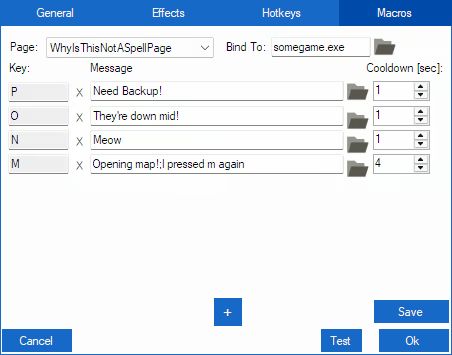
Speed up communication with macros, allowing you to trigger phrases, play audio files, or repeat messages with a single key press. Perfect for in-game callouts or fast-paced situations where timing matters.

Hotkeys

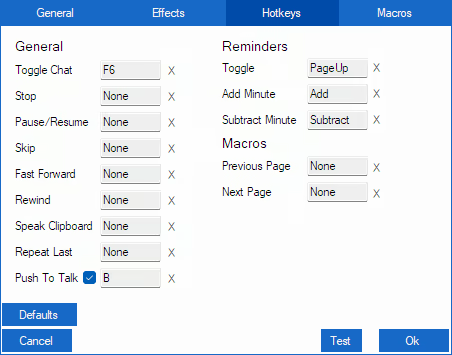
Hotkeys put instant control at your fingertips — speak messages, pause, stop, skip, or repeat speech, manage reminders, and navigate macro pages — all with a single press, keeping communication fast and effortless.

Clip Recording & Sound Playback

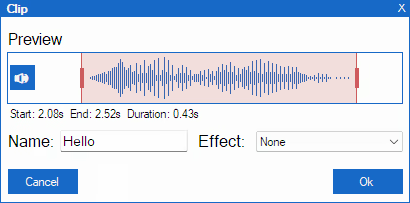
Record audio for a set [Clip Time] with a hotkey, then trim start/end, name your clip, apply voice effects, and save for later replay.

You can also play custom sound files directly from the app — trigger them instantly with hotkeys or macros.

Know the feeling when someone quotes your text, but you can’t copy-paste their voice back at them? Now you can — shove your friends’ voices right back at them!


Reminders

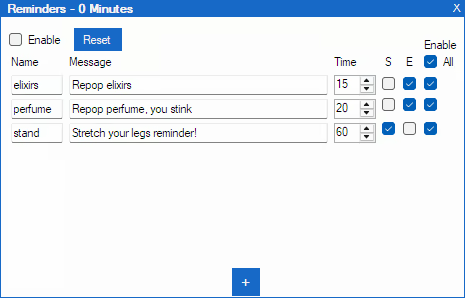
The built-in reminder system lets you set recurring spoken messages. Track cooldowns, buff timers, or keep your team informed during intense gameplay — your keyboard warrior never misses a beat.

Additional features include

  • Multiple speech engines: Windows voices, Piper and Kokoro neural voices.

  • AI voices: Piper and Kokoro voices run locally, sound natural, no subscriptions needed.

  • Adjust pitch, mood, energy, speed, and volume for each voice.

  • Voice effects to add personality.

  • Twitch chat integration with filters, spam control, and optional macro pretext.

  • Message history with replay, copy, and export to reusable WAV audio files.

  • Macro pages for organized workflows.

  • Optional audio driver to bridge audio between applications.

Note from Developer

As a gamer with social anxiety, I programmed this tool to help myself socialize and enjoy gaming more fully. I’ve used it personally for several years, it’s tailored specifically to the challenges of gaming while relying on text-to-speech. It makes in‑game communication easier, faster, and more natural.

AI 生成內容聲明

開發者針對他們的遊戲使用 AI 生成內容方式的說明如下:

This app supports downloadable AI voices powered by Piper and Kokoro text-to-speech engines.

Voices sound natural and are generated locally on your device — no subscriptions and no pay-per-character limits.

系統需求

    最低配備:
    • 需要 64 位元的處理器及作業系統
    • 作業系統: Windows 10 64 bit
    • 處理器: Dual-core 2.0 GHz
    • 記憶體: 4 GB 記憶體
    • 儲存空間: 1 GB 可用空間
    • 備註: Additional storage required for downloadable voice models (50–150 MB per voice)
    建議配備:
    • 需要 64 位元的處理器及作業系統
    • 作業系統: Windows 10 64 bit
    • 處理器: Quad-core 2.5 GHz or better
    • 記憶體: 8 GB 記憶體
    • 儲存空間: 2 GB 可用空間
    • 備註: Additional storage required for downloadable voice models (50–150 MB per voice)

Text To Speech 的顧客評論 關於使用者評論 您的偏好設定

整體評論:
2 篇使用者評論 (2 篇評論)


如欲檢視特定日期範圍內的評論,請在上方圖表框選一段日期範圍,或點擊直條。


依照使用者撰寫評論當時的遊戲時數篩選:


不限最低時數不限最高時數

以所選顯示順序顯示評論


進一步了解
篩選條件
排除離題評論活動
遊戲時數:
主要在 Steam Deck 上遊玩
作業系統:
CPU:
GPU:
裝置類型: