Team Fortress 2 - Valve
An update to Team Fortress 2 has been released. The update will be applied automatically when you restart Team Fortress 2. The major changes include:

  • Updated the Team Recognition Unusual effect to fix a console warning
  • Updated The Fists of Steel to use the RED team version for the backpack image
  • Updated backpack images for Festivized versions of The Killing Gloves of Boxing, The Gloves of Running Urgently, The Apoco-Fists, and The Fists of Steel
  • Updated 2koth_abbey to fix the Engineer being able to build in the respawn room rafters
  • Updated cppl_gavle
    • Significant optimization pass, especially around the first point
    • Fixed a large number of small visual issues
    • Fixed some clipping issues/ bugs around the map
  • Updated pd_nutcracker
    • Fixed out of bound exploit at BLU spawn
    • Adjusted clipping outside of RED spawn
    • Fixed misaligned fence prop in BLU lounge
    • Added nobuild to middle route on both sides
    • Removed steps from Pipe rooms and adjusted clipping
    • Minor detailing and clipping adjustments
    • Fixed Nutcracker voice being cut off at start of round
Steam News - kaci

The Steam Winter Sale is so huge, it spans TWO YEARS! OK fine, that's a technicality; it's two weeks long but TECHNICALLY starts in one year and ends in the other: The Steam Winter Sale is December 18th 2025 through January 5th 2026.

There are lots of fun ways to browse the store; you can even earn 3 stickers by going through your Discovery Queue. And we have all new Winter Sale items available for purchase in the Steam Points Shop!

The Winter Sale also means it's time to cast your votes in the 2025 Steam Awards. We'll announce the winners January 3rd 10 a.m. Pacific.

No matter what kind of gamer you are, no matter what kind of games you love; you'll find them on sale, with discounts by the thousands. Check out our trailer for a peek or just head straight there-- er, HERE-- and get started.

Team Fortress 2 - Valve
An update to Team Fortress 2 has been released. The update will be applied automatically when you restart Team Fortress 2. The major changes include:

  • Added smoke effect to the Scrooge McCrocket
  • Fixed prediction error when crouch jumping (community fix from ficool2)
  • Updated the Snow Dome Unusual effect to decrease brightness and opacity of the glass and floor textures
  • Updated the Festive Fleece to fix LOD issues
  • Updated the Puncher's Polar Puffer to fix some skinning issues
  • Updated The Conscientious Objector to fix missing material parameters (community fix from Lindon)
  • Updated koth_winter_ridge to fix a collision error with projectiles on the dead tree at mid
  • Updated 2koth_abbey
    • Fixed small gaps in doorways outside of spawn
    • Updated tall crates to add nobuild triggers and make it more obvious they cannot be stood on
    • Updated clipping in the river
    • Fixed Snipers wearing the Razorback being immune to freezing
Team Fortress 2 - Valve
An update to Team Fortress 2 has been released. The update will be applied automatically when you restart Team Fortress 2. The major changes include:

  • Fixed minor z-fighting issue with the Wrap Assassin Festivizer
  • Fixed the Taunt: The Critical Fail ending at the incorrect time for the Medic
  • Updated the Hard Carry Unusual effect to fix detachment issues when using the "adjust unusual" slider
  • Updated the Scorching Sensation and Burning Sensation Unusual effects to improve visibility in bright areas
  • Updated the Team Recognition Unusual effect to fix a problem with the parent-child particle system
  • Updated the Frostfire, Spectrum Inferno, and Chromatic Blaze Unusual effects to fix issues with the trail and brightness
  • Updated the Cryogenic Unusual effect to fix obscuring parts of the characters
  • Updated the Air Head to fix a problem with mipmapping
  • Updated 2koth_abbey
    • Fixed broken cliff displacements
    • Swapped expensive water for cheap water to improve FPS
    • Various fixes and improvements
  • Updated plr_matterhorn
    • Fixed hole in spawn barrier (thanks Ctena!)
    • Fixed a desync issue with lifts (thanks Skin King!)
    • Disabled team swap on new round
    • Clipping improvements
    • Bread optimization
Team Fortress 2 - Valve
An update to Team Fortress 2 has been released. The update will be applied automatically when you restart Team Fortress 2. The major changes include:


Happy Smissmas 2025!
  • All players who play TF2 during the event will receive a Stuffed Stocking as a gift! Stockings contain goodies for good little Mercenaries.
  • Featuring 6 new community maps: Nutcracker, Sidewinder, Abbey, Winter Ridge, Matterhorn, and Gavle (pronounced yeah-vleh)
  • Added the Winter 2025 Cosmetic Case
    • Contains 23 new community-contributed items
    • The Festivizer can be found as a bonus drop when opening the case
  • Added 3 new community-contributed taunts to the Mann Co. Store
    • Taunt: The Critical Fail
    • Taunt: Dead Mann's Drink
    • Taunt: Chairholder
  • Added 20 new community-created Unusual effects
    • 11 new effects for Unusual hats
    • 9 new effects for Unusual taunts
  • Added lots of weapons to the list that can be Festivized (community-created changes!)
  • Added community-created Smissmas material for the beach ball
  • All cosmetic and taunt cases will grant Smissmas 2025 Unusual effects instead of their normal Unusual effects during the event. This does not include crates.
  • Mann Co. Store winter sale!
  • Smissmas runs through January 7th, 2026
General
  • Added 'No Bullets' style for The Gift Bringer
  • Fixed The Accursed Apparition hiding the Scout's headphones
  • Updated the Sizzling Aroma and Toxic Aroma Unusual effects to fix problems with DirectX80
  • Updated the Backbiter's Billycock backpack icon to reflect RED team version
  • Updated the El Gigante's Gunbelt to fix a problem with the LODs
  • Updated the Seamann's Stubble to fix an issue with the materials
  • Updated/Added some tournament medals
  • Updated cp_cowerhouse
    • Updated some custom props with further optimizations
    • Added playerclip "ladder" to both trucks' rear bed to make climbing more consistent/predictable
  • Updated ctf_doublecross_event
    • Fixed out of bounds bug (Thanks Dr.TwentyTwo!)
    • Fixed a few minor visual glitches
  • Updated cp_gravelpit_snowy
    • Added a screenshake effect to the laser gun finale
    • Adjusted holiday events to reduce edict count
  • Fixed model panels not encoding pose parameter values (community fix from copperpixel)
  • Fixed Halloween spell projectiles not adjusting to flipped view models (community fix from copperpixel)
  • Network player's handedness preference to spectators (community fix from copperpixel)
  • Fixed Ullapool Caber explosions not counting as melee kills and ignoring damage/radius attributes (community fix from Bitl)
  • Fixed disposable sentries playing denial sound for useful wrench hits (community fix from AJMickey)
  • Fixed Armageddon Pyro taunt not properly cleaning up all particle systems (community fix from Churkinator)
  • Fixed logo spinner from breaking after prolonged rotation (community fix from Horiuchi)
  • Fixed Minigun not spinning, or spinning very slowly, outside of first-person (community fix from wget)
  • Fixed broken view model after switching from the Medi Gun while healing someone (community fix from Vlad)
  • Allow server admins to change powerup mode convars without forcing cheats to be enabled (community fix from Pieter Bijl)
  • Replaced bitwise or operator in CHealthAmmoKit (community fix from CosminPerRam)
  • Fixed MoveableSubPanel showing in Sentry targetID panel while dead (community fix from Horiuchi)
  • Fixed tracer rounds from rifles not being affected by cl_flipviewmodels (community fix from birchish)
  • Fixed Pyrovision nullifying other voice pitch attributes (community fix from LizardOfOz)
  • Fixed being able to throw the Gas Passer through walls (community fix from Bakugo)
  • Fixed IncrementAmmo removing ammo if m_iClip1 was already at Max capacity (community fix from kingofings)
  • Added TF-specific search path tags to TF mod gameinfo (community fix from Thomas Kain)
  • Fixed view punch not being interpolated (community fix from ficool2)
  • Fixed disguise_on_backstab not functioning for stab targets that become ghosts (community fix from FlaminSarge)
  • Fixed chat input using chat_party instead of chat_say_party (community fix from gaelcoral)
  • Fixed overlapping footstep sound when in the third person view (community fix from TheNotoriousFrogposter)
  • Ensure no buffer overflows when sscanf to char buffer (community fix from Dmitry Tsarevich)
  • Fixed players sometimes getting stuck in team unassigned when joining a server (community fix from Bakugo)
  • Fixed sentry gun not performing rocket fire animation when Wrangler controlled (community fix from Horiuchi)
  • Allow impulse 101 on The Ullapool Caber (community fix from alvei)
  • Fixed disguise kit resetting multiple times in high ping situations (community fix from nosoop)
  • Fixed Detonator jumps not being considered self-dmg jumps (community fix from mastercoms)
  • Fixed Detonator making world-detonation sound when attempting to fire underwater (community fix from FlaminSarge)
  • Removed knockback-attribute-specific animation overrides for CTFScattergun (community fix from FlaminSarge)
  • Fixed net_graph not rounding interp to nearest tick (community fix from treacherousfiend)
  • Fixed broken class select animation for The Soda Popper (community fix from Piogre)
  • Fixed $envmap parameter using the wrong mask for The Solemn Vow (community fix from Churkinator)
  • Fixed barbell prop not using phong (community fix from Churkinator)
  • Fixed the Kill-a-Watt and Terror-Watt Unusual effects sometimes stretching (community fix from Ronald_D_D)
  • Fixed Disco Beat Down Unusual effect growing in size when viewed from large distances (community fix from Ron Friedman)
  • Fixed MatchMakingTooltip label using the wrong alignment setting (community fix from Squid-Eevee)
  • Fixed training mode HIT! material alpha channel (community fix from DiskIntegrity)
  • Fixed Bear Necessities not using its normal map (community fix from Churkinator)
  • Fixed prediction errors with modified player gravity (community fix from ficool2)
  • Fixed render box of tf_flame_manager using wrong vectors (community fix from by Hamn)
  • Updated the Energy Orb Unusual effect (community fix from Cipherlock)
    • Fixed particles being orphaned
    • Fixed Medi Gun view model using the third-person particles
Steam News - kaci

Are you good at sports? Doesn't matter: Steam Sports Fest celebrates sports in games, and that's where you come in:

Be a pro at soccer (football?), basketball, tennis, or hockey. Manage a team. Train a group of athletes for the Olympics. Turn into an expert at mini-golf, skateboarding, mountain biking, and all kinds of other things.

Challenge someone to a duel.*

You'll find discounts on sporting games of all kinds between now and December 15th at 10 a.m. Pacific: Steam Sports Fest awaits you!

*Not in real life, please. Just in a game, if you want. Or don't!

Steam News - kaci

The annual Steam Awards are coming this December, and nominations are open now through December 1st.

Nominate your favorites in each category:

  • Game of the Year

  • VR Game of the Year

  • Labor of Love

  • Best Game on Steam Deck

  • Better with Friends

  • Outstanding Visual Style

  • Most Innovative Gameplay

  • Best Game You Suck At

  • Best Soundtrack

  • Outstanding Story-Rich Game

  • Sit Back & Relax

Make your nominations here until December 1st at 10AM Pacific. Earn a 2025 Steam Awards Nominations badge by nominating a game in at least one category, and level up by:

  • Nominating in all 11 categories

  • Playing a game you've nominated

  • Reviewing (or updating your review) for a game you've nominated.

Vote for the finalists in each category (based on your nominations!) starting December 18th!

Steam News - kaci

Humans are SO yesterday. Animals are SO in, especially for Steam's Animal Fest, on now through November 17th at 10 a.m. Pacific!

All week you'll find discounts on games that feature all kinds of animals and critters, from bunnies and goats, to raccoons and even sharks.

Oh, and cats. Definitely cats.

Head on over to Steam Animal Fest, with all kinds of cute sales from now through November 17th at 10 a.m. Pacific!

Steam News - Alden

With today's Steam update, you'll now find that many store pages throughout Steam are wider, making better use of your larger monitors and better organizing some of the information on screen.

For users opted into the Steam client beta, these set of changes have been visible since late August while we refined the update and gave game developers a chance to prepare for wider store page assets.  Today's update officially moves these changes out of beta to be fully public, widening many pages from 940 pixels to now 1200 pixels.

If you have been opted into the beta, you've already been using the new wider store pages and won't see much change today. For those of you that haven't been opted into the Steam client beta, read on for a quick overview of the changes.

A few upgrades for game store pages

The biggest changes can be found on game store pages, where we've also recently updated the video player (you can read about that in our post from July: Steam Trailer Player Upgrades).

Overhauled trailer/screenshot carousel

The trailer and screenshot carousel now supports three different modes (default, theater mode, full-screen mode) with the same functionality. All modes adhere to your preferences for whether to auto-play trailers and whether audio should be on or off by default.

Higher resolution images - Since the page is wider, we can now show off more of the game detail represented in screenshots and trailers.

New modes for even bigger viewing - In the lower-right corner of screenshots, you'll see two buttons for theater mode and full-screen mode.

  • New theater mode - Pop open a view that covers most of your browser or Steam client window and flip through screenshots and trailers.

  • New full-screen mode - The same functionality to flip through trailers and screenshots, but in full screen.

More robust game descriptions

We've also expanded the tools and options that game developers can make use of when explaining their game and showing off the features that make up their game. On many newer store pages, you'll see bigger and higher-quality images and more interesting formatting in the "About the Game" section. If you're curious about the improvement to the tools for game developers, you can read our Steamworks blog post, Beta: Wider store pages; Video support for written game descriptions

Refined background imagery

You might also notice some subtle updates to the backgrounds of game store pages, allowing a little more of the color and texture of the game artwork to come through and give the store page a little more personality from the game.

Minor updates across the Steam Store

Along the way, we also widened a lot of pages across the Steam Store. Here are a few examples:

  • Search results are wider and each row is slightly taller giving a little more room for the game artwork to increase in size.

  • Bundle detail pages also now have slightly more colorful backgrounds and larger artwork in the list of contents.

  • Recommendation pages like the Interactive Recommender and Popular Among Friends are wider.

  • Store hubs such as for individual tags (eg. Supernatural) have always been a little wider than game pages. We updated these now to all be the same width.

  • Steam Charts and News Hub were both slightly different sizes and even different sets of colors. These have been consolidated some to bring them more inline with Steam platform colors.

You can explore all of the pages that make up the Steam store by visiting the site map.

Frequently Asked Questions

Q: Why 1200 pixels wide?

A: We know many of you have 4k monitors with lots of pixels to spare (we can tell from the Steam Hardware Survey), our research shows that most players don't run the Steam client or web browsers full screen. While we experimented with different proportions, we found that 1200 pixels wide felt like a good balance where we can show more content on screen without overwhelming the page and making it hard to navigate.

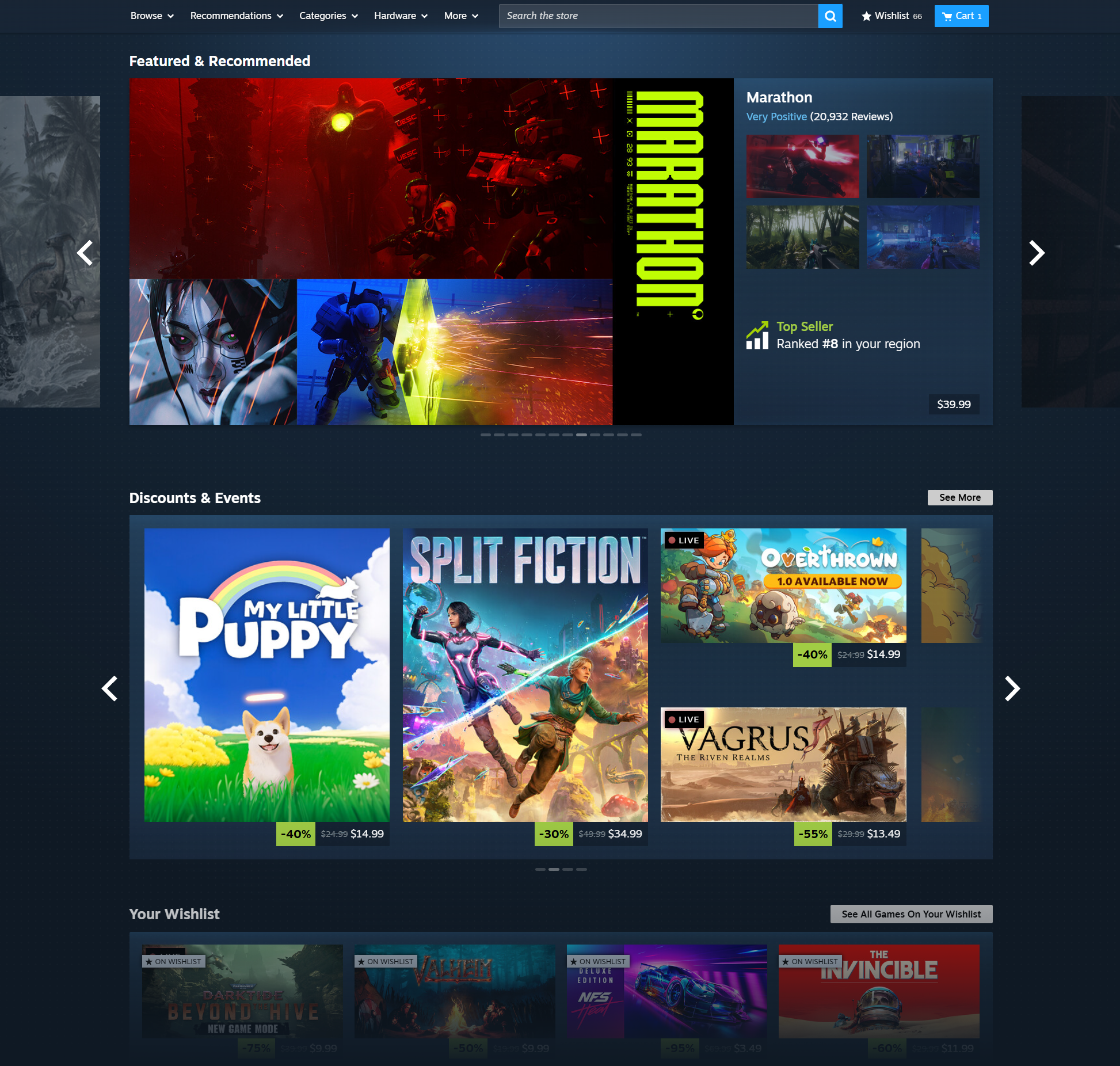
Q: What about the homepage? It doesn't look any wider.

A: We've got some similar adjustments coming in the near future for the homepage, but they aren't quite ready yet. Stay tuned.

Q: What happens if my browser or client window is narrower than 1200px?

A: Steam store pages are designed to shrink appropriately to fit well within smaller size monitors, browsers, and Steam client windows. It also adapts in size to fit on tablets, Steam Decks, and mobile devices. We've even been testing on a tiny old iPod that someone had laying around (It mostly works, but things get pretty small).

Team Fortress 2 - Valve
An update to Team Fortress 2 has been released. The update will be applied automatically when you restart Team Fortress 2. The major changes include:

  • Reverted recent Thermal Thruster change
...

Search news
Archive
2025
Dec   Nov   Oct   Sep   Aug   Jul  
Jun   May   Apr   Mar   Feb   Jan  
Archives By Year
2025   2024   2023   2022   2021  
2020   2019   2018   2017   2016  
2015   2014   2013   2012   2011  
2010   2009   2008   2007   2006  
2005   2004   2003   2002