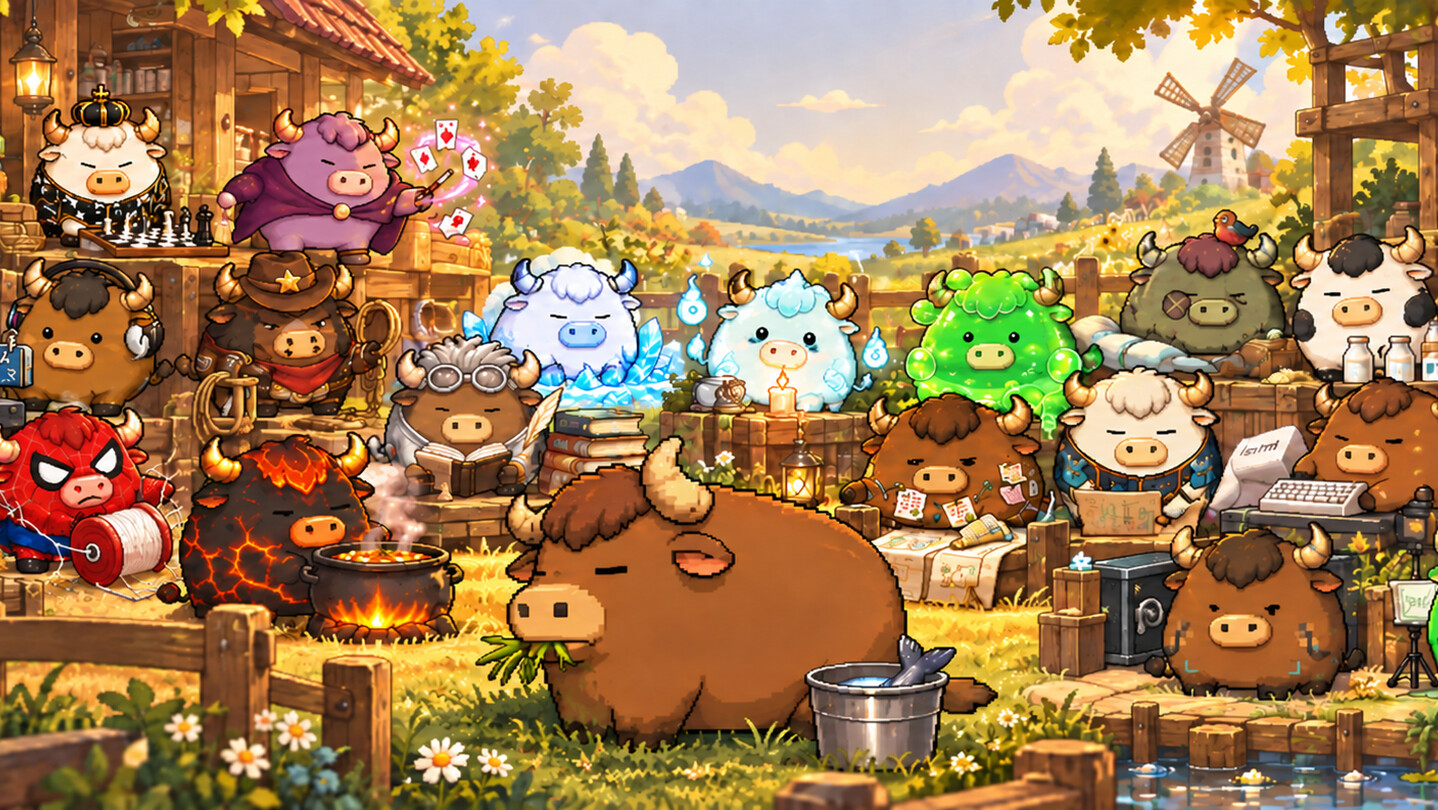
A little bull for your Windows desktop. Pick from 24 characters, feed him, watch him nap, or take a break with fishing, mahjong and mini-games. Keep notes and clipboard history nearby, and turn your own photos into animated desktop companions.

Sign in to add this item to your wishlist, follow it, or mark it as ignored

This game is not yet available on Steam

Coming soon

Interested?
Add to your wishlist and get notified when it becomes available.
 

About This Game

Make room for a little bull

His Big Bull is a pet for your Windows desktop. He wanders, grazes and naps, responds when you pet him, and reacts to some of the apps you use. Give him a snack or a pat. When you need to concentrate, let him stay quiet.
Choose from 24 characters with different looks, animations and activities.
Want another little companion? Drag a bull from the character picker onto an empty spot on your desktop.

Toss your desktop icons around

Grab physics copies of your current desktop icons, fling them around and watch them collide and bounce. This desktop interaction is separate from Icon Pushing below. It does not delete or relocate your real files.

Something to play during a break

The Games menu brings together eight activities:

Bull Baseball

Build a bat from copies of desktop icons, swing it with the mouse and knock the bull towards a target.

Icon Pushing

Pick a desktop icon and let your bull push it in the direction you choose, with an undo option. This changes the real icon’s desktop position, without deleting or relocating the file.

Zombie Horde

Fight zombies and bosses, then fling icon copies at enemies with Desktop Power.

Bull Cards

Play mahjong, Dou Dizhu, Make 24, blackjack (21), Texas Hold’em and bluffing cards with bull opponents. Make 24 is an arithmetic puzzle: combine four numbers with addition, subtraction, multiplication and division to reach 24. It is a separate game from blackjack.

Bull Tycoon

Roll dice, buy land, build houses and develop your properties.

Pasture & Fishing

Mark out a patch of desktop for a pasture or pond, go fishing, hunt for treasures and clean up relics.

You can also prepare your catch: scrape off the scales, clean up the fish, then sell it.

Angry Bull

Pull back a slingshot, aim and work through the levels.

Bull Racing

Drive along Task Manager's CPU graph. A and D control driving and rotation in the air.

A few useful things within reach

Browse your clipboard history, edit and save screenshots, set a timer or jot down a note. Workspaces remember apps, folders and windows so you can reopen them later; they cannot recover unsaved document contents. You can also make QR codes or listen to ambient sounds.
Photo cutouts let you make a 2D desktop character from your own picture. Adjust its bones, try a walking animation, or turn on ragdoll physics and drag it around with the mouse.
Some characters also offer planning lists, translation, song recognition and optional AI chat through their character menus.

A note now, a nudge later

Keep a simple memo, or add a date and time. Your bull can call and show the note in a speech bubble when it is due; open longer notes to read them in full. Planner Bull keeps task lists and progress separate from these quick notes. Reminders need the app to be running. Missed reminders can appear after you reopen it, when interruptions are allowed. You can also layer ambient sounds to make your own background mix.

Choose your own AI service

Optional AI chat supports OpenAI, Claude, Gemini, DeepSeek, Kimi and custom OpenAI-compatible endpoints. No single provider is required. Bring your own API key, available model and quota; provider charges may apply. Chats are sent to your selected service. Translation sends the selected text, and song recognition sends an audio sample, to their respective services. Availability depends on region, network and provider. The basic pet and local mini-games do not require AI setup.

Before you start

For Windows 10/11 64-bit, using a mouse and keyboard. CPU racing and desktop-icon activities depend on Task Manager, Explorer, display settings and Windows permissions.
Eight interface-language options are available; some detailed content may fall back to Chinese or English. Translation, song recognition, news and AI chat require internet access and external services. AI chat needs your own compatible API key and available quota, and provider charges may apply. The basic pet and local mini-games do not require AI chat.

AI Generated Content Disclosure

The developers describe how their game uses AI Generated Content like this:

Some artwork and localized text were created with generative AI assistance. Optional AI chat generates text replies through a service chosen and configured by the player: OpenAI, Claude, Gemini, DeepSeek, Kimi or a custom compatible endpoint.

System Requirements

    Minimum:
    • Requires a 64-bit processor and operating system
    • OS: Windows 10 / Windows 11 (64-bit)
    • Processor: 64-bit Intel / AMD processor, 2 cores, 2.0 GHz
    • Memory: 8 GB RAM
    • Graphics: Windows-compatible graphics adapter with up-to-date drivers
    • Storage: 2 GB available space
    • Sound Card: Windows-compatible audio device
    • Additional Notes: Mouse and keyboard. Desktop features require Explorer and appropriate permissions. Translation, song recognition, news and optional AI chat require internet; AI chat requires your own compatible API key and quota. Preliminary requirements, pending wider hardware testing.
    Recommended:
    • Requires a 64-bit processor and operating system
    • OS: Windows 10 / Windows 11 (64-bit)
    • Processor: 64-bit Intel / AMD processor, 4 cores, 3.0 GHz or faster
    • Memory: 16 GB RAM
    • Graphics: Windows-compatible graphics adapter with up-to-date drivers
    • Storage: 2 GB available space
    • Sound Card: Windows-compatible audio device
    • Additional Notes: SSD recommended. Multiple pets, high-resolution displays and busy game scenes increase load. Preliminary requirements, pending wider hardware testing.
Review Filters