Your one stop shop for painting your digital tabletop models. Whether practicing new color schemes before applying paint tot he real world model, or to create custom painted models for your favorite virtual gaming environment, Mini Paint Forge provides the tools to get the job done.

Sign in to add this item to your wishlist, follow it, or mark it as ignored

This game is not yet available on Steam

Coming soon

Interested?
Add to your wishlist and get notified when it becomes available.
 

About This Software

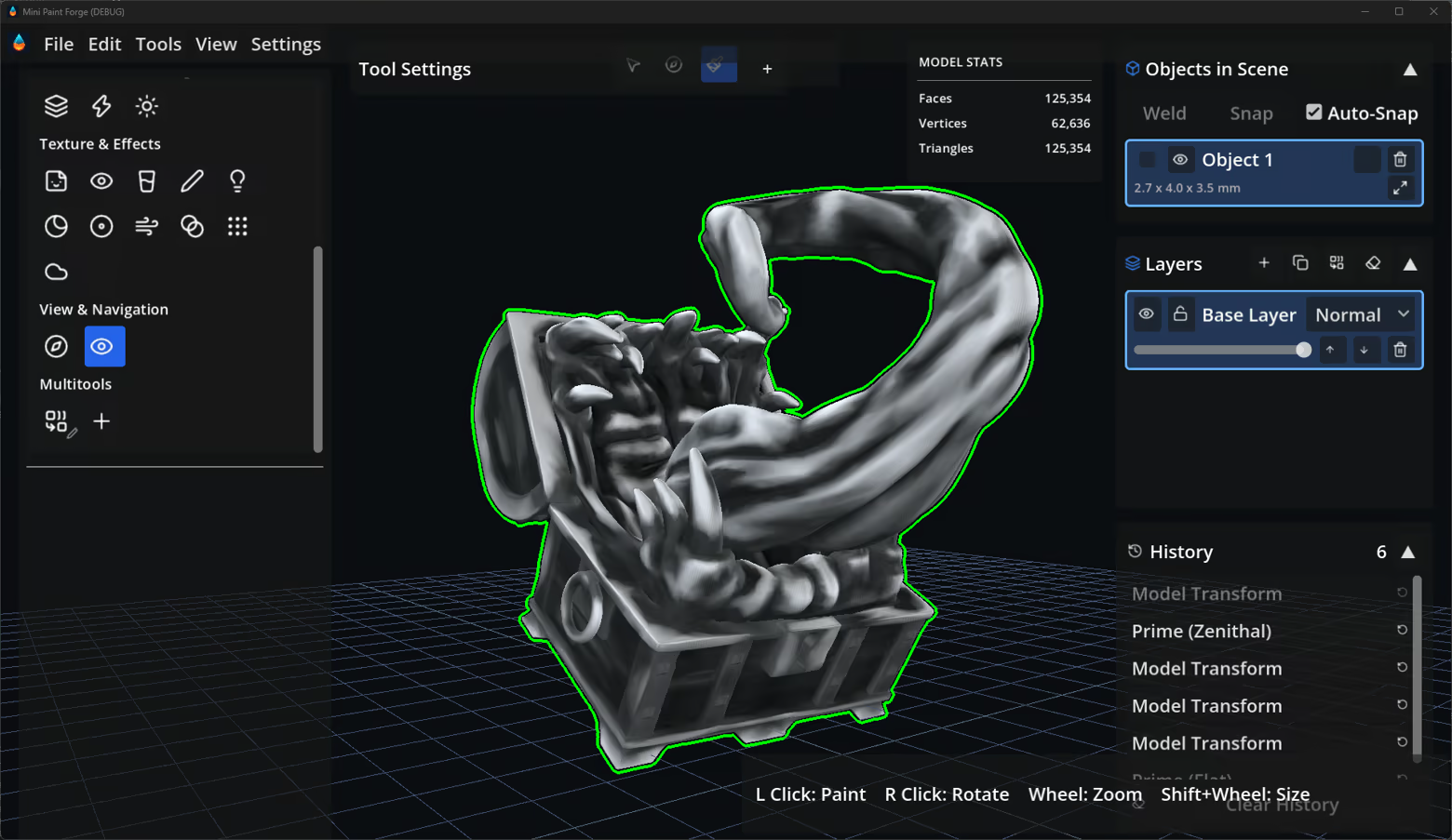
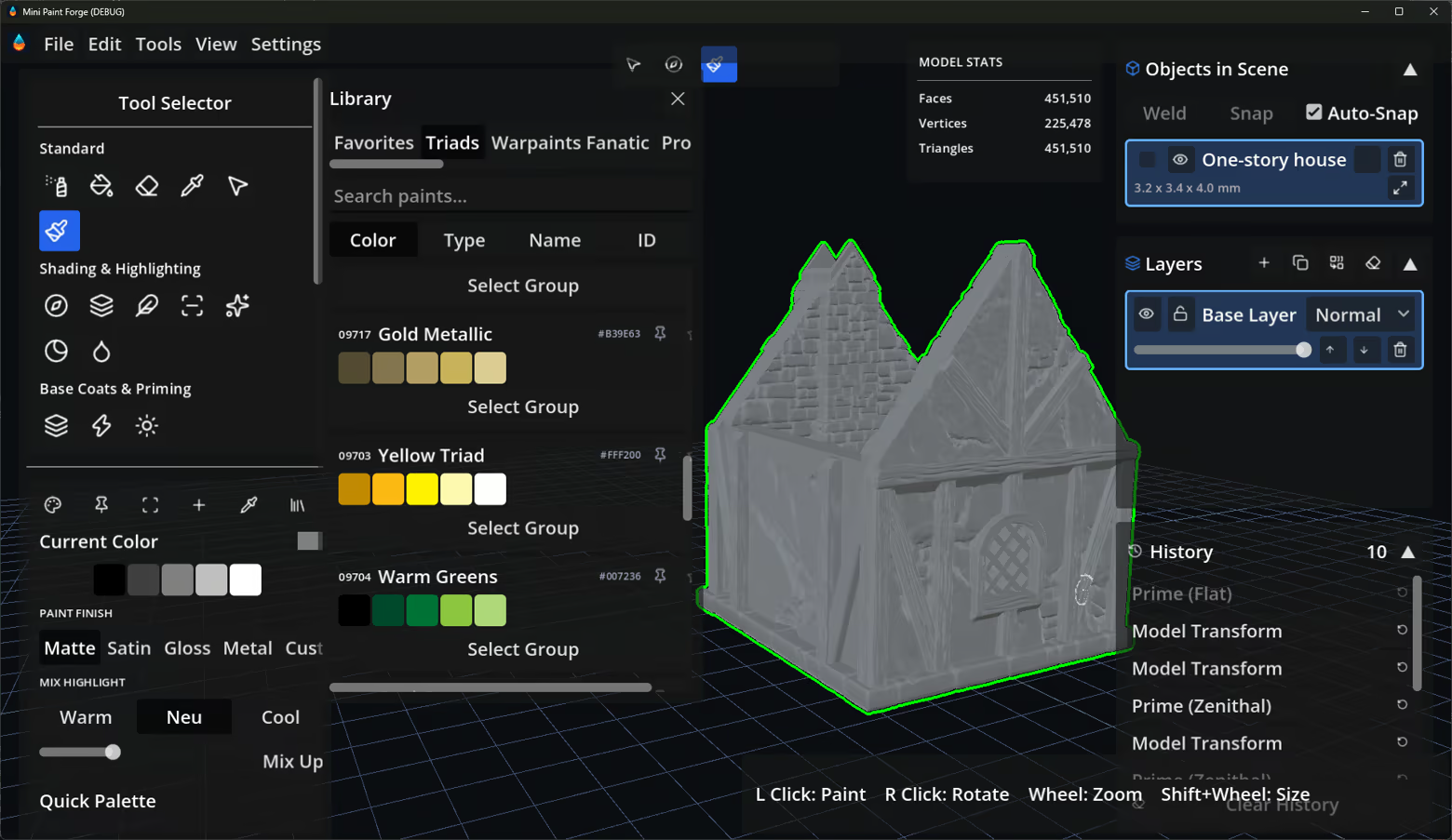
Mini Paint Forge is a high-fidelity 3D painting tool built specifically for painting tabletop miniatures terrain and models. It brings the real hobby workflow — priming, washing, drybrushing, edge highlighting — together with the things only software can give you: unlimited undo, non-destructive layers, symmetry, specialized multistep brushes and one-click turntable renders to name a few.

Paint straight onto the mesh

Mini Paint Forge is a vertex painting app, there is No UV unwrapping, no texture atlases. Drop in an STL, OBJ or GLB — including large triangle count digital sculpts — and paint per-vertex directly on the geometry. Resolution scales with your model, so detail lands where the polygons are.  This makes the painting similar to real world painting, but with new quality of life features and enhanced brushes and effects.

Variety of standard and specialty brushes

  • Standard Brush - just like a normal paintbrush

  • Airbrush — soft continuous flow for zenithal glazes and gradients

  • Drybrush — automatically catches raised edges and sculpted texture

  • Wash — flows downhill into recesses and panel lines

  • Edge Highlighter — finds hard edges and sharpens them

  • Contrast / Speedpaint — pools in the cracks, pulls off the peaks

  • Zenithal Brush- Specialty Brush that acts like a zenithal prime but for any color in any shape

  • Camoflauge Tool - Paint several preset camoflauge patterns in your preferred colors

  • And many more - Directional highlighter, highlighter, marker, undershade, cell shader brush, decals, specialty eye tool, object source lighting tool, glaze, plastic tool, sheen control, smoothing, smudging, splatter and sponge effects

  • Create your own specialty custom tool using combinations of the other available tools


Prime in one click

The Priming Studio generates a regular flat prime, a zenithal highlight (light from above, shadow below) or a cell-shaded gradient, so you start every model on a proper value base instead of flat grey if desired.

Color Analyzer

Pull palettes straight off a reference photo with the Color Analyzer. so you can match colors of your favorite artist, or inspire your color palette from your favorite painting.

Layers, recipes & real paint ranges

Non-destructive layers with opacity, visibility and blend modes (Multiply, Overlay, Screen). The Recipe system builds a five-stage shadow → base → highlight progression from any color, and the Paint Library allows you organize all your favorite colors.

Smart Selection

Isolate pieces of the model with a click. Smart Selection walks mesh connectivity and crevice boundaries to grab the logical part. Or paint your mask directly on the model to make sure your paint stays inside the proper boundary.

Workshop Support

Share models, color libraries, custom multitools, and more on the workshop.

Export & share

Save to GLB, GLTF or OBJ with real per-vertex color baked in. Render transparent high-res PNGs, spin up looping 360° turntable GIFs. Decimate models to reduce polygon count and filesize for virtual tabletops like tabletop simulator and talespire.

System Requirements

    Minimum:
    • Requires a 64-bit processor and operating system
    • OS: Windows 10 64 bit
    • Processor: Dual Core
    • Memory: 4 GB RAM
    • Graphics: Integrated Graphics
    • DirectX: Version 12
    • Storage: 1 GB available space
    Recommended:
    • Requires a 64-bit processor and operating system
    • OS: Windows 11 64 bit
    • Processor: Ryzen 3000 series
    • Memory: 8 GB RAM
    • Graphics: Dedicated Graphics
    • DirectX: Version 12
    • Storage: 2 GB available space
Review Filters