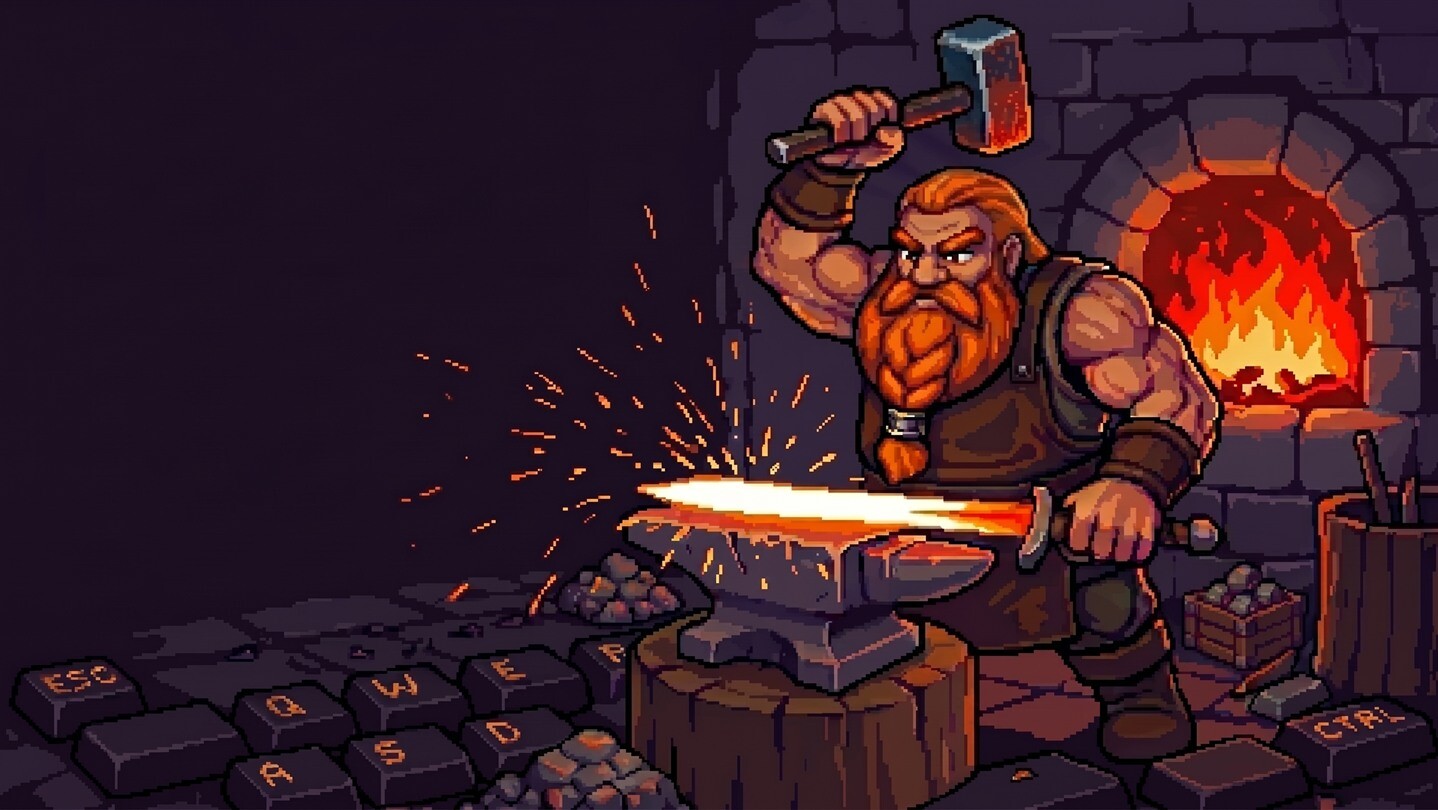
Brokk has set up a tiny forge just above your taskbar. You tap the keys, he swings the hammer. Usually it's horseshoes or cauldrons, sometimes something epic, like a legendary sword. His wife Brygida sells it all in their shop. Together, work goes faster and feels better.

Sign in to add this item to your wishlist, follow it, or mark it as ignored

This game is not yet available on Steam

Planned Release Date: September 2026

Interested?
Add to your wishlist and get notified when it becomes available.

Check out the full game


About This Demo

YOUR KEYBOARD IS HIS ANVIL

Brokk lives just above your taskbar, where he runs a forge and works whenever you do. You write emails or code, and he forges items. Every key you press brings his hammer down. When you type quickly, the furnace glows white-hot and Brokk gives it his all. When you take a break, he catches his breath too.

A FORGE THAT KEEPS YOU GOING WITHOUT GETTING IN THE WAY

The game is designed to stay out of the way while you work. Typing fuels the forge, and Brokk keeps pace with you. Open the panel when you want to buy an upgrade or check on the shop, then get back to what you were doing. You can move the forge, resize it, tone down the effects or turn off the sound.

LEGENDS ARE FORGED FROM ORE

It starts with ore, then ingots hammered out one by one, and finally a finished piece: a dagger, a cauldron, a horseshoe or whatever the shop's customers have ordered. Sometimes the metal gleams and something legendary takes shape: Szczerbiec. Excalibur. Mjölnir. The demo has 49 item patterns across five rarity levels. You can browse your collection in the display cabinet.

HIS WIFE BRYGIDA RUNS THE SHOP

Brygida sells whatever comes off the anvil. Some customers buy what's on the shelves. Others place special orders and pay extra. You decide how freely the forge spends on ore for new items, from inexpensive copper to the best metal you can afford.

THE FORGE PAYS FOR ITS OWN UPGRADES

The gold you earn goes back into the forge and shop. Buy Brokk a heavier hammer or better bellows, and Brygida a new sign to bring in more customers. A whetstone improves your chances of forging rarer pieces, while counter decorations raise prices in the shop. You can speed up forging, increase earnings or save up for the next metal. Just leave some gold for ore.

FROM COPPER TO STEEL

Start with copper. In time, you'll unlock iron, then steel. The goal of the demo is to forge your first steel item. Once you get there, you can keep forging and collecting with no time limit.
Your progress stays with you. If you choose, you can carry over all your progress from the demo once the full game is released. You'll keep your collection, forge and shop upgrades, and the resources you've gathered.

IN THE FULL GAME

After steel, you'll unlock silver, gold and mithril. There will also be many more items to forge. If you'd like to keep building up the forge, add My Desktop Dwarf: Taskbar Forge to your wishlist.
Privacy: The game counts key and mouse-button presses. It does not record the text you type. Gameplay works offline.

AI Generated Content Disclosure

The developers describe how their game uses AI Generated Content like this:

During development I used AI for help with code and 2d assets.

System Requirements

    Minimum:
    • Requires a 64-bit processor and operating system
    • OS: Windows 10 64-bit
    • Processor: 2 GHz dual core
    • Memory: 1 GB RAM
    • Graphics: Integrated graphics, DirectX 11
    • DirectX: Version 11
    • Storage: 300 MB available space
    Recommended:
    • Requires a 64-bit processor and operating system
Review Filters