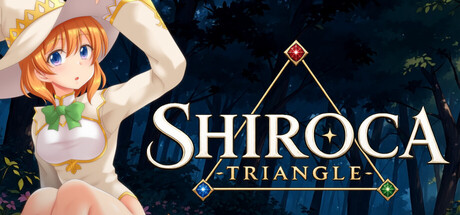
Harness the rock-paper-scissors relationship between Red, Blue, and Green attributes as you defeat enemies in this laid-back, roguelite-inspired 2D side-scrolling action game. Young witch Shiroca ventures into a mysterious forest in search of her missing roommate...

Sign in to add this item to your wishlist, follow it, or mark it as ignored

This game is not yet available on Steam

Planned Release Date: Q1 2027

Interested?
Add to your wishlist and get notified when it becomes available.
 

About This Game

■ Story

Shiroca is a young girl attending a school of magic.

One night, a shooting star falls into the forest outside town—and her roommate, Muset, suddenly disappears.

Shiroca ventures into the forest to search for her, only to find that something about this familiar place feels strangely different...

Will Shiroca be able to find Muset and bring her home safely?

■ Gameplay

A 2D side-scrolling action game featuring 7 areas, each consisting of 3 stages.

For each stage, you can choose between two routes: one with fewer enemies and one packed with more foes. The stages you encounter are selected at random.

At the end of each stage, you can obtain a randomly selected Artifact that grants a variety of special effects.

You can also collect Gems dropped by defeated enemies and spend them to enhance Shiroca's abilities.

Shiroca can switch between three attack attributes—Red, Blue, and Green—depending on which button you press. Damage increases or decreases depending on the enemy's color, so choosing the right attribute is the key to victory.

■ Game Engine

Godot Engine 4.5.1

AI Generated Content Disclosure

The developers describe how their game uses AI Generated Content like this:

Generative AI is used for background artwork and English translation.

System Requirements

    Minimum:
    • OS: Windows 11
    • Processor: Intel® Pentium® 4 2.0 GHz equivalent or faster processor
    • Memory: 512 MB RAM
    • Graphics: 1280 x 720 pixels or higher desktop resolution
    • Storage: 300 MB available space
Review Filters