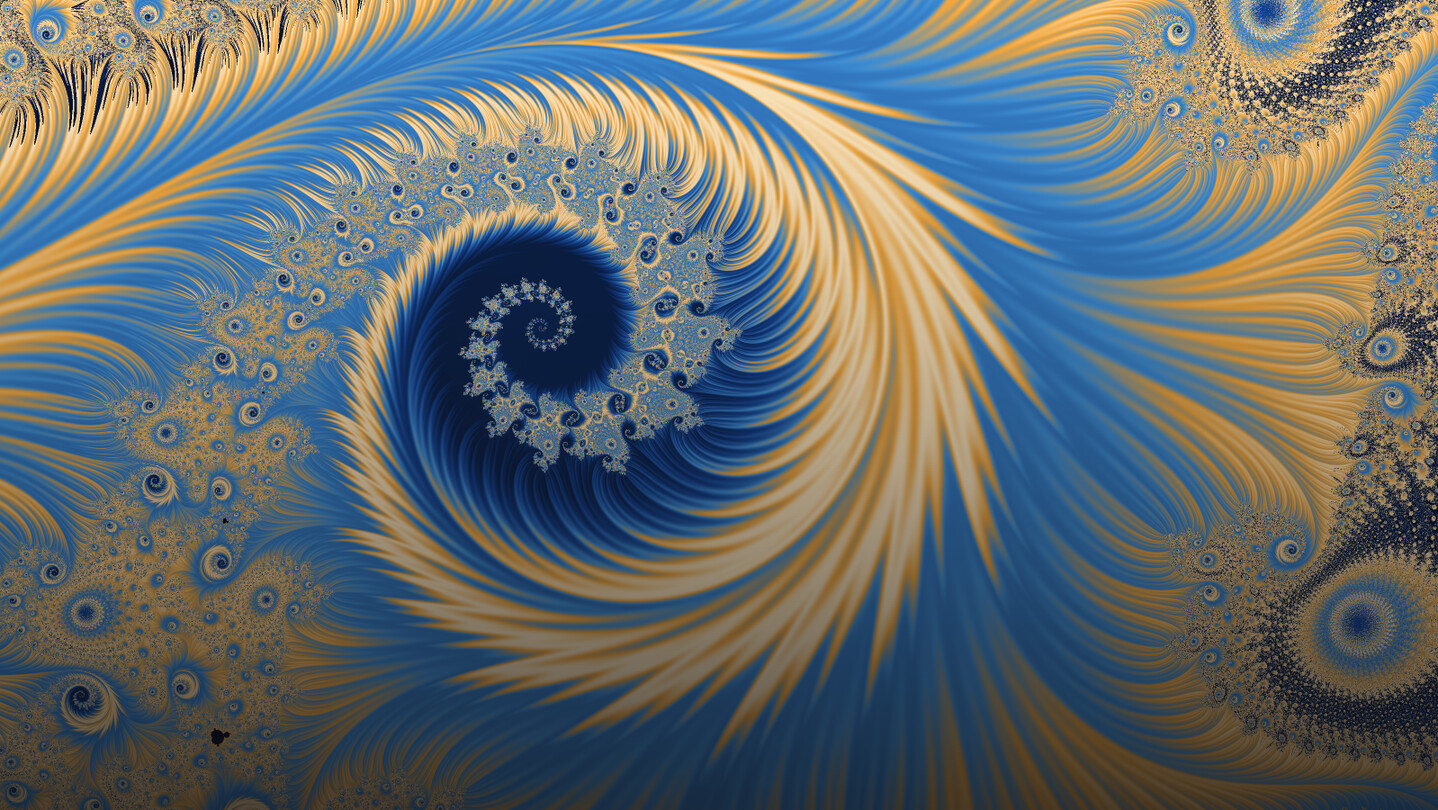
Fractal art, made easy. A desktop studio for artists: explore dozens of fractal families, color them by hand, breed variants, animate them with the editor included, publish to the Steam Workshop. Recoloring is instant, exports run to 16K, and the math is never asked of you first.

Sign in to add this item to your wishlist, follow it, or mark it as ignored

This game is not yet available on Steam

Planned Release Date: Q4 2026

Interested?
Add to your wishlist and get notified when it becomes available.
 

About This Software

Fractal art, made easy.

Fractaria hands you a picture and its controls. Scroll and you fall into whatever is under the cursor. Drag a gradient stop and the image has already changed under your hand: nothing is queued, nothing asks you to wait and see. Hold the right button and the Julia set of the point under the pointer appears and follows it; let go, and you are inside it. Nothing has to be understood before it can be touched: the explanations wait in panels you open on purpose.

Dozens of fractal families, and each one is a shelf

Mandelbrot, Julia, Burning Ship, Tricorn, Celtic, Buffalo, Heart, Mirror, Phoenix, Lambda, Talis, Spider, Manowar, the three Barnsleys, the two Magnets, Newton, Nova and the transcendentals. Nearly all take parameters of their own — degrees, exponents, complex constants — so a family is a shelf of shapes, and the panel rebuilds itself around the one you are in. Nearly all carry a Julia dual on the right button; Newton is the one without, and there the gesture does nothing rather than sending you elsewhere.

Color is where a fractal becomes art

Dozens of palettes built by hand, never overwritten: you duplicate and edit. Two stops or thirty-two, interpolated in RGB, HSV or perceptual LCH, the inside of the set colored apart from the outside, the ramp bent by a curve over the histogram of the view, with brightness, contrast, gamma and saturation live on top. Or draw one from curves and waveforms with a seed you can type, pull one out of a photograph, or drop in a Fractint .map or an Ultra Fractal .ugr.

Recoloring is instant: the escape data is kept, so a new palette is a remap and not a second render. Measured at 1.09 megapixels across thirty of the shipped presets, the field took eleven milliseconds to two seconds and the remap between half a millisecond and seventeen — and the remap reads the results it kept, not the zoom, so it costs the same a thousand zooms down.

The color does not come from one number

The usual way to color a point is by how long it took to escape. Fractaria measures six things about the same orbit, each drawing a different picture: orbit traps, sunburst, spiral, stripe average, triangle average and atom domains. Traps drop stems and petals where the orbit passed close to a shape you put in its way; the spiral takes Böttcher's external angle across the picture in one cut; atom domains draw a cell around every mini-set, with the Julia sets buried inside them. They blend — and what blends is the position on the ramp, not the colors, which is why the bands bend around the stems instead of washing out. Four families measure none of it (Magnet I, Magnet II, Newton, Nova) and Spider five of the six; where a source is missing, the texture panel says so.

Then seven finishes on eight switches, and none is a filter: relief, glow, hatch, the conformal chart, the ink stroke, a halftone screen, then vignette and grain. Five of them read the fractal itself rather than the finished image.

Eight mutations. Pick one. Again.

Your image sits at the center of a grid with eight mutations around it. Click one and the grid is reborn around that, with one button to walk back. Five sliders decide what may travel — fractal shape, view, gradient, texture, finish — and one at zero holds that family of genes still, so you can shake the color hard while the shape stays put. A mutation is a change to the numbers that made the picture and not a filter over it, so every child is a real fractal to keep — and the center square is never a mutation: it is the state the grid was grown from.

Key frames, and a film out the other end

The Director is not a mode you switch into, and it is not a tier above the one you bought. A key frame is a whole fractal with a time next to it: compose in the live view as you always do, press Use current view, and that state becomes a stop on the clock. Between two key frames nothing travels as one lump — every control that actually moves gets a band of its own, with a pace for the stretch and a speed curve you can draw over it, so the zoom keeps gliding while the color snaps. What cannot fade is declared instead of faked: a change of family, a map/Julia switch, a named choice or a whole count is a cut, and the panel counts them before the render.

Compose, watch it move, then ask for the size you want; the render runs in another process while you keep working, and picking it up again redoes only the stretch you changed. Out the other end, a numbered PNG sequence in a folder you can open — and an .mp4 where your system carries an encoder of its own, which today means macOS.

Everyone else's fractals, inside the application

The community gallery is a shelf inside Fractaria, and it is the Steam Workshop, so there is no second account to make. There is a shelf of featured presets; the rest sorts by newest, most liked or trending, filters by family, color and finish, and searches by title. One click brings one into your view, and what travels is the whole recipe rather than a picture — the formula too, when it was built on one of the author's own, and the card says so before anything is downloaded. Publishing is a title, a signature (your name or a pen name) and five words of your own; the rest of the tags come out of the recipe.

Community, saved, built-in: three shelves in one window, and the middle one is yours. A save is a file on your disk whose picture is computed again rather than stored, which is why one from a year ago comes back as you left it.

Underneath, it is still mathematics

None of it is in your way, and none of it is hidden: the coordinates along the bottom of the window, and seven overlays on their own switches. Zoom until double precision gives out and Fractaria carries on by perturbation — one reference orbit in arbitrary precision, so every pixel iterates a small difference instead of an enormous coordinate, and where the orbit passes back near the start of the reference the pixel is re-based onto it, which is an exact identity and not an approximation. The glitch is not repaired; it does not arise.

Iterations stay an artistic control, so the computation is kept apart from them: the full pass runs up to eight times deeper than the number you choose, and the black you see is a decision rather than a budget running out. Compute on the CPU, on the SIMD lanes of your processor or on your graphics card — the choice is yours and you make it once, and a pill at the top of the window says who is working. And Fractaria reads Fractint .frm formula files: drop one in and its entries become fractals you can explore, with real sliders on the parameters they declare. None are bundled: the library is yours to bring.

What you get

  • One purchase, and all of it from the first run — the animation editor included, not a tier above it: no subscription, no in-app purchases, no unlocks, no watermark.

  • Export by destination and not by pixels — an Instagram post or story, a square, a 2:3 portrait, 4K, 8K, your screen or figures you type — computed again at full size, sixteen samples a pixel, as PNG, JPEG or WebP.

  • macOS and Windows. English and Italian, switched while the application is open.

  • No account to create, no license key, no telemetry, no analytics, no server of ours: nothing is ever sent to us.

  • The community gallery is the one thing that goes online, and it is the Steam Workshop.

System Requirements

Windows
macOS
    Minimum:
    • Requires a 64-bit processor and operating system
    • OS: Windows 10 64-bit
    • Processor: 64-bit x86, 4 cores
    • Memory: 4 GB RAM
    • Graphics: a GPU with Vulkan 1.0 support, including the integrated one
    • Storage: 500 MB available space
    Recommended:
    • Requires a 64-bit processor and operating system
    • OS: Windows 11
    • Processor: 64-bit x86, 8 cores or more
    • Memory: 16 GB RAM
    • Graphics: a Vulkan-capable discrete card, if you want to compute on it
    • Storage: 2 GB available space
    • Additional Notes: No dedicated graphics card is needed to make pictures: the fractal is computed on the CPU by default. Fractaria can also compute on your processor's SIMD lanes or on your graphics card, and you choose which; where a card runs out of precision the work goes back to the CPU and the pill at the top of the window says so. A GPU able to draw with Vulkan (Windows) or Metal (macOS) is required for the interface itself, integrated included. More CPU cores mean faster renders. A large export holds its whole output buffer in memory, up to 600 MB at the ceiling of 16,384 pixels a side and a little over two hundred megapixels; rendering a film writes one frame at a time to disk instead. The community gallery needs the Steam client and an internet connection. Everything else works without one.
    Minimum:
    • OS: macOS 12 Monterey
    • Processor: Apple Silicon or 64-bit Intel (universal binary)
    • Memory: 4 GB RAM
    • Graphics: any Metal-capable GPU, including the integrated one
    • Storage: 700 MB available space
    Recommended:
    • OS: macOS 14 or later
    • Processor: 8 cores or more
    • Memory: 16 GB RAM
    • Graphics: Apple Silicon GPU or a discrete card, if you want to compute on it
    • Storage: 2 GB available space
    • Additional Notes: No dedicated graphics card is needed to make pictures: the fractal is computed on the CPU by default. Fractaria can also compute on your processor's SIMD lanes or on your graphics card, and you choose which; where a card runs out of precision the work goes back to the CPU and the pill at the top of the window says so. A GPU able to draw with Vulkan (Windows) or Metal (macOS) is required for the interface itself, integrated included. More CPU cores mean faster renders. A large export holds its whole output buffer in memory, up to 600 MB at the ceiling of 16,384 pixels a side and a little over two hundred megapixels; rendering a film writes one frame at a time to disk instead. The community gallery needs the Steam client and an internet connection. Everything else works without one.
Review Filters