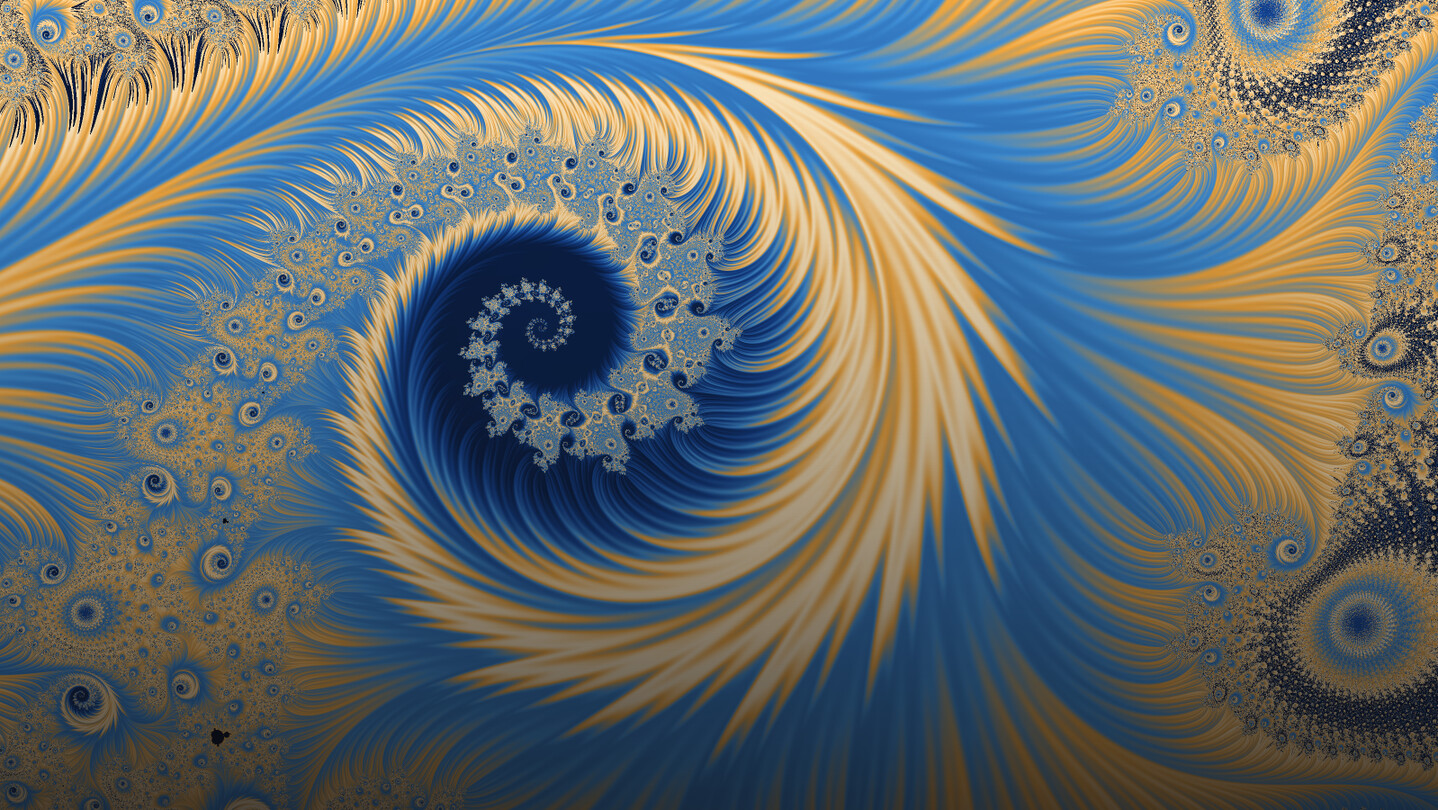
Fractal art, made easy. A desktop studio for artists: explore dozens of fractal families, color them by hand, breed variants, share on the Workshop, and turn them into videos, shorts and reels — editors included. Recoloring is instant, exports run to 64K, and the math is never asked of you first.

Sign in to add this item to your wishlist, follow it, or mark it as ignored

This game is not yet available on Steam

Planned Release Date: Q4 2026

Interested?
Add to your wishlist and get notified when it becomes available.
 

About This Software

Fractal art, made easy.

Fractaria is a desktop studio for fractal artists. Every change happens live, under your hand: scroll to dive into the picture, drag a color and the image has already changed.

  • Easy mode — just what you need for a beautiful picture in a few clicks.
  • Power mode — every control in the program, one click away. Your picture stays exactly as it is.
  • Live Julia — hold the right button and the Julia set of the point under the cursor follows it; let go, and you are inside it.
  • Explore from here — Fractaria sets off from your view toward the details and the minibrots, and keeps the finds worth a second look.
  • Land on a minibrot — spot one and frame it whole in one click.

Dozens of fractal families

Mandelbrot, Julia, Burning Ship, Tricorn, Celtic, Buffalo, Heart, Mirror, Phoenix, Lambda, Talis, Spider, Manowar, Barnsley, Magnet, Newton, Nova and the transcendentals. Each one has parameters of its own — degrees, exponents, complex constants — and the panel rebuilds itself around the family you are in.

Color

  • Dozens of hand-built palettes — duplicate any of them and make it yours.
  • Gradient editor — from two to thirty-two stops, RGB, HSV or perceptual LCH, inside and outside colored apart, a transfer curve drawn over the histogram.
  • Wave palettes — three oscillators slightly out of step, so the bands beat instead of repeating.
  • Generate palette — curves and waveforms from a seed you can type.
  • Colors from an image — a palette drawn from any photograph.
  • Fractint .map and Ultra Fractal .ugr — drop them in and paint with them.
  • Instant recoloring — a new palette shows up at once, at any zoom, without computing the fractal again.
  • Live adjustments — brightness, contrast, gamma and saturation.

Textures and finishes

  • Color sources — orbit traps, orbit density, spiral, stripe, triangle and curvature averages, atom domains, displacement, biomorphs.
  • Tiles — sunburst, checkered, arches, fans, lattice, folds and cells, shaped by the fractal itself.
  • Blending — mix them all on the color ramp; the bands bend around the shapes.
  • Finishes — relief and material, striations, sparks and glow, hatch, conformal chart, ink stroke, and for print halftone, vignette and grain.

Eight mutations. Pick one. Again.

  • Generate variants — your image at the center, eight mutations around it; click one and the grid is reborn around it.
  • Five sliders — fractal shape, view, gradient, texture and finish: choose what may change and what stays.
  • Real fractals — every variant is a full recipe, ready to keep and refine.
  • One step back — return to the previous grid whenever you like.

Director: key frames, and a film out the other end

  • Key frames — compose in the live view, press Use current view, and that state becomes a stop on the timeline.
  • A band for every control — each with its own pace and a speed curve you can draw.
  • Preview at 320 × 180, then render at the size you want.
  • Background rendering — keep working while it renders; picking it up again redoes only what you changed.
  • Video or numbered PNG sequence, on macOS and Windows.

Video Creator: from fractals to shorts and reels

  • Scenes — your live view with a slow zoom, or a whole Director project.
  • Titles and images — over any scene; a PNG keeps its transparency.
  • Cards — words on a plain background, between scenes.
  • Music on the beat — tap the beat while it plays, and the scenes snap to it.
  • Transitions — a cut through a color taken from the picture, a crossfade, or one fractal turning into the next.
  • Movements — zoom in, in and back, a dive from minibrot to minibrot, rotation, drift, color flowing along the ramp.
  • Vertical, square or wide — switch whenever you like; a guide shows the safe area of every platform.
  • Looping preview — at the video's own frame rate, with its music.

Community gallery

  • The Steam Workshop, built in — publish your work and find that of hundreds of other artists.
  • One click — any preset lands in your view as a full recipe, ready to edit.
  • Featured, newest, most liked, trending — filter by family, color and finish, search by title.
  • Publish in seconds — a title, a signature and five words of your own; the other tags come from the recipe.
  • Three shelves — community, saved and built-in, in one window.

For those who love the math

  • Deep zoom — perturbation with re-basing, far beyond double precision, free of glitches.
  • Overlays — orbit under the cursor, ruler, atlas of periods, why a black is black.
  • Fractint .frm formulas — drop a file in and explore its entries with real sliders.
  • CPU, SIMD or GPU — choose who computes; a pill at the top shows who is working.

What you get

  • Everything from the first run — the Director and the Video Creator included, no subscription, no watermark.
  • Export up to 64K — Instagram post or story, square, 2:3 portrait, phone and tablet wallpapers, 4K to 64K or any size you type, up to sixteen samples per pixel, as PNG, JPEG or WebP.
  • Videos for shorts, reels and wide screens, ready to post.
  • macOS and Windows, in English and Italian.

System Requirements

Windows
macOS
    Minimum:
    • Requires a 64-bit processor and operating system
    • OS: Windows 10 64-bit
    • Processor: 64-bit x86, 4 cores
    • Memory: 4 GB RAM
    • Graphics: a GPU with Vulkan 1.0 support, including the integrated one
    • Storage: 500 MB available space
    Recommended:
    • Requires a 64-bit processor and operating system
    • OS: Windows 11
    • Processor: 64-bit x86, 8 cores or more
    • Memory: 16 GB RAM
    • Graphics: a Vulkan-capable discrete card, if you want to compute on it
    • Storage: 2 GB available space
    • Additional Notes: No dedicated graphics card is needed to make pictures: the fractal is computed on the CPU by default. Fractaria can also compute on your processor's SIMD lanes or on your graphics card, and you choose which; where a card runs out of precision the work goes back to the CPU and the pill at the top of the window says so. A GPU able to draw with Vulkan (Windows) or Metal (macOS) is required for the interface itself, integrated included. More CPU cores mean faster renders. A large export holds its whole output buffer in memory, up to 600 MB at the ceiling of 16,384 pixels a side and a little over two hundred megapixels; rendering a film writes one frame at a time to disk instead. The community gallery needs the Steam client and an internet connection. Everything else works without one.
    Minimum:
    • OS: macOS 12 Monterey
    • Processor: Apple Silicon or 64-bit Intel (universal binary)
    • Memory: 4 GB RAM
    • Graphics: any Metal-capable GPU, including the integrated one
    • Storage: 700 MB available space
    Recommended:
    • OS: macOS 14 or later
    • Processor: 8 cores or more
    • Memory: 16 GB RAM
    • Graphics: Apple Silicon GPU or a discrete card, if you want to compute on it
    • Storage: 2 GB available space
    • Additional Notes: No dedicated graphics card is needed to make pictures: the fractal is computed on the CPU by default. Fractaria can also compute on your processor's SIMD lanes or on your graphics card, and you choose which; where a card runs out of precision the work goes back to the CPU and the pill at the top of the window says so. A GPU able to draw with Vulkan (Windows) or Metal (macOS) is required for the interface itself, integrated included. More CPU cores mean faster renders. A large export holds its whole output buffer in memory, up to 600 MB at the ceiling of 16,384 pixels a side and a little over two hundred megapixels; rendering a film writes one frame at a time to disk instead. The community gallery needs the Steam client and an internet connection. Everything else works without one.
Review Filters