Live inside a fictional operating system you can code, customise and break. Learn real programming with the built-in FantasyLang IDE, script the terminal, explore a stylised darknet, and solve a comedy mystery hidden in the desktop itself.

Sign in to add this item to your wishlist, follow it, or mark it as ignored

Download 5YN-OS Demo

This game is not yet available on Steam

Planned Release Date: To be announced

Interested?
Add to your wishlist and get notified when it becomes available.
 

About This Game

A Fictional Operating System Sandbox

5YN-OS is a fully simulated fictional operating system you can live inside.

Boot it up, explore the desktop, open apps, dig through the file system, browse the simulated web, customise the interface, run strange commands, break things, fix them again, and uncover secrets buried throughout the system. It is designed as a sandbox first: a desktop world built for experimentation, curiosity, and player freedom.

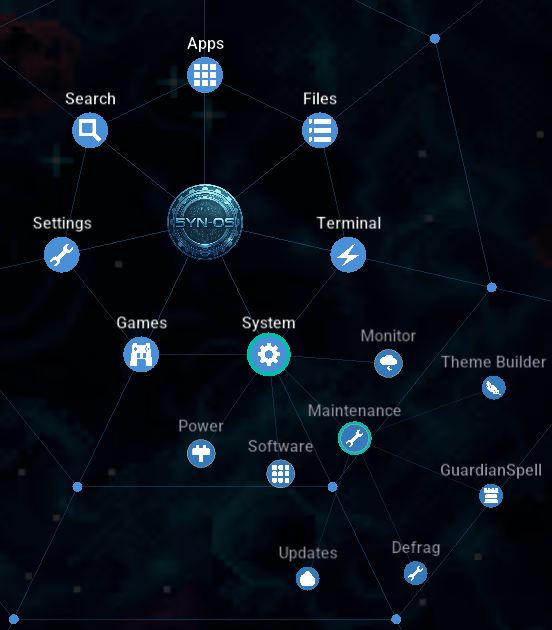
Spiderweb Menu

This is not a static UI mockup. 5YN-OS is a hands-on OS simulation with draggable windows, a persistent file system, global search, right-click menus, deep desktop customisation, in-world websites, hidden files, odd behaviours, and plenty of room to tinker.

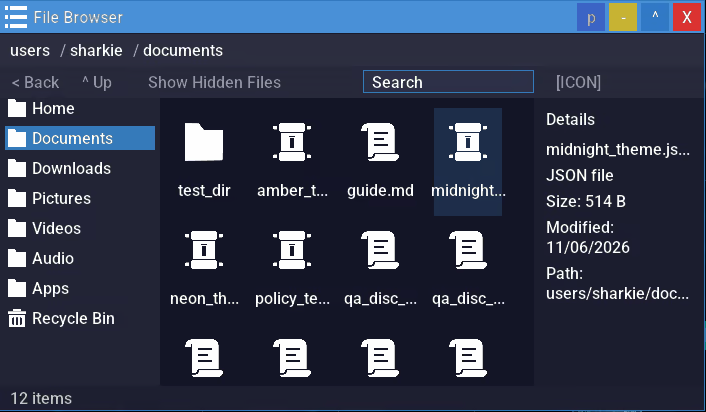
File Browser

Learn Programming Inside the OS

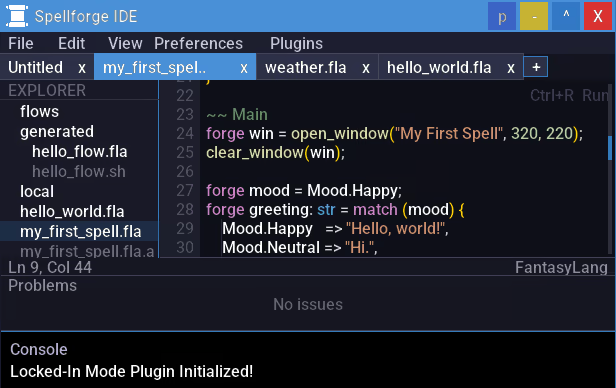
At the heart of 5YN-OS is FantasyLang, a custom scripting language built directly into the operating system. The Spellforge IDE is a custom in-game development environment for building apps and scripts directly inside the game. It supports plugins for extending functionality and includes a built-in linter to help keep code clean and error-free.

If you want more than exploration, the OS also works as a programming learning tool. Use the in-game tutorial to go from complete beginner to writing your own scripts and apps without leaving the desktop. FantasyLang uses a fantasy-themed vocabulary, but the concepts are real:

  • Variables, conditionals, loops, and functions

  • Arrays, structs, imports, and multi-file projects

  • File I/O, GUI windows, event handling, and OS integration

  • Error handling, debugging, and building interactive tools

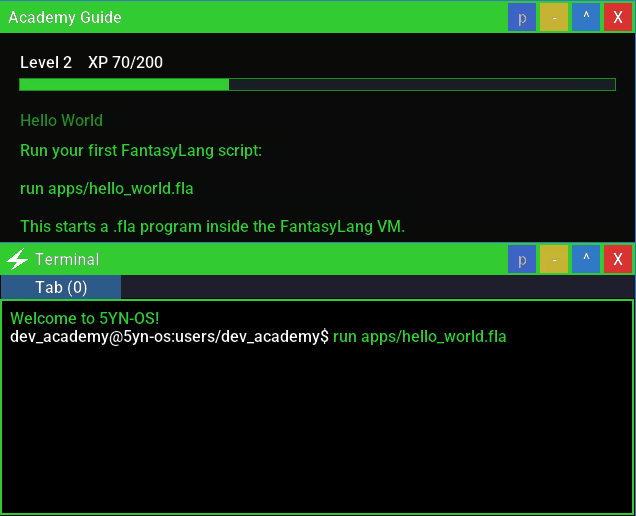
Dev Academy Mode

The built-in IDE includes syntax highlighting, diagnostics, and integrated tooling, and several parts of the OS are open to inspection and modification. You are not just reading about programming concepts, you are using them inside the world of the game.

Spellforge IDE

And when you are ready to make your own things, 5YN-OS is built to support that. Create your own FantasyLang apps, tools, widgets, and experiments, then share them through Steam Workshop so other players can download, run, and explore what you have made.

You can also take your scripts beyond the game. Download the standalone FantasyLang runtime and run your scripts inside the game or out, so you can create real-world apps for real-world problems.

Solve a Mystery Hidden in Your Desktop

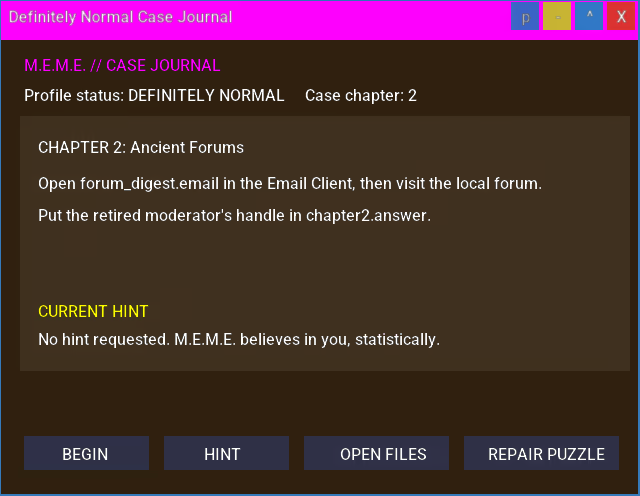
Definitely Normal is a comedy mystery that uses the ordinary desktop as its puzzle board. Over a seven-stage case, reconstruct a set of misleadingly named hidden files, piece together clues from email, browser history and an in-world forum, run and arrange live FantasyLang windows, and repair a process inside a running virtual machine.

Choose how the case ends, hunt for nine hidden fossils across the file system, and replay the three endings without losing progress. A three-tier hint system keeps you moving when you get stuck. Try the first few puzzles in the free demo.

Puzzle Mode

Explore the Darknet

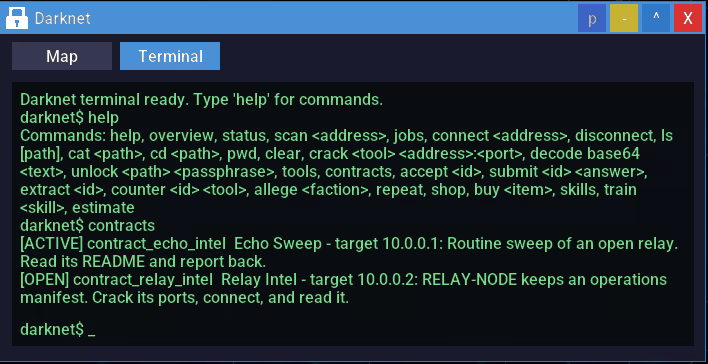
The Darknet is not a realistic hacking simulator, and it does not try to be. It is a game within the game: a curated hidden network of dozens of hosts to discover, contracts to take on, tools and skills to upgrade, and three factions whose finales are yours to choose between.

Scan a host, breach it with the right tool, poke around its remote files, and earn credits and reputation while keeping your Heat down. Then write FantasyLang scripts to automate the work.

Darknet

For Power Users Too

If you want to go deeper, 5YN-OS has room for that too.

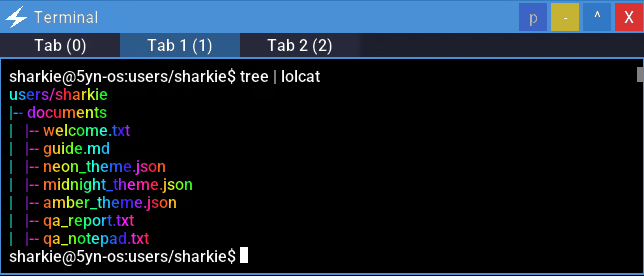
The Terminal is more than a novelty window. It supports real shell-style workflows including pipes, redirects, aliases, shell scripts, command chaining, tab completion, and multi-session work through the Tmux-like Tweave. It takes inspiration from familiar software such as Zsh and Tmux in the Terminal, and Rainmeter in the Theme Builder.

Terminal

FantasyLang also goes beyond beginner scripting. Once you are comfortable with the basics, you can work with larger multi-file projects, structured data, event-driven apps, and more advanced object-oriented patterns through its tome system, including fields, methods, lifecycle hooks, and richer app architecture.

You may even try your hand at custom desktop widgets, or plugins for the Spellforge IDE.

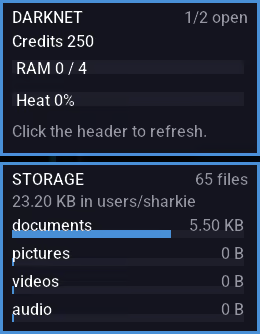
Desktop Widgets

A Desktop Full of Systems

5YN-OS is built like an operating system, not a menu screen.

  • Spider Web Start Menu: a distinctive animated navigation hub for apps, files, settings, and notifications.

  • Windowed Applications: draggable, resizable apps with minimise, maximise, and multi-window support.

  • Persistent File System: create, move, copy, hide, inspect, and organise files and folders across a deep filesystem.

  • Simulated Internet: browse hand-crafted in-world websites across the 5yn:// network.

  • Terminal: a full shell experience with scripting, pipes, redirects, command chaining, and power-user workflows.

  • Built-In Apps: browser, terminal, media tools, editor apps, system utilities, antivirus, and more.

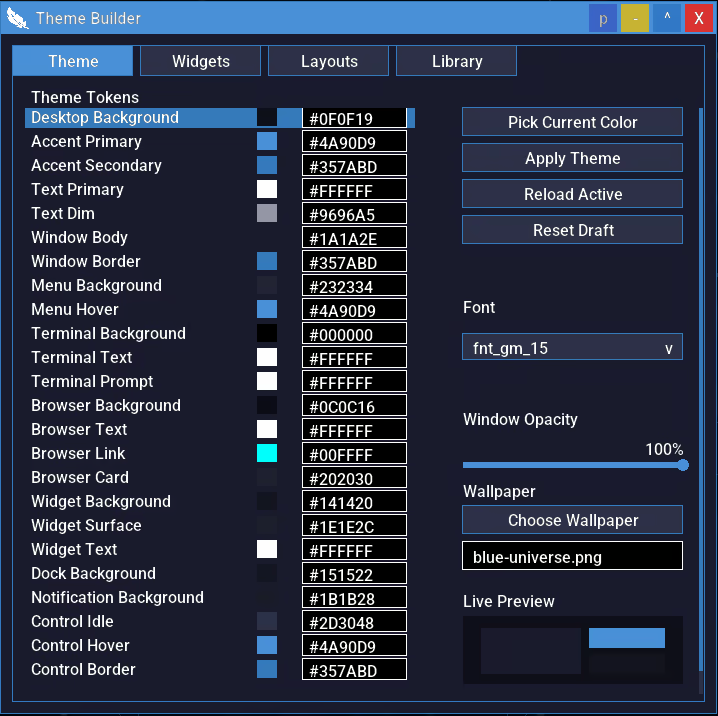
  • Deep Customisation: themes, wallpapers, keybinds, spider-web settings, screensavers, system identity options, desktop layouts, widgets, and broader OS presentation controls.

  • Steam Workshop Support: create, share, and download FantasyLang creations from the community.

Whether you want to write code, reorganise your desktop, explore hidden directories, mess with strange apps, or just see how far the simulation goes, the OS gives you space to play with it.

Theme Builder

Play the Built-In Games

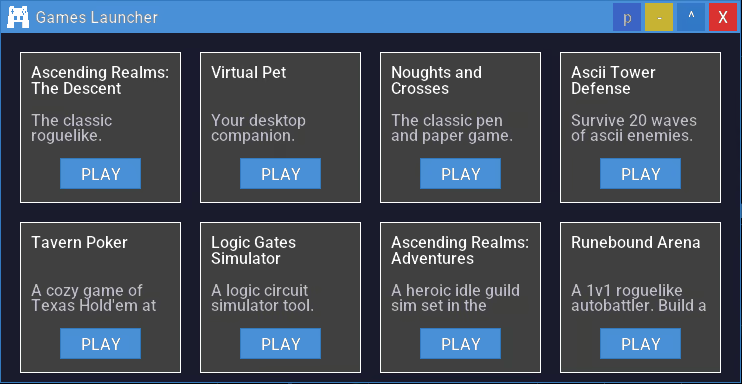
From noughts and crosses to dungeon crawler roguelikes in ASCII artwork and adventurer idle games. Play the games and read their source code. Maybe you will make some games of your own.

Games Launcher

Secrets, Glitches, and Strange Behaviour

5YN-OS rewards curiosity.

Hidden files, fake system lore, easter eggs, suspicious commands, unlockable content, and strange side effects are scattered throughout the machine. GuardianSpell Antivirus protects the system from fake threats, but some commands can deliberately introduce infections with visible consequences. Scan, quarantine, clean up the mess, or keep poking at things you probably should not.

Explore the numerous puzzles and discover content thought lost to time.

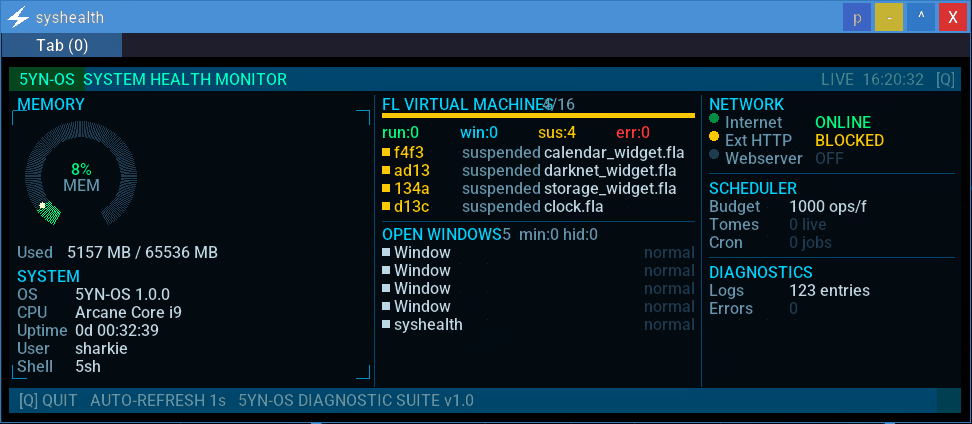
Syshealth Terminal Command

A Living OS

New content arrives through real Steam updates that appear in-game as OS system updates.

Install an update, and discover what changed inside the fiction of the OS itself: new apps, new sites, new content, new secrets, and new things to experiment with. The fiction does not stop at launch; the operating system keeps evolving.

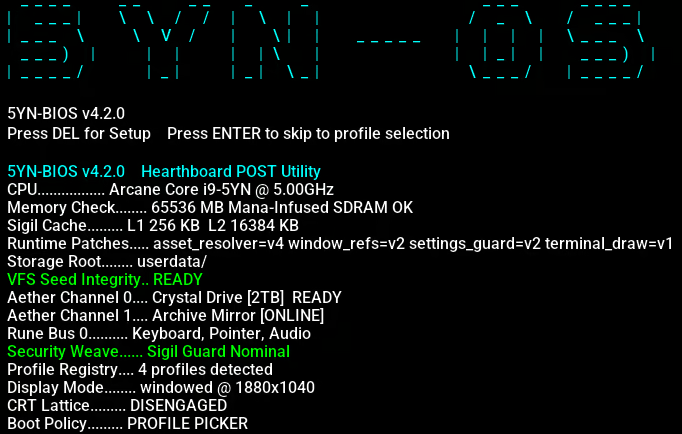
BIOS POST Screen

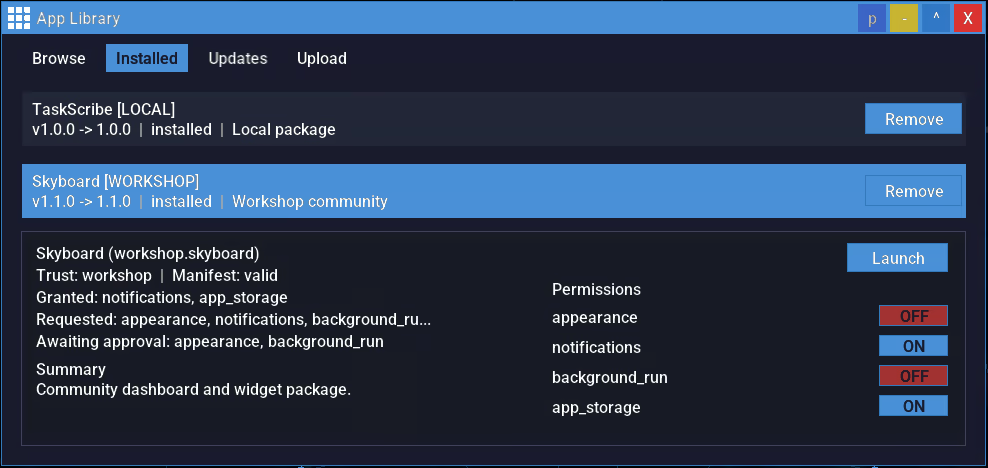
App Marketplace

Your OS, your rules.

System Requirements

Windows
SteamOS + Linux
    Minimum:
    • OS: Windows 10 / Windows 11
    • Processor: Intel Core 2 Duo / AMD Athlon 64 X2
    • Memory: 1 GB RAM
    • Graphics: Integrated graphics (Intel HD 3000 or better)
    • DirectX: Version 10
    • Storage: 100 MB available space
    • Sound Card: Integrated sound card
    • Additional Notes: Mouse and keyboard recommended
    Recommended:
    • OS: Windows 11
    • Processor: Intel Core i3 / AMD Ryzen 3 or better
    • Memory: 2 GB RAM
    • Graphics: Any dedicated GPU (e.g., NVIDIA GeForce GTX 660, AMD Radeon HD 7850, or better)
    • DirectX: Version 11
    • Storage: 200 MB available space
    • Sound Card: Integrated or better
    • Additional Notes: Mouse and keyboard recommended
    Minimum:
    • OS: Ubuntu 22.04 LTS / SteamOS
    • Processor: Intel Core 2 Duo / AMD Athlon 64 X2
    • Memory: 1 GB RAM
    • Graphics: OpenGL 3.3 / Vulkan-compatible integrated graphics
    • Storage: 100 MB available space
    • Sound Card: Integrated sound card
    • Additional Notes: Mouse and keyboard recommended
    Recommended:
    • OS: Ubuntu 22.04 LTS / SteamOS
    • Processor: Intel Core i3 / AMD Ryzen 3 or better
    • Memory: 2 GB RAM
    • Graphics: Vulkan-compatible GPU
    • Storage: 200 MB available space
    • Sound Card: Integrated or better
    • Additional Notes: Mouse and keyboard recommended
Review Filters