This content requires the base application DynamicDesktop on Steam in order to run.

Sign in to add this item to your wishlist, follow it, or mark it as ignored

Downloadable Content

This content requires the base application DynamicDesktop on Steam in order to run.

Buy DynamicDesktop - Mouse Button Customize


About This Content

First things first—and I mean really first:

  • All features are built right into DynamicDesktop itself. Even if you don’t buy the DLC, you get the full enchilada. No crumbs left behind.

  • You can customize mouse button actions for specific apps.
    For example: remap Button 4 to close a Chrome tab (CTRL+F4), and Button 5 to switch tabs (CTRL+TAB). Like magic, but with fewer wizards.

The Idea

Got a mouse with more buttons than a cheap suit but none of them do anything useful?

Tired of installing clunky drivers just to change what a button does?

Stop sweating it—come take a peek at this gem.

How-To

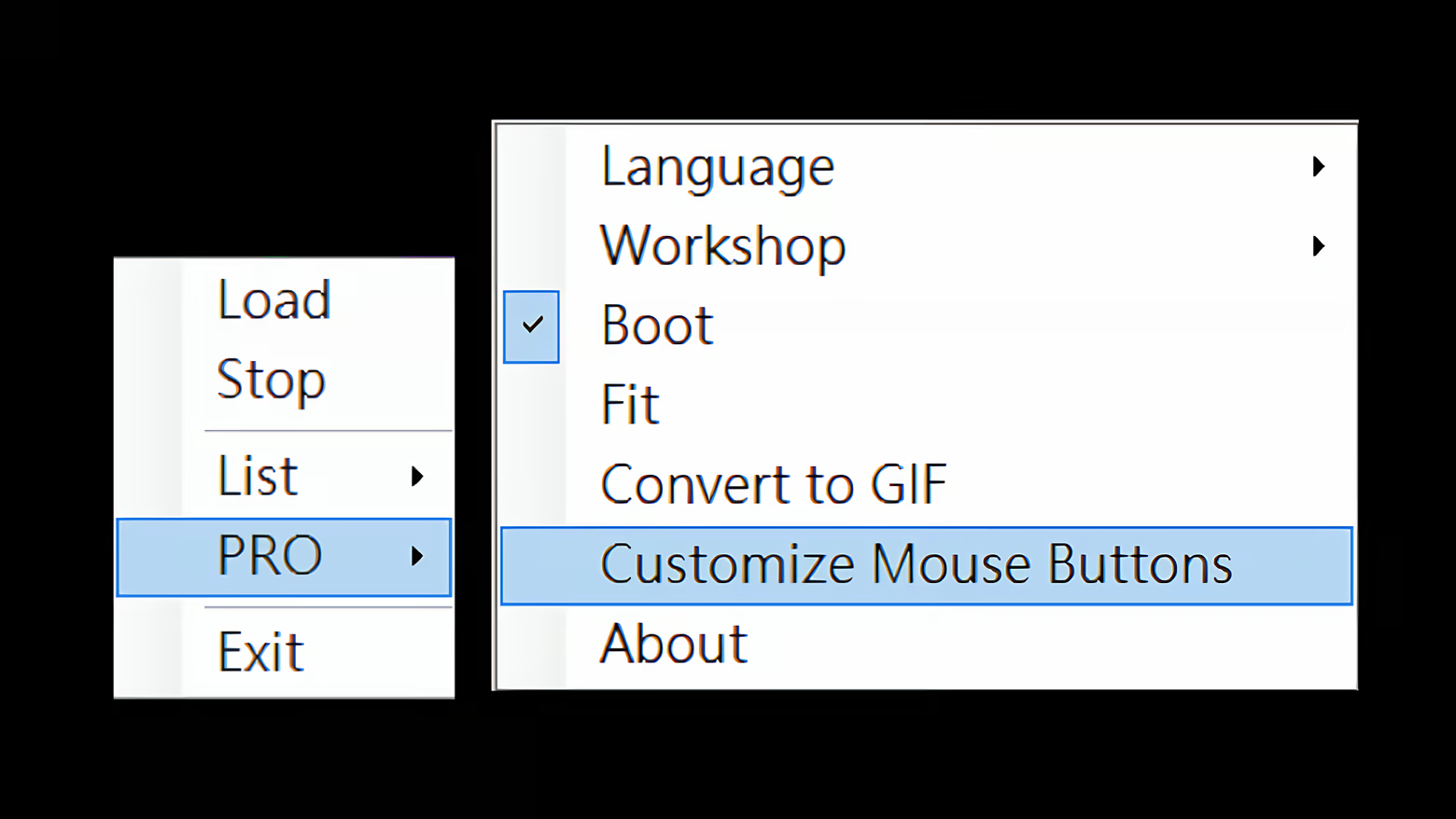
Click Customize Mouse Button under the PRO tab.

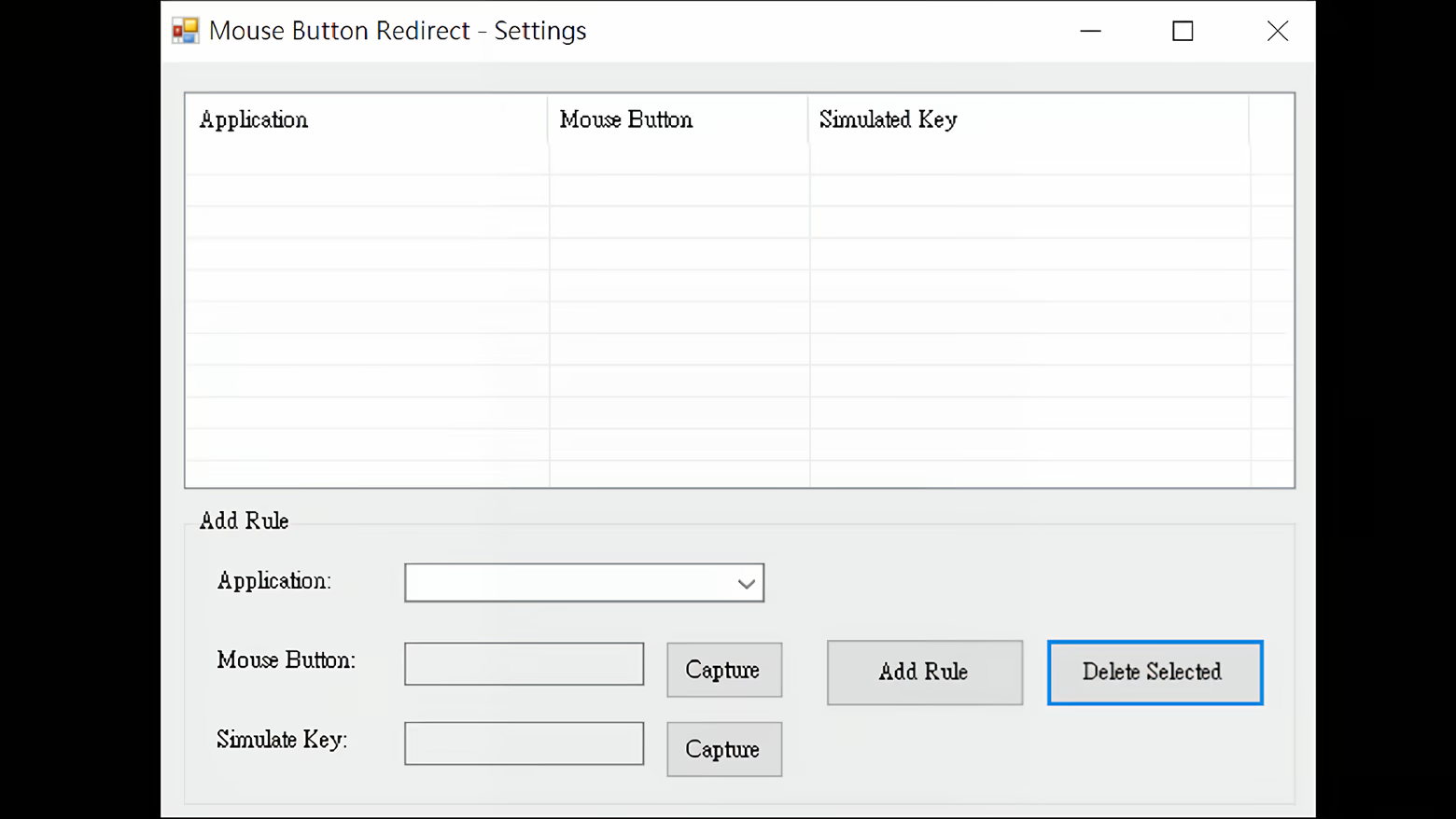
Under Application, pick your target—say, chrome.exe.

Under Mouse Button, hit Capture and press the button you want to change (e.g., that lonely side button).

Under Simulate Key, hit Capture and press the key combo you want it to become (e.g., CTRL+F4).

Click Add Rule, close the window, and… done!

That side button now closes Chrome tabs like a boss.

Want to stop (or undo)?

This feature lives inside DynamicDesktop’s Mouse Button Customize module.

Just don’t run it, and it won’t bother you—no registry edits, no driver installations, no digital ghosts.

Feel free to send feedback—we’re all ears (and buttons)!

Oh, and one not-so-important thing…

In two months, the DLC price will jump from $2.99 to $66. Yep. You heard that right.

System Requirements

    Minimum:
    • OS: Windows 10
    • Processor: Intel Core i3 or equivalent
    • Memory: 2048 MB RAM
    • Graphics: Integrated graphics compatible with OpenGL 2.0
    • Storage: 200 MB available space
    • Sound Card: N/A
    • VR Support: None
    • Additional Notes: Supports MP4 and GIF dynamic wallpapers.
    Recommended:
    • OS: Windows 10 / Windows 11
    • Processor: Intel Core i5 or equivalent
    • Memory: 4096 MB RAM
    • Graphics: Any modern integrated or dedicated GPU
    • Storage: 300 MB available space
    • Sound Card: N/A
    • VR Support: None
    • Additional Notes: Better performance with higher resolution videos.
Review Filters