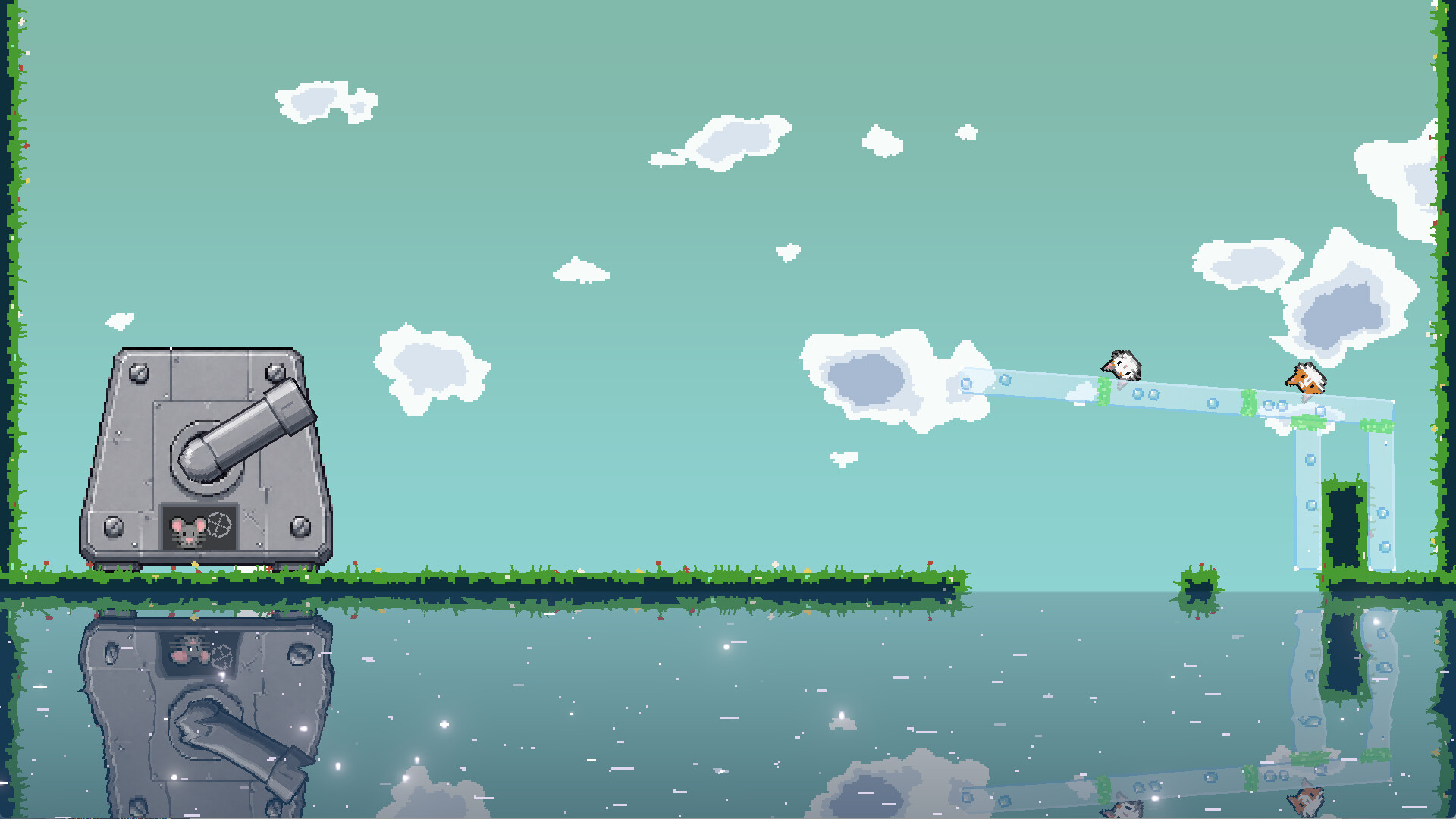
Newly appointed Meow Construction Manager, it's time to get to work! Can this thing you built withstand the mice's next shot? Build fortifications, glue materials, trick the mice. Protect the meow, chase high scores. The mice have bad eyesight, but the projectiles are real.

Sign in to add this item to your wishlist, follow it, or mark it as ignored

This game is not yet available on Steam

Planned Release Date: Q4 2026

Interested?
Add to your wishlist and get notified when it becomes available.
 

About This Game

The mice are here to demolish. The cat disagrees.

As the new Meow Construction Manager, it's time to get to work and give the mouse demolition crew a little shock!

Meow Defense War is a strategy game centered on physics defense and free building.

The mice keep firing projectiles. You need to build defensive structures with wood blocks, stone blocks, iron blocks, and bubbles, and you can also use glue to stick materials into special structures to protect the meow under a limited budget.

There is no single answer. In the same level, you can complete the defense with completely different structures and layouts. Failure is okay—quickly retry, adjust your structure, and face the artillery again. Spend less, keep the meow unharmed, and complete extra challenges to push for a higher score. Save money and save the cat—why not both!

Realistic Physics Brings Defense to Life

Materials, projectiles, and the meow all follow physics rules. Rolling, bouncing, and squeezing can threaten both the defensive structure and the meow.

But physics is not just a threat—it's also a tool you can use.

Adjusting the angle, position, and connection of materials can change how projectiles interact with your defense. The right angle can even make projectiles bounce off, taking very little damage.

Observe how projectiles move, understand the properties of different materials, and design a structure that truly withstands artillery. At least, withstands the next shot.

Free Building: Use Glue to Create Special Structures

Freely place materials and design your own defensive structure.

Wood blocks, stone blocks, iron blocks, and bubbles have different physical properties and prices. Glue can connect different materials into a single whole, letting you build special structures that ordinary stacking cannot achieve. Simply put, give physics a little human touch.

You can try different building methods such as hanging, supporting, and linking. How you choose materials, how you place them, and where you use glue will all affect how the entire fortification performs under fire. Build it well and it's engineering; build it weird and it's art; build it collapsed and it's "next time for sure."

Four Materials, Thirteen Projectiles

Materials:

Wood blocks, stone blocks, iron blocks, and bubbles—four material types in total. Different materials have different properties and prices, so allocate your funds wisely according to the level.

Bubbles are cheap and can float, but they are very fragile. Iron blocks are the most expensive and much sturdier, but beware of electric projectiles. Electricity: the ultimate cure for iron-heads.

Projectiles:

There are currently 13 types of projectiles, each with different physical effects.

Some can ignite wood materials, some have super high weight, some explode with a delay, some attract nearby objects... Different projectiles will test your defense from different angles. The mice's arsenal clearly never passed a safety review.

Projectiles are not only fired by mice; some may also appear in the air, giving your defense unexpected attacks. Yes, the mice have no martial ethics.

Environment and the Mice's Attack Strategy

The environment in levels can also be a threat. Sometimes you face missing terrain and cannot place materials. Remember, don't let the meow fall into the water—they are not good at swimming.

The mice will look for weaker spots in your defense and prioritize attack trajectories with fewer obstacles.

But the mice's eyesight is roughly nonexistent.

You can use this to your advantage: create illusions with materials and deliberately leave a place that looks weak, luring the mice into choosing the wrong attack route.

Set a simple trap for the mice. Sometimes, the place that looks weakest is actually your strongest line of defense.

Score Leaderboard

Completing a level is just the beginning.

Spending less money, keeping more meow health, and completing extra challenges all help you get a higher score. Each level has its own score leaderboard, so you can keep pushing your limits.

Is it genius engineering or an illegal construction? Bring it out and let's see!

The leaderboard is not just numbers. Your level layout will also be displayed to other players. You can study how others design their defenses, get inspiration from their layouts, and show off your own clever structural designs.

Multiple Gameplay Modes

Counterattack Mode:

The meow has captured the mice's turret.

In this mode, you can control the turret and try to destroy the defensive fortification you built yourself. See how long your design can hold up.

This is not betrayal. This is quality inspection.

Random Challenge Mode:

Familiar recipe, unfamiliar trouble.

Randomly combine existing content into new challenges.

Face different level combinations and conditions, and find new solutions in familiar gameplay.

Hotseat Battle Mode:

Supports two players battling on the same device.

One player builds the defensive fortification, while the other controls the turret to attack. See whose defensive structure stands up better.

And while you're at it, see if your friendship can stand the test too.

AI Generated Content Disclosure

The developers describe how their game uses AI Generated Content like this:

Some graphic assets and multilingual content were generated using AI.

System Requirements

    Minimum:
    • OS: Windows 10
    • Processor: 2.00GHz
    • Memory: 8 GB RAM
    • Graphics: GeForce GTX760
    • Storage: 500 MB available space
    Recommended:
    • OS: Windows 10
    • Processor: 4.00GHz
    • Memory: 16 GB RAM
    • Graphics: GeForce GTX1660
    • Storage: 500 MB available space
Review Filters