Run a game server on your own PC without touching a single config file. Friends connect through a public address — no public IP, no port forwarding. The same tunnel will expose any local port, not just a game one.

เข้าสู่ระบบ เพื่อเพิ่มผลิตภัณฑ์นี้ลงในสิ่งที่อยากได้ของคุณ ติดตาม หรือทำเครื่องหมายเป็นถูกละเว้น

ไม่รองรับภาษาไทย

ผลิตภัณฑ์นี้ไม่รองรับภาษาท้องถิ่นของคุณ โปรดตรวจสอบรายชื่อภาษาที่รองรับก่อนทำการสั่งซื้อ

เกมนี้ยังไม่พร้อมใช้งานบน Steam

เตรียมวางจำหน่าย

น่าสนใจ?
เพิ่มในสิ่งที่คุณอยากได้ และรับการแจ้งเตือนเมื่อผลิตภัณฑ์พร้อมใช้งาน
 

เกี่ยวกับซอฟต์แวร์นี้

A server in five minutes, no config files

Pick a game and a version — ProximaClient handles the rest: downloads the server build, pulls whatever it needs to run, lays out the files and sets sane startup parameters. After that you change settings through a form — checkboxes and fields instead of editing text files in Notepad.

Already have a server you set up by hand? It connects as is — the folder stays where it is, nothing gets moved.

So your friends can actually join

The most common reason a home server never gets off the ground is that nobody can connect to it. Your ISP handed you a shared IP, the router isn't yours, and there's nowhere to set up port forwarding.

ProximaClient gives the server a public address and keeps it alive for you. You send your friends one line, they paste it into the game and they're in. No router setup, no third-party VPN.

Not just for games

The tunnel doesn't care what's behind the port. If you write code, it covers the same jobs you'd normally spin up a separate service for:

  • Show a client the site running on your localhost without deploying it anywhere
  • Receive a webhook from a payment provider or a repository straight on your work machine
  • Give a colleague access to your dev box for a couple of hours
  • Test a layout or an app on a real phone instead of an emulator

TCP, UDP and HTTPS. For HTTPS the certificate is issued and renewed on the service side — the address opens in a browser with no warnings, and webhooks that require a valid certificate work right away.

Once the server is up

  • Console with error highlighting and log search — you can see what crashed and why
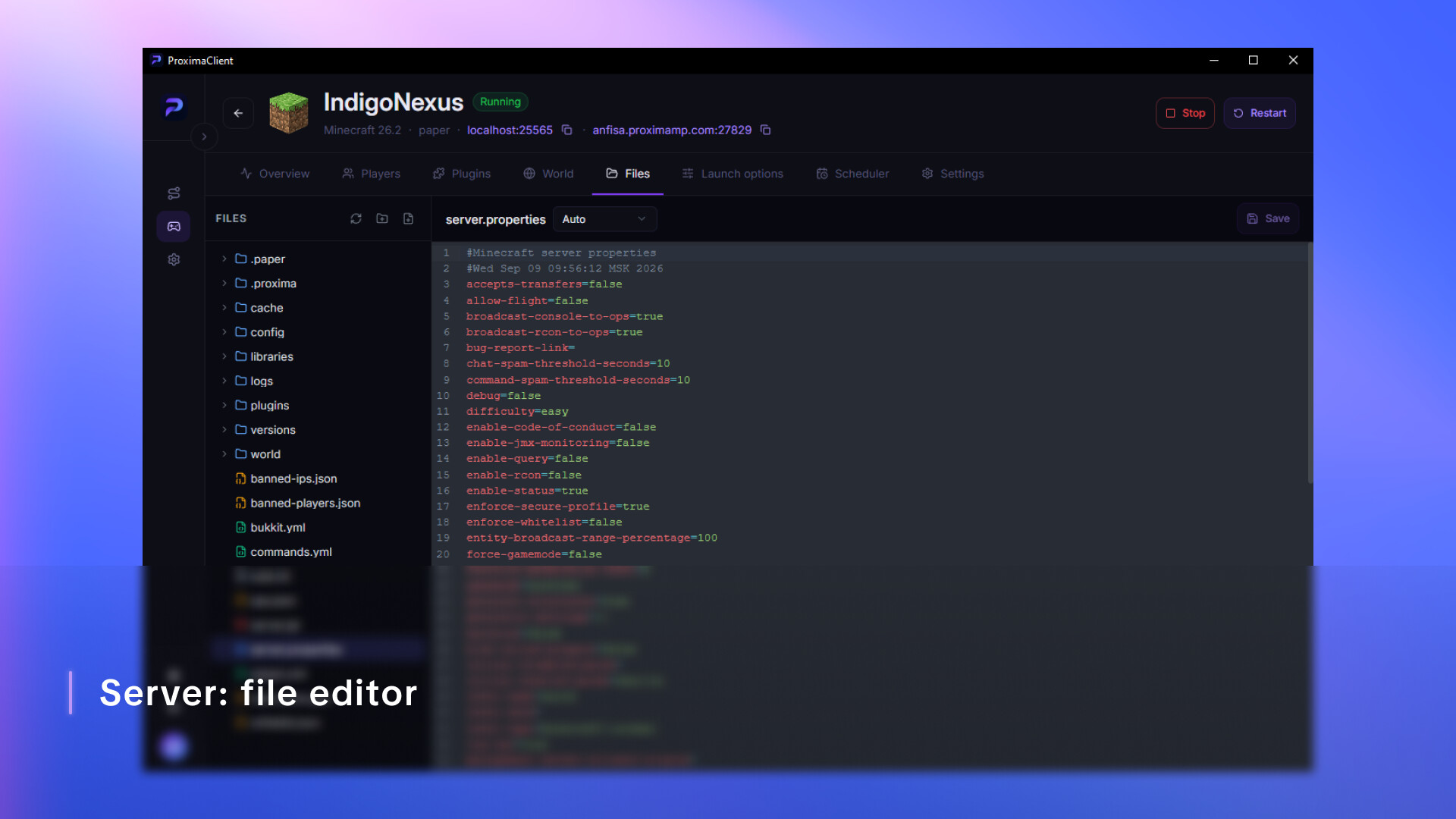
  • File manager with an editor and syntax highlighting
  • Scheduler — nightly backups and restarts on a timetable
  • Auto-restart if the server goes down on its own

การเปิดเผยข้อมูลเกี่ยวกับเนื้อหาที่สร้างด้วย AI

ผู้พัฒนาอธิบายว่าเกมของตนใช้เนื้อหาที่สร้างด้วย AI ในลักษณะนี้:

This app includes an optional AI assistant that helps interpret game server console output and error logs. When you send it a log fragment or a question, the text goes to our backend, which forwards it to Anthropic's Claude API and returns a generated explanation with suggested fixes.

The assistant runs only when you invoke it — nothing is sent automatically, and the feature is off by default. Responses are generated by a language model and may be inaccurate, so verify any suggestion before applying it to a live server. No other content in this app is AI-generated.

ความต้องการระบบ

    ขั้นต่ำ:
    • ระบบปฏิบัติการ: Windows 10 64-bit (version 1809 or newer)
    • โปรเซสเซอร์: Quad-core x64 CPU — Intel Core i3-8100 / AMD Ryzen 3 1200 or newer
    • หน่วยความจำ: แรม 4096 MB
    • กราฟิกส์: Integrated graphics with DirectX 11 support
    • เครือข่าย: การเชื่อมต่ออินเทอร์เน็ตแบบบรอดแบนด์
    • พื้นที่จัดเก็บข้อมูล: พื้นที่ว่างที่พร้อมใช้งาน 5000 MB
ตัวกรองบทวิจารณ์