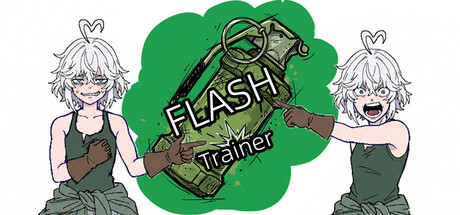
FlashTrainer is a standalone utility designed to build FPS anti-flash muscle memory and reactions. By overlaying a transparent, top-most window on your screen, it simulates incoming flashbang throws and detonations. Currently supports most mainstream FPS games running in borderless or windowed mode.
Release Date:
Aug 28, 2026
Developer:
Publisher:

Sign in to add this item to your wishlist, follow it, or mark it as ignored

Buy FlashTrainer

INTRODUCTORY OFFER! Offer ends September 9

-10%
$0.99
$0.89
 

About This Software

1. Simulation & Parameters

  • 2 Flash Simple Simulation — Military Flashbang, Spherical Flash

  • Customizable Parameters — Fuse time (0.2s~3.0s), Throw speed (10~100), Full blind angle (0°~179°), Partial blind angle (1°~180°)

  • Blind & Recovery Control — Blind hold duration (0.1s~10.0s), Blind fade duration (0.1s~5.0s), Dynamic interpolation angle recovery

2. Spawner & Training Modes

  • 2 Trigger Modes — Manual spawner hotkey (\ key), Auto-loop spawner (Home key) (Switch seamlessly anytime)

  • Spawn Delay Range — Min spawn delay (0.1s~60.0s), Max spawn delay (0.1s~60.0s) (With value lock validation)

  • Chain Flash Mechanism — Chain flash probability slider (0%~100%, Default 0%)

  • One-Key Menu Return — Press END to instantly exit training mode and return to the config menu

3. Evasion & Response

  • Directional Movement Evasion — Supports W, A, D key movement evasion simulation

  • Evasion Tuning — Evasion required time (0.1s~3.0s), Simulation speed (0~30)

4. Visual & Eye Care

  • Opacity Slider — Flash opacity adjustment (0%~100% with real-time percentage display)

  • Eye Protection Mode — Toggle dark flash screen to reduce eye strain during long practice sessions

  • Transparent Overlay — Native borderless transparent rendering via Windows DWM

5. Input & Multi-Monitor Calibration

  • RawInput Engine — Captures physical mouse delta via background thread with zero latency and zero simulated inputs

  • 360° Calibration — Press L in-game for instant viewport calibration mapped directly to your DPI and in-game sensitivity

  • Auto Profile Binding — Automatically saves distinct calibration profiles for different games, DPIs, and sensitivities

  • Multi-Monitor Support — Enumerates display setups and lets you assign the Overlay to any target monitor

6. Custom Audio Engine

  • Custom Audio Import — Load local throw and explosion sound files (.wav / .mp3 / .ogg, Optional)

  • Smart Sound Trimming — Automatically trims explosion audio down to 0.5s in memory for clean, non-overlapping bursts

  • Corrupted Path Self-Healing — Automatically clears missing file paths and reverts safely to defaults

  • Master Volume Control — Volume slider (0%~100%)

7. Smart Window Management

  • Dual-State Transition — Menu mode automatically un-sets topmost status (allowing easy alt-tabbing or clicking other apps); Training mode switches to full overlay topmost rendering with input pass-through

  • Native UAC Manifest — Requests admin privileges clean at launch via app.manifest, avoiding double Splash Screen reloads and resolving in-game input blocking

8. Preferences & Profiles

  • Save/Load Configurations — Automatically saves DPI, sensitivity, game presets, custom audio, and calibration profiles (Supports Steam Cloud)

  • One-Key Reset — Quickly restore default parameter configurations

  • Multi-Language — Simplified Chinese and English (Toggle anytime from launch or menu screens)

  • Clean Exit — Safe in-app quit button ensures RawInput hooks detach cleanly from the system

9. Notes & Disclaimer

  • Borderless Windowed or Windowed Fullscreen mode is required for target games

  • Always use the in-app "Quit" button to ensure RawInput hooks detach safely

  • This software is an independent training tool for reaction and muscle memory, and does not replicate or replace specific mechanics of third-party games

  • Utilizes native Windows RawInput passive listening and external Overlay rendering—free of memory access, process injection, or input automation

  • Configuration and calibration files can be saved to Steam Cloud

System Requirements

    Minimum:
    • Requires a 64-bit processor and operating system
    • OS: Windows 10 (64-bit)
    • Processor: Intel Celeron / AMD Dual-Core or equivalent
    • Memory: 2 GB RAM
    • Graphics: Any integrated graphics
    • DirectX: Version 11
    • Storage: 150 MB available space
    • Additional Notes: Target games must run in Borderless Windowed or Windowed Fullscreen mode. Requires Administrator privileges (UAC) for low-level RawInput listening.
    Recommended:
    • Requires a 64-bit processor and operating system
    • OS: Windows 10 / 11 (64-bit)
    • Processor: Intel Core i3 / AMD Ryzen 3 or better
    • Memory: 4 GB RAM
    • Graphics: Any integrated graphics
    • DirectX: Version 11
    • Storage: 150 MB available space
    • Additional Notes: Target games must run in Borderless Windowed or Windowed Fullscreen mode. Requires Administrator privileges (UAC) for low-level RawInput listening.
Review Filters