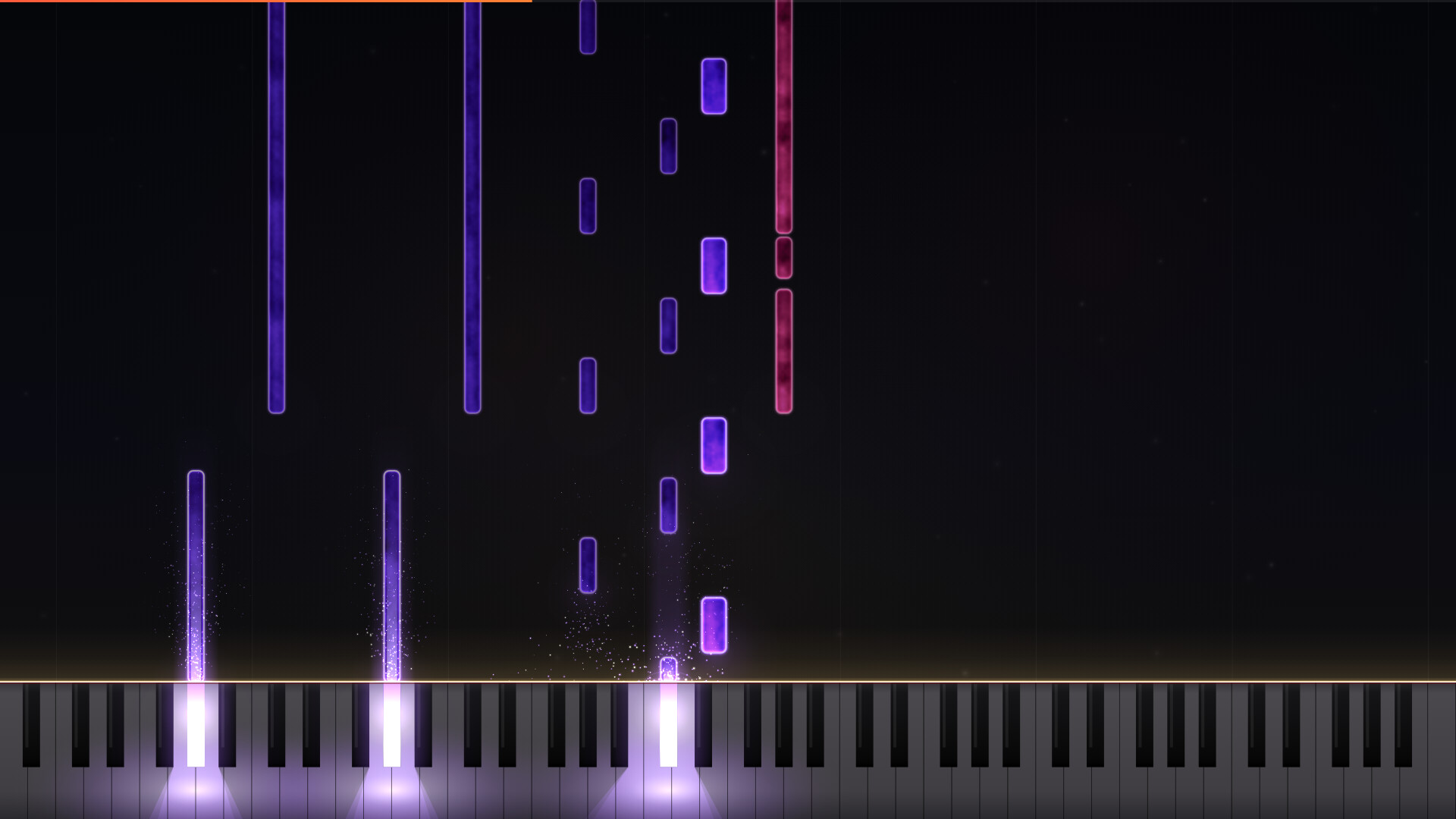
Your favorite songs, instantly transformed into playable scores. LuMIDI is a piano rhythm game that automatically generates falling-note charts simply by loading a MIDI file.

Daftar masuk untuk menambah item ini ke senarai hajat anda, ikuti atau tandakannya sebagai diabaikan

Bahasa Bahasa Melayu tidak disokong

Produk ini tidak menyokong bahasa tempatan anda. Sila semak senarai bahasa yang disokong di bawah sebelum membuat pembelian

Permainan ini belum tersedia di Steam lagi

Akan datang

Berminat?
Tambah ke senarai hajat anda dan terima pemberitahuan apabila permainan sudah tersedia.
 

Tentang Permainan Ini

Your favorite songs, instantly transformed into playable scores.

LuMIDI is a piano rhythm game that automatically generates falling-note charts simply by loading a MIDI file. Connect a MIDI keyboard to play directly on a real piano, matching your keystrokes to the falling notes and the glowing on-screen keys.

Main Features

  • Auto-Generate Charts from MIDI: Just drag and drop your files. You can easily select tracks, assign left and right-hand parts, and adjust the tempo and note falling speed.

  • 35 Built-In Classical Masterpieces: Includes timeless classics like Für Elise, Turkish March, and Canon in D. Start playing right away, even if you don't have your own MIDI files.

  • Four Practice-Friendly Modes: Practice just your left or right hand while the game automatically plays the remaining part. You can also use the Auto-Play mode as a model performance to preview and learn new songs.

  • Wait & Rhythm Systems: Choose the "Wait" mode, a practice setting where the song pauses until you press the correct key, or the "Rhythm" mode, a live performance setting where you compete for high scores and combos.

  • Steam Workshop Support: Upload and share your custom charts. Discover and subscribe to charts created by other players to have them automatically imported into your game.

  • Playable Without a MIDI Keyboard: You can still play using a standard PC keyboard (Note: Playing with a MIDI keyboard is highly recommended).

  • Customization: Personalize note colors, keyboard light brightness, and background images (settings can also be saved on a per-chart basis).

  • Visual Enhancements for Creators: Want to upload your piano arrangements to video-sharing platforms? Let the beautiful visual effects of the Auto-Play mode elevate your content.

The game features the rich, built-in sound of a grand piano, utilizing the Salamander Grand Piano sound source (created by Alexander Holm / CC BY 3.0).

Pendedahan Kandungan Dihasilkan AI

Pembangun menerangkan cara permainan mereka menggunakan Kandungan Dihasilkan AI seperti berikut:

Generative AI was used in the development of this game for coding, artwork creation, and localization.

Keperluan Sistem

    Minimum:
    • Memerlukan pemproses 64-bit dan sistem pengendalian
    • OS: Windows 10 64-bit
    • Pemproses: 2 GHz デュアルコア以上
    • Memori: 4 GB RAM
    • Grafik: ハードウェアアクセラレーション対応GPU(オンボード可)
    • DirectX: Versi 11
    • Storan: 1 GB ruang tersedia
    • Kad Bunyi: Windows 対応のオーディオ出力
    • Nota Tambahan: MIDIキーボードの使用を推奨(PCキーボードでもプレイできます)
    Dicadangkan:
    • Memerlukan pemproses 64-bit dan sistem pengendalian
    • OS: Windows 10 64-bit
    • Pemproses: 2 GHz dual-core or better
    • Memori: 4 GB RAM
    • Grafik: GPU with hardware acceleration (integrated graphics OK)
    • DirectX: Versi 11
    • Storan: 1 GB ruang tersedia
    • Kad Bunyi: Any Windows-compatible audio output
    • Nota Tambahan: A MIDI keyboard is recommended (also playable with your computer keyboard)
Penapis Ulasan