Design paper craft models on your PC, unfold them into printable templates, and build your own creations with scissors, glue, and paper. Includes 70+ ready-to-build models.

Sign in to add this item to your wishlist, follow it, or mark it as ignored

Buy ePaperCraft SHIRYU


Reviews

“ペーパークラフトの設計・印刷ができるツール”
窓の杜

“操作の簡単さと組み立てのやり易さは文句なし”
はじめての3DCG

About This Software

A REAL STUDENT. A REAL CREATION.

A real grade-school student used SHIRYU to design, print, and build an original paper model.

PROVEN SINCE 1999

The original SHIRYU software was first released in Japan in 1999 as software bundled with a commercially published book. It has evolved through successive editions, technical publications, and presentations for more than 25 years, culminating in this expanded Windows 10/11 and Steam edition in 2026.

• Jury Selection, 10th Japan Media Arts Festival

• Presented at NICOGRAPH 2012

• Featured in technical publications and commercially published books

• Developed by Takahiro Yonemura, Ph.D. in Engineering, and published by Inazuma Inc.

READY TO USE

• 70+ ready-to-build models included

• English and Japanese interfaces

• Visual tutorials and step-by-step guides

• Original creations may be used commercially

QUICK REFERENCE

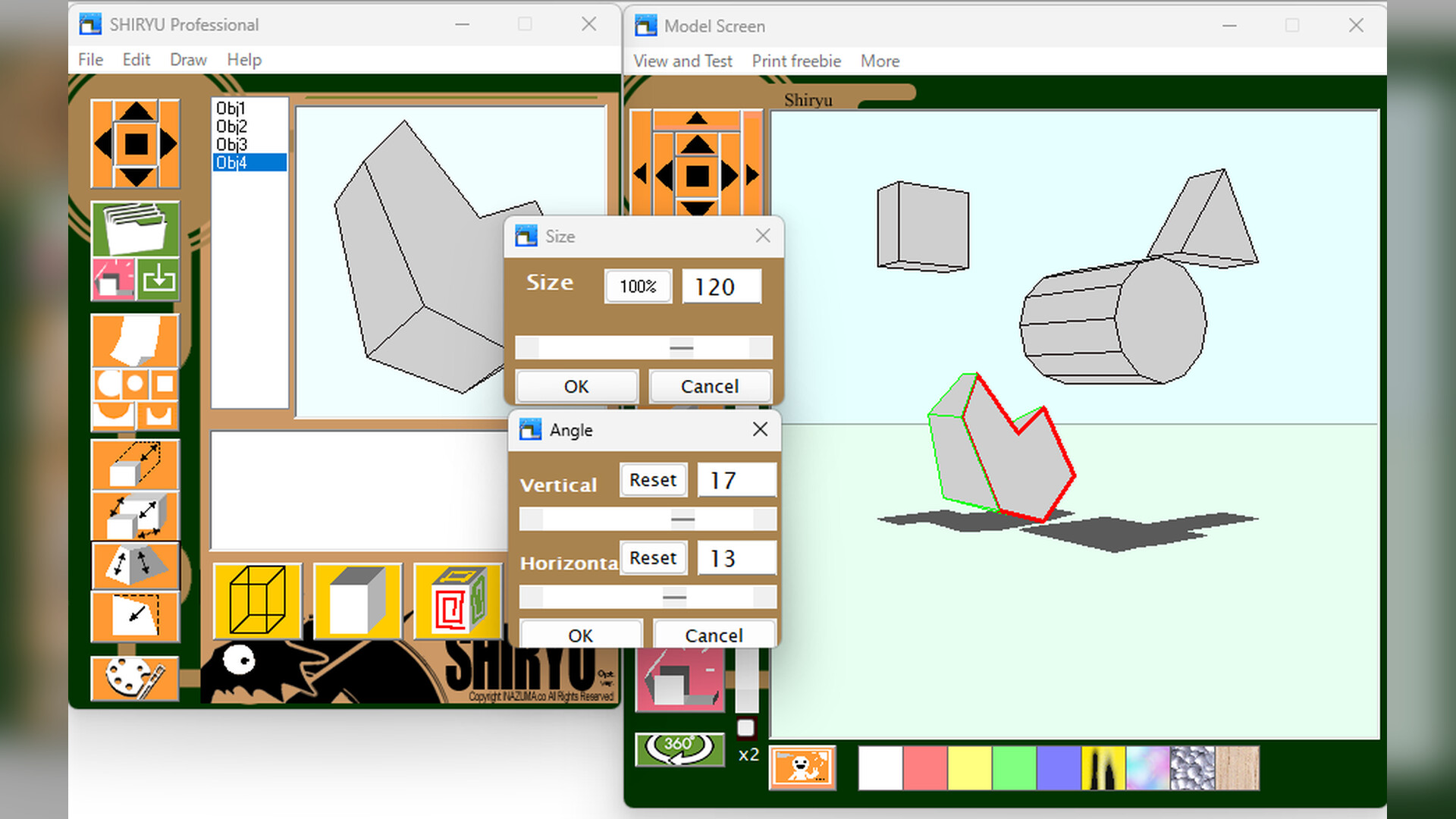
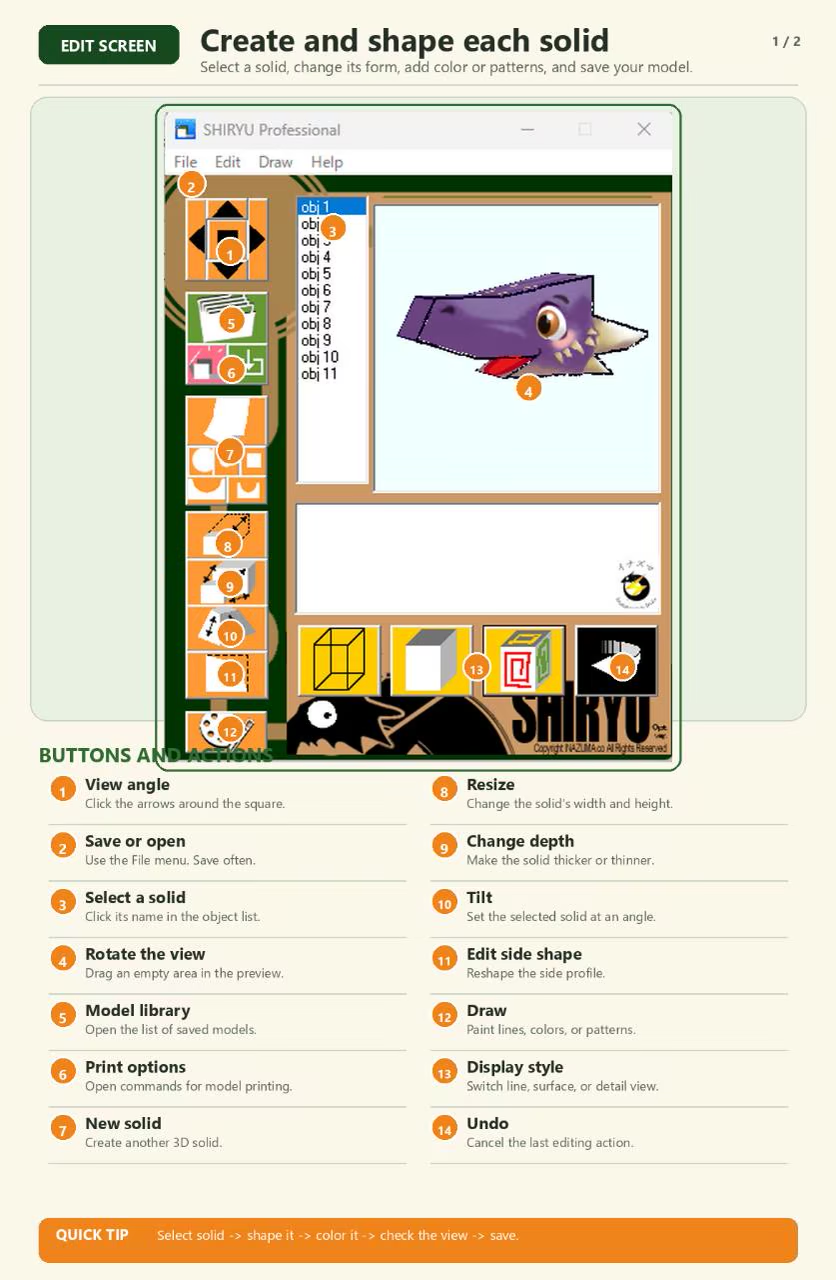
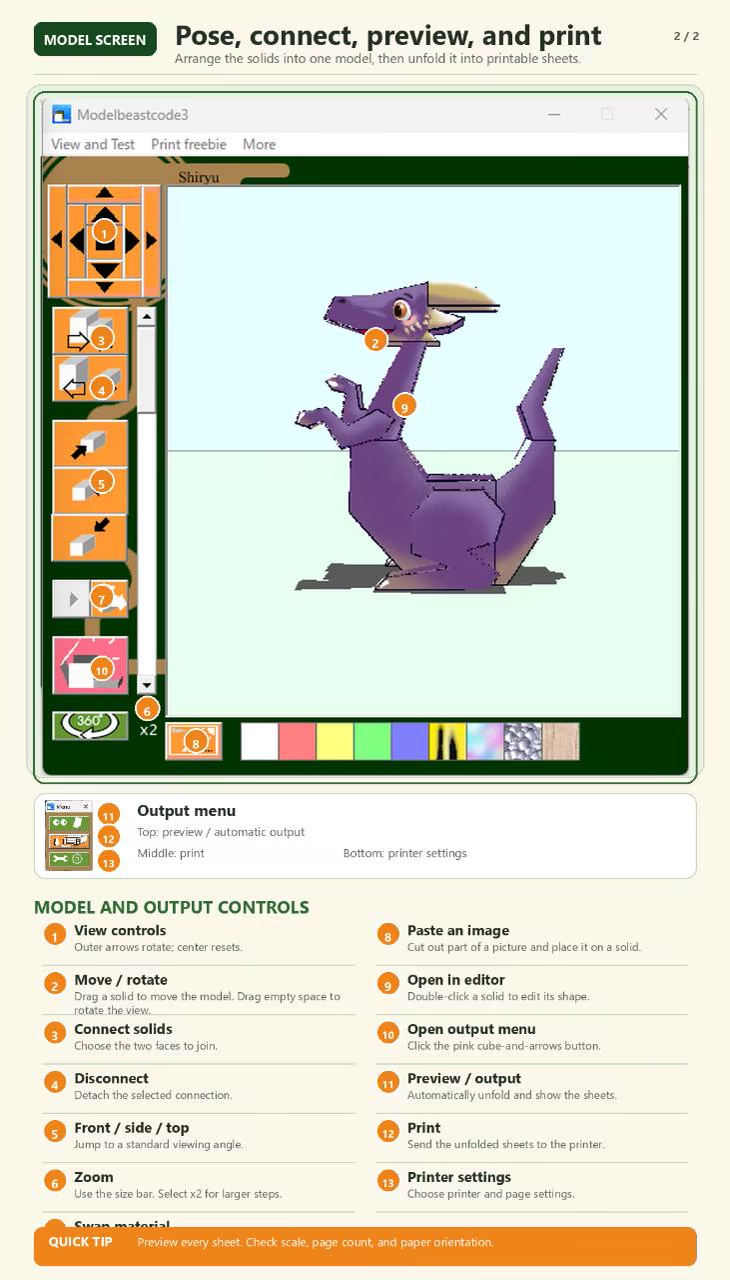
Start here. These two pages show the main controls for editing parts, connecting them, previewing unfolded sheets, and printing.

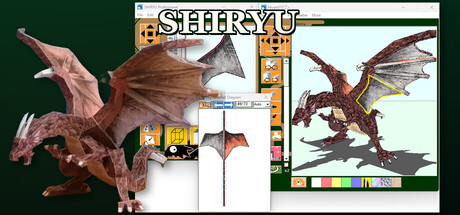
SHIRYU paper craft design software shown on a computer with a dragon model and printable net diagram.

START CRAFTING IN MINUTES

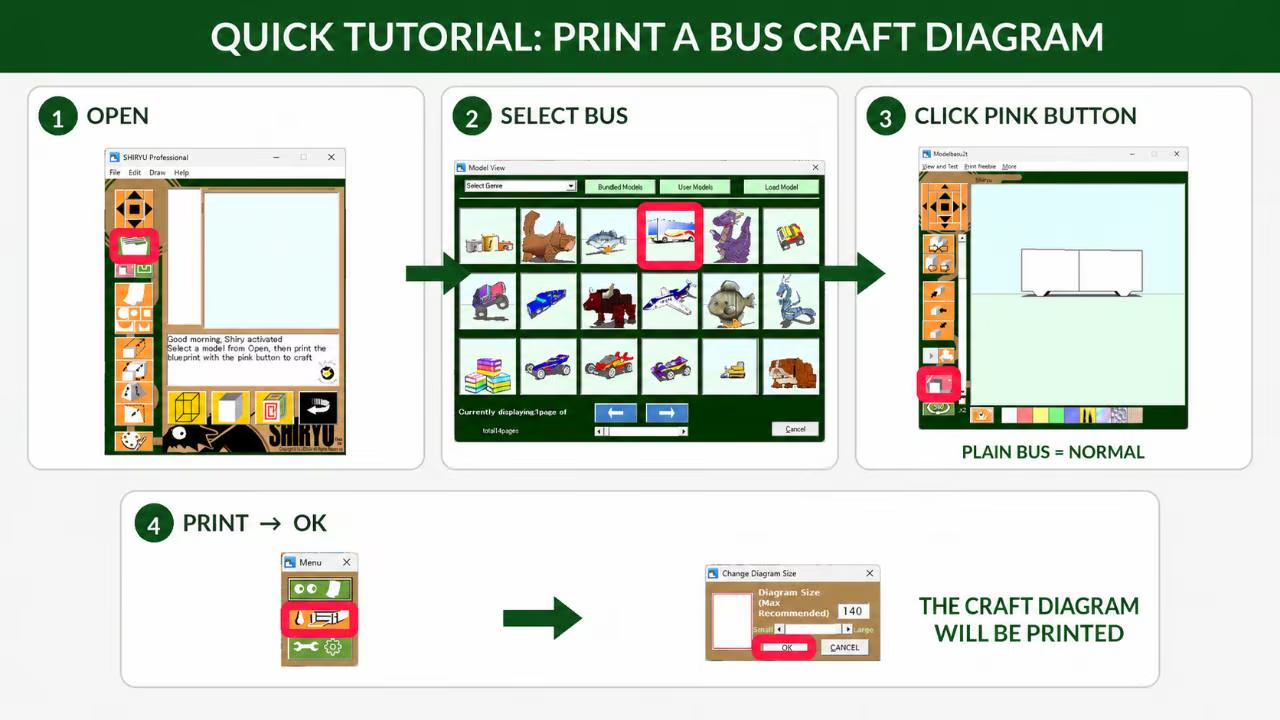
Choose from more than 70 included models, print a craft diagram, and start building. Follow the pink boxes below for the fastest route from opening SHIRYU to printing.

DESIGN, UNFOLD, PRINT, BUILD

SHIRYU is paper craft design software for creating original printable paper models. Build a 3D model on screen, unfold it into paper parts, arrange the printable layout, and assemble the real object with paper, scissors, and glue.

JURY-SELECTED ROOTS, EXPANDED FOR STEAM

The original paper craft modeling software by Takahiro Yonemura was named a Jury Selection in the Entertainment Division of the 10th Japan Media Arts Festival. This Steam release is its expanded and improved successor, carrying that creative concept forward with more models and enhanced features.

SHIRYU connects digital design with hands-on making for hobbyists, educators, makers, artists, and first-time paper craft designers.

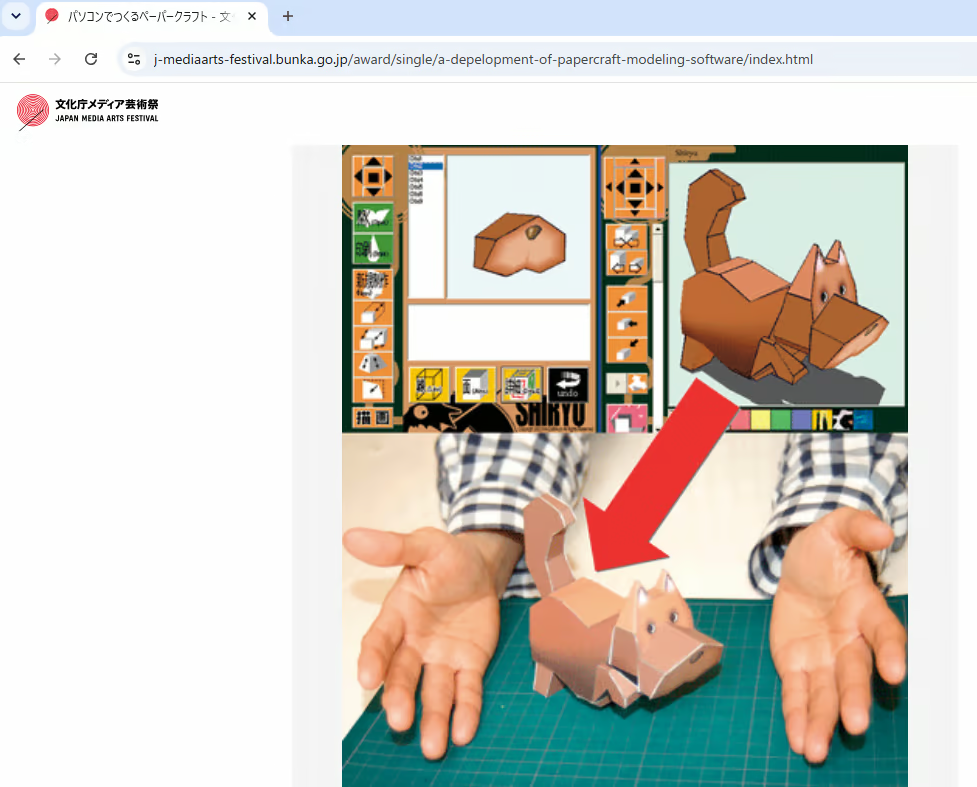
SHIRYU workflow showing the on-screen 3D model, unfolded pattern, and completed paper cat.

KEY FEATURES

• Create and edit original paper craft models on your PC.

• Start with more than 70 ready-to-build included models.

• Convert 3D shapes into printable unfolded patterns.

• Edit and arrange paper parts before printing.

• Print templates for real-world assembly.

• Use your own original works commercially.

• Suitable for hobby projects, education, workshops, and creative prototyping.

SIMPLE TO BEGIN, OPEN TO EXPERIMENTATION

SHIRYU has been used successfully by elementary school students, yet it leaves room for careful manual work and inventive model design. Start from an included example, learn how the parts fit together, and move on to creating paper models of your own.

CREATE YOUR OWN PAPER MODELS

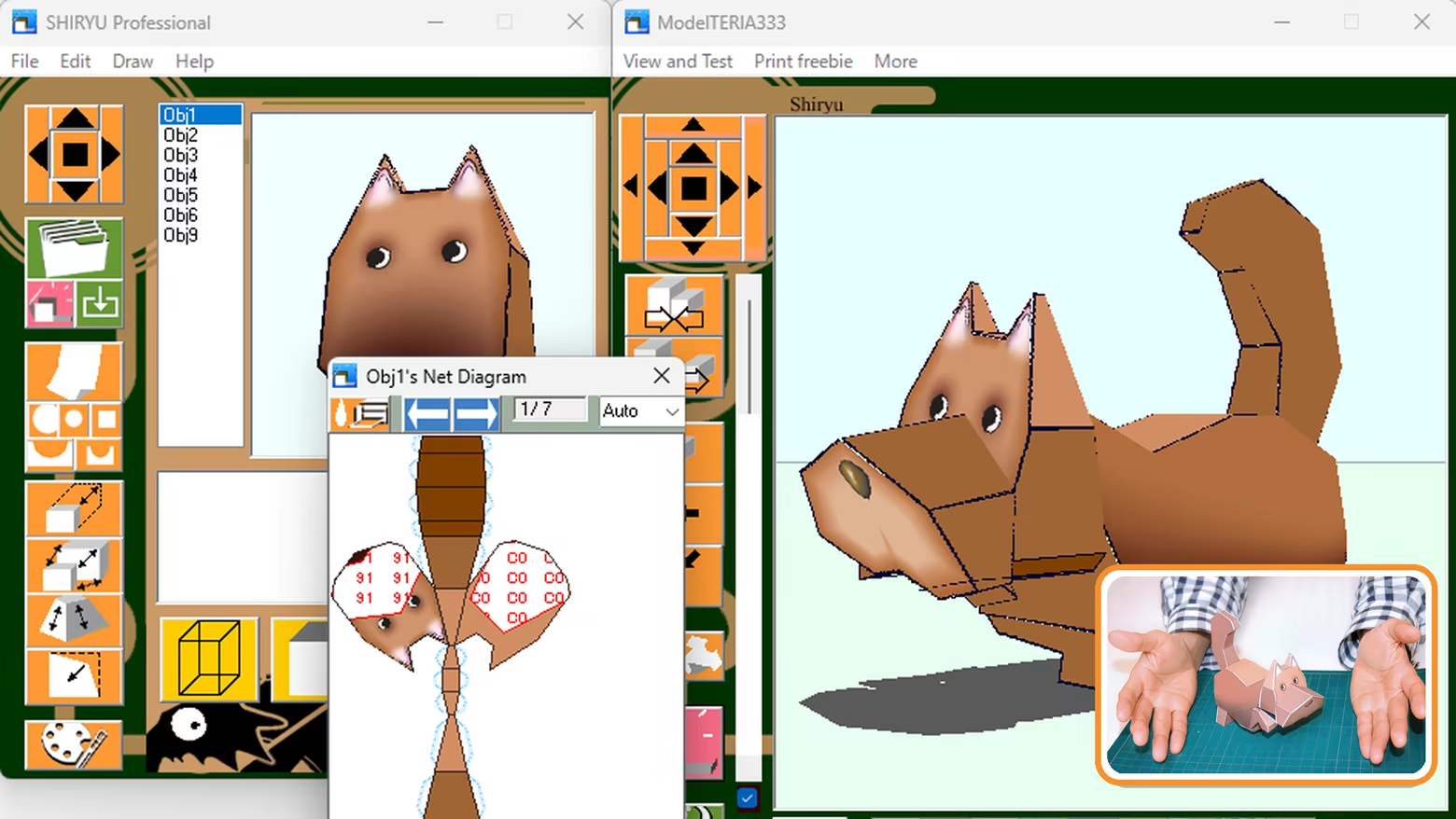
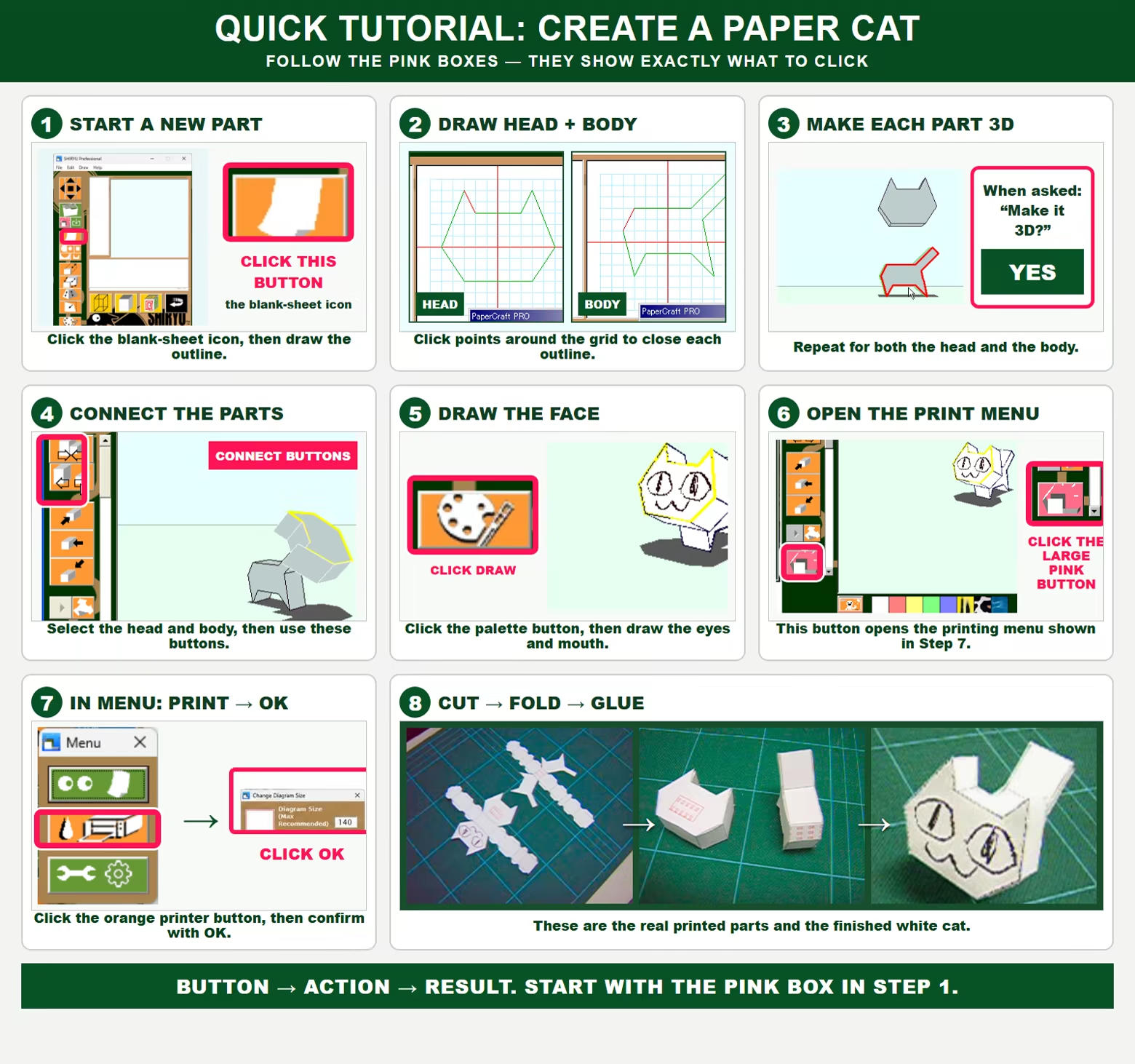
Follow this complete white-cat example to see which buttons to use from a new outline through printing and assembly.

IMPORTANT NOTES

Final assembly requires paper, a printer, cutting tools, adhesive, and manual crafting work.

SHIRYU is intended for hobby, educational, and creative use. It is not industrial CAD/CAM software and should not be used where professional manufacturing accuracy, engineering tolerance control, or safety-critical precision is required. Small differences can arise from model geometry, printer settings, paper thickness, cutting, folding, gluing, and manual assembly.

No generative AI was used to create the included models or the program code.

HOW TO BUILD YOUR PRINTED PAPER MODEL

New to paper craft? After printing the craft diagram, follow these six steps: rough cut, trim the outline, score the fold lines, fold the parts, glue one side at a time, and connect the matching numbered faces.

System Requirements

    Minimum:
    • OS: Windows11 / Windows10
    • Memory: 2 GB RAM
    • Storage: 100 MB available space
    Recommended:
    • Memory: 4 GB RAM
    • Storage: 200 MB available space

Customer reviews for ePaperCraft SHIRYU About user reviews Your preferences

Overall Reviews:
2 user reviews (2 reviews)


To view reviews within a date range, please click and drag a selection on a graph above or click on a specific bar.


Filter reviews by the user's playtime when the review was written:


No minimum to No maximum

Show reviews in selected display order


Learn More
Filters
Excluding Off-topic Review Activity
Playtime:
Played Mostly on Steam Deck
Operating System:
CPU:
GPU:
Device Type:
Review Filters