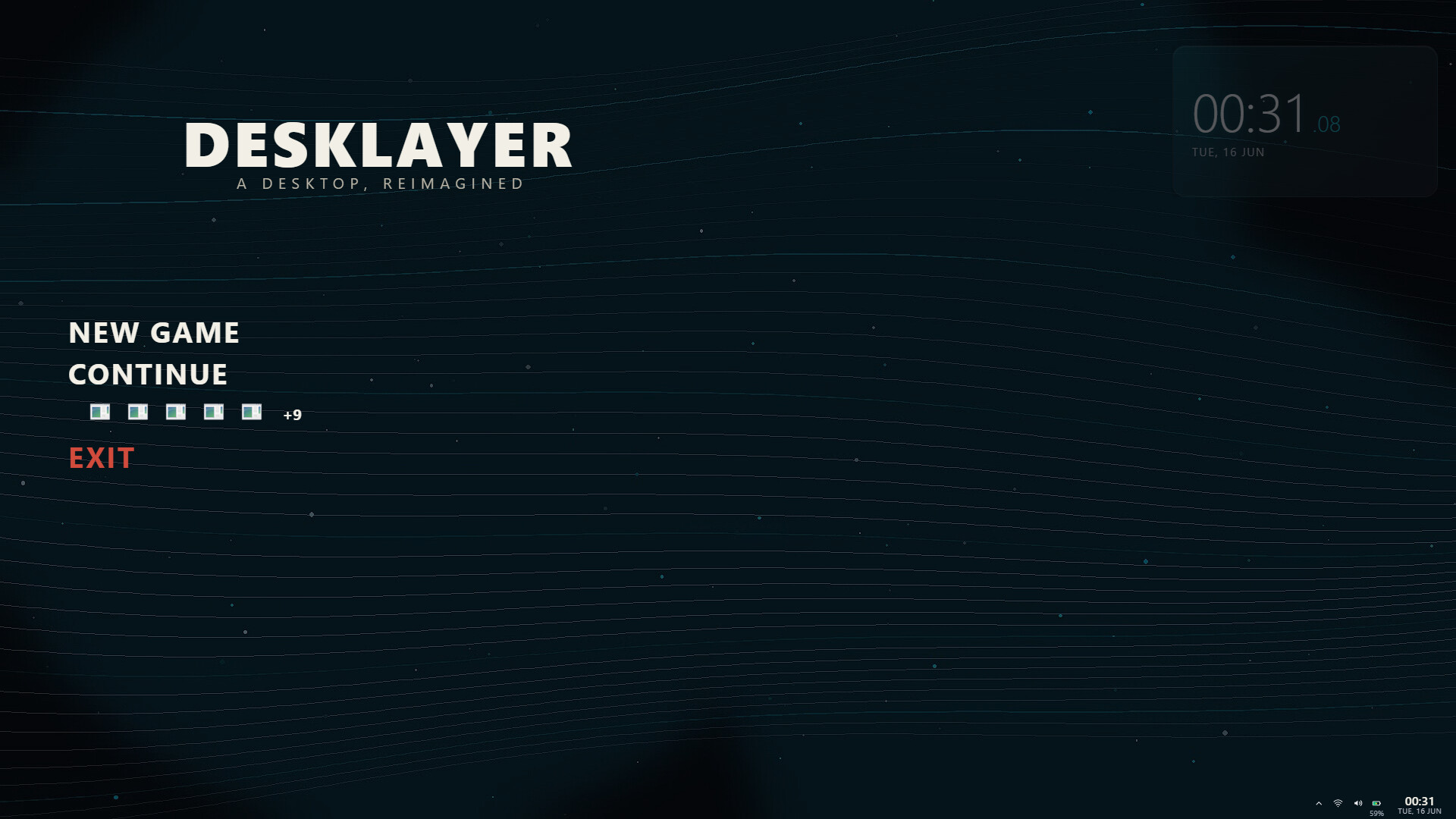
DeskLayer rebuilds your Windows desktop your way. Replace the taskbar with any design you imagine, set live HTML or video wallpapers, then freely shape, route, and animate widgets, tiles, and panels across every monitor. One app for a desktop that's truly yours.

Sign in to add this item to your wishlist, follow it, or mark it as ignored

This game is not yet available on Steam

Coming soon

Interested?
Add to your wishlist and get notified when it becomes available.
 

About This Software

MAKE WINDOWS YOURS

Your taskbar, your wallpaper, your rules. DeskLayer swaps the stock Windows taskbar for a fully custom floating dock and turns your desktop into a living canvas. No two setups have to look the same.

A REAL TASKBAR, ONLY YOURS

Ditch the rigid Windows bar. DeskLayer draws a floating dock that works like a taskbar should, then lets you rebuild every inch of it in a full drag-and-drop editor.

  • It actually works: pinned and running apps, click to launch or switch, right-click jump lists, window previews on hover, and Windows-style app grouping

  • Free-form layout: move, resize, group and nest every element, with smart alignment guides

  • Per-item looks: design each app tile's icon plus its active, running and notification states

  • Editable tray: Wi-Fi, volume, battery and clock as separate, restyleable pieces

  • Built-in controls: Start, Task View, Show Desktop, clock, media controls, and volume / brightness sliders, all editable

  • Custom launchers: pin folders, websites, or any app with its own arguments and icon

  • Auto-hide and peek: reserve a gap or hide on maximize, peek on hover, with hover-preview thumbnails

  • Shape and style: pill or panel, shapes, themes, fonts, bevels and gradients, from pixel-art to glass

LIVE WALLPAPERS, DONE RIGHT

Bring your desktop to life with video, GIF and HTML wallpapers, then color-grade and tune them live without ever opening a separate app. Browse a built-in gallery of cards, drop in your own file, and dial it in.

  • Real-time grading: brightness, contrast, saturation, blur, tint and vignette, all applied live as you drag the slider

  • Playback control: trim, loop, speed and volume, or freeze on a single static frame to save power

  • Genuinely light: a hardware-decoded proxy and adaptive frame-rate keep GPU load tiny, dropping toward 0% whenever a window covers the desktop

  • Pauses when it should: wallpaper stops automatically on fullscreen apps, games and anti-cheat, then resumes the moment you are back on the desktop

  • HTML wallpapers: run interactive web-based backgrounds, not just looping video

WIDGETS YOU BUILD FROM SCRATCH

Design your own clocks, art and live-data tiles in a full editor, not a list of presets you are stuck with. Zoom in to place a single pixel, then drop the widget anywhere on your dock or desktop.

  • Full design editor: shapes, text, images and GIFs, with per-character styling, fonts, colors and alignment

  • Precision tools: free zoom, a click-to-zoom magnifier, pan and fit-to-content, plus an in-canvas crop tool

  • Live data: real clock, date, battery and now-playing values shown as you design, not placeholder text

  • States: make a widget change look depending on what is happening, and show or hide it on a condition

  • Shareable: export any widget as a file and hand it to a friend

PRESETS AND SHARING

A look you love should travel. Save your entire setup as a preset and re-apply it in one click, or pack it into a single file to share.

  • One-click looks: save the whole desktop, taskbar plus wallpaper plus widgets, and switch between them instantly

  • Gallery of your work: every preset gets a live thumbnail, a running badge and quick actions

  • Deep capture: presets remember your layout, styling, pinned apps, dock behavior, zones and wallpaper edits, not just colors

  • Send it anywhere: export presets and widgets as files to share your designs

MULTI-MONITOR AND MULTI-BAR

One bar is just the start. Run as many bars as you want, on every screen, each with its own design.

  • As many bars as you like: top, bottom and side bars, multiple per monitor, each independently designed

  • Per-monitor everything: a different bar, a different wallpaper, a mirror, or a pause on each screen

  • Mirror with one toggle: copy your main bar to other monitors and keep the layout, or design each one by hand

  • Hot-plug aware: plug in a monitor and your bars and wallpaper follow automatically

  • On-screen designer: edit your bar right on the desktop at full size, exactly as it will look

  • Reserved space: bars can hold real screen space so maximized windows never overlap them, including a clean top-bar look

YOURS TO COOK

DeskLayer gets out of your way. Everything is draggable, everything is editable, nothing is locked. Group and nest elements, snap to guides, undo freely, and start from a preset or a blank canvas. The result is a desktop that is unmistakably yours.

BEFORE YOU INSTALL, PLEASE READ

DeskLayer customizes the Windows shell. It hides the default taskbar, draws its own dock, and runs a tiny watchdog so your real taskbar always comes back if DeskLayer ever closes. Because those behaviors look similar to what some malware does, certain antivirus, including Windows Defender, may show a one-time false-positive warning on first launch, especially before the app builds reputation.

DeskLayer is safe. It does not inject into other programs, collect your data, or modify game files. If you get a warning, choose Allow or Run anyway, or add the install folder to your antivirus exclusions:

Steam\steamapps\common\DeskLayer

System Requirements

    Minimum:
    • Requires a 64-bit processor and operating system
    • OS: Windows 10 64-bit, version 2004 (build 19041) or newer
    • Processor: Dual-core 2.0 GHz
    • Memory: 8 GB RAM
    • Graphics: DirectX 11 capable GPU (integrated graphics OK)
    • DirectX: Version 11
    • Storage: 400 MB available space
    • Additional Notes: Requires the Microsoft Edge WebView2 Runtime (preinstalled on Windows 11; installed automatically on Windows 10).
    Recommended:
    • Requires a 64-bit processor and operating system
    • OS: Windows 11 64-bit
    • Processor: Quad-core 3.0 GHz
    • Memory: 16 GB RAM
    • Graphics: GPU with hardware H.264 decode (AMD, Intel or NVIDIA) for low-power video wallpaper
    • DirectX: Version 12
    • Storage: 600 MB available space
    • Additional Notes: A GPU with hardware video decode (AMF, Quick Sync or NVENC) gives the smoothest live wallpaper at near-zero GPU load.
There are no reviews for this product

You can write your own review for this product to share your experience with the community. Use the area above the purchase buttons on this page to write your review.

Review Filters