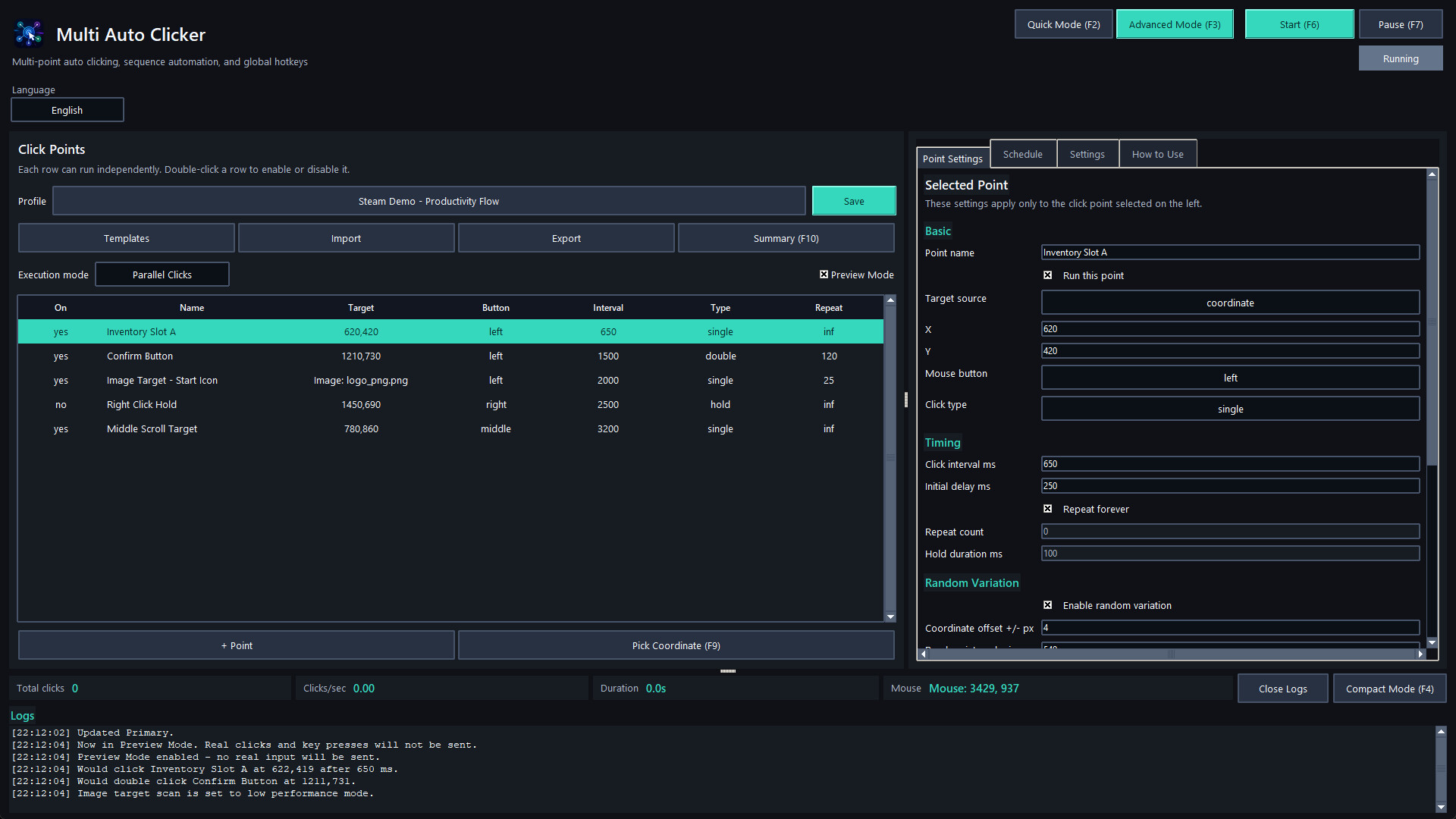
A powerful Windows automation tool with multi-point auto clicking, visual sequence flows, macro recording, image and pixel detection, scheduling, profiles, safety controls, and quick/advanced modes.
Release Date:
Coming soon
Developer:
Publisher:
Tags

Sign in to add this item to your wishlist, follow it, or mark it as ignored

This game is not yet available on Steam

Coming soon

Interested?
Add to your wishlist and get notified when it becomes available.
 

About This Software

Multi Auto Clicker is a flexible desktop automation tool for Windows, built for users who need precise, repeatable, and easy-to-control mouse and keyboard automation.

Start simple with Quick Mode: add one or more click points, choose the mouse button, set the interval, and run. When you need more control, switch to Advanced Mode to build full automation profiles with parallel click points, step-based sequences, macro recording, random areas, visual flow editing, scheduling, image targets, pixel checks, and safety controls.

Create independent click points with their own coordinates, mouse button, click type, interval, delay, repeat rules, random offsets, random timing, hotkeys, sounds, image targets, and human-like movement options. Run them together, organize them into structured sequences, or use random area clicking for broader automation scenarios.

For advanced workflows, Multi Auto Clicker includes a visual Flow Editor, a Macro Recorder, conditional logic, scheduler triggers, and reusable profiles. You can combine clicks, waits, key presses, text input, clipboard actions, mouse movement, drag actions, sound alerts, window focus steps, image detection, pixel color checks, and conditional branches into reusable automation setups.

Key Features

  • Quick Mode for simple click automation

  • Advanced Mode for detailed automation workflows

  • Multi-point parallel clicking

  • Step-based sequence automation

  • Visual Flow Editor with conditional branches

  • Macro Recorder with editable recorded actions

  • Image target clicking

  • Pixel color detection

  • Random area clicking with editable polygon points

  • Human-like mouse movement

  • Randomized intervals, offsets, and click chance

  • Global hotkeys

  • Coordinate capture hotkeys

  • Scheduler with time, app, file, clipboard, window, idle, and pixel triggers

  • Profiles with save, import, export, duplicate, templates, and health checks

  • Run summary reports with TXT and CSV export

  • Preview Mode / Dry Run for safe testing

  • Compact Mode for minimal control while working

  • Dark and light themes

  • Accessibility options

  • Safety controls including emergency stop and failsafe behavior

Multi Auto Clicker is designed for productivity tasks, testing workflows, repetitive desktop actions, QA routines, UI automation, and controlled personal automation where clarity, stability, and safety matter.

Important Notice

Before using Multi Auto Clicker with any game, online service, platform, or third-party software, review that product's Terms of Service, rules, and automation policy. Some games or services may prohibit automation tools, macros, auto clickers, image detection, or input simulation. You are responsible for how you use this application.

System Requirements

    Minimum:
    • Requires a 64-bit processor and operating system
    • OS: Windows 10 64-bit
    • Processor: Intel Core i3 or equivalent
    • Memory: 4 GB RAM
    • Graphics: Integrated graphics
    • Storage: 200 MB available space
    Recommended:
    • Requires a 64-bit processor and operating system
There are no reviews for this product

You can write your own review for this product to share your experience with the community. Use the area above the purchase buttons on this page to write your review.

Review Filters