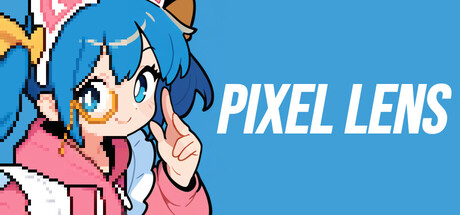
"Pixel Lens" is an app that turns any area of your screen into pixel art in real time — just drop a lens on top. Powered by an in-house lightweight AI, it works with anime, YouTube videos, gameplay, web browsers, and anything else shown on screen.

เข้าสู่ระบบ เพื่อเพิ่มผลิตภัณฑ์นี้ลงในสิ่งที่อยากได้ของคุณ ติดตาม หรือทำเครื่องหมายเป็นถูกละเว้น

ไม่รองรับภาษาไทย

ผลิตภัณฑ์นี้ไม่รองรับภาษาท้องถิ่นของคุณ โปรดตรวจสอบรายชื่อภาษาที่รองรับก่อนทำการสั่งซื้อ

ซื้อ Pixel Lens


เกี่ยวกับซอฟต์แวร์นี้

Place a lens, and watch any video turn into pixel art in real time.

■ Overview

Pixel Lens is a real-time conversion tool that overlays a "pixel-art lens" on top of your desktop.

Just drop the lens over a video or game, and our in-house lightweight AI turns the image into pixel art on the spot. Anime, YouTube, web browsers, gameplay — anything on your screen, only the area you choose.

Audio plays through unchanged, so you can add the fun of "watching in pixel art" without compromising your viewing experience.

* A DirectX 12-compatible GPU is required. Please see the system requirements below for details.

■ Features

  • Ultra-light, fast in-house AI: The model is just a few MB. Runs in real time at about 24 FPS on an RTX 3060-class GPU, and about 30 FPS on RTX 3090-class hardware. It produces pixel art with crisp outlines and keeps color noise down in dark scenes. * Measurement conditions: Full HD (1920×1080) input / Target FPS = 30 / Dot size = 4

  • Overlays on any app: Works with video players, browsers, games, and any other Windows window or screen region.

  • Dot size and Sharpness to taste: Five dot sizes from 4×4 to 8×8, each with its own AI, so lines stay crisp and unbroken even with large dots. Turn Sharpness on for crisp outlines, or off for a calm, anti-aliased look.

  • Thin Lines for true pixel-art lines: Removes the extra dot that doubles up where diagonal lines step, for one-dot outlines that look hand-placed.

  • Palettes and dithering for a retro-game look: 39 palettes included, from Game Boy and PICO-8 to Windows 95 styles. Adjust how the colors mix with Blend, Opacity and Dither (Bayer / error diffusion), and add your own palettes from sites like Lospec.

  • CRT effect for an old CRT TV look: Recreates scanlines, glowing light, a gently curved screen and more, for the feel of watching on an old CRT TV. Choose from four profiles (Home TV, Arcade, Pro monitor, Subtle), or fine-tune every detail. Also works in Stream mode and in screenshots.

  • Small text stays readable (Raw Text): Automatically finds small text such as subtitles and UI labels, and keeps just those areas as in the original video.

  • Presets (five official presets included): Save every setting, palette, dither and CRT effect included, under a name and recall it in one click. Five official presets, each pairing a dot size with the CRT effect, are ready to try right away.

  • Screenshot capture: Save the perfect moment in one click.

  • Stream mode (OBS integration): Send the pixel-art image to OBS through a virtual camera, ready for streaming or recording. You can also record pixel-art videos to file via OBS.

  • Batch conversion of images and videos (CLI): The included command-line program pixellens-cli converts images, image sequences and videos into pixel art in one go. Presets saved in the app work as they are, CRT effect included.

  • 15 languages: The app can be displayed in 15 languages, including English and Japanese.

■ How to use

[Lens mode]

1. Launch the app

2. Select "Lens" mode

3. Place the lens over the area you want, and adjust its size

4. Watch the pixel-art image directly

[Stream mode]

1. Launch the app and select "Stream" mode

2. Pick the window you want to capture

3. In OBS, add a "Video Capture Device" source → choose "Pixel Lens Virtual Camera"

4. Stream or record as usual in OBS

■ Tips

  • If pixels look smudged, try widening the lens. Expanding it toward Full HD (1920×1080) makes things sharper.

  • Lens size directly affects rendering load. To raise the FPS, make the lens smaller.

  • Anime and illustration-style high-contrast content works best. Live-action footage may lose fine detail.

  • If outlines feel too crisp, try turning Sharpness off for a calmer, softer look.

  • With large dot sizes (such as 6×6 to 8×8), turning on the CRT effect softens blocky dots and black outlines just enough.

  • If "(restart app for fast mode)" appears in the title bar, restarting the app will give a small speed boost.

■ Notes

  • DRM-protected content (Netflix, Amazon Prime Video, Disney+, etc.) cannot be captured by design and will appear as a black screen. This is expected behavior of content protection, not a bug in Pixel Lens.

  • We recommend using Pixel Lens at Full HD (1920×1080) or below. Higher resolutions still work, but the processing load grows with the square of the resolution, so the FPS will drop.

  • The lens window does not support click-through. Since it cannot coexist with mouse-driven gameplay, we recommend using it with games controlled by keyboard or gamepad.

  • Stream mode is not compatible with Discord screen sharing (please go through OBS / OBS Virtual Camera instead).

■ Support

For the full manual, please visit the official PanzerSoft website.

For feedback, feature requests, and bug reports, please use the official Discord.

การเปิดเผยข้อมูลเกี่ยวกับเนื้อหาที่สร้างด้วย AI

ผู้พัฒนาอธิบายว่าเกมของตนใช้เนื้อหาที่สร้างด้วย AI ในลักษณะนี้:

This app uses our in-house AI for the pixel-art conversion process. Generative AI content is used in the trailers and screenshots shown on this store page.

ความต้องการระบบ

    ขั้นต่ำ:
    • ต้องการโปรเซสเซอร์และระบบปฏิบัติการแบบ 64 บิต
    • ระบบปฏิบัติการ: Windows 10 64-bit (version 2004 / build 19041 or later)
    • โปรเซสเซอร์: x64-compatible 64-bit processor (Intel Core i3 8th gen / AMD Ryzen 3 2200G or equivalent)
    • หน่วยความจำ: แรม 4 GB
    • กราฟิกส์: DirectX 12 / DirectML compatible GPU with 2 GB VRAM or more (NVIDIA GeForce GTX 1050 / AMD Radeon RX 560 / Intel UHD Graphics 630 or equivalent)
    • DirectX: เวอร์ชัน 12
    • พื้นที่จัดเก็บข้อมูล: พื้นที่ว่างที่พร้อมใช้งาน 500 MB
    • หมายเหตุเพิ่มเติม: 64-bit (x64) Windows only. Designed for real-time processing at HD resolution (around 1280×720).
    แนะนำ:
    • ต้องการโปรเซสเซอร์และระบบปฏิบัติการแบบ 64 บิต
    • ระบบปฏิบัติการ: Windows 11 64-bit
    • โปรเซสเซอร์: Intel Core i5 10th gen / AMD Ryzen 5 3600 or better
    • หน่วยความจำ: แรม 8 GB
    • กราฟิกส์: NVIDIA GeForce RTX 2060 / AMD Radeon RX 5700 or better, 4 GB VRAM or more
    • DirectX: เวอร์ชัน 12
    • พื้นที่จัดเก็บข้อมูล: พื้นที่ว่างที่พร้อมใช้งาน 1 GB
    • หมายเหตุเพิ่มเติม: A discrete GPU is recommended for processing Full HD (1920×1080) at 60 FPS or higher.
ตัวกรองบทวิจารณ์