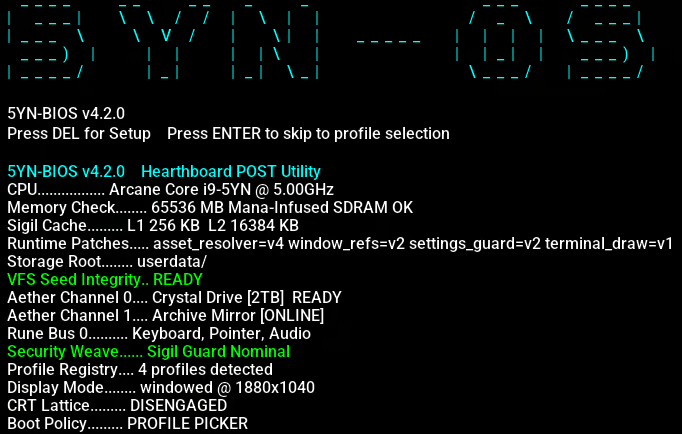
Dive into a sandbox operating system simulator and learn to code with FantasyLang. Personalise your desktop, build and tweak apps, uncover hidden secrets, and venture into the darknet. Shape the system however you like. Your OS, your rules.

Sign in to add this item to your wishlist, follow it, or mark it as ignored

Coming Soon To Early Access

The developers of this game intend to release as a work in progress, developing with the feedback of players.

Note: Games in Early Access are not complete and may or may not change further. If you are not excited to play this game in its current state, then you should wait to see if the game progresses further in development. Learn more

What the developers have to say:

Why Early Access?

“5YN-OS is a game that grows with its players. The core OS simulation, FantasyLang, and the built-in app suite form a solid foundation, but the game's real depth comes from content such as simulated websites, terminal easter eggs, discoverable lore, community-found CD keys, and the living world of the 5yn:// network. That kind of content benefits enormously from real players exploring, prodding, and telling us what resonates. Early Access lets us build that layer of the game in conversation with the community rather than in isolation.

We also believe the FantasyLang learning experience is something that should be shaped by the people actually using it. Seeing where players get stuck, what they build, and what stdlib functions they wish existed will directly inform how the language and its tutorial evolve. Early Access is the right model for a game where player curiosity is half the design.”

Approximately how long will this game be in Early Access?

“We are looking at roughly 12 months of Early Access. That timeframe reflects our intention to ship meaningful content updates on a regular cadence. New apps, expanded fake web content, additional FantasyLang stdlib functions, more secrets and discoverable lore before we consider the game content-complete enough to call it a full release.

That said, we won't rush toward a 1.0 label on a fixed schedule. If the community is actively engaged and there is more we want to add, we will take the time we need to do it properly.”

How is the full version planned to differ from the Early Access version?

“We plan for the full release to represent a complete, polished OS experience. A finished FantasyLang tutorial, a full suite of built-in apps, a rich fake internet with a well-populated 5yn:// network, a complete dungeon crawler mini-game with its full enemy and item roster, and a thorough set of easter eggs and hidden secrets for curious players to find. The content update system where Steam updates manifest as in-world OS updates is intended to continue post-launch, so the OS will keep growing even after 1.0.

The Early Access version contains the core OS, the desktop environment, the terminal, the browser, the FantasyLang compiler and VM, and a working set of built-in apps. What we plan to expand during Early Access is primarily the width and depth of content: more fake websites, more lore, more discoverable secrets, additional FantasyLang stdlib coverage, and the remaining apps and systems that are currently in development.”

What is the current state of the Early Access version?

“The current build contains a fully functional simulated desktop with the spider web start menu, window management, a working file system with real disk persistence, and a complete FantasyLang compiler and VM. Players can write and run scripts in the IDE, work through the interactive tutorial, use the terminal, browse the fake web, manage files, customise the appearance of the OS, and begin discovering the easter eggs and hidden content seeded throughout the filesystem.

Some planned apps and features are still in development and not yet present in the Early Access build. The game is stable and playable, but it is not yet the full experience we are working toward. We will be transparent in patch notes about what is new, what is changed, and what is still coming.”

Will the game be priced differently during and after Early Access?

“We currently have no plans to raise the price when we leave Early Access.”

How are you planning on involving the Community in your development process?

“We plan to maintain an active Discord community where players can share their FantasyLang scripts they have written, report bugs, suggest stdlib functions they wish existed, and discuss secrets they have found. Community conversations will directly shape content priorities, if players are consistently running into gaps in the language or the OS, that feedback will move things up the development order. We also intend to distribute some CD keys and hidden content through the community itself, making the Discord a natural home for players who want to dig deeper.

We will post development updates and ask for input on design decisions where the community's perspective genuinely matters. We are not planning on building by committee, but we do believe the people playing the game will have good instincts about what makes it better and we want to hear from them.”
Read more
This game is not yet available on Steam

Planned Release Date: To be announced

Interested?
Add to your wishlist and get notified when it becomes available.
 
See all discussions

Report bugs and leave feedback for this game on the discussion boards

About This Game

A Fictional Operating System Sandbox

5YN-OS is a fully simulated fictional operating system you can live inside.

Boot it up, explore the desktop, open apps, dig through the file system, browse the simulated web, customise

the interface, run strange commands, break things, fix them again, and uncover secrets buried throughout

the system. It is designed as a sandbox first: a desktop world built for experimentation, curiosity, and

player freedom.

This is not a static UI mockup. 5YN-OS is a hands-on OS simulation with draggable windows, a persistent

file system, global search, right-click menus, deep desktop customisation, in-world websites, hidden

files, odd behaviours, and plenty of room to tinker.

File Browser

Learn Programming Inside the OS

At the heart of 5YN-OS is FantasyLang, a custom scripting language built directly into the operating

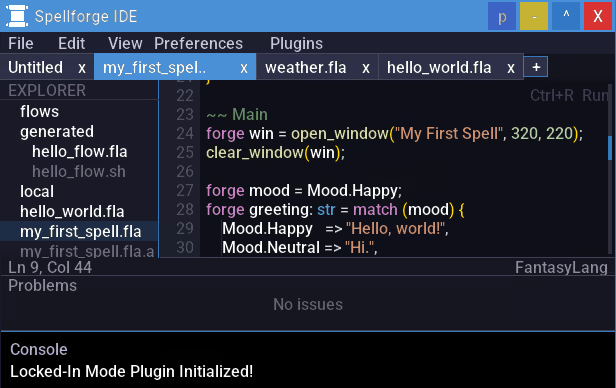
system. The Spellforge IDE is a custom in-game development environment for building apps and scripts directly

inside the game. It supports plugins for extending functionality and includes a built-in linter to help

keep code clean and error-free.

If you want more than exploration, the OS also works as a programming learning tool. Use the in-game

tutorial to go from complete beginner to writing your own scripts and apps without leaving the desktop.

FantasyLang uses a fantasy-themed vocabulary, but the concepts are real:

  • Variables, conditionals, loops, and functions

  • Arrays, structs, imports, and multi-file projects

  • File I/O, GUI windows, event handling, and OS integration

  • Error handling, debugging, and building interactive tools

The built-in IDE includes syntax highlighting, diagnostics, and integrated tooling, and several parts of

the OS are open to inspection and modification. You are not just reading about programming concepts, you

are using them inside the world of the game.

And when you are ready to make your own things, 5YN-OS is built to support that. Create your own

FantasyLang apps, tools, widgets, and experiments, then share them through Steam Workshop so other players

can download, run, and explore what you have made.

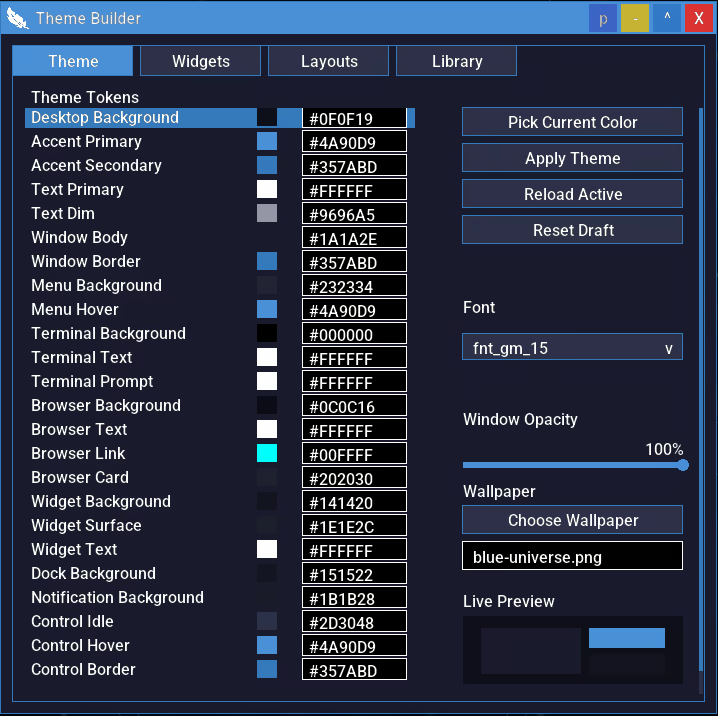
It takes inspiration from familiar software such as Zsh and Tmux in the Terminal, and Rainmeter in the Theme Builder.

Spellforge IDE

For Power Users Too

If you want to go deeper, 5YN-OS has room for that too.

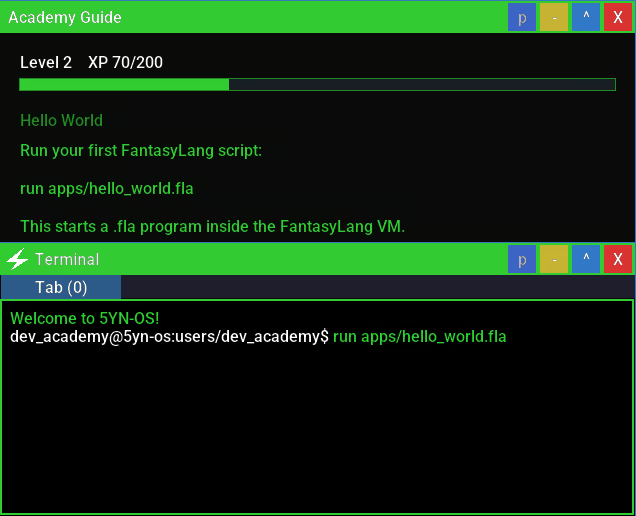
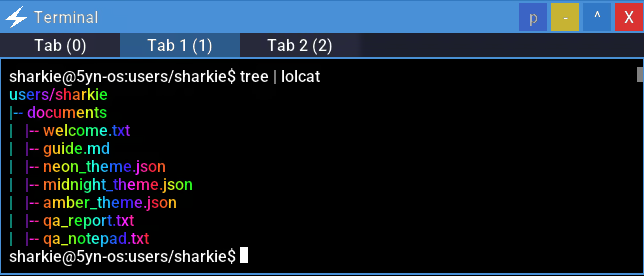
The Terminal is more than a novelty window. It supports real shell-style workflows including pipes,

redirects, aliases, shell scripts, command chaining, tab completion, and multi-session work through the Tmux-like Tweave.

FantasyLang also goes beyond beginner scripting. Once you are comfortable with the basics, you can work

with larger multi-file projects, structured data, event-driven apps, and more advanced object-oriented

patterns through its tome system, including fields, methods, lifecycle hooks, and richer app architecture.

You may even try your hand at custom desktop widgets, or plugins for the Spellforge IDE.

Terminal

A Desktop Full of Systems

5YN-OS is built like an operating system, not a menu screen.

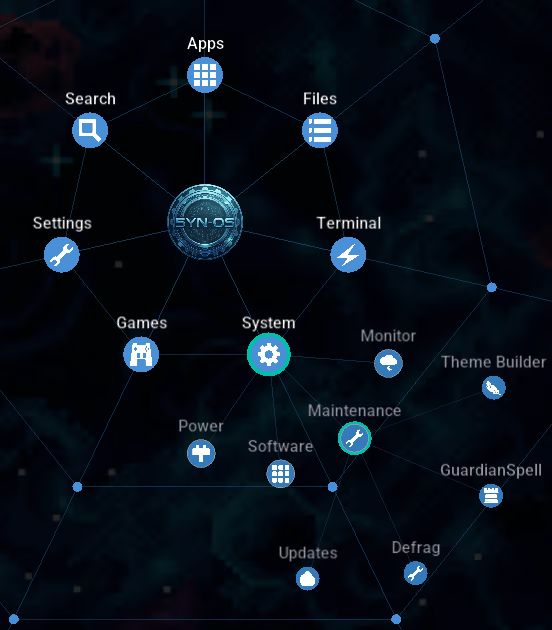
  • Spider Web Start Menu: a distinctive animated navigation hub for apps, files, settings, and notifications.

  • Windowed Applications: draggable, resizable apps with minimise, maximise, and multi-window support.

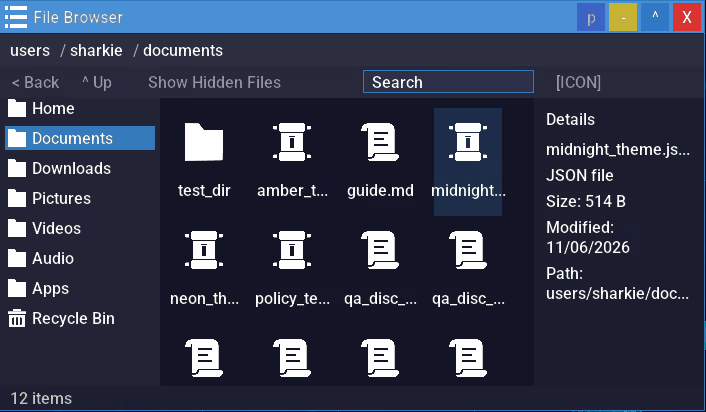
  • Persistent File System: create, move, copy, hide, inspect, and organise files and folders across a deep filesystem.

  • Simulated Internet: browse hand-crafted in-world websites across the 5yn:// network.

  • Terminal: a full shell experience with scripting, pipes, redirects, command chaining, and power-user workflows.

  • Built-In Apps: browser, terminal, media tools, editor apps, system utilities, antivirus, and more.

  • Deep Customisation: themes, wallpapers, keybinds, spider-web settings, screensavers, system identity options, desktop layouts, widgets, and broader OS presentation controls.

  • Steam Workshop Support: create, share, and download FantasyLang creations from the community.

Whether you want to write code, reorganise your desktop, explore hidden directories, mess with strange

apps, or just see how far the simulation goes, the OS gives you space to play with it.

Theme Builder

Explore the Darknet

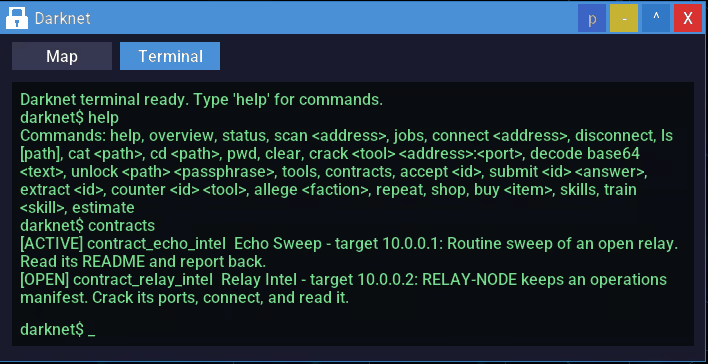
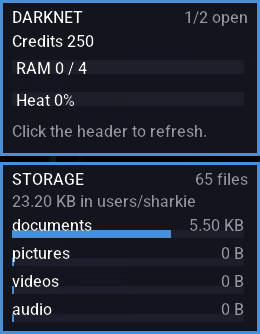
The Darknet app simulates a world of hacking. Break into other systems and complete contracts through a progressive system that unlocks more content the further you progress.

Darknet Terminal

Play the in-built Games

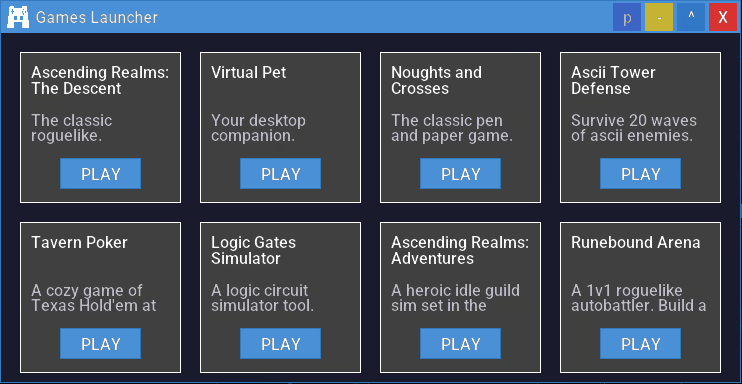
From noughts and crosses to dungeon crawler roguelikes in ascii artwork and adventurer idle games. Play the games and read their source code. Maybe you will make some games of your own.

Games Launcher

Secrets, Glitches, and Strange Behaviour

5YN-OS rewards curiosity.

Hidden files, fake system lore, easter eggs, suspicious commands, unlockable content, and strange side

effects are scattered throughout the machine. GuardianSpell Antivirus protects the system from fake

threats, but some commands can deliberately introduce infections with visible consequences. Scan,

quarantine, clean up the mess, or keep poking at things you probably should not.

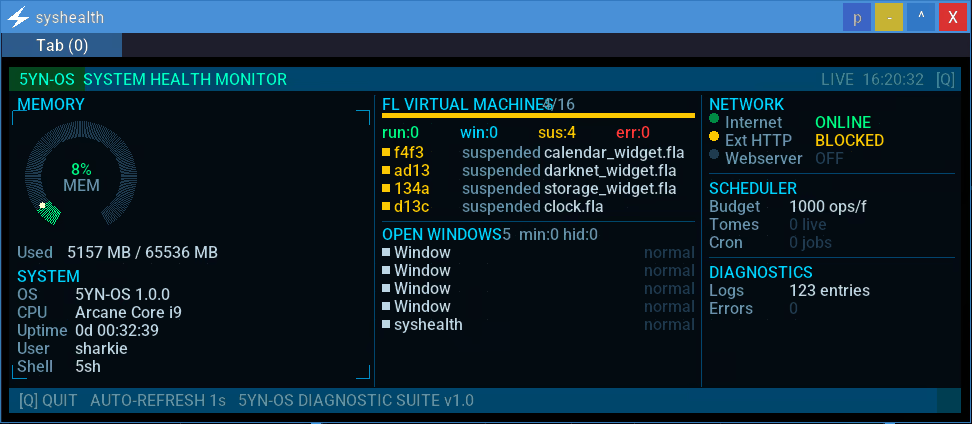
Syshealth glitching in the Terminal

A Living OS

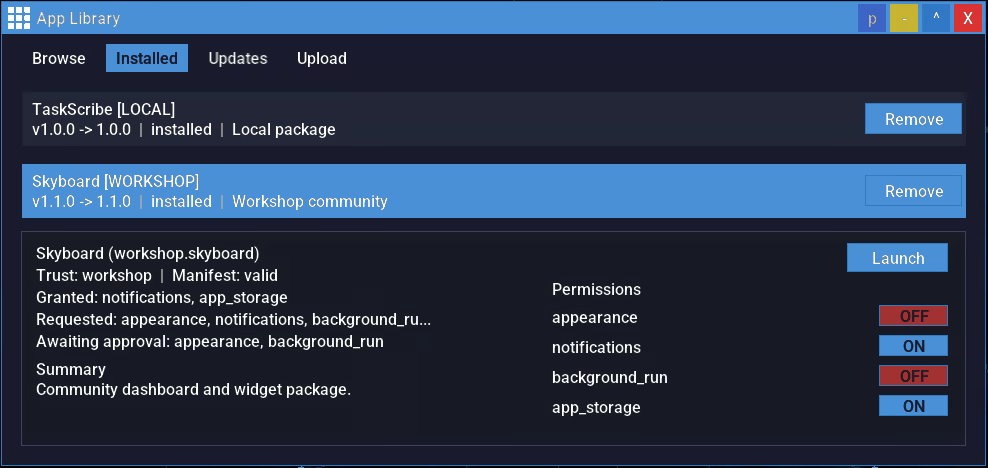
New content arrives through real Steam updates that appear in-game as OS system updates.

Install an update, and discover what changed inside the fiction of the OS itself: new apps, new sites, new content, new secrets, and new things to experiment with. The fiction does not stop at launch; the operating system keeps evolving.

App Library

Your OS, your rules.

System Requirements

Windows
SteamOS + Linux
    Minimum:
    • OS: Windows 10 / Windows 11
    • Processor: Intel Core 2 Duo / AMD Athlon 64 X2
    • Memory: 1 GB RAM
    • Graphics: Integrated graphics (Intel HD 3000 or better)
    • DirectX: Version 10
    • Storage: 100 MB available space
    • Sound Card: Integrated sound card
    • Additional Notes: Mouse and keyboard recommended
    Recommended:
    • OS: Windows 11
    • Processor: Intel Core i3 / AMD Ryzen 3 or better
    • Memory: 2 GB RAM
    • Graphics: Any dedicated GPU (e.g., NVIDIA GeForce GTX 660, AMD Radeon HD 7850, or better)
    • DirectX: Version 11
    • Storage: 200 MB available space
    • Sound Card: Integrated or better
    • Additional Notes: Mouse and keyboard recommended
    Minimum:
    • OS: Ubuntu 22.04 LTS / SteamOS
    • Processor: Intel Core 2 Duo / AMD Athlon 64 X2
    • Memory: 1 GB RAM
    • Graphics: OpenGL 3.3 / Vulkan-compatible integrated graphics
    • Storage: 100 MB available space
    • Sound Card: Integrated sound card
    • Additional Notes: Mouse and keyboard recommended
    Recommended:
    • OS: Ubuntu 22.04 LTS / SteamOS
    • Processor: Intel Core i3 / AMD Ryzen 3 or better
    • Memory: 2 GB RAM
    • Graphics: Vulkan-compatible GPU
    • Storage: 200 MB available space
    • Sound Card: Integrated or better
    • Additional Notes: Mouse and keyboard recommended
There are no reviews for this product

You can write your own review for this product to share your experience with the community. Use the area above the purchase buttons on this page to write your review.

Review Filters